Configure a code app to use Dataverse tables
Unit 1 introduces the Contoso equipment-request scenario and establishes that a code app reaches Dataverse directly. In this unit, you connect that idea to implementation choices by adding Dataverse tables and matching each data operation to the job in front of you.
Add each Dataverse table as its own data source
You add Dataverse tables to a code app from the root of the app project. In the Contoso solution, the app needs four tables: eqp_employee, eqp_device, eqp_request, and eqp_allowance.
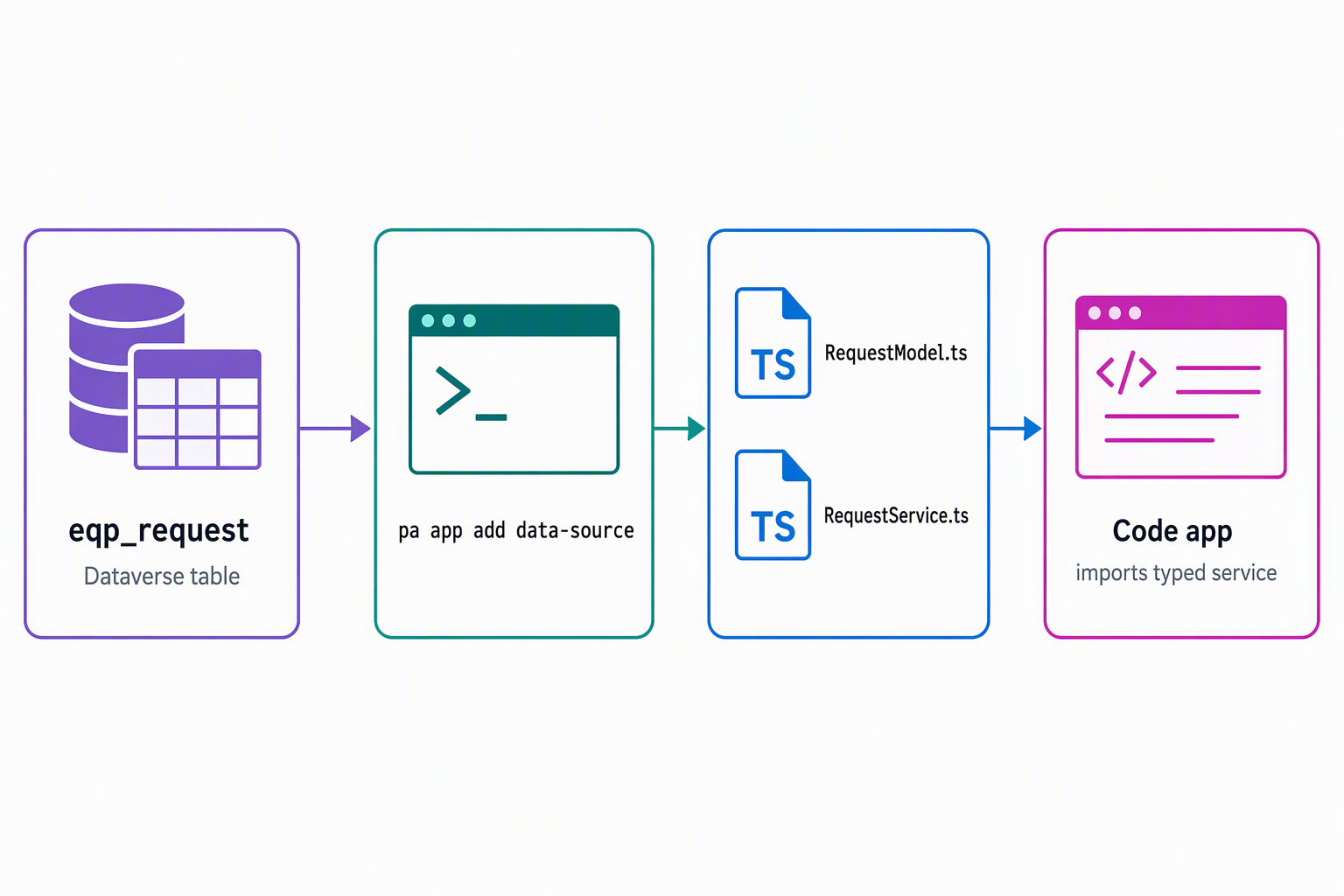
pa app add data-source --connector dataverse --table eqp_employee
pa app add data-source --connector dataverse --table eqp_device
pa app add data-source --connector dataverse --table eqp_request
pa app add data-source --connector dataverse --table eqp_allowance
Each command also needs to know which Dataverse environment to connect to. Supply the organization URL with --org-url, set it once as the PA_CLI_ORG_URL environment variable, or omit both and let the CLI prompt you for it interactively:
pa app add data-source --connector dataverse --table eqp_employee --org-url https://contoso.crm.dynamics.com
Native Dataverse supports one table per command invocation. If you need four tables, you run the command four times. That pattern matters because each table produces its own typed assets, and each asset pair stays focused on one table.
For every table that you add, the tooling generates two files under src/generated:
src/generated/models/<TableName>Model.tssrc/generated/services/<TableName>Service.ts
The model represents the table shape that your app works with, and the service exposes the data operations for that table. In the Contoso app, that pattern produces EmployeeService, DeviceService, RequestService, and AllowanceService. You import and use those generated files directly instead of hand-writing Dataverse Web API calls.
import { RequestService } from './generated/services/RequestService';
import type { Request } from './generated/models/RequestModel';
That separation helps you reason about the app as it grows. Each table's logic stays in its own generated service, and adding another table later doesn't force you to reshape the existing services.
Choose the right operation for the job
Once a table exists as a data source, the generated service gives you a consistent mental model for data work. Each generated service returns an operation result. When an operation returns payload data, you read it from result.data. In practice, you confirm that the operation succeeded before you use the data, and you wrap calls in try/catch so the app handles failures deliberately.
| Operation | Purpose | Contoso example | Key consideration |
|---|---|---|---|
create(record) |
Add a new row. | Save a new request record when an employee submits a replacement request. |
Send only business-owned fields. Leave out system-managed or read-only columns such as the primary key and owner fields. |
get(id) |
Retrieve one row by primary key. | Load one device record before you show its details. |
Use the table's primary key value, and treat the result as a single-record lookup. |
getAll(options?) |
Retrieve a set of rows. | List devices in the catalog or show one employee's open requests. | Shape the query with select, filter, top, and paging options so the app asks only for the data that the screen needs. |
update(id, changes) |
Change an existing row. | Update an allowance record after a request reaches approval. |
Send only the properties that actually change. Avoid echoing unchanged fields back to Dataverse. |
delete(id) |
Remove one row by primary key. | Delete a draft request record that the employee abandons. |
The primary key is enough. You don't need the full row to perform the delete. |
The pattern stays the same across tables. The service name changes, but the shape of the code doesn't.
try {
  const result = await RequestService.create({
    /* business-owned request fields from the submission form */
  } as Omit<Request, 'requestid'>);

  if (result.data) {
    const createdRequest = result.data;
  }
} catch (error) {
  // Handle the failure path for the UI.
}
That consistency means you apply one calling pattern across tables. When you know how one generated service behaves, you already understand how to call the others and where returned data appears.
Shape queries and updates with intent
getAll does more than return every row in a table. It accepts options that let you shape the query for the screen or workflow in front of you. Those options include maxPageSize, select, filter, orderBy, top, and paging values such as skip or skipToken.
Use select to limit the response to the columns that the experience actually renders. Use filter and top when the app needs a small, specific slice of data, such as a short device catalog view or a list of open requests. That approach keeps the request focused and avoids the weaker pattern of pulling many rows into the client and filtering them locally.
const result = await DeviceService.getAll({
  select: ['deviceid', 'devicename', 'devicestatus'],
  filter: "devicestatus eq 'Available'",
  orderBy: ['devicename asc'],
  top: 25,
  maxPageSize: 25,
});

if (result.data) {
  const devices = result.data;
}
The same judgment applies to updates. An update payload isn't a copy of the full row. It contains only the properties that change. That detail matters in business apps because unchanged fields can still carry meaning when the platform or business logic inspects what arrives in the update request.
If the allowance record changes only because approval reduces the remaining amount, send only that changed property. Don't send back every field that the app retrieved earlier. Extra fields can trigger unintended business logic, and they can distort audit trails that assume the presence of a field means that the field changed.
try {
  await AllowanceService.update(allowanceId, {
    /* only the allowance properties that changed */
  });
} catch (error) {
  // Handle the failure path for the UI.
}
Reflect: If a page shows only open requests for the signed-in employee, which
getAlloptions help you keep the query focused? After approval changes one allowance value, which fields stay out of theupdatepayload, and why?
Plan for growth and respect current boundaries
The one-table-per-command pattern also shapes how you maintain the app. Each table enters the app as its own data source, and each data source generates its own model and service pair. That structure keeps typed access independent per table, which makes the code easier to maintain.
If Contoso later adds a fifth table for shipping details, you add one more data source and get one more generated pair. The existing eqp_employee, eqp_device, eqp_request, and eqp_allowance assets stay untouched.
At the same time, it helps to know the current boundaries so you don't plan around capabilities that are out of reach today. Lookups need extra association guidance beyond simple field assignment, so relationship fields such as request to employee or request to device need special attention. Code apps also don't support schema definition (entity metadata) operations, polymorphic lookups, FetchXML, or alternate keys today.
Knowing those boundaries helps you plan the app realistically. Use generated services for table access and CRUD operations, and treat unsupported areas as design constraints instead of surprises that appear late in the project.
With table access in place, Unit 3 turns to Dataverse actions and functions, including the eligibility-check custom API in the Contoso app flow.