Extend an agent with custom tools
An agent can retrieve information, but what happens when a request requires business logic that no built-in tool provides?
Turn business logic into a tool
Caldova's assistant can search policy content and analyze production data with built-in tools. It can't draft an external capacity request, because that task depends on Caldova's own rules and application logic. To close that gap, you expose the capability as a custom tool.
The most direct option is function calling. You write a Python function such as draft_capacity_request, then register a matching tool definition. The definition describes the function's purpose and the product, quantity, and date parameters it accepts.
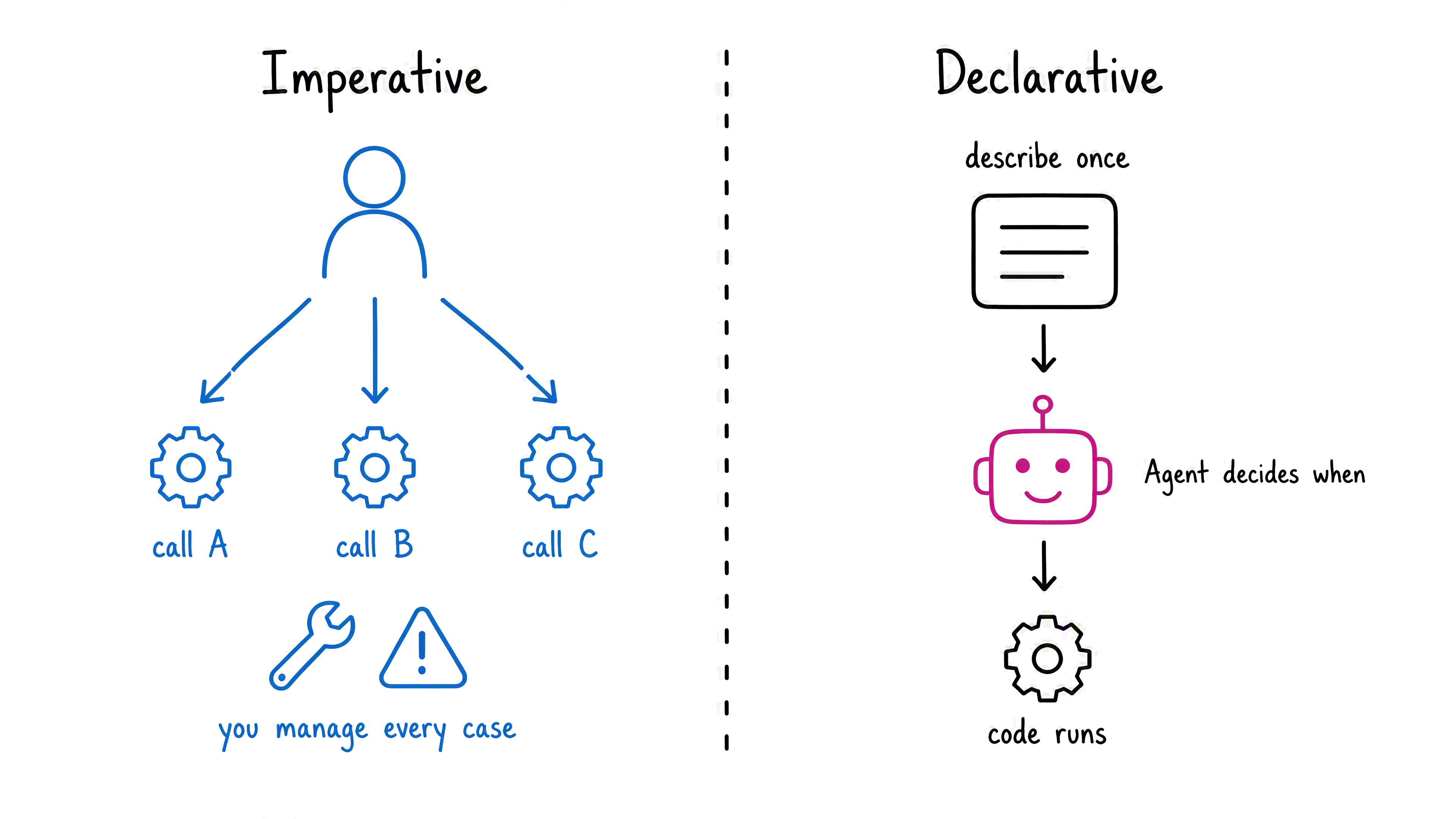
Who decides when to run it? With an imperative workflow, your application chooses and calls each function. Function calling uses a declarative pattern: you describe the capability once, and the agent chooses it when a request matches that description. Your application then runs the requested function and returns its result to the agent.
Tip
A description such as "get data" doesn't tell the agent when to choose the tool. Use a specific purpose and clear parameters so the agent can distinguish draft_capacity_request from its other capabilities.
Choose how to expose the capability
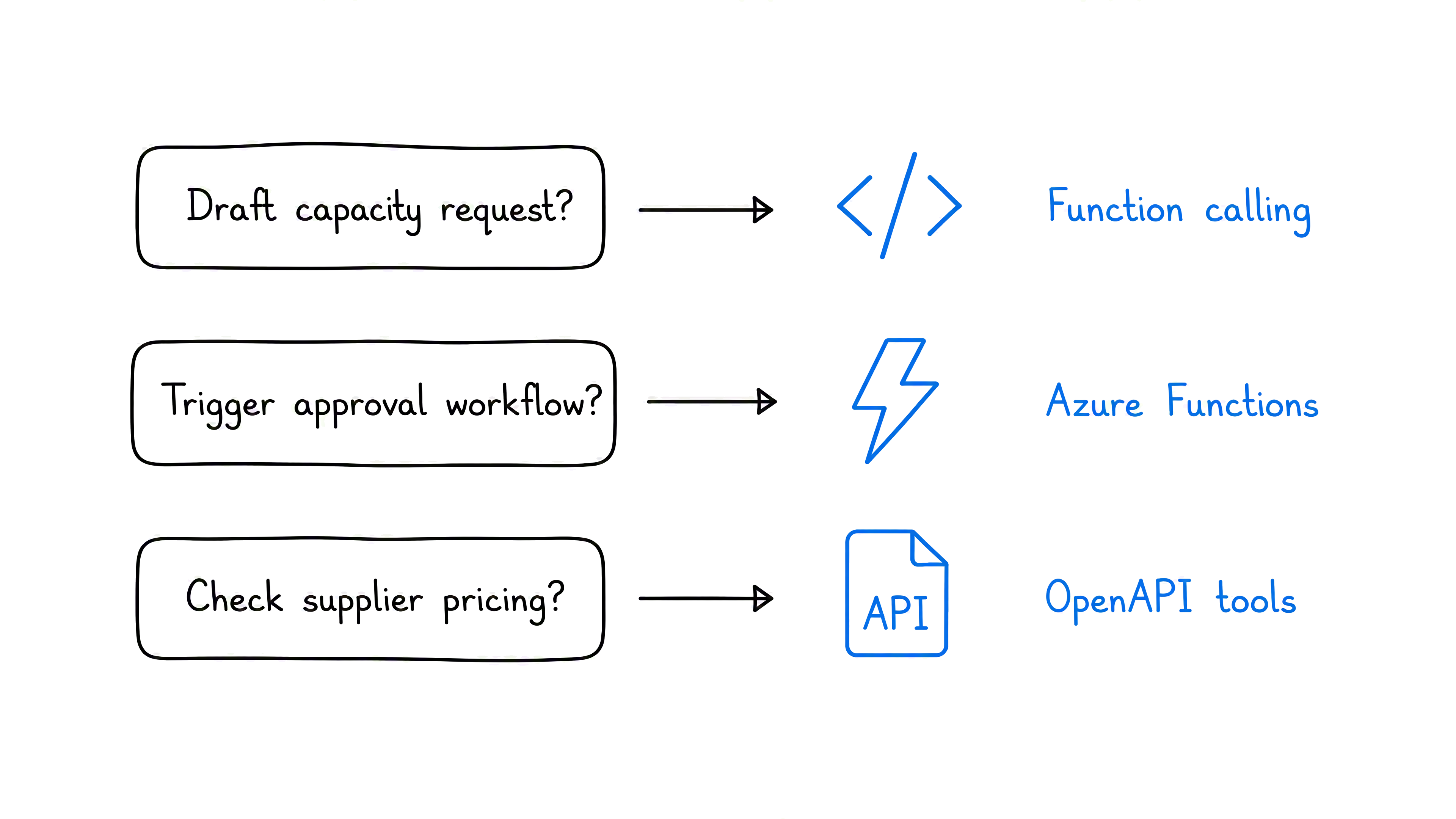
The next question is where the business logic should run. Choose the tool type that matches how the capability already exists:
- Use function calling for a function your application runs, such as drafting Caldova's capacity request.
- Use Azure Functions for serverless logic that runs independently, such as triggering an approval workflow.
- Use an OpenAPI-defined tool for an existing API, such as retrieving supplier pricing.
The hosting option changes, but the agent's decision stays declarative. In each case, you describe what the tool does and the information it needs. The agent then matches a request to the appropriate tool.