Connect an agent to MCP servers
Every hardcoded integration makes an agent more difficult to extend and maintain. A Model Context Protocol (MCP) server provides a tool catalog that the agent can discover at runtime instead.
Discover tools dynamically
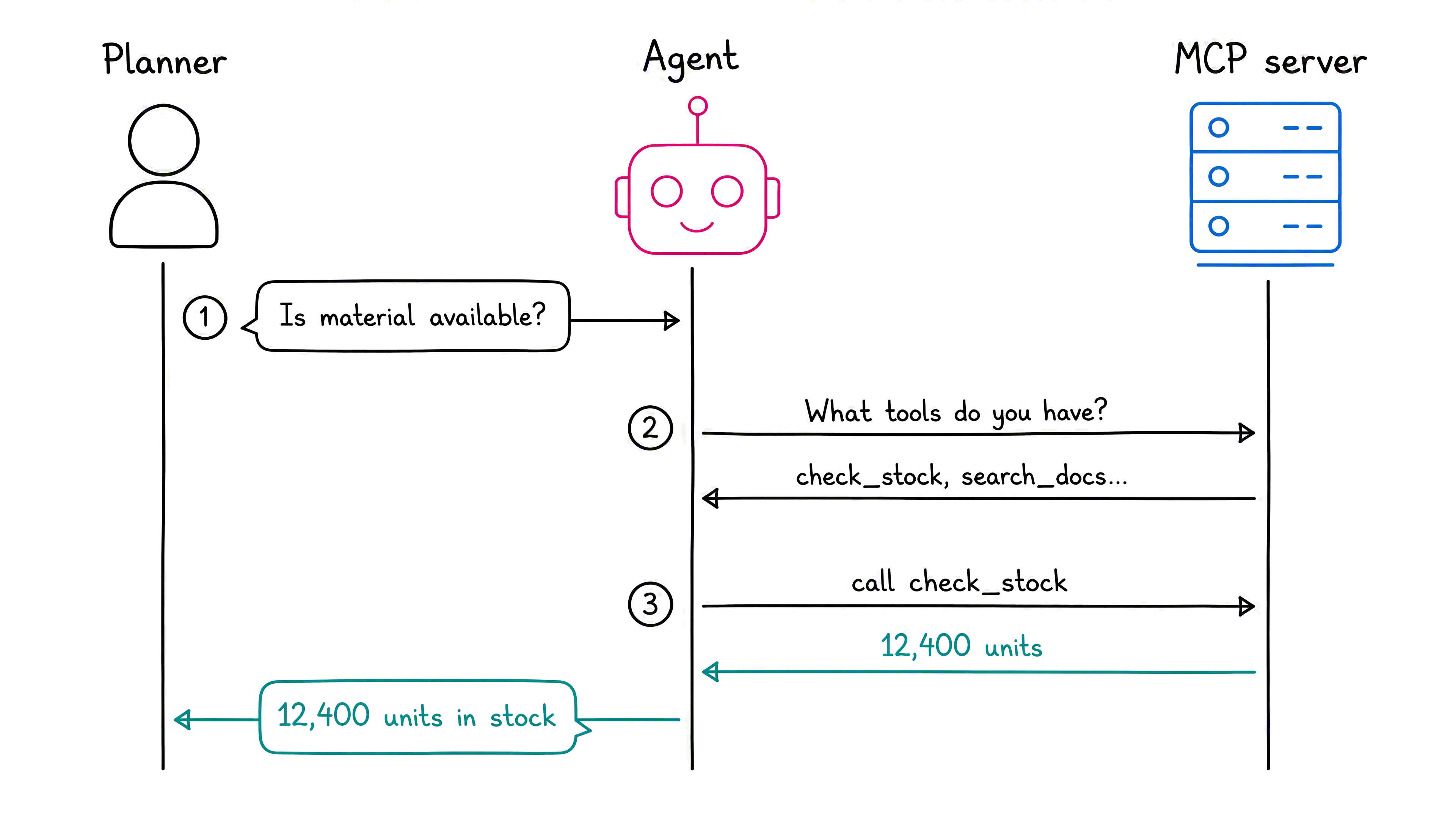
The Model Context Protocol (MCP) breaks this cycle. Instead of baking each integration into the agent, you put tools on a server that acts as a live catalog. Your agent, through a lightweight client, asks the server what tools are available at runtime. It calls whichever tool the request needs, and the server handles the rest. Add a tool on the server, and every connected agent finds it automatically — no agent redeployment required.
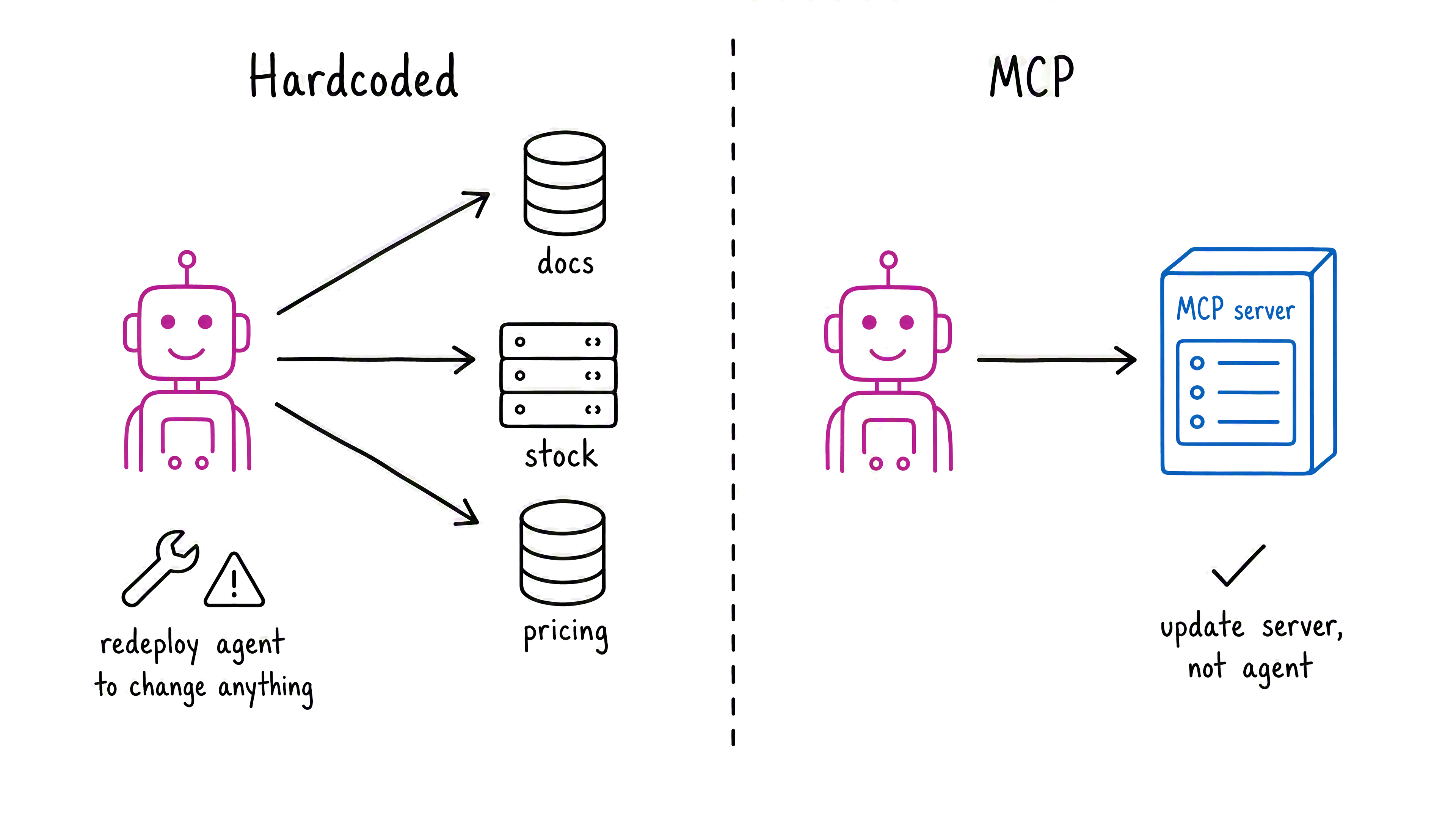
The separation is the key insight: the server hosts tools, the client discovers and calls them, and the agent stays focused on deciding what to do. The same server can serve multiple agents, and the same agent can connect to multiple servers with a single consistent authentication approach.
Connect to a remote MCP server
Foundry Agent Service supports remote MCP servers directly, so you don't have to manage a client session or wrap functions yourself. You configure an MCPTool with a label that identifies the server, the server's endpoint URL, and an optional list of which tools the agent can call. The require_approval setting controls whether the agent pauses for confirmation before each call — always by default, or never for tools that run automatically.
Handle tool approval
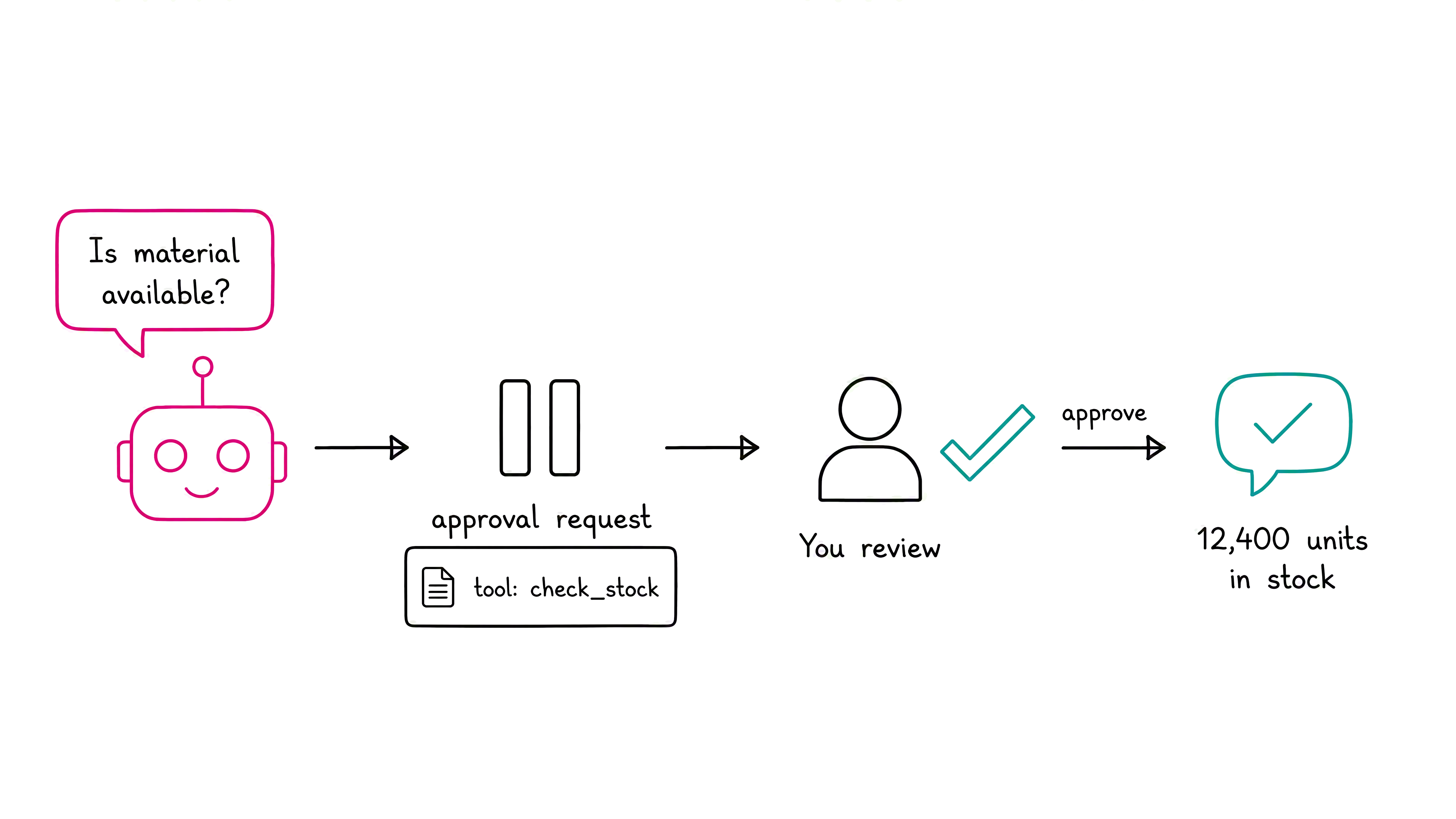
Approval is where reasoning matters. When require_approval="always", the agent returns an mcp_approval_request that names the tool it wants to call. Your code inspects the request and responds with an mcp_approval_response containing the request ID and an approve Boolean value. The agent then proceeds.
Tip
Why default to always? Consider a tool that submits an external capacity request. Requiring approval means a person or your validation logic reviews the request before submission. For read-only lookups, such as searching documentation or checking material stock, you might switch to never. The setting represents a deliberate tradeoff between control and convenience.
The same MCP pattern exposes Caldova's material inventory through a stock-checking server. The assistant discovers the stock tool at runtime, calls it for a material request, and returns the current quantity. This final capability completes the progression from grounded policy answers to live information and business actions.