Plan a solution with Copilot Code
In our scenario, the team tracking AI initiatives knows what problem it needs to solve. Now it's time to decide how to work with Copilot Code on a solution.
Building starts with a conversation
Before Copilot Code creates a solution, you can refine the approach, review assumptions, and confirm that it understands your request.
Watch it in action
This video shows how the team turns its AI initiatives problem into a reviewed plan with Copilot Code.
Choose how you work
Copilot Code offers different ways of working, and the choice depends on how much guidance and control you want during the process.
- Interactive mode supports step-by-step collaboration.
- Plan mode creates a plan before work begins.
- Automatic mode runs end to end with fewer interruptions.
Note
Available modes can vary based on your organization's rollout stage and the version of Copilot Code you have access to. Some experiences may not yet be available in your environment.
For the scenario in this module, choose Plan mode. Reviewing a plan first is the easiest way to verify assumptions, catch misunderstandings, and make changes before work begins.
Start with context
A blank prompt isn't the fastest starting point. You can bring existing information into Copilot Code by uploading spreadsheets, documents, presentations, and PDFs, or by using content from previous conversations. When a business problem already exists in a file, that file gives Copilot Code useful context before planning begins.
Review the plan before Copilot Code builds
The plan restates the problem as Copilot Code understands it, lists the pieces it intends to build, and names the assumptions it's making.
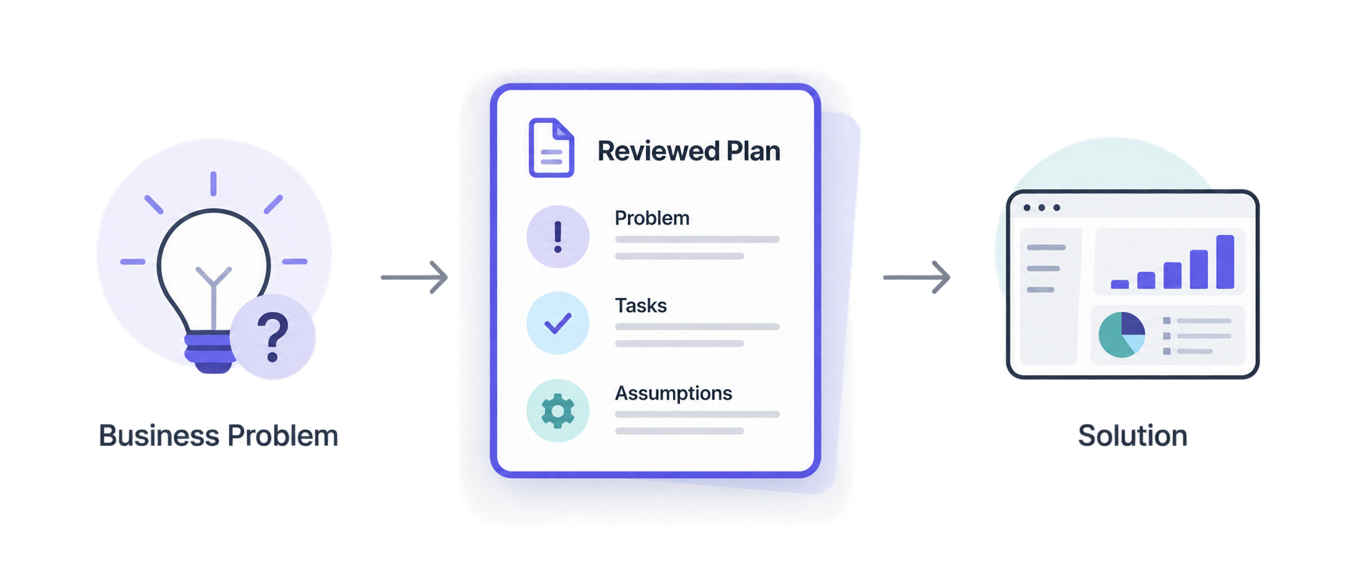
Review the assumptions closely. Changes are easier to make at the planning stage than after the solution is generated.
Clarifying questions are part of the process
Copilot Code asks clarifying questions when a request leaves room for interpretation. Answering them helps the solution match what you need before work begins.
Once the plan looks right, you're ready for Copilot Code to generate the first version of your solution.