Exercise - Configure your custom engine agent
Let's customize the prompt for your custom engine agent.
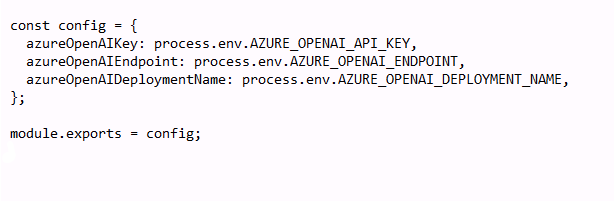
Go to the config.json file under src. Add the following code inside the completion brackets and replace the variables with your Azure AI Search resource details. Meaning, replace the variables after the semicolon.
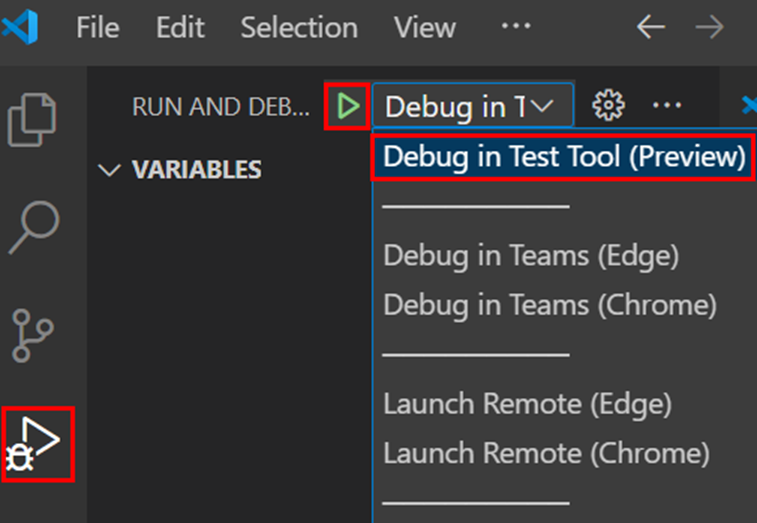
From the left pane, select Run and Debug (Ctrl+Shift+D).
Select Debug in Test Tool (Preview) if you don't want to utilize a Microsoft 365 account or Debug in Teams (Edge) if you want to test your agent in the full Teams experience.
Select the F5 key.
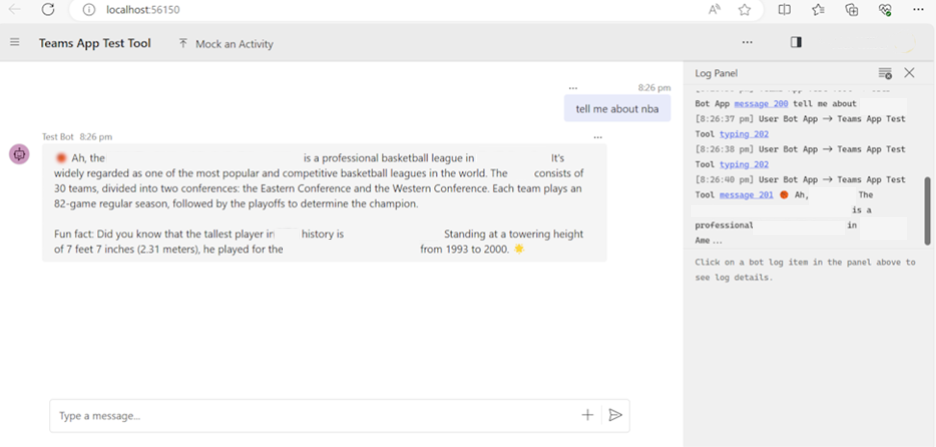
Custom engine agent runs within the Debugging tool you have chosen, which opens in your browser.
Now, in the new window ask questions related to your document and chat with your custom engine agent to learn more about your data.
Congratulations, you completed this tutorial!