Add custom knowledge
Knowledge forms the base of your agent's responses to users. Add custom knowledge to your agent so it can provide more relevant information and insights.
Custom knowledge
When you first create an agent, it starts out with only the base generative AI knowledge. The agent is unaware of any other data sources. You can expand the knowledge of your agent in two ways:
- Custom instructions: Determines how the agent should behave and how it should shape its responses.
- Custom grounding: Determines the data sources to be used as grounding data for the agent.
Custom instructions
Instructions are specific directives or guidelines that are passed to the foundation model to shape its responses.
For our fictional customer support team, we want to create a helpful support assistant to help the team respond to customer queries.
Instructions are crucial to ensure that your declarative agent performs reliably and accurately. A well-structured set of instructions ensures that the agent understands its role and tasks and how to interact with users. The following are the main components of declarative agent instructions:
- Purpose
- General guidelines, including general directions, tone, and restrictions.
- Skills
You should implement effective prompt engineering practices to write good instructions. Consider the answer to the following questions when writing your instructions:
- Capabilities: What can it do and what can’t it do?
- Tone and persona: How should the agent respond to queries?
- Information sources: What sources of information should the agent use?
- Fallback: What should the agent do if it can’t find the necessary information?
Effective instructions provide clarity and specificity to guide the agent to ensure that it responds with relevant and accurate answers.
For more guidance on writing effective instructions, review the following article: Write effective instructions for declarative agents.
Custom grounding
Grounding is the process of connecting large language models (LLM) to real-world information, enabling more accurate and relevant responses. Grounding data is used to provide context and support to the LLM when generating responses. It reduces the need for the LLM to rely solely on its training data and improves the quality of the responses.
By default, a declarative agent isn't connected to any data sources. You can add the following types of data sources to your agent:
- SharePoint: Connect your agent to SharePoint resources in your organization by providing a path to the root of a SharePoint library or site. Up to four paths can be added to an agent. Microsoft 365 Copilot uses the credentials of the user to ensure the agent only uses information the user has access to when generating responses.
Note
A single page or file being specified isn't supported at this time.
- Copilot connectors: Copilot connectors (formerly Graph connectors) expand the Microsoft Graph with custom enterprise data, making this data available to Microsoft 365 Copilot and declarative agents. Connectors that have been pre-configured by your Microsoft 365 tenant admin will be listed as data sources that you can add to your agent. Learn more about Copilot connectors: Copilot connectors.
- Web browsing: When you enable web browsing for your agent, your agent can use public web search (via Bing) to retrieve results and form responses.
Note
With the exception of WebSearch which uses public data, access to grounding data is controlled by Microsoft 365 permissions. The agent can only access data that the user has permission to access.
Add knowledge to your agent
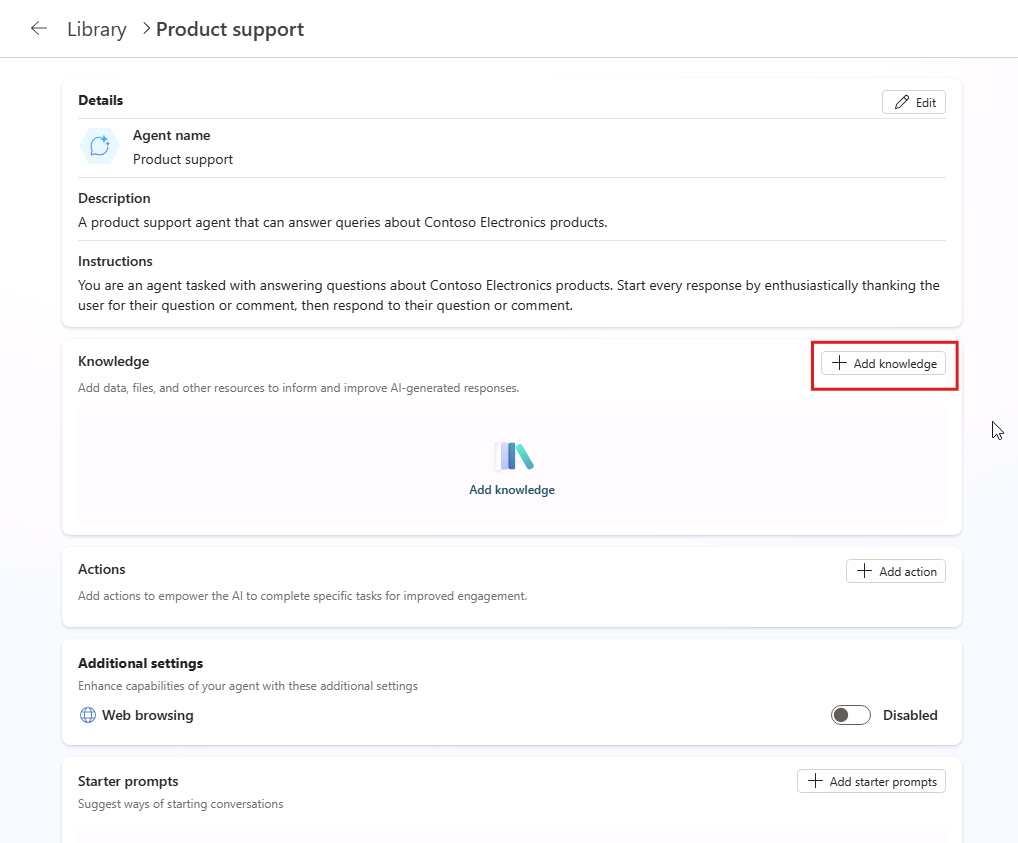
You can add knowledge to your agent via the agent's Overview page. Select the Add knowledge button within the Knowledge card to configure your agent's knowledge sources.
Multiple knowledge sources with a mix of types can be added to an agent.