Exercise - Create an AI-Powered Copilot
In this activity, you'll create a Copilot with generative answers. You'll provide the AI knowledge in the form of PDF documents and/or website addresses.
You can complete this exercise either for the fictitious Contoso company or for an organization you're a part of and can access information and documents for. If you choose your organization, include an emergency evacuation document to complete the module as it's written.
Specifications
Create a new Copilot in Copilot Studio within an environment hosted in the United States.
Configure your Copilot as follows:
- Enable generative answers in the Settings > AI Capabilities menu.
- Train the Generative AI model by providing company information in the form of PDFs or other text-based files.
- If you're completing this exercise for your own organization, you can add further training data by providing web addresses.
Note
To create the chatbot for the Contoso example, you can download the example PDFs here to use as your organizational knowledge resources.
Check your work
Follow these steps to test your app and validate that you satisfied the requirements for the first exercise:
Ensure your chatbot is saved in Copilot Studio.
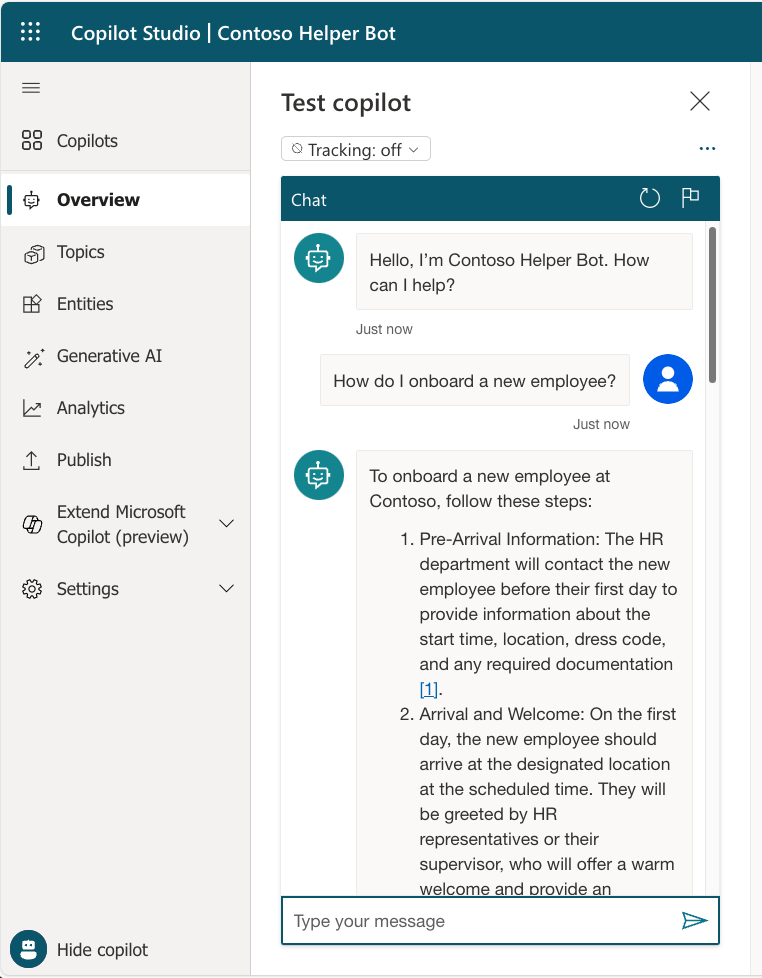
Test your chatbot by selecting Test your Copilot in the bottom left corner of Copilot Studio.
Ask your chatbot questions about content you know is in the provided documents/websites.
Test your chatbot with a question that is out of the scope of what is covered in the provided documents/websites.
Test to see what your chatbot does when you ask for emergency fire procedures.