Capture the outcome and complete the response
Now you will feed the remaining paths' results into the response variable and connect every path to the single Respond to the agent action.
On the manager path, add a Variable action and choose Update Variable in its panel with the update operation instead of initialize. Rename the action
Update Manager Response, select theresponsevariable, and set its value to capture the reviewer's decision, for example:Manager has responded with @{outputs('Manager_Review')?['body/response']}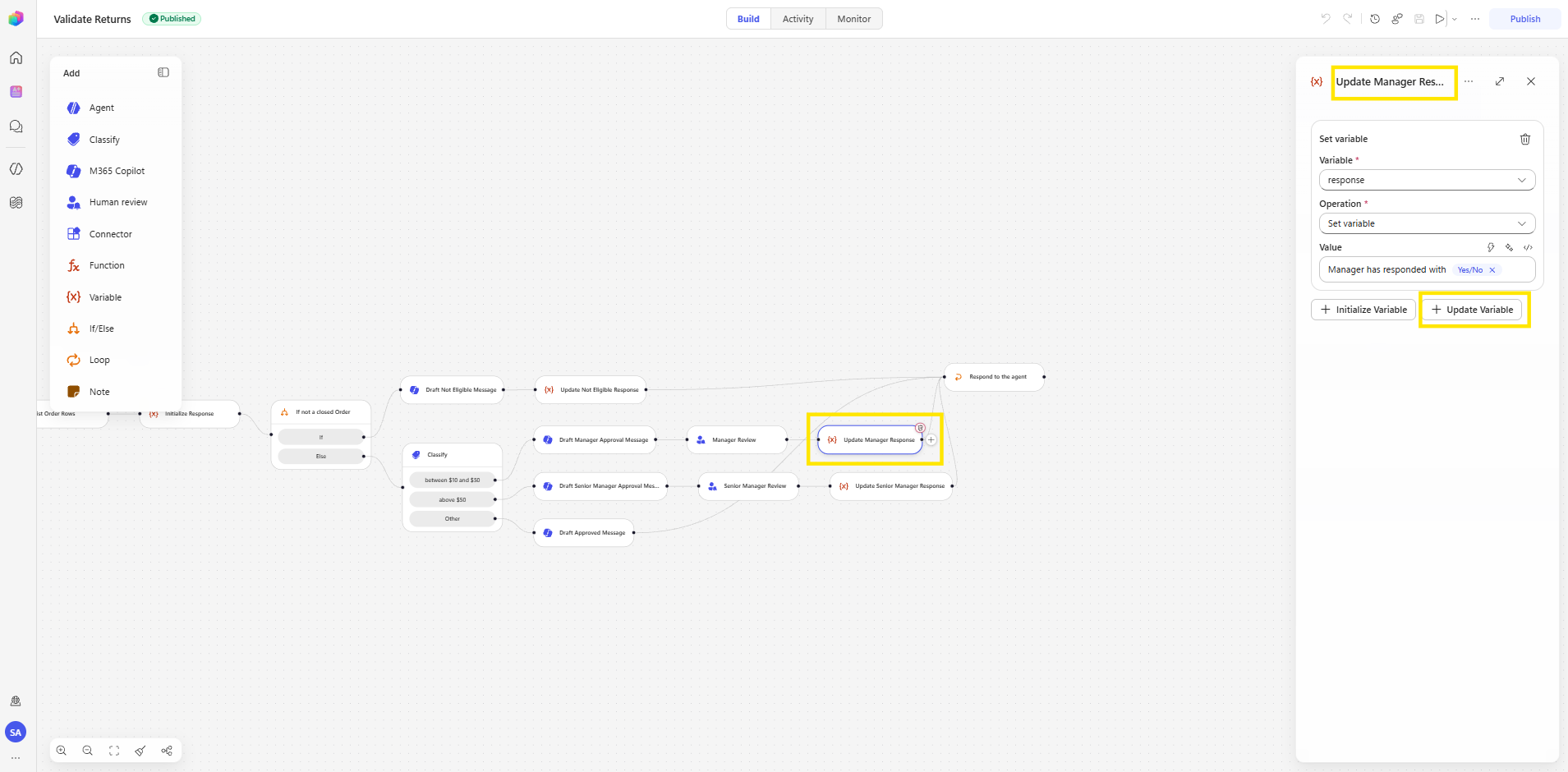
On the senior-manager path, add another Variable action with Update Variable, renamed
Update Senior Manager Responseand again targetingresponse, for example:Senior manager has responded with @{outputs('Senior_Manager_Review')?['body/response']}The Other path gets the same treatment with no review in between: add a Variable action with Update Variable, renamed
Update Approved Response, settingresponseto the Response dynamic value of Draft Approved Message, connected between Draft Approved Message and the respond action.Drag the Respond to the agent action to the end and connect every path to it. Along the way the designer may have spawned extra copies of the respond action. They appear numbered, like Respond to the agent 2. Delete any you find, and reconnect their path to the original. This flow deliberately ends in a single respond action: the
responsevariable exists precisely so one exit can serve every path. Paths that update the variable should sendresponseinto the Respond to the agent output.Select Save. The flow checker may warn that multiple nodes lead into a single action. For this lab you can acknowledge and ignore these warnings, as the workflow still publishes and runs.
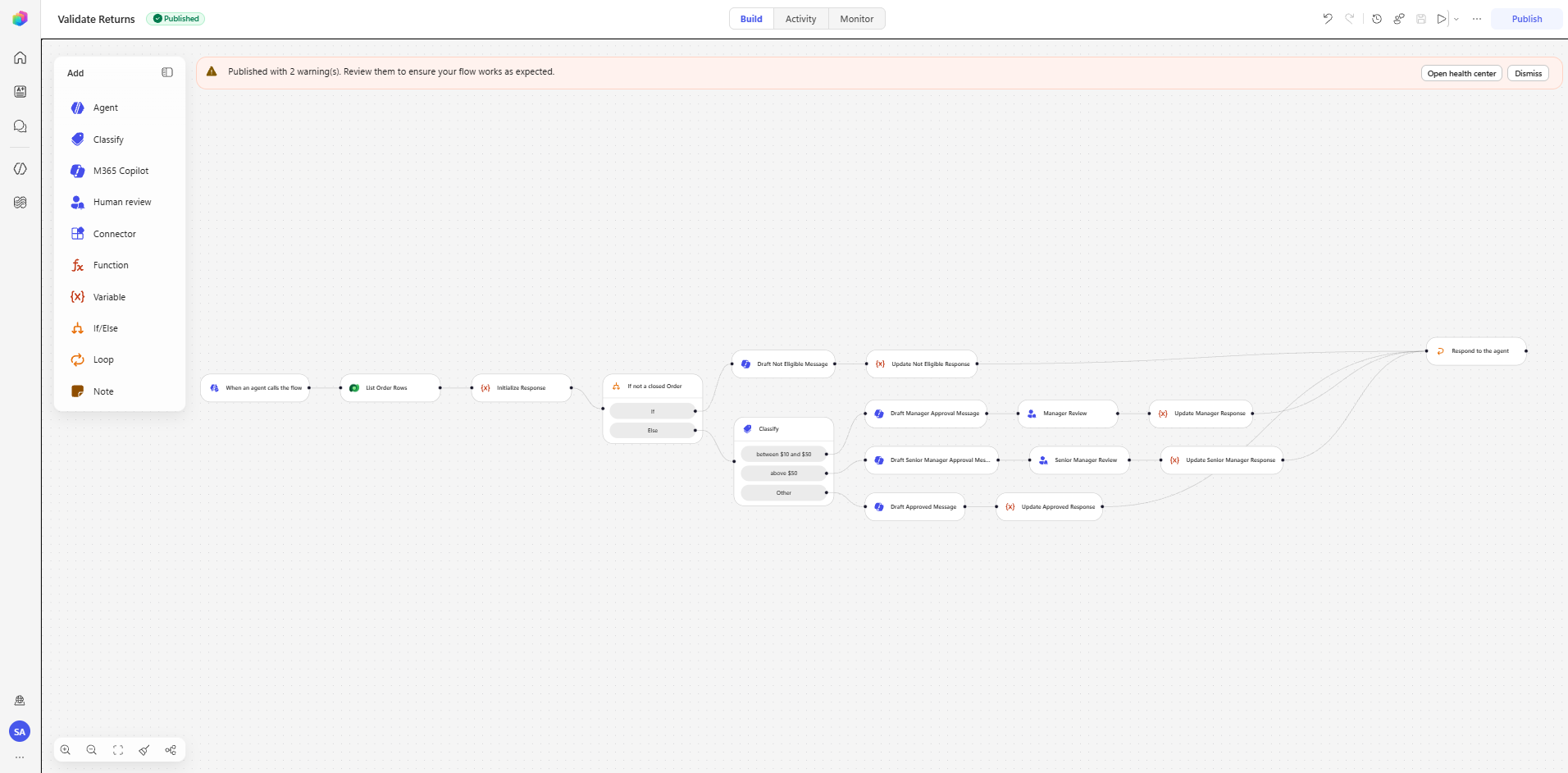
✅ Checkpoint: Every path converges on Respond to the agent, and every path (not-eligible, both approval tiers, and Other) writes its message into the response variable that the respond action returns.