Classify the shipping fee
For closed orders, the approval path depends on the shipping fee. Rather than write brittle threshold logic by hand, you let the Classify action bucket the value into tiers. Its Configure panel has four parts, and you'll fill them top to bottom: the Connection, the Input to classify (the value being bucketed), the Categories (the buckets), and optional Examples that sharpen the model's accuracy.
Reopen Validate Returns in the designer and add a Classify action and connect it from the Else (closed order) branch.
In the panel's Configure tab, confirm the Connection (create it if prompted), and leave the model dropdown beside Input to classify at its default.
Now tell the action what to classify. In the Input to classify box, choose Insert expression and generate the shipping-fee expression with the prompt:
Get the first row of List Order Rows and the shipping fee valueUsing the first row avoids creating a loop over the returned records. The inserted expression appears in the box as a small token chip rather than the full text; that's normal.
Next, define the buckets. Under Categories, create two categories and name them exactly:
between $10 and $50above $50Each category card also offers a Describe what belongs in this category box. You can leave it empty here because these category names state their own rule. Anything that matches neither category falls into the fallback category the action creates automatically, which appears on the canvas as a third branch, Other, which is where shipping fees below $10 will land.
Finally, scroll down to Examples (optional) and give the model a few sample shipping fees with the category each belongs to. They improve classification accuracy. Select + Add example: each example is a small card with a category dropdown and a text box for the example value. Pick the category, type the value, and repeat until you have all three:
Sample value Category 36.50 between $10 and $50 75 above $50 150 above $50 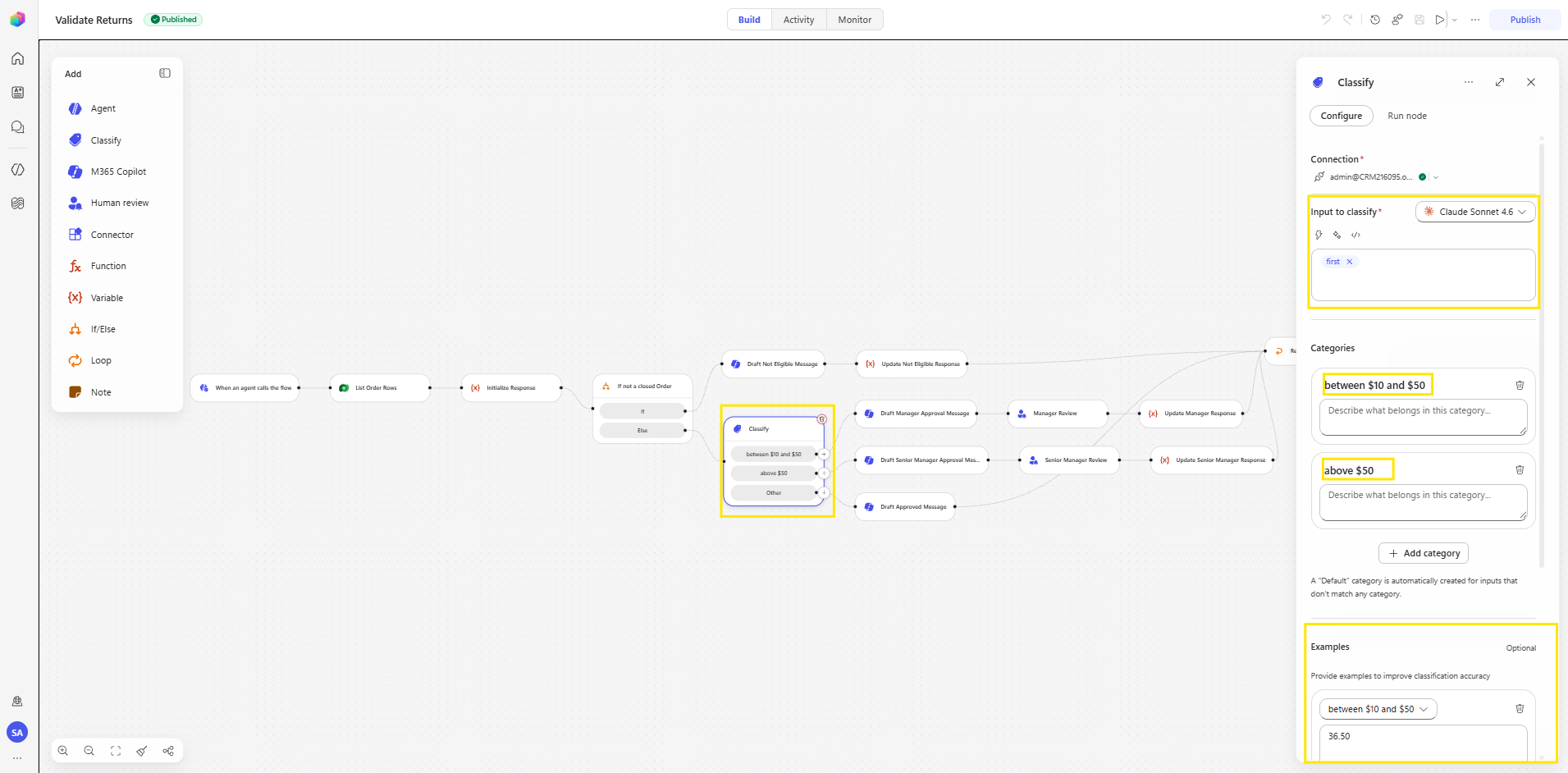
✅ Checkpoint: The flow now has three outgoing paths from Classify: between $10 and $50, above $50, and Other.