Publish and test the workflow
Local testing lets you validate the whole flow before wiring it to a live agent.
Select Publish again so your latest changes are in the published version. The run always executes the last published flow, so unpublished edits from the last few units would silently not be part of the test.
Stage your test data before running anything: in freshly seeded Northwind data, most orders have an empty Order Status, so the closed orders these tests need won't exist until you create them. The easiest place to do this is the Admin Management App included in the Northwind Traders solution. Open it from Apps in the Power Apps portal (check the Shared with me tab if it isn't in your default list), go to its orders view, pick four orders, and note their order numbers:
- A not-eligible order: any order whose status is empty or anything other than Closed. An empty status also takes the not-eligible path, because empty is "not equal to 3" too.
- A closed, mid-fee order: pick one with a shipping fee between $10 and $50 and set its Order Status to Closed.
- A closed, high-fee order: pick one with a shipping fee above $50 and set its Order Status to Closed.
- A closed, low-fee order: pick one with a shipping fee below $10 and set its Order Status to Closed.
Can't find an order with a suitable fee? Pick any order and edit its shipping fee as well. You're staging test data, so set whatever values each scenario needs.
Test the flow with the play button. Enter your not-eligible order's number in the Order trigger input dialog and run it. It should take the If not a closed Order path and return the not-eligible message.
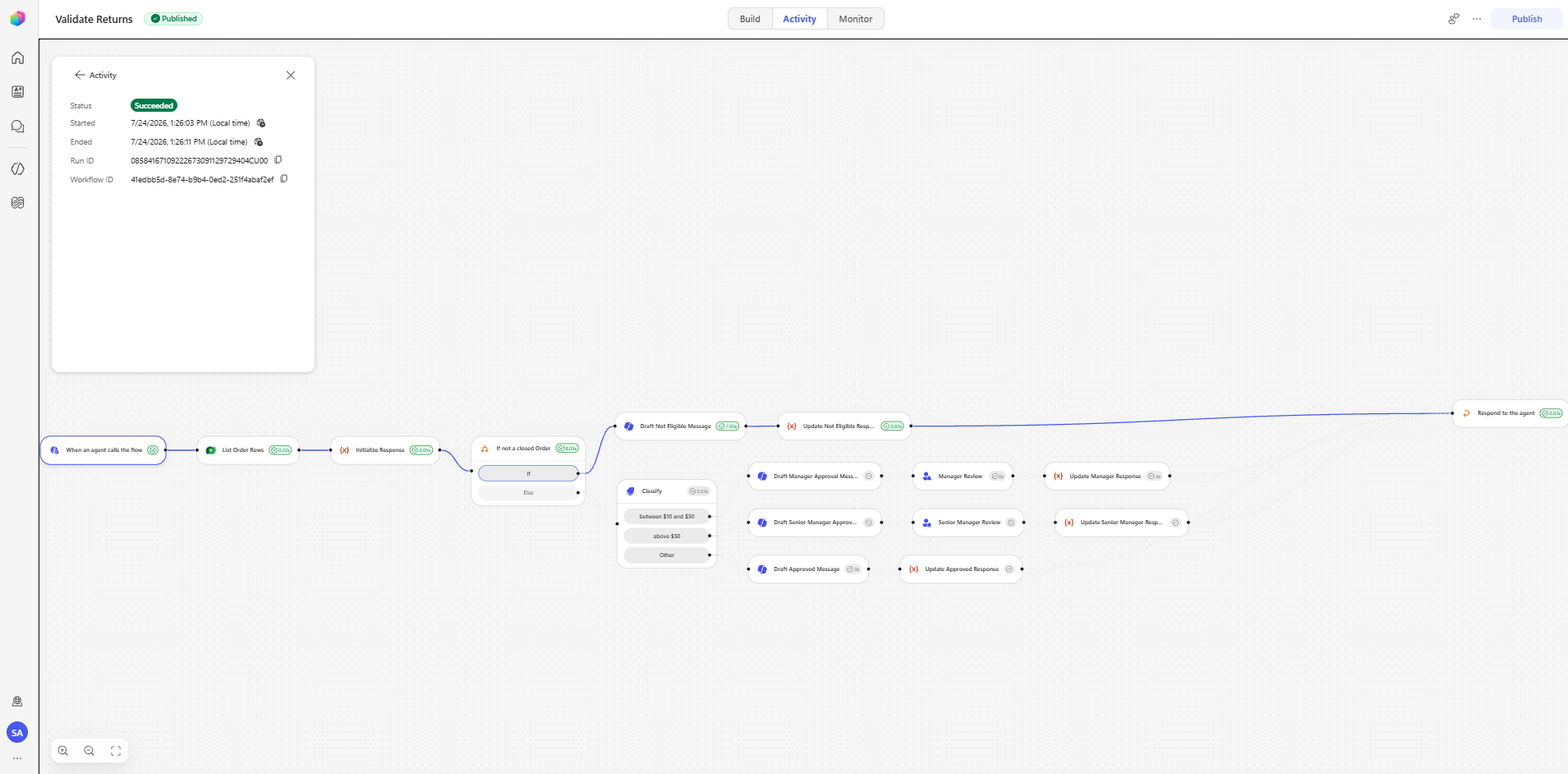
Run again with your closed, mid-fee order. Each run leaves you in the Activity tab, so switch back to Build and select the play button for every rerun. This one traverses the Else > between $10 and $50 path and sends a manager approval to your inbox. The assigned reviewer receives an actionable Request information email. The generated approver message naming the order and its fee rule, Yes / No options, and a Submit button. (On the Teams channel it's a card in your Teams chat with the same content.) Select Yes and Submit, and watch the run complete. The decision flows back through the
responsevariable and closes the loop.
Note
⚠️ Important: Respond to the approval promptly. Have Outlook (or Teams) open before you press play. The review itself will wait for minutes and still succeed, but the calling side only holds its connection open briefly: answer too slowly and the run fails at Respond to the agent with ActionResponseTimedOut (HTTP 504 to the caller) even though every other node succeeded. If you see that error, nothing is broken. Run again and answer right away.
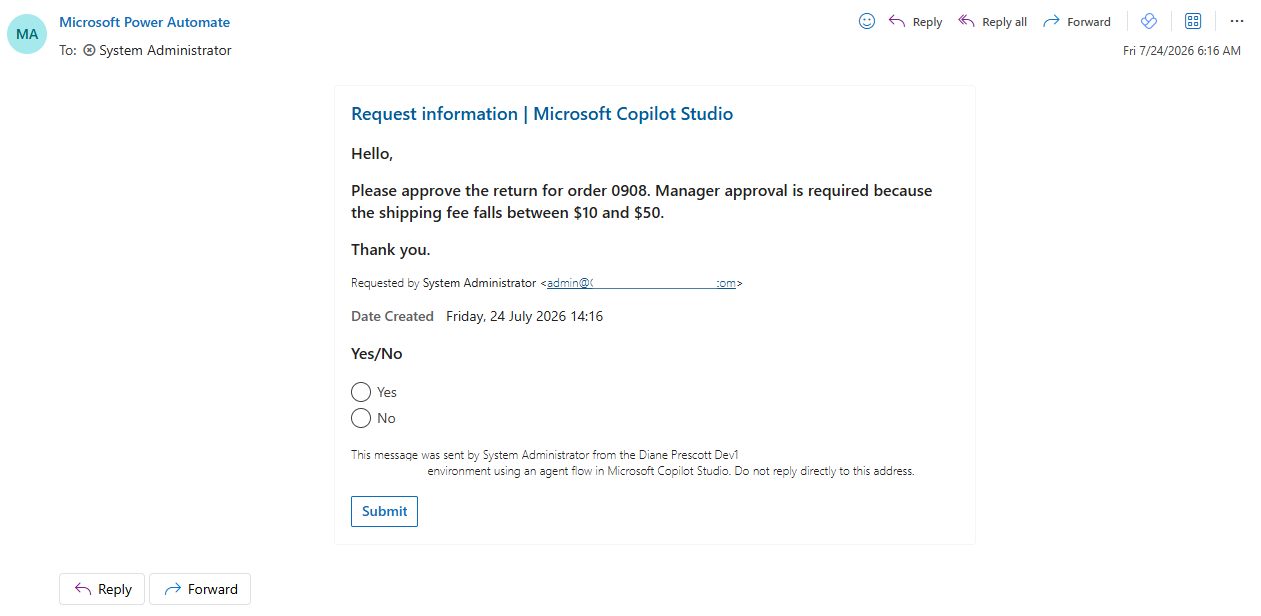
Repeat with your closed, high-fee order (above $50). The senior-manager tier works the same way: the approval email arrives from Senior Manager Review, and your prompt Yes closes the run.
Finally, run your closed, low-fee order. It takes the Other path and returns an approved message with no review needed.
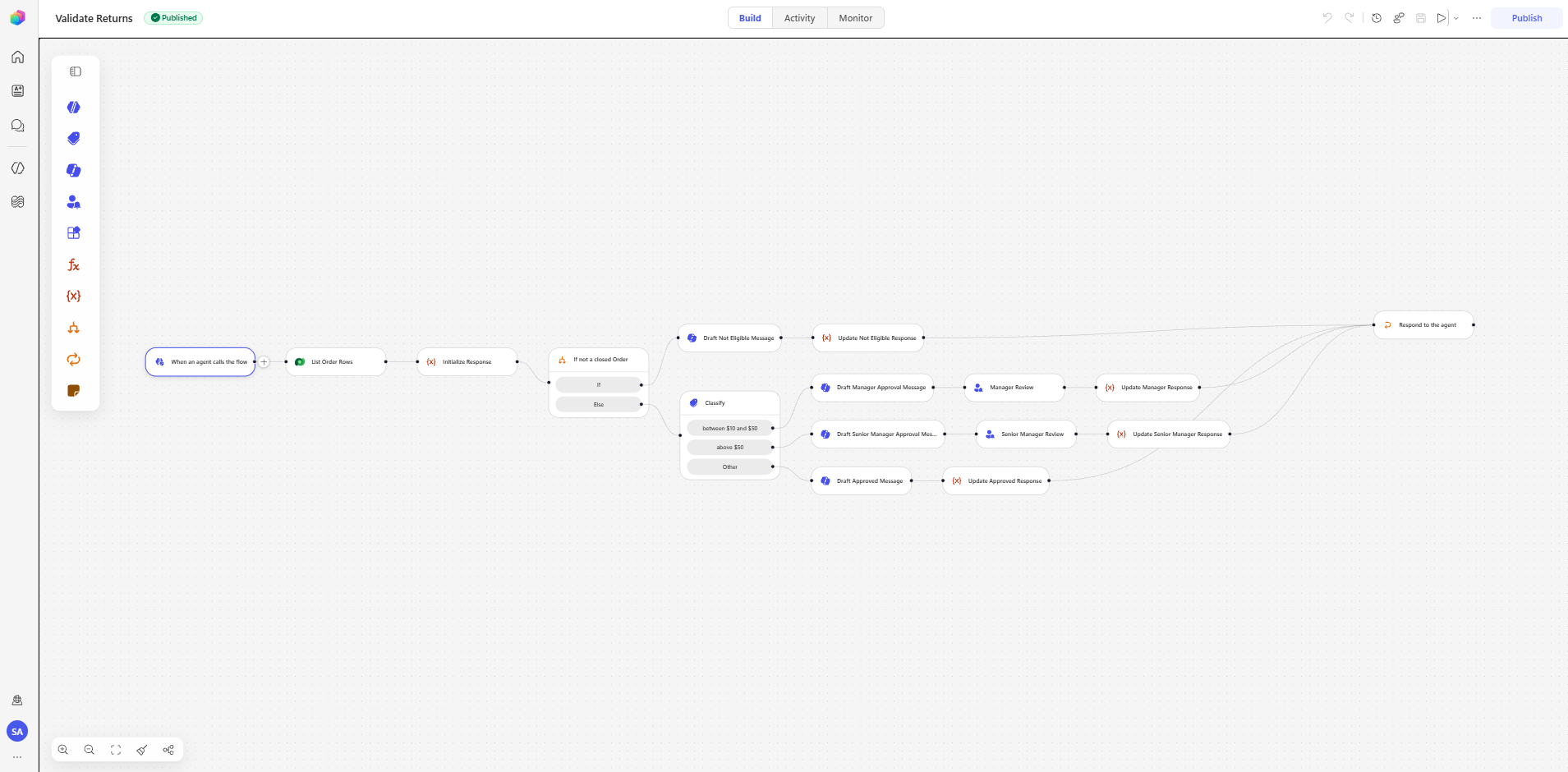
✅ Checkpoint: Each order type traverses the expected path, the Activity tab highlights the route taken, and every run completes with a message returned to the agent.