Use the workflow in an agent
Finally, you add the published workflow to a Copilot Studio agent as a tool. This is the same handoff pattern that lets any agent call reliable, deterministic automations mid-conversation.
You're done with the flow designer. In the left-hand pane, select Agents, then select New agent.
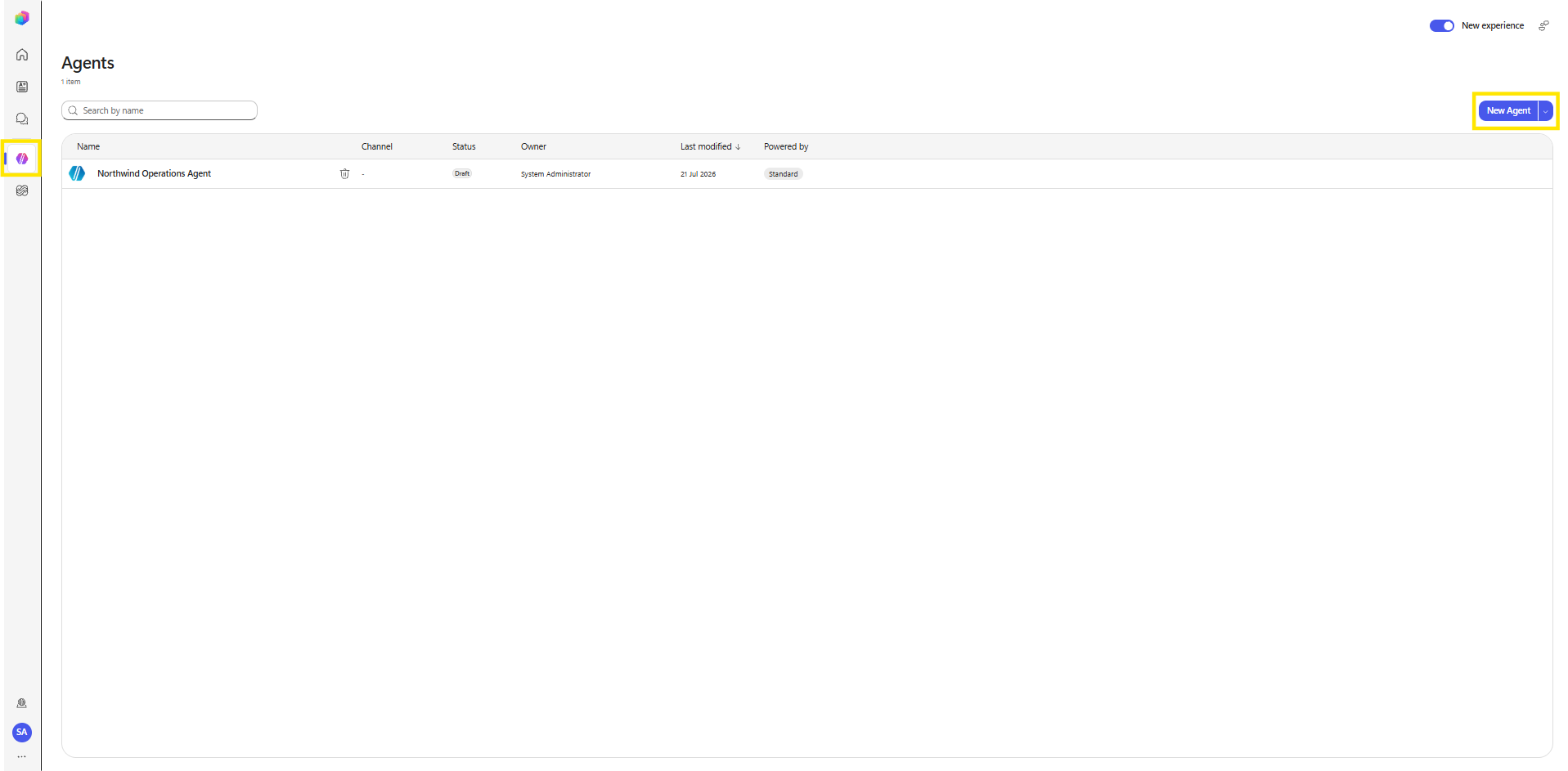
Configure the agent: set Name to the value below and select Create.
Northwind Returns AgentOpen the agent's Tools section and select Add a tool. Switch to the Workflows tab, select Validate Returns, and add it.
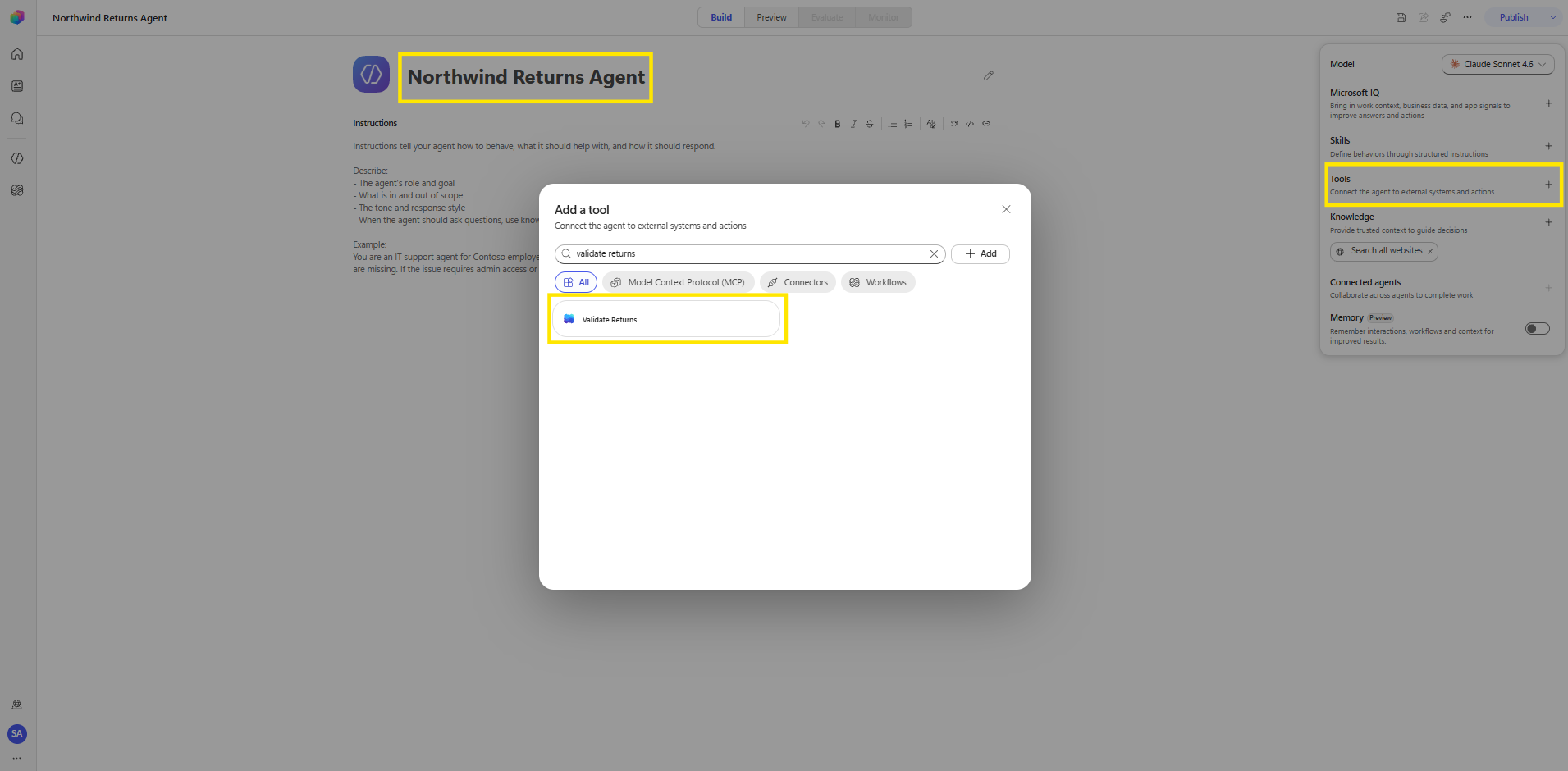
Select Publish, then open Preview and ask:
can customer return order <your not-eligible order number>The agent identifies that it should call the Validate Returns tool, passes the order number, runs the flow, and returns the result into the chat. The not-eligible path responds in seconds, so this exchange cleanly demonstrates the whole loop: the agent recognizes the request, calls the tool, and rephrases the flow's grounded answer in its own words.
Now try an approval path: ask about your closed, mid-fee order, and answer the approval email the moment it arrives. The agent's tool call is held open by the same short window from the previous step. If the approval isn't completed in time, the flow's response never reaches the agent, and the agent improvises an answer such as "the validation returned no information" or "the order doesn't exist." Nothing is broken: rerun and respond faster. A timed-out tool doesn't make an agent error out, it makes it guess. This design can be made more complex and comprehensive, for example by completing approvals after the flow has already responded to the agent.
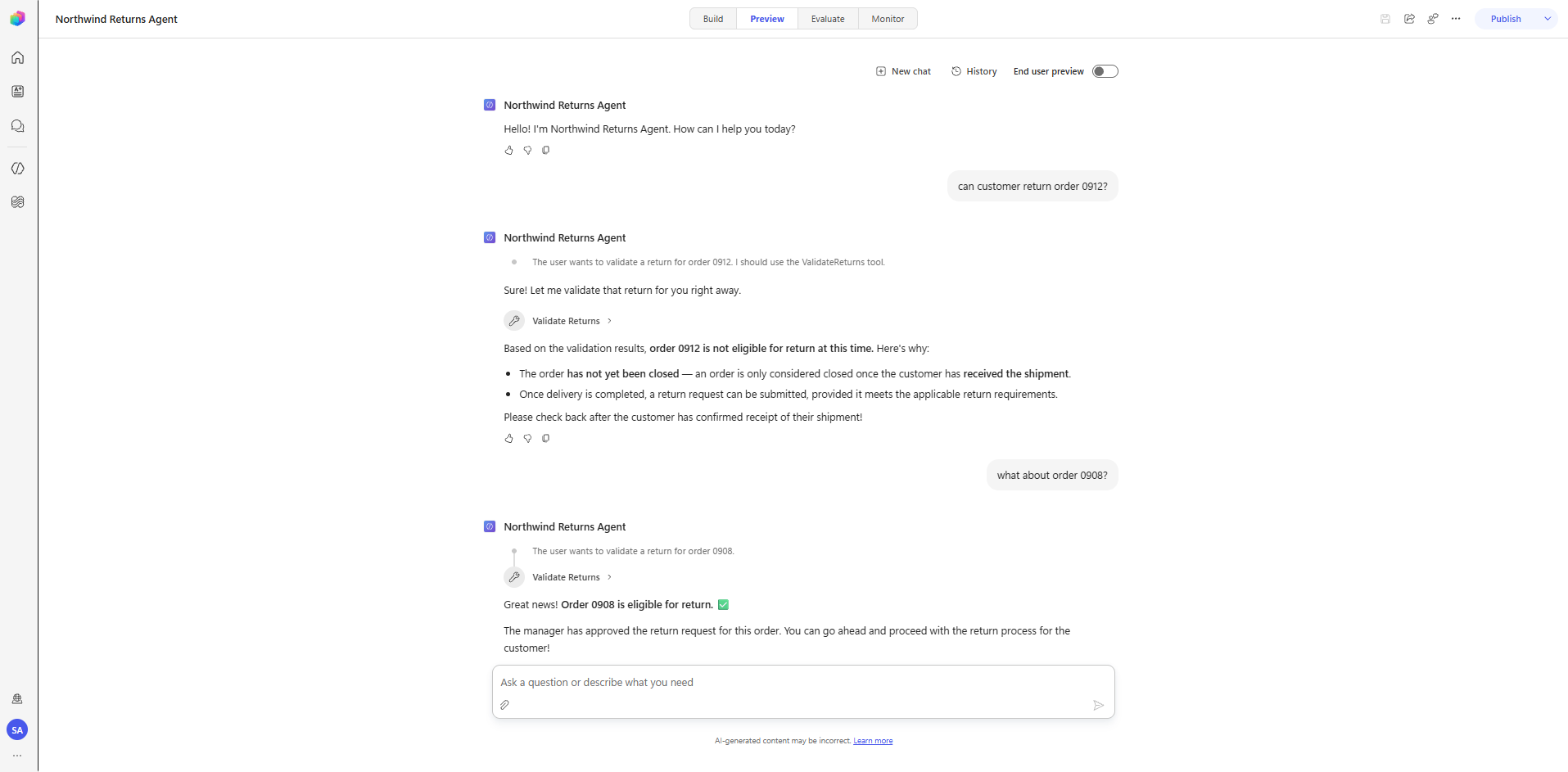
✅ Checkpoint: The agent automatically calls the flow, and although the flow returns machine data, the agent interprets it and replies with a human-readable answer, sending an approval to your inbox when required.
This lab keeps the intelligence on rails. The flow grounds every decision in Dataverse data, wraps the generative steps inside If/Else and Classify branches, and keeps a person in the loop for higher-value returns. The model assists, but the business logic stays deterministic and reviewable. In production, the pieces would harden. The new workflows experience is still in public preview, so today's production path remains classic agent flows. Reviewers would resolve to real managers rather than yourself. An approval a human might answer hours later belongs in an asynchronous pattern because the synchronous window you observed in testing is built for rapid sign-offs. Published runs consume Copilot Studio capacity per action, so you'd watch usage as the returns desk scales. What wouldn't change is the shape you built: trusted data in, deterministic branches deciding, generative AI phrasing, and a human signing off where it matters.
🥳 Congratulations! you built a workflow that an agent calls mid-conversation to validate returns, combining Dataverse data, deterministic rules, generative messages, AI classification, and human approvals into a single conversation turn.