Using Copilot as a reviewer in GitHub.com
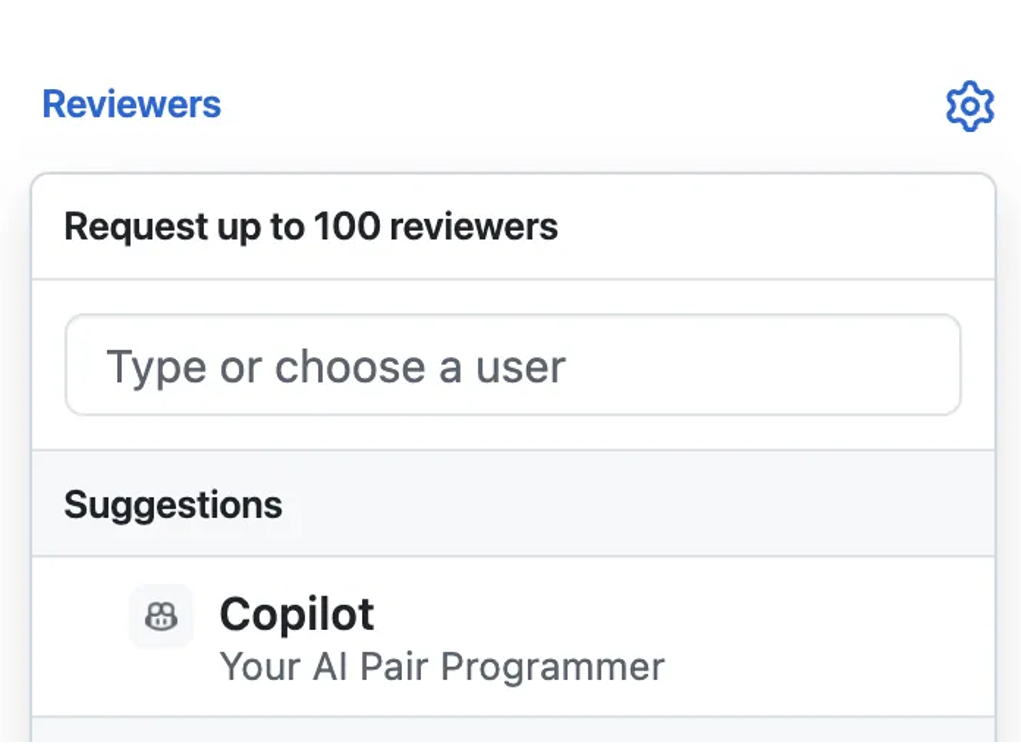
On GitHub.com, requesting a Copilot review is as simple as adding it from the Reviewers menu. Within seconds, Copilot generates a comment review-not an approval or rejection-so it never blocks merges but instead adds valuable context for human reviewers. You can also customize Copilot's behavior by adding a copilot-instructions.md file to your repository. These instructions guide Copilot to follow your team's specific review guidelines, so it looks for the same things you do and keeps its suggestions aligned with your standards.
Review comments look and behave like those from teammates: you can react, resolve, or comment on them. Copilot might flag missing type hints, suggest formatting changes, or highlight potential bugs.
By the end of this unit, you'll be able to:
- Request and interpret a Copilot review.
- Apply Copilot's suggested changes.
- Understand the limits of Copilot's role in reviews.
How to code review on GitHub.com
Open or create a pull request Start by creating a new pull request or navigating to an existing one in your repository.
Add Copilot as a reviewer In the Reviewers menu, select Copilot. This assigns Copilot to review your changes, just like you would assign a human teammate.
Wait for the review to complete Copilot begins analyzing your pull request right away. Reviews typically finish in less than 30 seconds, so you'll get results quickly without interrupting your workflow.
Review Copilot's comments Scroll through the pull request to read Copilot's feedback. Suggestions are left as comments on the relevant lines of code.
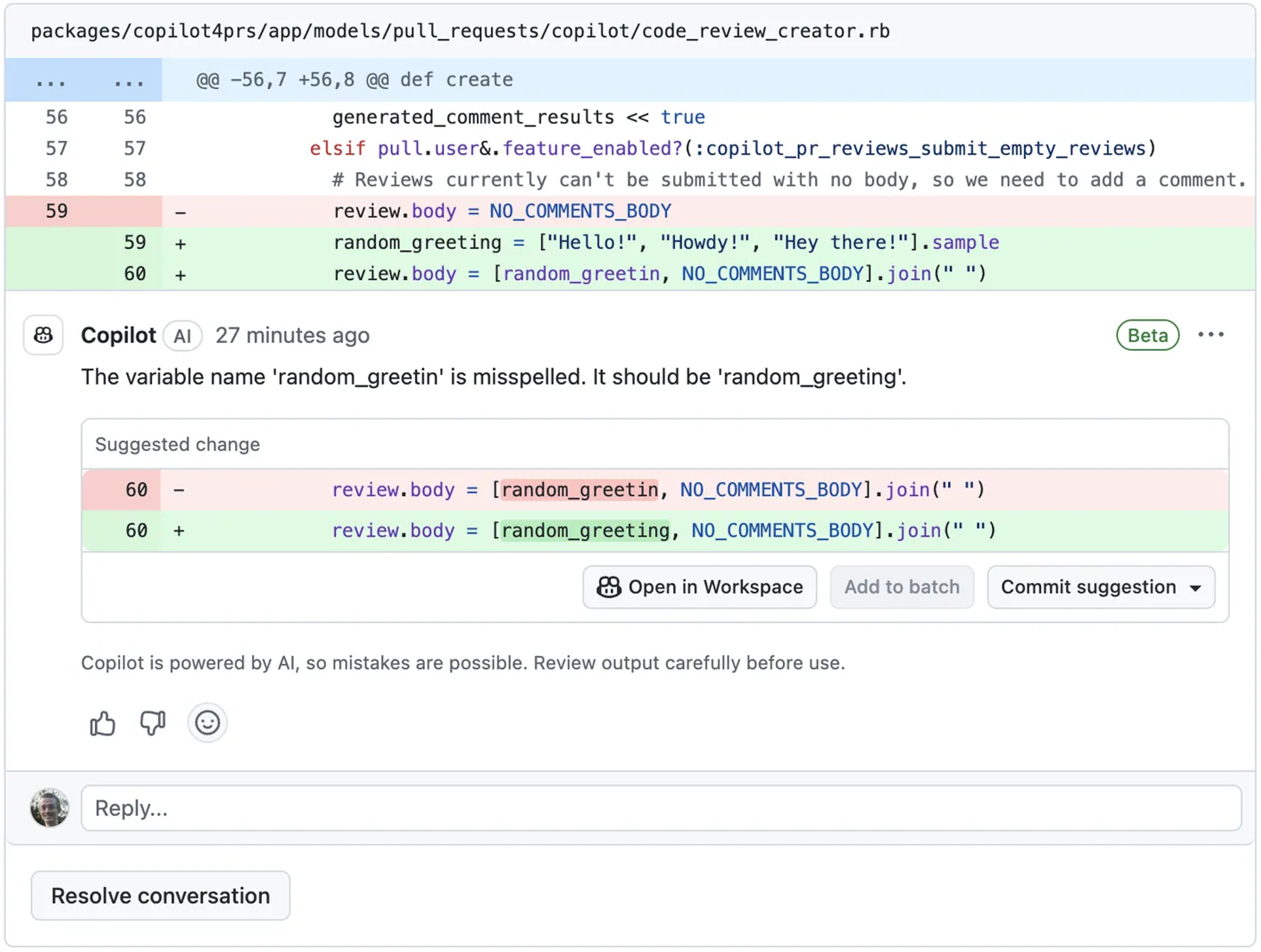
Apply Copilot's suggested changes When Copilot flags issues, you can commit fixes directly from the PR interface. For peer review comments, you can use Copilot to generate solutions quickly.
Example prompt:
"Suggest a fix for this review comment: Replace
exec()with a safer function."Copilot proposes a patch using
subprocess.run().The developer tests it locally, commits, and ensures tests pass.PRUs make these fixes faster and smarter-enabling Copilot to analyze review comments alongside code context to propose high-quality solutions.
Understanding the limits
Copilot's role in reviews is advisory. It doesn't approve or reject pull requests, and its comments don't count toward required approvals. Use it to catch issues early, generate actionable suggestions, and speed up routine checks, but rely on human reviewers for architectural decisions, nuanced trade-offs, and final sign-off.
Reviewing on GitHub.com is powerful, but you can catch even more issues before code reaches GitHub by using Copilot in your IDE.
