Configure the fixed asset posting type setup
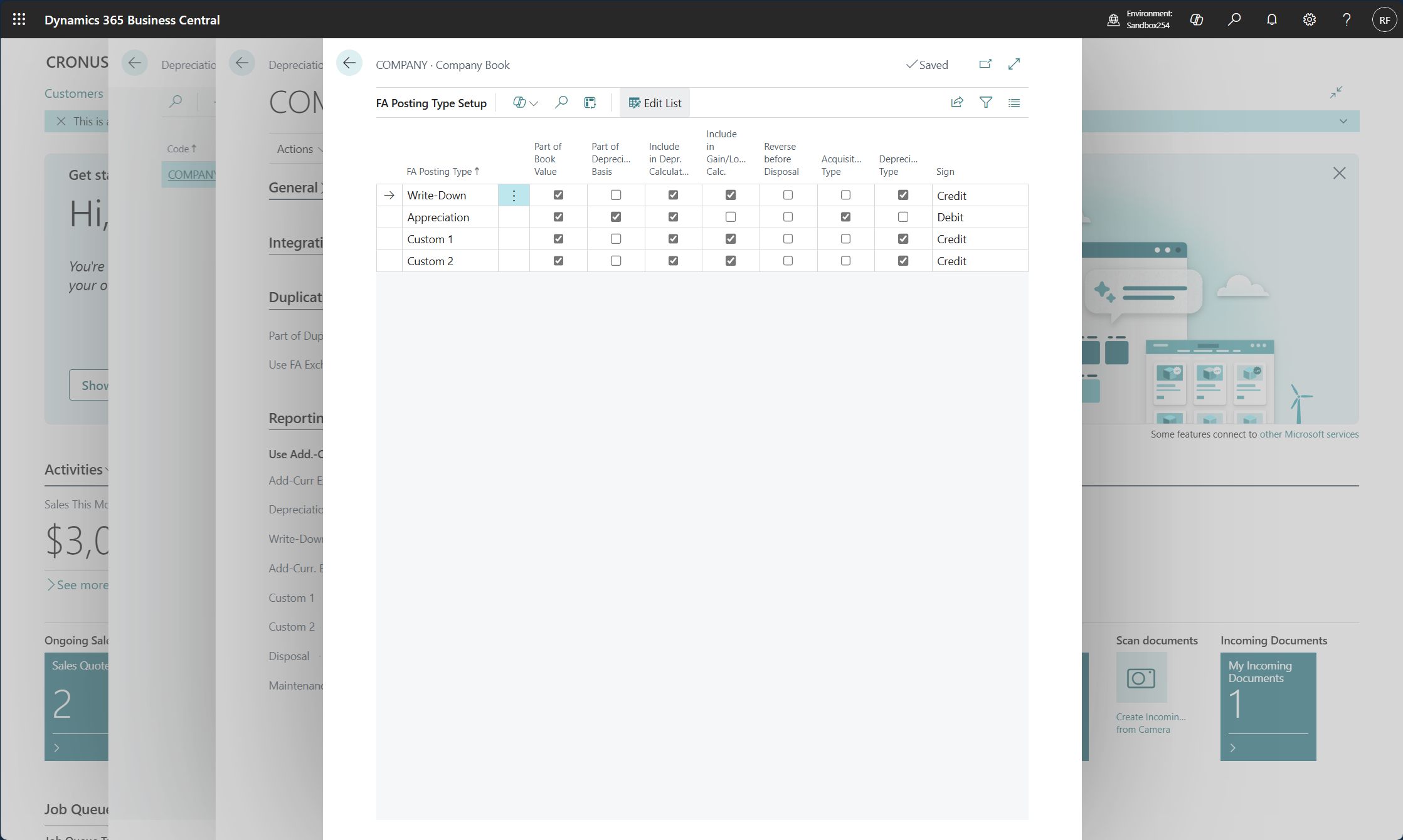
With the FA posting types, you define how Business Central manages the Write-down, Appreciation, Custom 1, and Custom 2 posting types that are used when you post depreciation transactions to fixed assets.
You can access the FA Posting Type Setup page from a depreciation book by selecting the FA Posting Type Setup action.
The Write-Down FA posting type is used to write down an asset when its value has decreased, such as when a machine is damaged but can still be used. The book value of a fixed asset is reduced by posting a write-down entry.
The Appreciation FA posting type is an increase in the value of a fixed asset, typically land and buildings. It can also be used for a fixed asset such as an oil platform, for which value increases because of an increase in demand for the item.
For each depreciation book, you can set up how you want to handle various FA transactions for each FA posting type. For example, you can configure whether the posting should be a debit or credit and whether the posting types should be included in the depreciable basis or if it should be part of a gain or loss calculation.
When you create a depreciation book, Business Central automatically creates a default setup of four lines (one for each FA posting type) in the window. You can't add or delete lines on this page. However, the existing lines can be changed, if necessary.
We recommend that you don't change the setup for depreciation books for which entries have already been posted. Changes don't affect the entries that are already posted, which would make the depreciation book statistics misleading.