Control work distribution within a queue
Once a work item enters an active queue, two questions determine what happens next: which work item gets picked up first, and which representative handles it? Queue priority, prioritization rulesets, and assignment methods answer both.
Control assignment order across queues with queue priority
Each queue has a Queue priority number. Unified routing favors queues with lower priority numbers—a queue with priority 1 is processed before a queue with priority 2.
You set this number when you create a queue and can update it at any time. Consider mapping your queue priority numbers to business-level importance: critical support issues at priority 1, standard requests at priority 3, and internal tasks at priority 5.
When a representative is subscribed to multiple queues and all queues have eligible work items, the system assigns work from the highest-priority queue first. Queue priority applies across queues. Within a single queue, prioritization rulesets control the order of items.
Sort work within a queue using prioritization rulesets
By default, unified routing uses first-in, first-out (FIFO) ordering within a queue, so the oldest work item is assigned first. For many scenarios, this default works well.
But sometimes business rules require more nuance. You might want VIP customer conversations handled before standard ones, or high-severity cases resolved before low-severity cases regardless of arrival time.
Prioritization rulesets let you define custom ordering within a queue. A prioritization ruleset is an ordered list of rules, each representing a priority bucket. Work items that match the first rule's conditions form the top priority bucket. Remaining items are then evaluated against the next rule, and so on.
Within each bucket, items are sorted by an Order by attribute you specify, such as creation time, customer tier, or expected response deadline.

Note
You can create only one prioritization ruleset per queue. Prioritization rules are evaluated during every assignment cycle, so if a work item's attributes change—for example, its priority is escalated—the next assignment cycle reorders it accordingly.
Choose how work is assigned within the queue
The assignment method controls which service representative receives a work item when the assignment cycle runs. You set the method when creating the queue and can update it at any time.
Highest capacity assigns the work item to the representative with the most available capacity who has matching skills and an allowed presence. If two representatives tie on capacity, round-robin breaks the tie. This is a reliable default for teams where capacity varies significantly between representatives.
Advanced round robin distributes work in rotation based on when representatives were added to the queue. When representatives have equal capacity, the system assigns to whoever received an assignment least recently. This method works well when you want fair distribution across a team of similarly skilled representatives.
Least active assigns to the representative who has been idle the longest, based on the time since their last capacity was released. This method is available for voice and messaging queues only, and it's often the best choice for these channels because it balances workloads and reduces the risk of burnout from continuous back-to-back assignments.
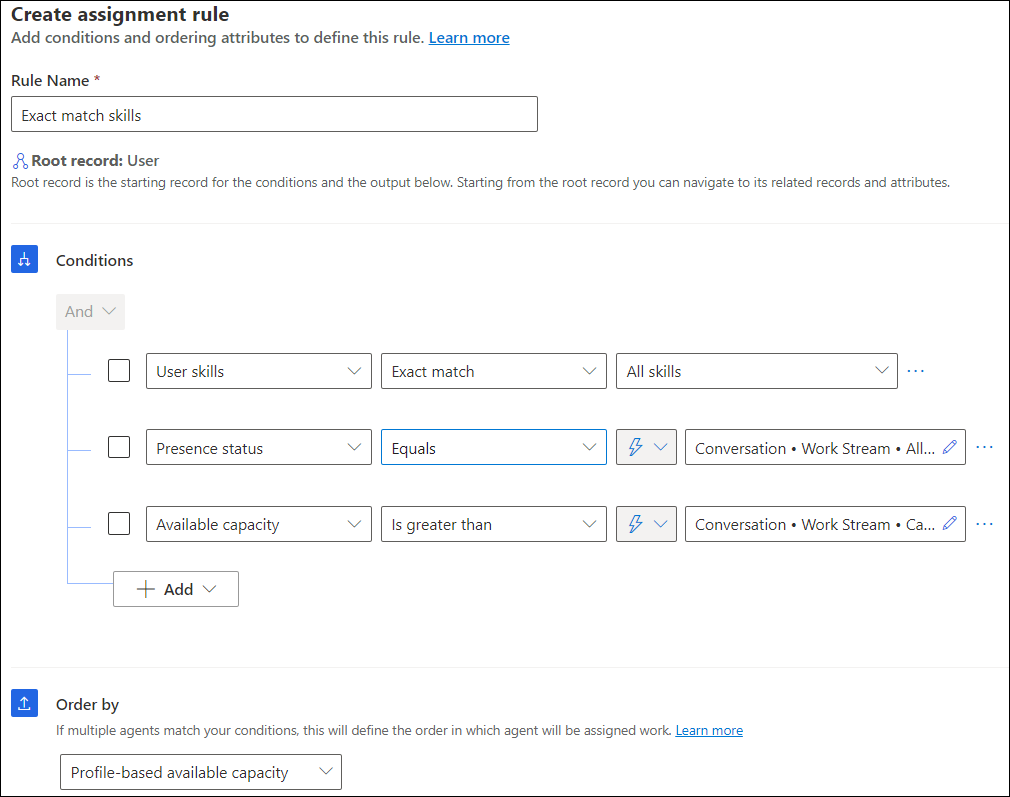
Custom assignment methods let you define your own prioritization and assignment rulesets. Use these when out-of-the-box methods don't match your business logic—for example, when you need to route based on representative operating hours, specific custom attributes, or dynamic matching criteria.
Note
Custom assignment methods don't inherit the presence, capacity, or skill-matching settings defined on the workstream. You must configure those explicitly in the custom assignment ruleset.