Deploy the container image to Azure Kubernetes Service
In this unit, you deploy a container image to Azure Kubernetes Service (AKS). With AKS, you configure your Kubernetes cluster to run in a desired state via a deployment, which is the process of providing declarative updates to pods and ReplicaSets. This declaration of state is administered in the manifest YAML file, and the Kubernetes controller changes the current state to the declared state when instructed. You create this deployment.yml manifest file and instruct your AKS instance to run in a desired state with pods configured to pull and run the flightbookingsystemsample container image contained in the Azure container registry that you pushed in the previous unit. This manifest declaratively defines a Deployment and a Service. Kubernetes uses the Deployment controller to manage the application's pods; you can also create a Deployment imperatively with kubectl create deployment.
Note
If your session has idled out or you're doing this step at another point in time or from another CLI, you might have to reinitialize your environment variables and reauthenticate by using the following commands:
Restore the resource-variable values used in setup. Replace <your-subscription-ID> below with the ID of the subscription you used for this module. If sign-in presents a subscription selector, choose that same subscription. Run the authentication commands one at a time. After az account show, confirm that the active subscription matches setup before continuing. If a command fails, stop and resolve the error.
export AZ_RESOURCE_GROUP=java-containerization-demo-rg
export AZ_CONTAINER_REGISTRY=<your-container-registry>
export AZ_KUBERNETES_CLUSTER=java-containerization-demo-aks
export AZ_LOCATION=<your-Azure-region>
export AZ_KUBERNETES_CLUSTER_DNS_PREFIX=<your-unique-DNS-prefix-to-access-your-AKS-cluster>
az login
az account set --subscription "<your-subscription-ID>"
az account show --output table
az acr login --name "$AZ_CONTAINER_REGISTRY"
Deploy a container image
Now you deploy the flightbookingsystemsample container image to your AKS cluster. In containerize-and-deploy-Java-app-to-Azure/Project/Airlines, use an installed text editor to create a file named deployment.yml. This path is relative to the parent directory where you cloned the repository. If you're already in Project/Airlines, stay there rather than changing into the full relative path again. Create the file and run the later kubectl apply -f deployment.yml command from this directory.
Add the following contents to deployment.yml, and then save the file. Replace the <AZ_CONTAINER_REGISTRY> placeholder with the value of the AZ_CONTAINER_REGISTRY environment variable that you set earlier.
apiVersion: apps/v1
kind: Deployment
metadata:
  name: flightbookingsystemsample
spec:
  replicas: 1
  selector:
    matchLabels:
      app: flightbookingsystemsample
  template:
    metadata:
      labels:
        app: flightbookingsystemsample
    spec:
      nodeSelector:
        kubernetes.io/os: linux
        kubernetes.io/arch: amd64
      containers:
      - name: flightbookingsystemsample
        image: <AZ_CONTAINER_REGISTRY>.azurecr.io/flightbookingsystemsample:latest
        resources:
          requests:
            cpu: "1"
            memory: "1Gi"
          limits:
            cpu: "2"
            memory: "2Gi"
        ports:
        - containerPort: 8080
---
apiVersion: v1
kind: Service
metadata:
  name: flightbookingsystemsample
spec:
  type: LoadBalancer
  ports:
  - port: 8080
    targetPort: 8080
  selector:
    app: flightbookingsystemsample
Note
If you use the deployment_solution.yml file in the root folder of your project as a starting point, update its image to the same registry image and :latest tag shown here. Also add the same Linux AMD64 nodeSelector under the Deployment's spec.template.spec, alongside containers. Don't use the alternative unchanged: its image and node selector must match this module's build platform.
In the preceding deployment.yml, the file contains a deployment and a service. The deployment is used to administer a set of pods, and the service is used to allow network access to the pods. The pods are configured to pull a single image, <AZ_CONTAINER_REGISTRY>.azurecr.io/flightbookingsystemsample:latest, from Azure Container Registry. The service is configured to allow incoming HTTP pod traffic to port 8080, similar to the way you ran the container image locally with the -p port argument.
The node selector restricts the pods to Linux AMD64 nodes, matching the linux/amd64 image built earlier. It belongs to the Deployment, not the Service. A selector restricts scheduling; it doesn't make an incompatible image run on another architecture.
Before configuring cluster access, ensure that the AKS cluster creation in the setup unit completed successfully. Check its provisioning state and current Kubernetes version:
az aks show \
    --resource-group "$AZ_RESOURCE_GROUP" \
    --name "$AZ_KUBERNETES_CLUSTER" \
    --query '{provisioningState:provisioningState,currentKubernetesVersion:currentKubernetesVersion}' \
    --output table
Don't continue if the command fails, provisioningState isn't Succeeded, or currentKubernetesVersion isn't a nonempty version in major.minor.patch format.
The following tool instructions apply to the local Linux, macOS, or WSL Bash session established in setup, not native PowerShell or Command Prompt. If you already have working kubectl and kubelogin installations in that session, retain them instead of reinstalling. Check them with kubectl version --client and kubelogin --version, and ensure that kubectl meets the supported version-skew policy for the cluster.
Otherwise, replace <control-plane-version> with the returned currentKubernetesVersion. Install that matching kubectl version and kubelogin into user-writable locations:
KUBECTL_VERSION="<control-plane-version>"
if [[ "$KUBECTL_VERSION" =~ ^[0-9]+\.[0-9]+\.[0-9]+$ ]]; then
    mkdir -p "$HOME/.local/bin" &&
    az aks install-cli \
        --client-version "$KUBECTL_VERSION" \
        --install-location "$HOME/.local/bin/kubectl" \
        --kubelogin-install-location "$HOME/.local/bin/kubelogin" &&
    export PATH="$HOME/.local/bin:$PATH" &&
    kubectl version --client &&
    kubelogin --version
else
    printf 'Stop: set KUBECTL_VERSION to the returned major.minor.patch version.\n' >&2
    false
fi
Both installation paths include the executable filename. The PATH export applies only to the current shell; repeat it in a new session or add it to the appropriate Bash startup configuration. Resolve any installation or version-check failure before continuing.
After both tools are available and verified, configure kubectl to connect to your AKS cluster:
az aks get-credentials \
    --resource-group $AZ_RESOURCE_GROUP \
    --name $AZ_KUBERNETES_CLUSTER
The following output is typical:
Merged AZ_KUBERNETES_CLUSTER as current context in ~/.kube/config
Check the actual node operating systems and architectures before applying the manifest:
kubectl get nodes \
    -o custom-columns='NAME:.metadata.name,OS:.status.nodeInfo.operatingSystem,ARCH:.status.nodeInfo.architecture'
This module's linux/amd64 build path requires Linux AMD64 nodes. If there are no matching nodes, stop and resolve the mismatch before continuing. Use a supported AMD64 node pool, or rebuild, run, and push the image for another supported Linux node architecture and update the Deployment's architecture selector to match. The Docker --platform option doesn't create or change an AKS node pool.
From containerize-and-deploy-Java-app-to-Azure/Project/Airlines, apply deployment.yml to your cluster:
kubectl apply -f deployment.yml
The following output is typical:
deployment.apps/flightbookingsystemsample created
service/flightbookingsystemsample created
Monitor the status of the deployment by using the following command:
kubectl get all
The following output is typical:
kubectl get all
NAME                                            READY   STATUS    RESTARTS   AGE
pod/flightbookingsystemsample-b7fd6684f-4j8vf   1/1     Running   0          37s

NAME                                TYPE           CLUSTER-IP    EXTERNAL-IP     PORT(S)          AGE
service/flightbookingsystemsample   LoadBalancer   10.0.62.153   <external-IP>   8080:30534/TCP   37s
service/kubernetes                  ClusterIP      10.0.0.1      <none>          443/TCP          11h

NAME                                        READY   UP-TO-DATE   AVAILABLE   AGE
deployment.apps/flightbookingsystemsample   1/1     1            1           37s

NAME                                                  DESIRED   CURRENT   READY   AGE
replicaset.apps/flightbookingsystemsample-b7fd6684f   1         1         1       37s
A pod's Running status doesn't confirm that Tomcat has finished deploying the application or that HTTP requests succeed. Wait for the deployment rollout, then follow the application startup logs:
kubectl rollout status deployment/flightbookingsystemsample --timeout=300s &&
kubectl logs deployment/flightbookingsystemsample --tail=100 --follow
A successful rollout checks Kubernetes availability. Because this manifest has no application readiness probe, the rollout isn't an HTTP health test. Follow the logs until Tomcat reports completed server startup and deployment of AirlinesReservationSample.war has completed without errors. Then press Ctrl+C to stop following the logs. This stops only the log stream, not the container. If the rollout or application startup fails or doesn't complete, inspect the logs and pod events instead of continuing to the browser check.
The following historical output illustrates startup messages from an earlier Tomcat 10.1.33 image. It isn't output from the updated image in this module; use your own logs to verify startup rather than expecting the same versions, timestamps, or environment details:
kubectl logs pod/flightbookingsystemsample-b7fd6684f-4j8vf
15-Nov-2024 12:31:51.208 INFO [main] org.apache.catalina.startup.VersionLoggerListener.log Server version name:   Apache Tomcat/10.1.33
15-Nov-2024 12:31:51.211 INFO [main] org.apache.catalina.startup.VersionLoggerListener.log Server built:          Nov 7 2024 22:28:55 UTC
15-Nov-2024 12:31:51.212 INFO [main] org.apache.catalina.startup.VersionLoggerListener.log Server version number: 10.1.33.0
15-Nov-2024 12:31:51.212 INFO [main] org.apache.catalina.startup.VersionLoggerListener.log OS Name:               Linux
15-Nov-2024 12:31:51.212 INFO [main] org.apache.catalina.startup.VersionLoggerListener.log OS Version:            5.15.0-1074-azure
15-Nov-2024 12:31:51.212 INFO [main] org.apache.catalina.startup.VersionLoggerListener.log Architecture:          amd64
15-Nov-2024 12:31:51.216 INFO [main] org.apache.catalina.startup.VersionLoggerListener.log Java Home:             /usr/lib/jvm/msopenjdk-17
15-Nov-2024 12:31:51.216 INFO [main] org.apache.catalina.startup.VersionLoggerListener.log JVM Version:           17.0.13+11-LTS
15-Nov-2024 12:31:51.216 INFO [main] org.apache.catalina.startup.VersionLoggerListener.log JVM Vendor:            Microsoft
15-Nov-2024 12:31:51.216 INFO [main] org.apache.catalina.startup.VersionLoggerListener.log CATALINA_BASE:         /usr/local/tomcat
15-Nov-2024 12:31:51.216 INFO [main] org.apache.catalina.startup.VersionLoggerListener.log CATALINA_HOME:         /usr/local/tomcat
15-Nov-2024 12:31:51.226 INFO [main] org.apache.catalina.startup.VersionLoggerListener.log Command line argument: -Djava.util.logging.config.file=/usr/local/tomcat/conf/logging.properties
15-Nov-2024 12:31:51.226 INFO [main] org.apache.catalina.startup.VersionLoggerListener.log Command line argument: -Djava.util.logging.manager=org.apache.juli.ClassLoaderLogManager
15-Nov-2024 12:31:51.227 INFO [main] org.apache.catalina.startup.VersionLoggerListener.log Command line argument: -Djdk.tls.ephemeralDHKeySize=2048
15-Nov-2024 12:31:51.227 INFO [main] org.apache.catalina.startup.VersionLoggerListener.log Command line argument: -Djava.protocol.handler.pkgs=org.apache.catalina.webresources
15-Nov-2024 12:31:51.227 INFO [main] org.apache.catalina.startup.VersionLoggerListener.log Command line argument: -Dorg.apache.catalina.security.SecurityListener.UMASK=0027
15-Nov-2024 12:31:51.227 INFO [main] org.apache.catalina.startup.VersionLoggerListener.log Command line argument: --add-opens=java.base/java.lang=ALL-UNNAMED
15-Nov-2024 12:31:51.228 INFO [main] org.apache.catalina.startup.VersionLoggerListener.log Command line argument: --add-opens=java.base/java.io=ALL-UNNAMED
15-Nov-2024 12:31:51.228 INFO [main] org.apache.catalina.startup.VersionLoggerListener.log Command line argument: --add-opens=java.base/java.util=ALL-UNNAMED
15-Nov-2024 12:31:51.228 INFO [main] org.apache.catalina.startup.VersionLoggerListener.log Command line argument: --add-opens=java.base/java.util.concurrent=ALL-UNNAMED
15-Nov-2024 12:31:51.229 INFO [main] org.apache.catalina.startup.VersionLoggerListener.log Command line argument: --add-opens=java.rmi/sun.rmi.transport=ALL-UNNAMED
15-Nov-2024 12:31:51.229 INFO [main] org.apache.catalina.startup.VersionLoggerListener.log Command line argument: -Dcatalina.base=/usr/local/tomcat
15-Nov-2024 12:31:51.229 INFO [main] org.apache.catalina.startup.VersionLoggerListener.log Command line argument: -Dcatalina.home=/usr/local/tomcat
15-Nov-2024 12:31:51.229 INFO [main] org.apache.catalina.startup.VersionLoggerListener.log Command line argument: -Djava.io.tmpdir=/usr/local/tomcat/temp
15-Nov-2024 12:31:51.231 INFO [main] org.apache.catalina.core.AprLifecycleListener.lifecycleEvent The Apache Tomcat Native library which allows using OpenSSL was not found on the java.library.path: [/usr/java/packages/lib:/usr/lib64:/lib64:/lib:/usr/lib]
15-Nov-2024 12:31:51.565 INFO [main] org.apache.coyote.AbstractProtocol.init Initializing ProtocolHandler ["http-nio-8080"]
15-Nov-2024 12:31:51.602 INFO [main] org.apache.catalina.startup.Catalina.load Server initialization in [616] milliseconds
15-Nov-2024 12:31:51.658 INFO [main] org.apache.catalina.core.StandardService.startInternal Starting service [Catalina]
15-Nov-2024 12:31:51.659 INFO [main] org.apache.catalina.core.StandardEngine.startInternal Starting Servlet engine: [Apache Tomcat/10.1.33]
15-Nov-2024 12:31:51.689 INFO [main] org.apache.catalina.startup.HostConfig.deployWAR Deploying web application archive [/usr/local/tomcat/webapps/AirlinesReservationSample.war]
15-Nov-2024 12:31:53.264 INFO [main] org.apache.jasper.servlet.TldScanner.scanJars At least one JAR was scanned for TLDs yet contained no TLDs. Enable debug logging for this logger for a complete list of JARs that were scanned but no TLDs were found in them. Skipping unneeded JARs during scanning can improve startup time and JSP compilation time.
15-Nov-2024 12:31:55.155 INFO [main] com.sun.xml.ws.server.MonitorBase.createRoot Metro monitoring rootname successfully set to: com.sun.metro:pp=/,type=WSEndpoint,name=/AirlinesReservationSample-PriceAndSeats-PriceAndSeatsPort
15-Nov-2024 12:31:55.347 INFO [main] com.sun.xml.ws.transport.http.servlet.WSServletDelegate.<init> WSSERVLET14: XML-WS servlet initializing
WARNING:Error in the metadata of the table SEATS: table's row count in the metadata is 5 but 6 records have been found and loaded by UCanAccess. All will work fine, but it's better to repair your database.
15-Nov-2024 12:31:56.248 INFO [main] com.sun.xml.ws.transport.http.servlet.WSServletContextListener.contextInitialized WSSERVLET12: XML-WS context listener initializing
15-Nov-2024 12:31:56.249 INFO [main] com.sun.xml.ws.transport.http.servlet.WSServletContextListener.contextInitialized WSSERVLET12: XML-WS context listener initializing
15-Nov-2024 12:31:56.284 INFO [main] org.apache.catalina.startup.HostConfig.deployWAR Deployment of web application archive [/usr/local/tomcat/webapps/AirlinesReservationSample.war] has finished in [4,595] ms
15-Nov-2024 12:31:56.285 INFO [main] org.apache.catalina.startup.HostConfig.deployDirectory Deploying web application directory [/usr/local/tomcat/webapps/docs]
15-Nov-2024 12:31:56.315 INFO [main] org.apache.catalina.startup.HostConfig.deployDirectory Deployment of web application directory [/usr/local/tomcat/webapps/docs] has finished in [30] ms
15-Nov-2024 12:31:56.316 INFO [main] org.apache.catalina.startup.HostConfig.deployDirectory Deploying web application directory [/usr/local/tomcat/webapps/examples]
15-Nov-2024 12:31:56.439 INFO [main] org.apache.catalina.startup.HostConfig.deployDirectory Deployment of web application directory [/usr/local/tomcat/webapps/examples] has finished in [123] ms
15-Nov-2024 12:31:56.440 INFO [main] org.apache.catalina.startup.HostConfig.deployDirectory Deploying web application directory [/usr/local/tomcat/webapps/manager]
15-Nov-2024 12:31:56.456 INFO [main] org.apache.catalina.startup.HostConfig.deployDirectory Deployment of web application directory [/usr/local/tomcat/webapps/manager] has finished in [16] ms
15-Nov-2024 12:31:56.457 INFO [main] org.apache.catalina.startup.HostConfig.deployDirectory Deploying web application directory [/usr/local/tomcat/webapps/ROOT]
15-Nov-2024 12:31:56.468 INFO [main] org.apache.catalina.startup.HostConfig.deployDirectory Deployment of web application directory [/usr/local/tomcat/webapps/ROOT] has finished in [11] ms
15-Nov-2024 12:31:56.468 INFO [main] org.apache.catalina.startup.HostConfig.deployDirectory Deploying web application directory [/usr/local/tomcat/webapps/host-manager]
15-Nov-2024 12:31:56.481 INFO [main] org.apache.catalina.startup.HostConfig.deployDirectory Deployment of web application directory [/usr/local/tomcat/webapps/host-manager] has finished in [13] ms
15-Nov-2024 12:31:56.484 INFO [main] org.apache.coyote.AbstractProtocol.start Starting ProtocolHandler ["http-nio-8080"]
15-Nov-2024 12:31:56.501 INFO [main] org.apache.catalina.startup.Catalina.start Server startup in [4897] milliseconds
Watch the service for its external address:
kubectl get service flightbookingsystemsample --watch
The EXTERNAL-IP value can initially be <pending> while Azure provisions the load balancer. This can take several minutes and isn't evidence of a failed deployment by itself. When an address appears, press Ctrl+C to stop watching. If provisioning doesn't complete, stop the watch and inspect the service events with kubectl describe service flightbookingsystemsample.
The following illustrative output shows where the assigned address appears:
NAME                        TYPE           CLUSTER-IP    EXTERNAL-IP     PORT(S)          AGE
flightbookingsystemsample   LoadBalancer   10.0.62.153   <external-IP>   8080:30534/TCP   3m28s
Note
Substitute the IP address <external-IP> in the following URL with your EXTERNAL-IP value from the command you previously executed:
Open a browser and visit the Flight Booking System Sample landing page at http://<external-IP>:8080/AirlinesReservationSample/. Confirm that the application page responds; a Running pod or an assigned IP alone doesn't prove application readiness. Your browser should look similar to the following screenshot:
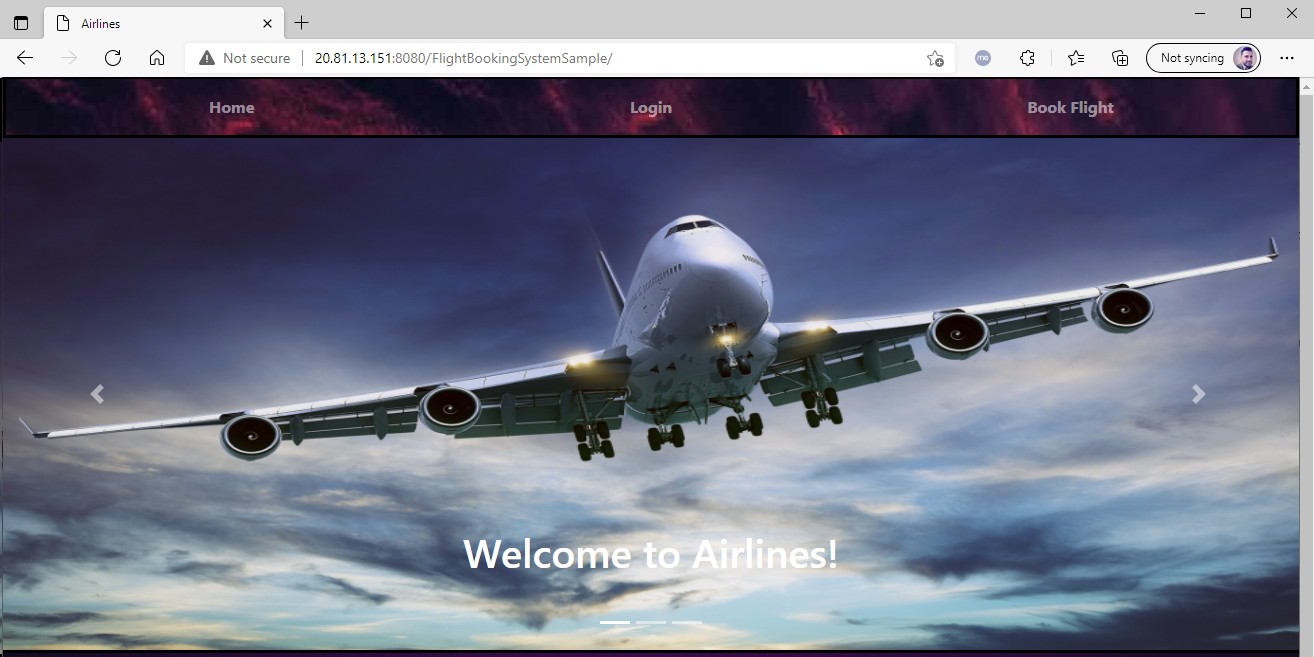
You can optionally sign in with any user from tomcat-users.xml - for example, someuser@azure.com: password.
Troubleshoot an image-platform mismatch
For pod startup failures, inspect kubectl describe pods -l app=flightbookingsystemsample, kubectl logs deployment/flightbookingsystemsample --tail=100, and kubectl get events --sort-by=.metadata.creationTimestamp. A CrashLoopBackOff state can have several causes, including application errors; don't assume every failure is an architecture mismatch.
If you confirm that an already-deployed image has the wrong platform, first repeat the build, local run, image inspection, registry tagging, and push steps with the matching platform settings. After the corrected image has been successfully rebuilt, retagged, and pushed under the same :latest tag, explicitly replace the running pods:
kubectl rollout restart deployment/flightbookingsystemsample &&
kubectl rollout status deployment/flightbookingsystemsample --timeout=300s
For this manifest, :latest defaults to imagePullPolicy: Always, so replacement pods resolve the current registry tag. Reapplying an unchanged manifest alone doesn't trigger a rollout. If you customized the pull policy, use an updated image tag or digest and update the Deployment instead. Repeat the startup-log and application URL checks after the rollout.
Clean up resources
The resources you created in this module might incur ongoing costs. To clean up the resources, delete the resource group that contains them, by using the following command:
az group delete --name $AZ_RESOURCE_GROUP