Govern agents with Agent 365
A resource-based spending policy, covered earlier in this module, caps what a specific agent can spend, no matter who runs it. That answers how much can this agent cost—but not who's accountable for what it does, or whether it's still behaving the way you expect. That's the gap Microsoft Agent 365 closes. It's Microsoft's control plane for AI agents, built around three jobs: observe what agents exist and how they're used, govern how they access systems, data, and tools, and secure them with the same identity and security capabilities already used for people.
Cost Management governs what agents can spend. Agent 365 governs what agents can do, who owns them, and whether they're behaving as expected—the two work together rather than replacing one another.
The agent registry
The agent registry provides a unified inventory of every agent in the organization, whether built on Microsoft platforms or brought in from elsewhere. Instead of checking agent visibility across multiple portals, admins use one place to view agent adoption, activity, and health.
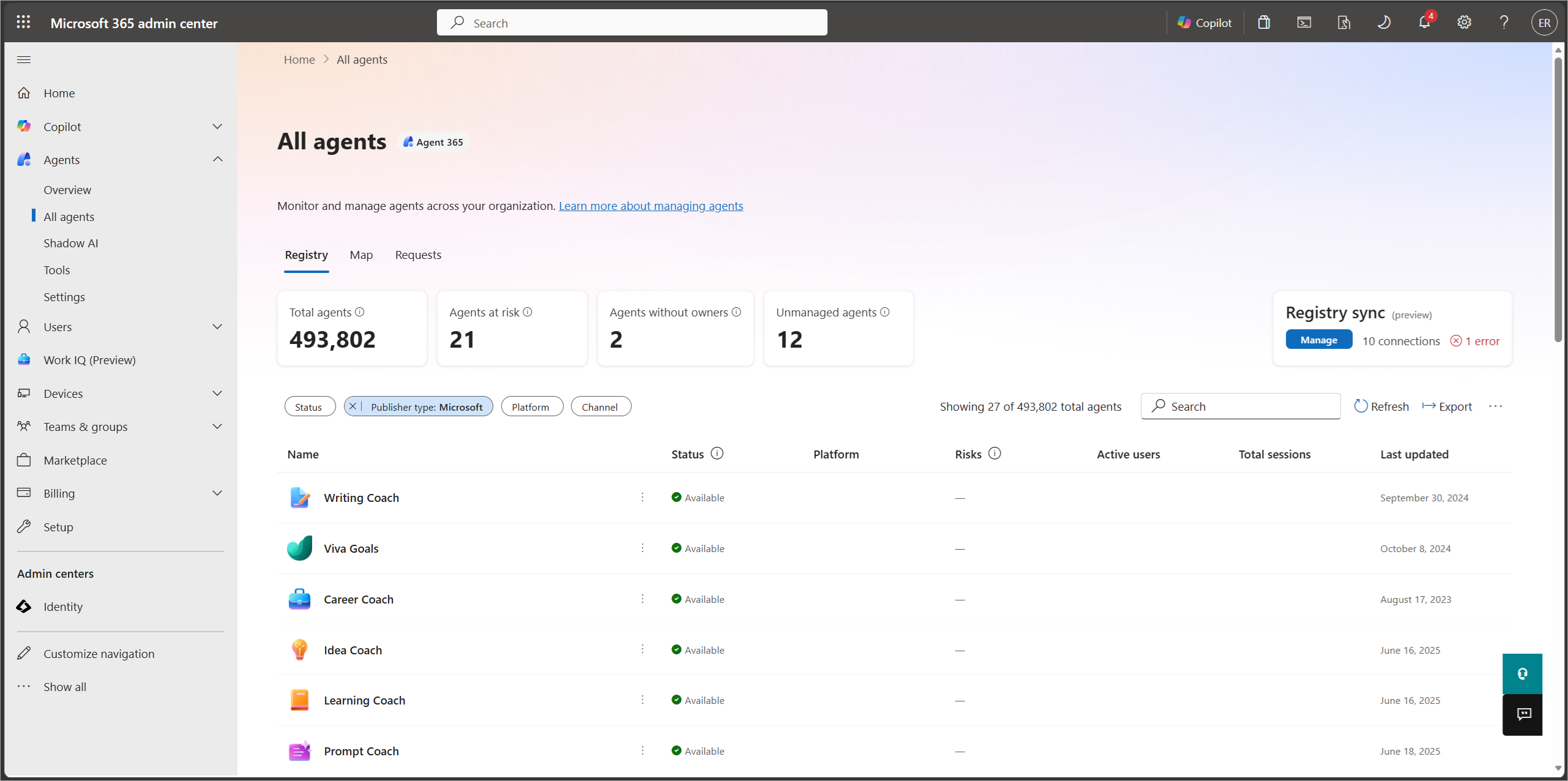
Notice the "Agents without owners" and "Agents at risk" tiles. An agent can have a tightly scoped spending policy and still appear there—a capped budget doesn't by itself mean someone's accountable for the agent's behavior. The registry reveals that gap.
From the registry, admins can take lifecycle actions on an agent, including:
- Install, activate, block, or uninstall an agent, including limiting who can create instances of it.
- Delete, restore, or permanently delete an agent, with a recovery window before deletion is final.
- Assign, add, or remove an owner, so every agent is tied to a specific person or team who's accountable for it.
Identity and accountability
Register an agent with Agent 365, and it receives a Microsoft Entra Agent ID—the same kind of enterprise identity already used for people and applications. That identity enables the rest of governance. Assign an agent an owner, a defined purpose, and a defined scope, and you can manage, secure, and review it consistently—instead of leaving it as an anonymous script nobody owns.
Agent 365 also integrates with the enterprise security and compliance tools you likely already use for Microsoft 365 Copilot: Microsoft Purview for data protection and auditing, and Microsoft Defender for threat detection and response.
Caldova decision
As Caldova's pilot grows beyond Cowork and starts to include a few Copilot Studio agents, the IT admin checks the Agent 365 agent registry to confirm every agent already has a named owner. That way, cost governance (who can spend, and how much) and agent governance (who owns what, and what it's allowed to do) stay connected as the pilot expands.