Exercise – use Copilot to summarize meetings
In this exercise, you explore how Copilot in Microsoft Teams can help you catch up on meetings you couldn’t attend. You’ll use Copilot to generate a summary, review key decisions, and identify next steps—all without watching the full recording.
Imagine you’re part of a product team that meets weekly to review upcoming priorities and project timelines. This week, you missed the meeting due to a scheduling conflict, but you still need to understand what was discussed and whether any action items affect your work.
Fortunately, the meeting was recorded and transcribed in Microsoft Teams, so you can use Copilot to summarize what happened and surface the most important details.
Summarize a recent meeting
Open Microsoft Teams.
Go to the chat tab on the left pane and select the meeting you missed.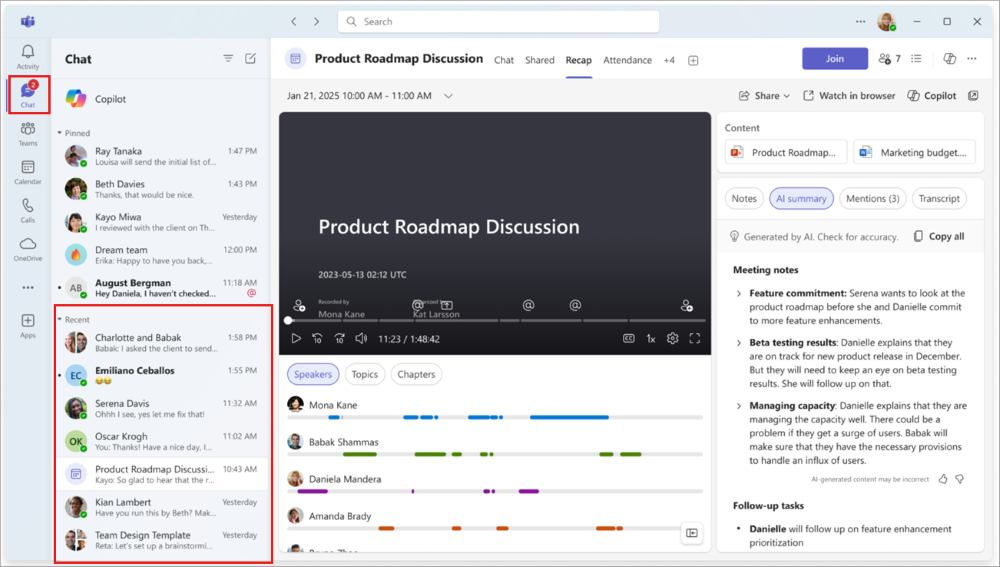
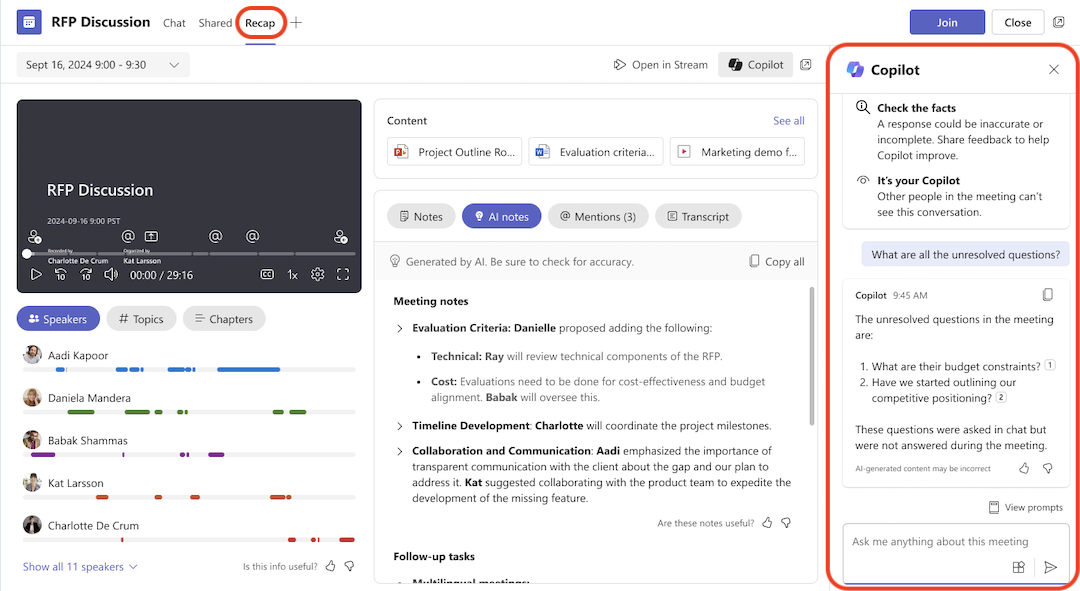
Access the recap.
On the meeting details page, open the Recap tab to view the recording and transcript in a new separate window.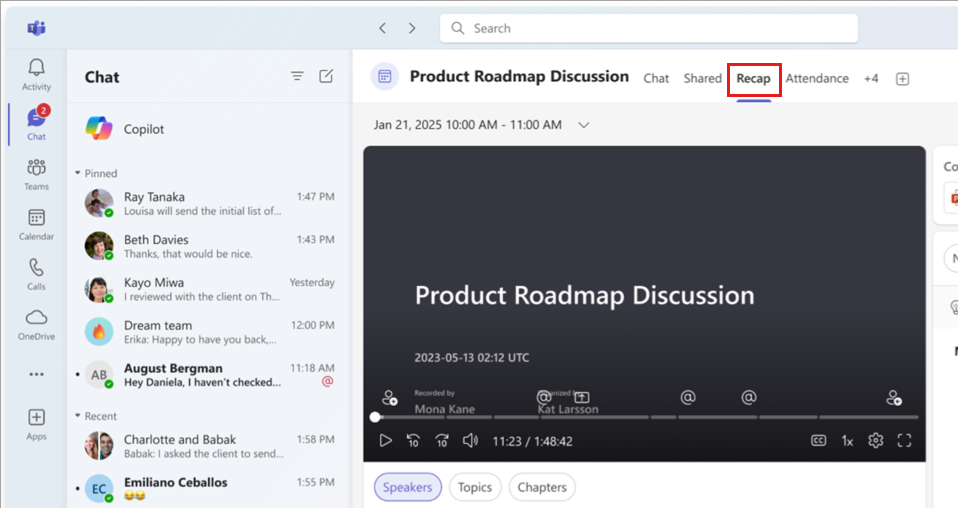
Launch Copilot.
In the Recap tab open Copilot, then prompt it with:- “Summarize the meeting and list all key decisions.”
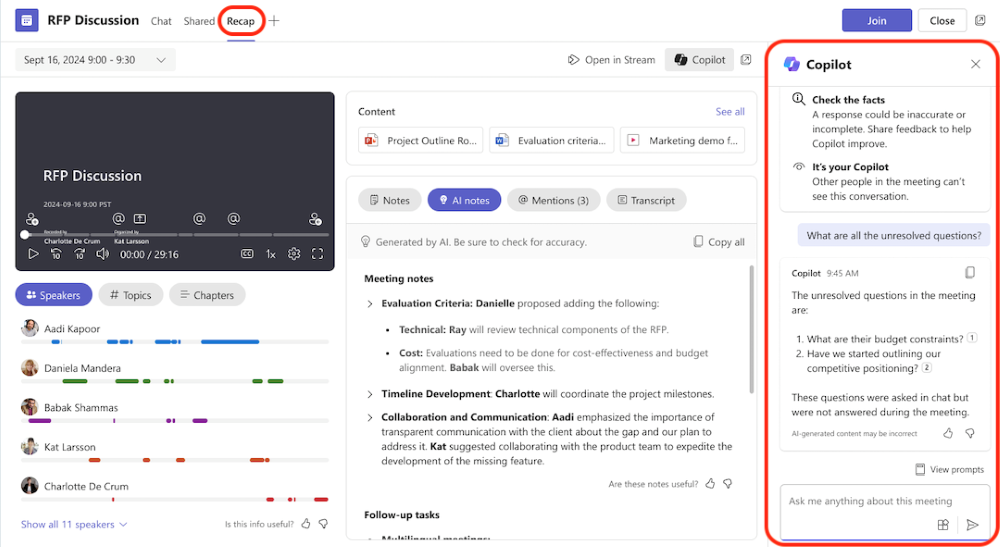
Review the results.
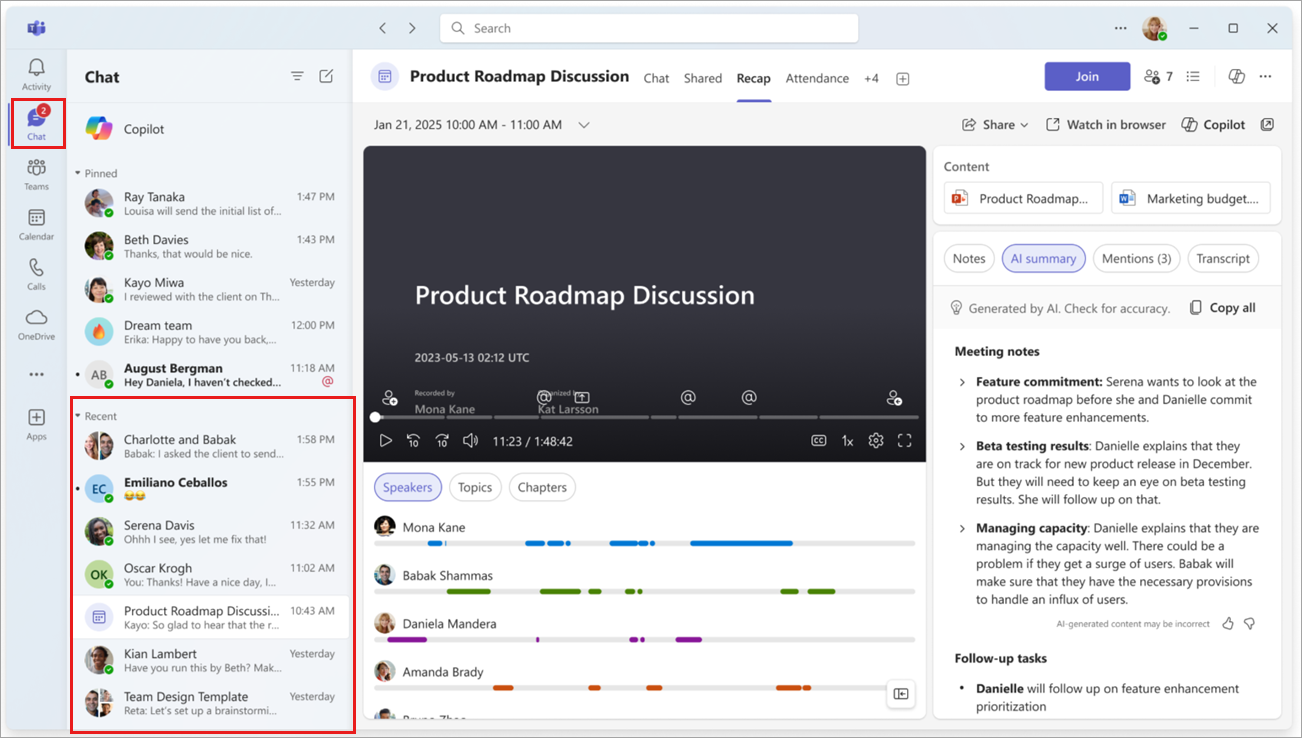
Look through Copilot’s summary and note:- Major discussion points
- Decisions made
- Action items assigned
- Mentions of your name or role
Ask follow-up questions.
Try prompts such as:- “What were the main project risks discussed?”
- “Who owns the next steps for the product launch?”
- “Were there any blockers mentioned?”
Refine and save your notes.
Copy the relevant insights into your project tracker or task list.
Reflection
- How accurately did Copilot capture the essence of the meeting?
- Did its summary save you time or surface insights you might have missed?
- How could your team use Copilot summaries to maintain alignment across multiple projects?
Together, these concepts and exercises show how Copilot supports collaboration before, during, and after meetings—creating a more connected and efficient workplace.