Discover Copilot+ PC experiences
Copilot+ PCs include various built-in experiences designed to support productivity, communication, and everyday workflows. The Copilot+ PC Hub helps you explore these experiences through guided walkthroughs, examples, and role-based scenarios.
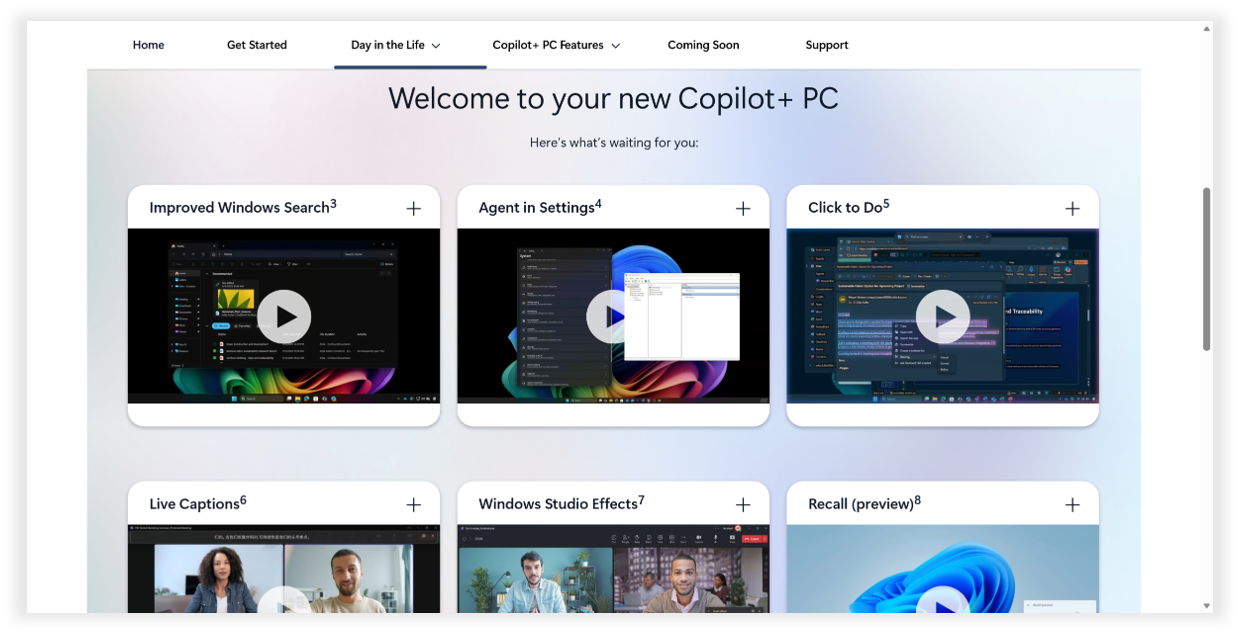
Some Copilot+ PC experiences are designed to help users complete tasks more efficiently and reduce friction during everyday work.
Tip
As you explore this unit, consider opening the Copilot+ PC Features section of the Copilot+ PC Hub alongside the learning content. You can browse feature walkthroughs, visual demonstrations, and practical examples to see how Copilot+ PC experiences support everyday tasks and workflows.
Improved Windows Search
Improved Windows Search helps users locate files, images, and documents using natural language descriptions instead of exact file names or folder locations.
For example, users can search using phrases such as:
- "Presentation about quarterly planning"
- "Document with sustainability charts"
- "Budget spreadsheet from last month"
This experience can help users quickly locate content across their device so they can spend less time searching for information and more time focusing on work.
Click to Do
Click to Do helps users take quick actions on text and images directly from their screen.
Examples include:
- Opening selected text in a new document
- Scheduling meetings from highlighted email addresses
- Copying or editing images
- Performing visual searches
This experience helps streamline common workflows without needing to switch between multiple applications or menus.
Recall (preview)
Recall (preview) helps users return to previously viewed content and activities using natural language descriptions and visual context. Unlike Improved Windows Search, which focuses on locating files and content, Recall (preview) is designed to help users reconnect with work they previously interacted with throughout the day.
For example, users might search for:
- "Presentation with green charts"
- "Notes from the planning meeting"
- "Document about hiring goals"
Recall (preview) can help users return to previously viewed content and continue working more efficiently.
Explore communication and collaboration experiences
Other Copilot+ PC experiences focus on communication, accessibility, and collaboration across meetings and conversations.
Live Captions with translation
Live Caption with translation provides real-time captions and translations during live or recorded audio experiences.
This experience can help users:
- Follow multilingual meetings more easily
- Improve accessibility during presentations or calls
- Understand spoken content across supported languages
Windows Studio Effects
Windows Studio Effects helps improve video and meeting experiences through AI-powered camera and audio enhancements.
Examples include:
Camera enhancements
- Background blur
- Automatic framing
- Eye contact adjustments
Audio enhancements
- Noise reduction
These features can help users maintain clearer and more focused communication during virtual meetings and presentations.
This can be especially useful during multilingual meetings, collaborative discussions, and accessibility-focused communication scenarios.
Explore experiences through role-based scenarios
The Copilot+ PC Hub also includes role-based examples that show how different business functions may use Copilot+ PC experiences in everyday work.
Examples include:
- HR teams reviewing onboarding materials and training sessions
- Finance teams locating reports and preparing presentations
- IT teams organizing troubleshooting information and documentation
- Marketing teams reviewing creative assets and campaign materials
- Sales teams preparing customer presentations and follow-up tasks
These examples are intended to illustrate how different workflows may use Copilot+ PC experiences and aren't limited to specific roles or teams.
These scenarios help users connect Copilot+ PC experiences to practical workplace situations and workflows.
As you continue exploring the hub, you can discover additional examples and walkthroughs that align to your role, interests, and daily tasks.