Use generative answers in topics
The agent contains a topic that uses the Generative answers node. You can also add the Generative answers to other topics to improve the usability of the agent.
Conversational boosting topic
By default, when you create an agent, Copilot Studio automatically creates the Conversational boosting system topic. This topic contains a Generative answers node, which allows you to begin utilizing knowledge sources in responses to users.
The Conversational boosting topic allows you to use generative answers if your agent can't find a match the user’s question.
By default, all knowledge sources that are added at the agent level are added to generative answers node in the Conversational boosting system topic.
You can edit the options for the Generative answers node or turn off this topic entirely.
Fallback topic
Copilot Studio also creates the Fallback topic. This topic informs users their query couldn't be matched to a topic and asks them to try again. The Fallback topic attempts to use the Escalate topic to connect to a human representative.
If your agent cannot escalate to a human, you can add a Generative answers node to handle unknown intent. You can decide which knowledge sources to use in the Fallback topic on the Generative answers node.
To learn more about the Fallback topic, see: Configure the system fallback topic.
Both the Conversational boosting and Fallback topics trigger when the Natural Language Understanding (NLU) model can't find a matching topic or action for a given user query. In terms of priority, Conversational boosting triggers before the Fallback topic.
To learn more about the Conversational boosting and Fallback topics, see: Topic enrichment analysis.
Use generative answers in all supported languages
When building agents, you have the option to decide what primary language your agent should use, but what if the user doesn't speak that language?
With generative answer nodes, the agent can handle user queries that you aren't anticipating, such as a user speaking another language that isn't configured in your topics.
Generative answers can use all languages otherwise supported by Copilot Studio, except for Chinese (Traditional). Go to the Supported Languages article for a list of the languages and their levels of support.
To set up a generative answers node for the use case of a user speaking another language, first enable generative AI orchestration in the agent's Settings.
Next, navigate to the Topics page of your agent, select + Add a topic, and choose From blank.
Name the topic Other language (or something similar) and modify the trigger description to include the following:
This topic handles user queries that are in a language other than English.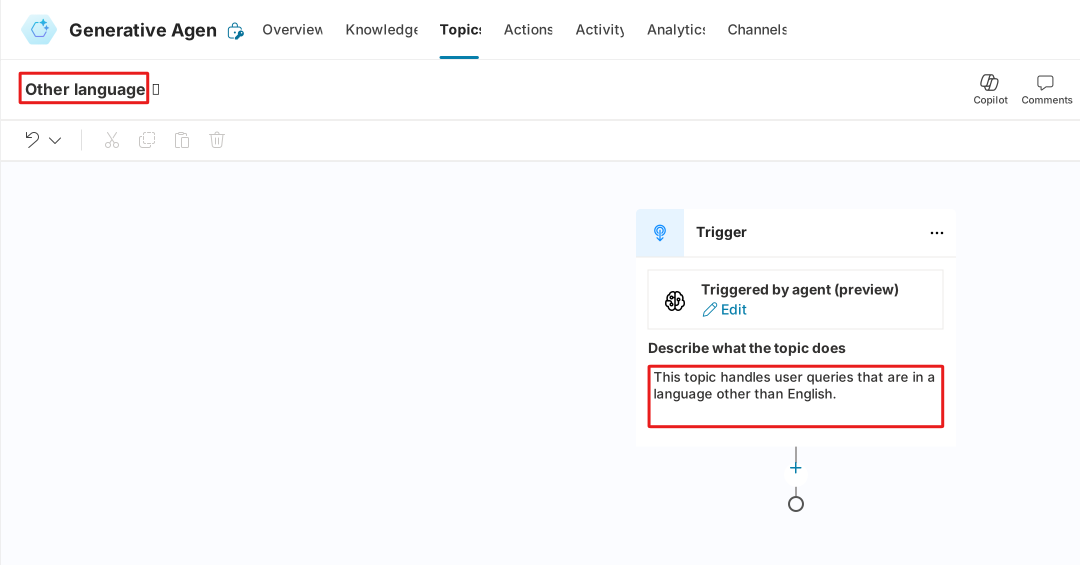
Select the + sign below the trigger node and choose Advanced > Generative answers.
In the generative answers node, select Edit to pull up the Create generative answers properties window.
Next, input the following prompt into the text box below Content moderation level:
If the input language is anything other than English, respond with the following line 'Sorry, but I am only able to continue this conversation in English' in the language of the input language.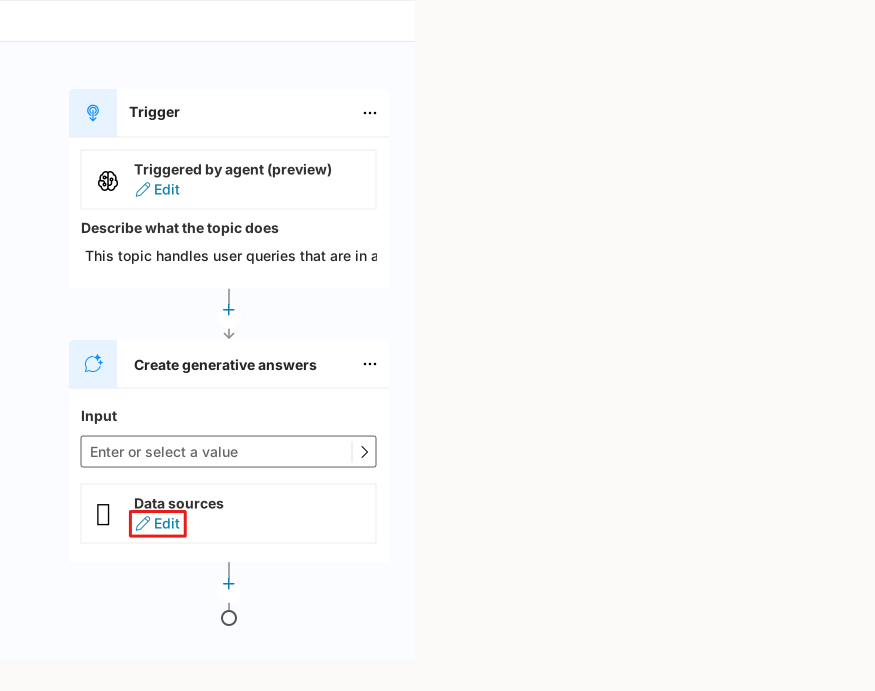
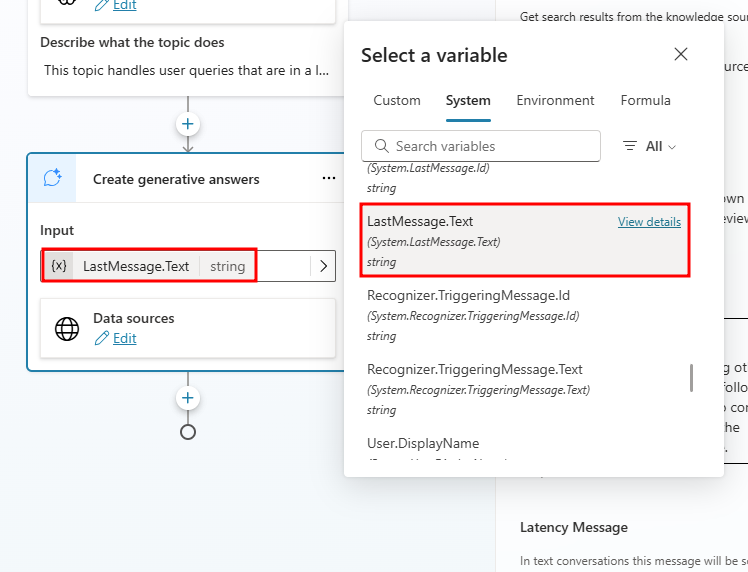
Now select the input value for the generative answers node. For this example, we're using the user's last sent message.
Choose LastMessage.Text under the System tab from the Select a variable menu.
Finally, add an End conversation topic management node to end the conversation after the generative answers node.
Now, when a user prompts the agent with a language other than English, the agent informs the user they can only continue the conversation in English.
Test this functionality in the Test your agent pane by prompting a greeting in a language other than English, like:
Hola.Notice the agent starts the conversation in English, but once another language is introduced by a user, the Other Language topic is triggered, and the agent responds in the native language of the user.
With generative answer nodes, the possibilities are nearly endless when approaching multi-language problems. Though most languages are covered by generative answer nodes, a definitive list of all languages supported can be found in the following Supported Languages article.