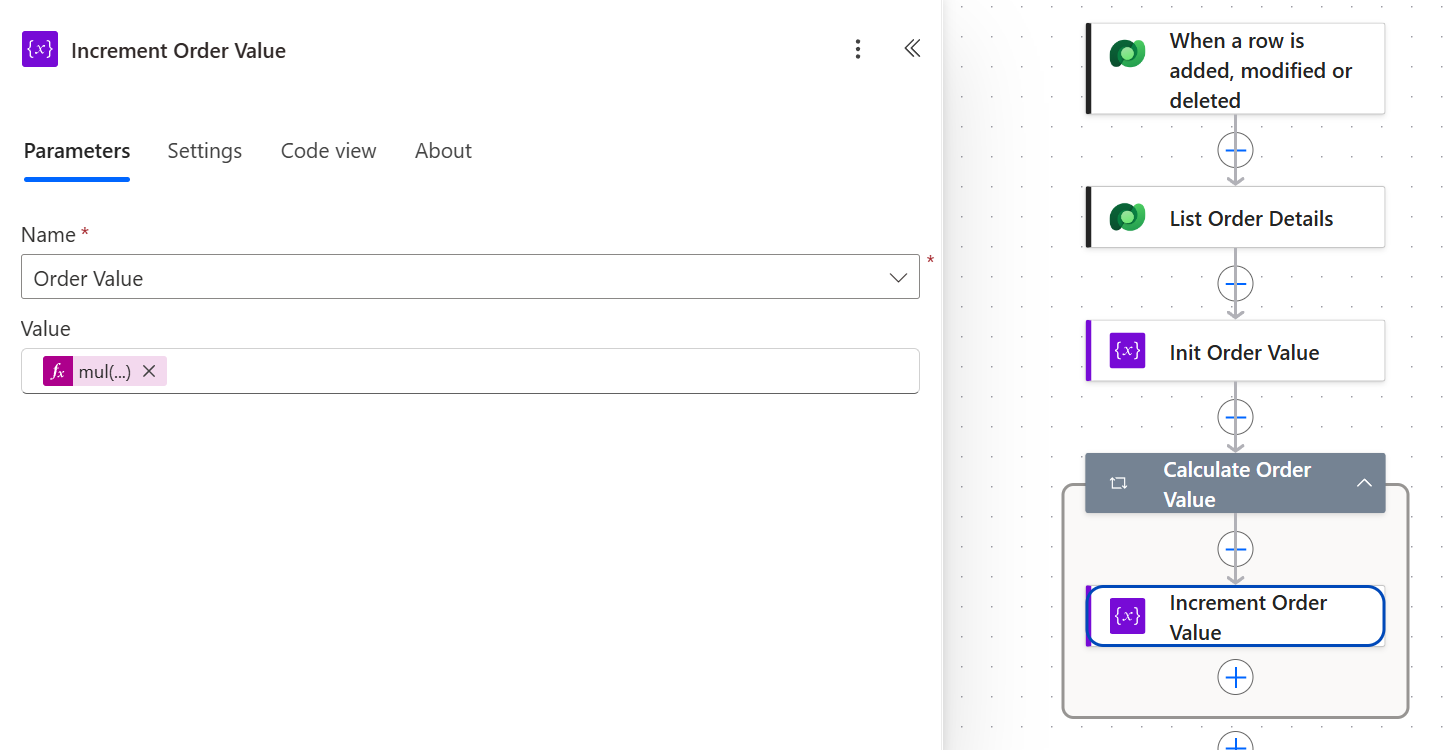
Calculate the order value
Each line item's value is Unit Price × Quantity, and the order's total is the sum across all line items. In this unit, the flow tallies that total into a variable.
Select (+) below List Order Details, search for
Initialize variable, and add it.Rename the action to
Init Order Valueand configure it:- Name:
Order Value - Type: Float
- Value:
0
Float suits fractional currency values, and starting at
0guarantees a correct total.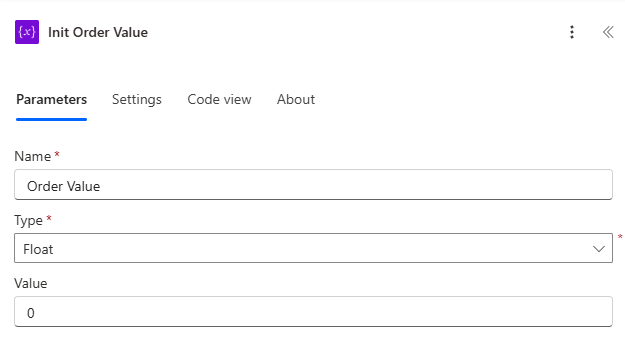
- Name:
Select (+) below Init Order Value, search for
Apply to each, and add it.Rename the loop to
Calculate Order Value. In Select an output from previous units, select the lightning bolt and choose List of items under List Order Details.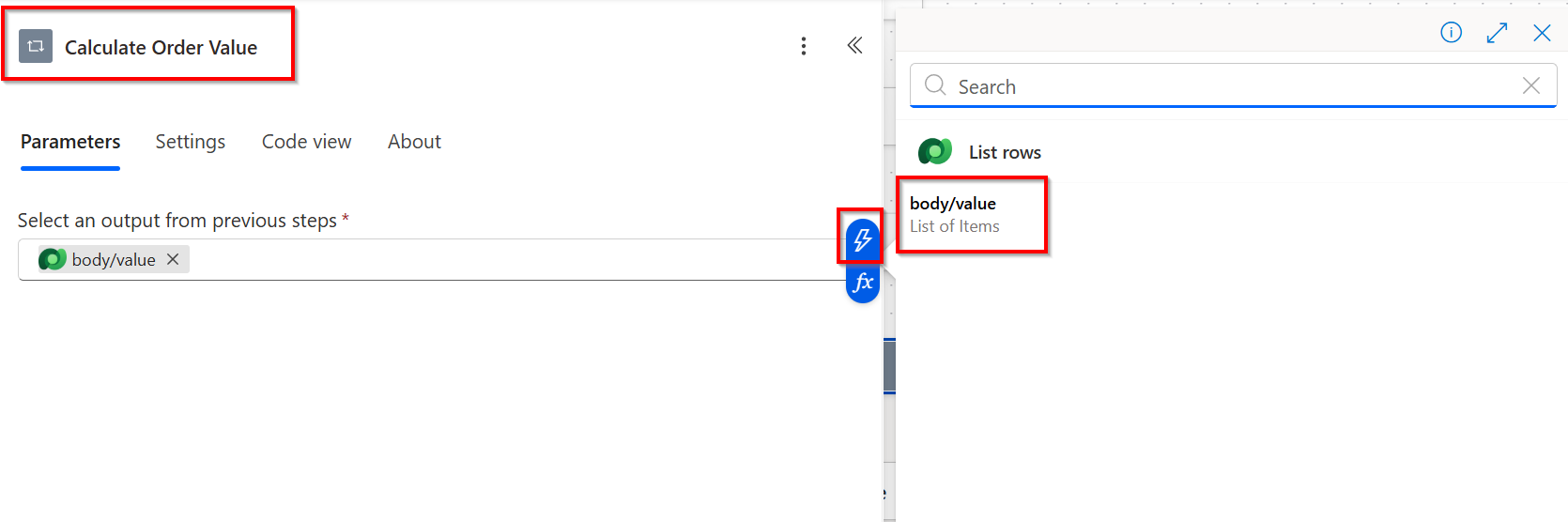
Select (+) inside the loop, search for
Increment variable, and add it.Rename the action to
Increment Order Value. In Name, select Order Value.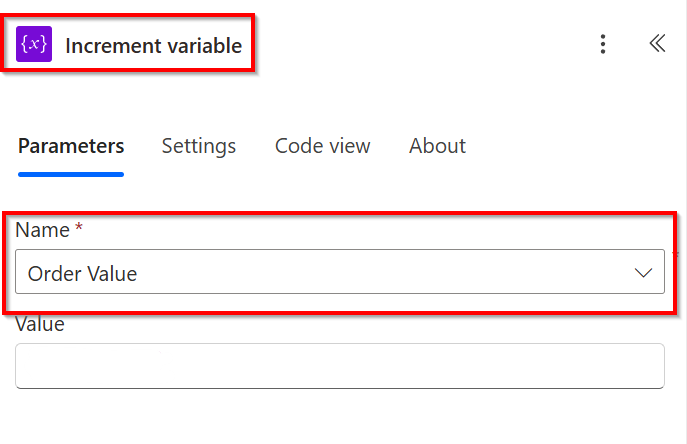
In Value, open the expression editor (fx) and add the line item calculation. Either paste this expression directly:
mul(item()?['nwind_quantity'], item()?['nwind_unitprice'])Or, in the modern designer, select Create an expression with Copilot and enter this prompt, then select Create expression and confirm the result matches the expression above:
Multiply unit price by quantity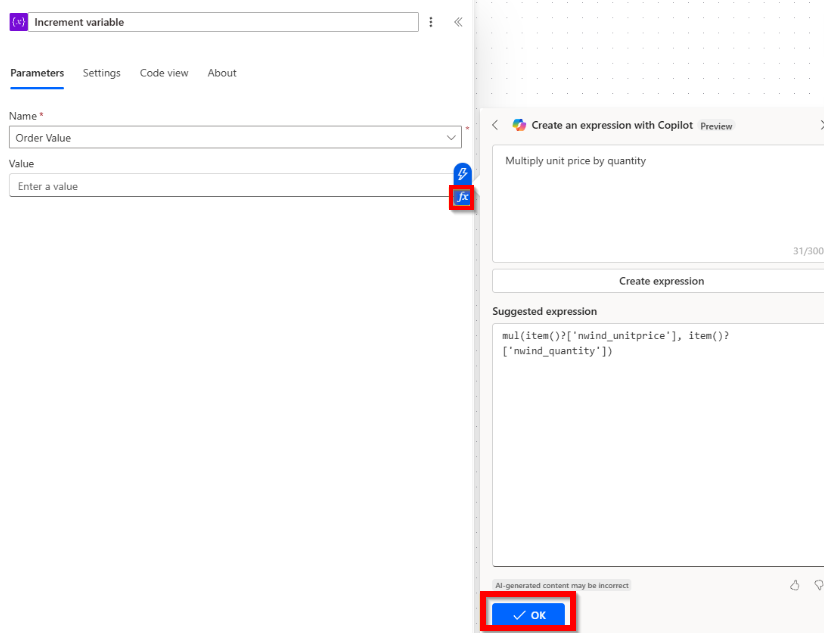
Select Add to accept the expression, then Save draft.
Cloud flow expressions use Power Automate expression functions such as mul(), similar in spirit to Excel formulas. The pasted expression works in either designer.
✅ Checkpoint: Calculate Order Value loops over List of items and contains Increment Order Value with the mul() expression. After the loop runs, Order Value holds the full value of the order.