Plan your first agent
A useful agent begins with a clear, focused job. Before you create an agent, you need to identify the repeatable task it will support and define the instructions, knowledge, and output it needs to perform that job consistently.
In the customer meeting scenario, you'll plan an agent that helps a sales team prepare for upcoming conversations. You'll learn how agents differ from individual prompts, identify the characteristics of a strong first use case, and create a simple plan for your agent.
| Start with | Ask yourself |
|---|---|
| A repeatable task | What work do I perform regularly? |
| A clear purpose | What specific job should the agent perform? |
| Relevant knowledge | What approved information does the agent need? |
| A useful output | What should the agent help me produce? |
Understand prompts and agents
Prompts help with individual requests, while agents provide a reusable starting point for a specific, repeatable job. The following table summarizes the differences.
| Prompt | Agent |
|---|---|
| Supports an individual request | Supports a specific, repeatable job |
| Uses instructions provided in the conversation | Uses reusable instructions |
| Relies on context provided for that interaction | Can include selected knowledge sources |
| Helps complete a task in the moment | Provides a consistent starting point for future tasks |
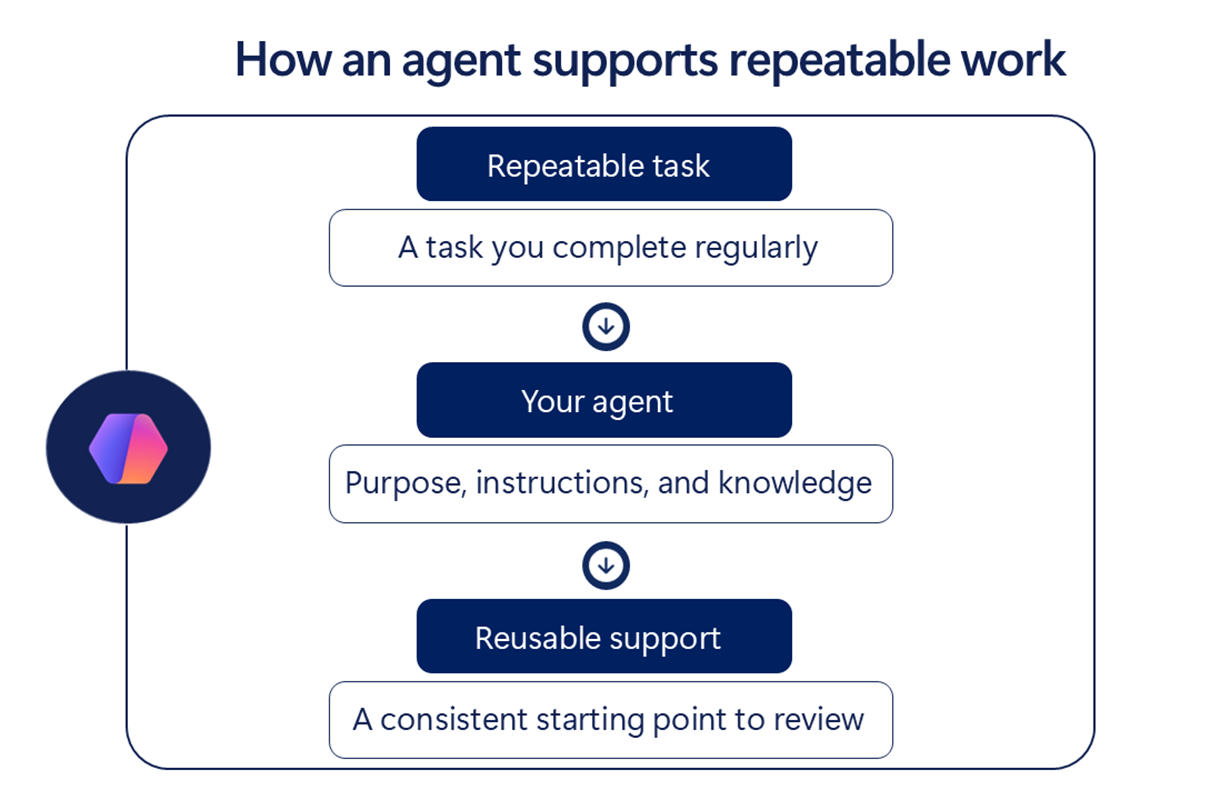
For example, you could prompt Copilot to help you prepare for one customer meeting. If meeting preparation is something you do regularly, you could instead create an agent with instructions for reviewing information and organizing each meeting brief.
Choose a repeatable task
The best first agent usually focuses on one clear task. A focused purpose makes the agent easier to create, test, and improve.
Strong first-agent scenarios often have the following characteristics:
- The task is performed regularly.
- The task has a clear starting point and outcome.
- The agent can use approved and accessible information.
- The task can be explained with clear instructions.
- The agent's output can be reviewed for accuracy and usefulness.
| Strong first-agent scenario | Scenario that might need more planning |
|---|---|
| Prepare a customer meeting brief | Manage every step of a customer relationship |
| Summarize approved product information | Answer questions about any company topic |
| Draft a weekly project update | Manage an entire project without review |
| Help new team members find onboarding information | Make decisions on behalf of a manager |
Start small. You can improve the agent's instructions, add relevant knowledge, or expand its capabilities after confirming that it performs its core job effectively.
Consider governance and responsible use
Before creating an agent, make sure the task and information sources align with your organization's policies and requirements.
When planning an agent:
- Use only approved information sources.
- Verify that users have appropriate access to the information the agent relies on.
- Avoid designing agents that make business decisions on behalf of people.
- Review agent responses before using or sharing them.
- Test agents before sharing them with others.
A strong first agent supports people in completing a task. It shouldn't replace human judgment or bypass organizational policies.
Note
Agent creation and usage entitlements depend on your organization's licensing and Copilot Studio configuration. Users with Microsoft 365 Copilot might have included agent capabilities, while other configurations can use Copilot Studio licensing or consumption-based access.
Agent Builder helps you create task-focused agents by using natural language, reusable instructions, and approved knowledge sources. It's designed for common business scenarios and provides a subset of Microsoft 365 Copilot agent capabilities. To learn more about Microsoft 365 Copilot, see Microsoft 365 Copilot.
Define the agent's purpose
An agent's purpose identifies the repeatable task it supports and the people it is intended to help. Define the agent's components by answering:
- Purpose: What repeatable job should the agent perform, and who will use it?
- Instructions: What steps and boundaries should guide the agent?
- Knowledge: What approved information should the agent reference?
- Output: What should the agent help the user produce?
Specify instructions and knowledge
After defining the purpose, consider how the agent should complete the task. Instructions describe the process the agent should follow, while knowledge provides relevant information it can reference.
Instructions might tell the agent to:
- Summarize important account information.
- Identify customer priorities and potential needs.
- Highlight relevant products or solutions.
- Suggest questions for the upcoming conversation.
- Organize the response in a consistent format.
- Ask for more information when important context is missing.
Knowledge sources might include:
- Approved product materials
- Account or customer information
- Previous meeting notes
- Sales playbooks
- Approved websites or SharePoint content
Important
Don't enter sensitive, confidential, regulated, or personal customer information in an agent, prompt, or knowledge source unless your organization has approved both the information and the selected environment for that use. Use only approved files, sites, and other information sources, and follow your organization's data-handling policies.
Review agent responses before using or sharing them, and test agents thoroughly before making them available to others.
Plan the customer meeting preparation agent
You can now combine the scenario details into a simple agent plan. This plan will guide you when you create the agent in the next unit.
| Agent component | Scenario plan |
|---|---|
| Purpose | Help sales team members prepare for customer meetings |
| Audience | Sales team members |
| Instructions | Summarize information, identify priorities, recommend discussion topics, and suggest questions |
| Knowledge | Approved account information, product materials, and previous meeting notes |
| Output | A structured customer meeting preparation brief |
| Success measure | The brief is relevant, accurate, organized, and ready for the user to review |
Before moving forward, make sure you can describe your agent's job in one or two sentences. If the purpose includes several unrelated tasks, narrow it to the most important repeatable job.
In the next unit, you'll use this plan to create the customer meeting preparation agent in Microsoft 365 Copilot Chat.