Decide what to delegate
- 7 minutes
Priya's launch doesn't stall because anyone is slow. It stalls because nobody notices in time. A decision sits unanswered, a date quietly moves, or a risk gets raised in a channel she reads on Thursday. She's the bottleneck, not because she can't decide, but because her attention goes on noticing instead.
If someone on her team had time to spare, Priya would ask them to keep watch. Autopilot gives her that option. First, though, it helps to know what Autopilot actually is, where it sits among the other Copilot modes, and which work suits it.
What is Autopilot
Autopilot is a personal, proactive, and persistent agent in the Microsoft Copilot app. You create your own from the Autopilot tab, give it a name, and tell it what to look after. It takes on a standing responsibility rather than a single task.
The difference is in what you give it. Most AI assistance takes a task, returns a result, and waits for the next one. Autopilot takes a responsibility and keeps it while the work continues.
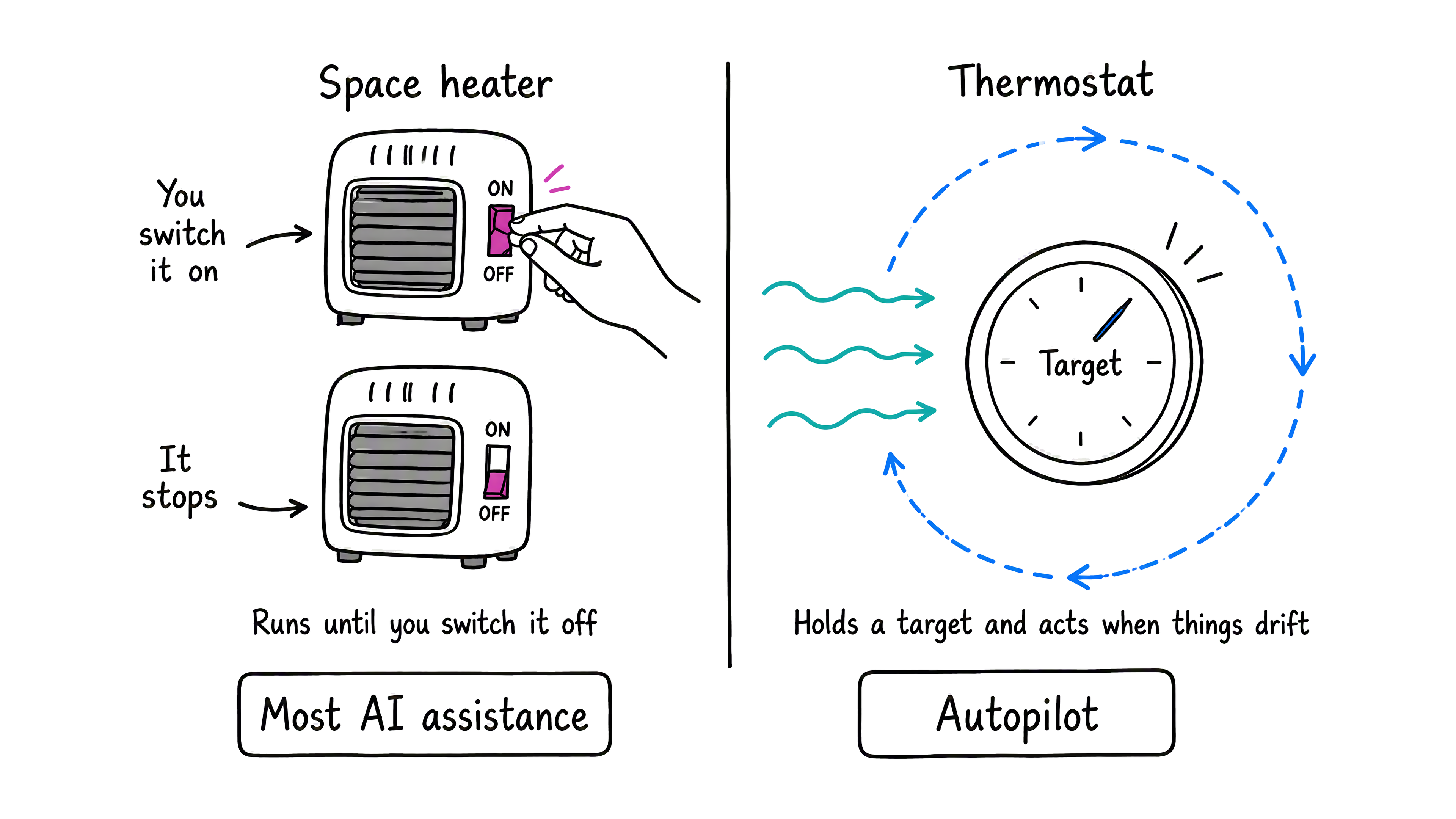
For example, a space heater and a thermostat both warm a room, but you use them differently. You switch a space heater on and it runs until you switch it off. A thermostat holds a target instead. It watches the room and acts when the temperature drifts. Most AI assistance works like the space heater. Autopilot works like the thermostat.
These three words each matter:
- Personal. Autopilot isn't a ghostwriter. It signs its own work. It has its own name, avatar, and email address, and it appears in Copilot, Teams, and Outlook under that identity, so colleagues can tell its work from yours. It never uses your sign-in. It also remembers your preferences and past decisions, so a correction you make once sticks.
- Proactive. It doesn't wait for your next prompt. It turns activity across your meetings, chats, and files into briefings, risks, and next steps, and brings them to you.
- Persistent. It runs in the cloud, so it keeps work moving while you're away and holds on to the context as the work develops over days or weeks.
You keep the parts that matter. You decide what it can do on its own. It asks before consequential actions such as sending a message or sharing a file. You review what it produces.
Send the work to the right place
Not everything belongs with Autopilot. The Microsoft Copilot app offers several modes, and choosing the right one matters more than knowing every feature of each.
| Mode | What you give it | Best for |
|---|---|---|
| Chat | A question | Focused, single-session tasks: draft, summarize, brainstorm, research |
| Cowork | A task with a finish line | Complex, multistep work across apps that ends in a deliverable |
| Code | Something to build | Dashboards, trackers, and apps you then ship |
| Autopilot | An ongoing responsibility | Work that unfolds over time, day after day |
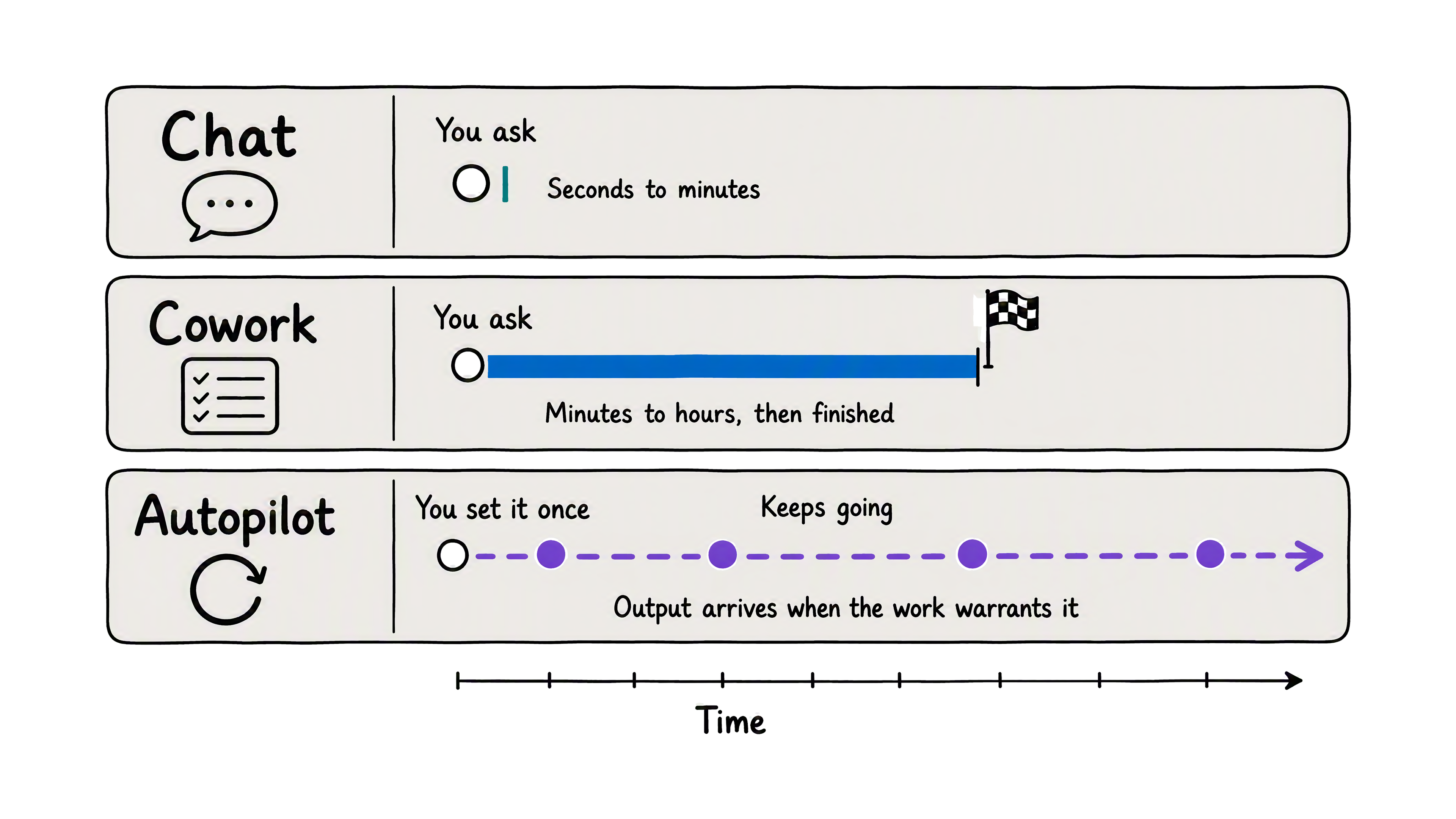
They also work at different speeds. Chat answers in seconds to minutes. Cowork works through a task for minutes to hours, and then it's finished. Autopilot keeps going, so what it produces arrives when the work calls for it rather than when you ask.
Decide what's worth delegating
Delegating isn't free. You have to describe the work well and check what comes back. Autopilot also uses part of your organization's Copilot budget, and because it keeps working rather than finishing, that cost repeats. Four questions tell you when it's worth it.
- Does the work outlive a single request? A launch, an account, or a quarterly goal carries on. A one-time summary doesn't.
- Is the work mostly noticing? A smoke detector doesn't put out fires. It tells you about smoke while you can still act. Some work needs that kind of attention rather than effort. A decision stalls, an approval never lands, or a date moves.
- Can you say in advance what good looks like? If you can describe what deserves your attention and what to do about it, you can write a brief. If every case needs fresh judgment, keep it yourself.
- Does finding out late cost you something? The value grows when a delay creates rework, a missed deadline, or a colleague left waiting.
Other work belongs elsewhere. Use Chat for a quick answer or a single draft. Use Cowork for a one-time, multistep deliverable. Keep work yourself when a mistake would be hard to undo. A promise to a customer or a decision with legal weight stays with you.
Priya's launch passes all four questions. It runs for weeks. Its real risk is that something slips unnoticed. She can describe what a meaningful change looks like, and finding out late means scrambling. Her one-time executive briefing fails all four, so that goes to Cowork.
Tip
Start by delegating one responsibility on one project. A narrow brief is easier to judge, and what you learn from it makes the next one better.
Think about your own work. What do you keep checking on rather than working on? That's usually the first thing worth delegating.
Check your understanding
Feedback
Was this page helpful?
No
Need help with this topic?
Want to try using Ask Learn to clarify or guide you through this topic?