Describe the value of Copilot Studio to create agents
When customers visit your website with questions, employees need HR policy guidance, or a field team needs to check inventory without opening a full app—a conversational agent can provide immediate, accurate, and consistent answers around the clock. Microsoft Copilot Studio is the platform that enables your organization to build and deploy these intelligent agents without requiring AI expertise or professional development resources.
Microsoft Copilot Studio is a low-code tool that allows makers to create custom agents—AI-powered assistants that can understand natural language, follow complex conversation paths, retrieve information from your data sources, and take action through connected flows and services. Agents built in Copilot Studio can be deployed to Microsoft Teams, Power Pages websites, mobile apps, SharePoint sites, and more.
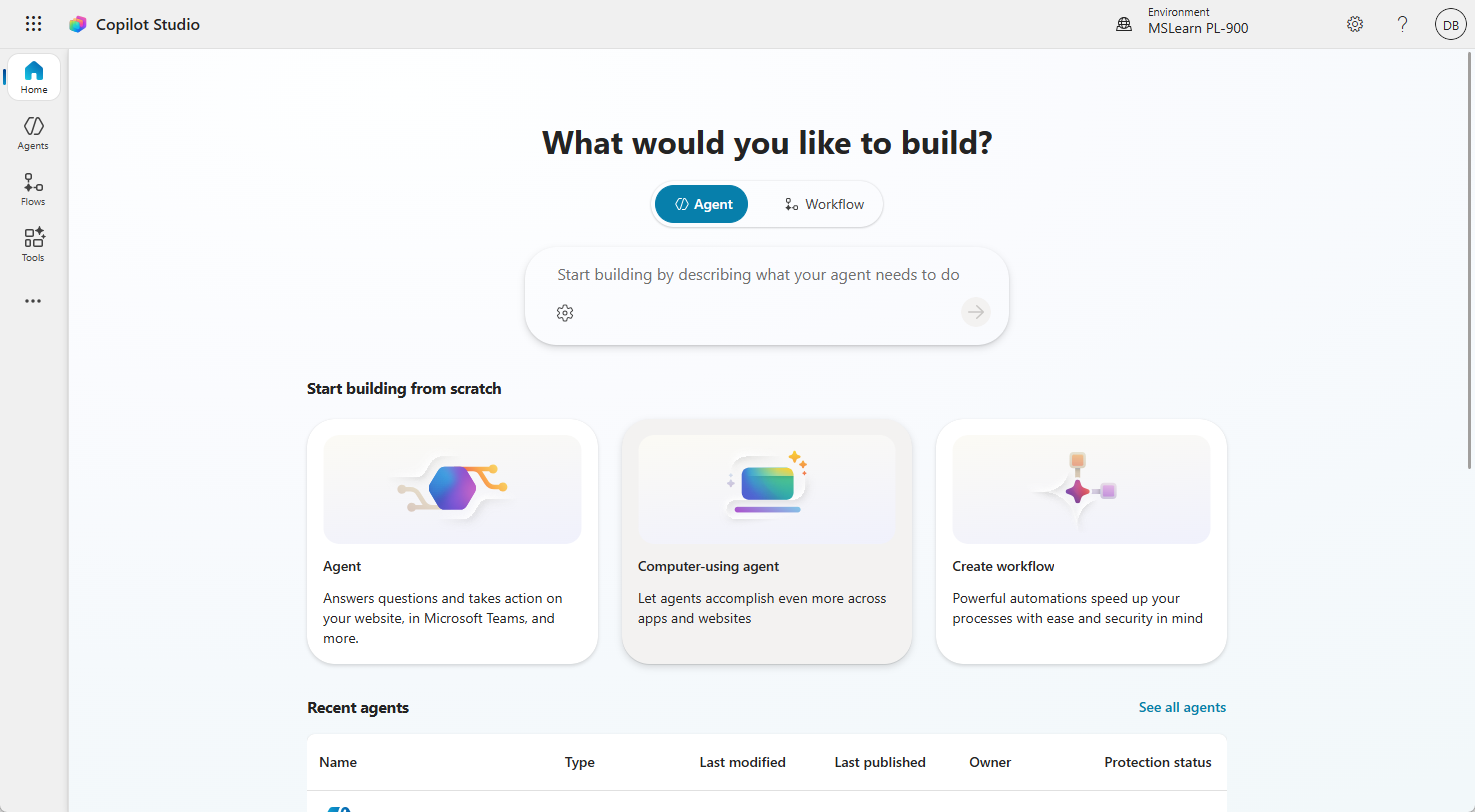
What an agent can do
Agents built in Copilot Studio go beyond simple FAQ responses. They can:
- Answer questions using knowledge sourced from websites, SharePoint documents, Dataverse records, and custom knowledge bases.
- Execute actions—such as submitting a support ticket, checking order status, or booking an appointment—by triggering Power Automate flows.
- Handle multi-turn conversations that follow branching logic based on user responses.
- Escalate to a human agent when the conversation exceeds the agent's capabilities.
- Operate autonomously as part of a larger automated process, taking actions without waiting for a human to initiate each step.
Business value: Making knowledge and action available on demand
The business value of Copilot Studio agents is that they make organizational knowledge, business data, and repeatable actions available through a simple conversational experience. Instead of asking users to search through documents, open multiple systems, submit tickets, or wait for a specialist, an agent lets them ask for what they need in natural language and receive guidance, answers, or next steps immediately.
Agents are valuable because they can combine three things that normally live separately: approved knowledge, business data, and process automation. A Copilot Studio agent can answer questions from SharePoint documents or websites, retrieve information from Dataverse or connected systems, and trigger Power Automate flows to create records, route approvals, send notifications, or escalate issues. This turns the agent from a simple chatbot into a front door for getting work done.
This creates measurable value for the organization. Employees get faster answers and spend less time searching for information. Support teams receive fewer repetitive requests and can focus on higher-value work. Customers and partners get self-service help without waiting for a representative. Managers gain better visibility because the agent can capture questions, outcomes, escalations, and trends that can be improved over time.
Agents are also useful because they can be consumed in the places where people already work. An internal employee agent can be made available in Microsoft Teams or Microsoft 365 Copilot. A customer-facing agent can appear on a Power Pages website. A knowledge agent can be surfaced from a SharePoint site. A process support agent can be embedded in a Power Apps experience or custom application.
Examples of agents and how they are consumed
Different agents create value in different ways depending on the audience, channel, and business process they support.
- Employee HR policy agent: Employees ask questions about benefits, paid time off, expense rules, onboarding steps, or remote work policies. The agent uses approved HR documents as knowledge and can create an HR case when human review is needed. It's typically consumed in Microsoft Teams or an employee intranet. The business value is fewer repetitive HR emails, faster answers, and more consistent policy guidance.
- IT help desk triage agent: Employees ask for help with password resets, device setup, software access, VPN issues, or common troubleshooting steps. The agent can guide the user, check knowledge articles, create a support ticket, and escalate urgent issues. The business value is reduced Tier 1 ticket volume, faster issue resolution, and more time for IT specialists to focus on complex work.
- Customer service self-service agent: Customers ask about order status, warranty coverage, return instructions, service appointments, or account updates. The agent can retrieve customer-specific information from Dataverse or connected systems and create a case when support is needed. It's typically consumed on a Power Pages website or customer portal. The business value is lower call-center volume, faster customer response, and better case quality.
- Sales enablement agent: Sellers ask for account summaries, product positioning, competitive guidance, approved messaging, or next-best actions before a customer meeting. The agent can pull from approved sales content, Dataverse records, and connected CRM data. The business value is less time searching for content, better meeting preparation, and more consistent customer conversations.
- Operations status agent: Managers or frontline teams ask about shipment status, inventory availability, maintenance exceptions, project milestones, or overdue tasks. The agent can retrieve live data, summarize exceptions, and trigger notifications or follow-up actions. The business value is faster status visibility, fewer manual update requests, and quicker exception handling.
- Finance and procurement agent: Employees ask about purchase request status, invoice approvals, budget availability, vendor information, or required procurement steps. The agent can look up records, explain policy, and trigger flows for approvals or follow-up. The business value is faster approvals, fewer finance inbox requests, and more consistent purchasing guidance.
- Compliance and policy guidance agent: Employees ask about retention rules, required documentation, escalation paths, regulatory procedures, or internal controls. The agent provides guidance from controlled knowledge sources and can route exceptions for review. The business value is more consistent guidance, reduced risk of outdated information, and better routing of exceptions.
- Field service support agent: Technicians ask for troubleshooting steps, customer history, equipment details, parts availability, or safety procedures while onsite. The agent can surface relevant knowledge, retrieve asset records, and create follow-up work orders. It's typically consumed in a mobile Power Apps experience or Teams mobile. The business value is faster field resolution, better technician preparation, and fewer repeat visits.
- Executive briefing agent: Leaders ask for summaries of KPIs, open risks, customer escalations, project updates, or changes since the last review. The agent can pull from trusted reports, Dataverse records, documents, and meeting artifacts to produce concise summaries. The business value is faster preparation, more consistent insight, and better decision support.
Across these examples, the pattern is the same: the agent becomes a conversational layer over knowledge, data, and action. Users don't need to know which system contains the answer or which process to start. They ask the agent, and the agent helps them find the right information, complete the right task, or escalate to the right person.
Autonomous agents and the future of work
Copilot Studio supports the creation of autonomous agents—agents that operate proactively in the background rather than waiting for a user to ask a question. An autonomous agent might monitor a Dataverse table for new records that meet certain criteria and then take a sequence of actions—updating records, sending notifications, triggering flows, or escalating to humans—without any direct human initiation.
This capability moves AI-powered automation beyond simple question-and-answer experiences into agents that actively participate in business processes.