Describe charges
Charges let you apply additional fees or costs to a purchase order. Examples include freight, insurance, handling fees, and installation or packaging fees. Some charges apply to the order header, and others can be split across individual order lines.
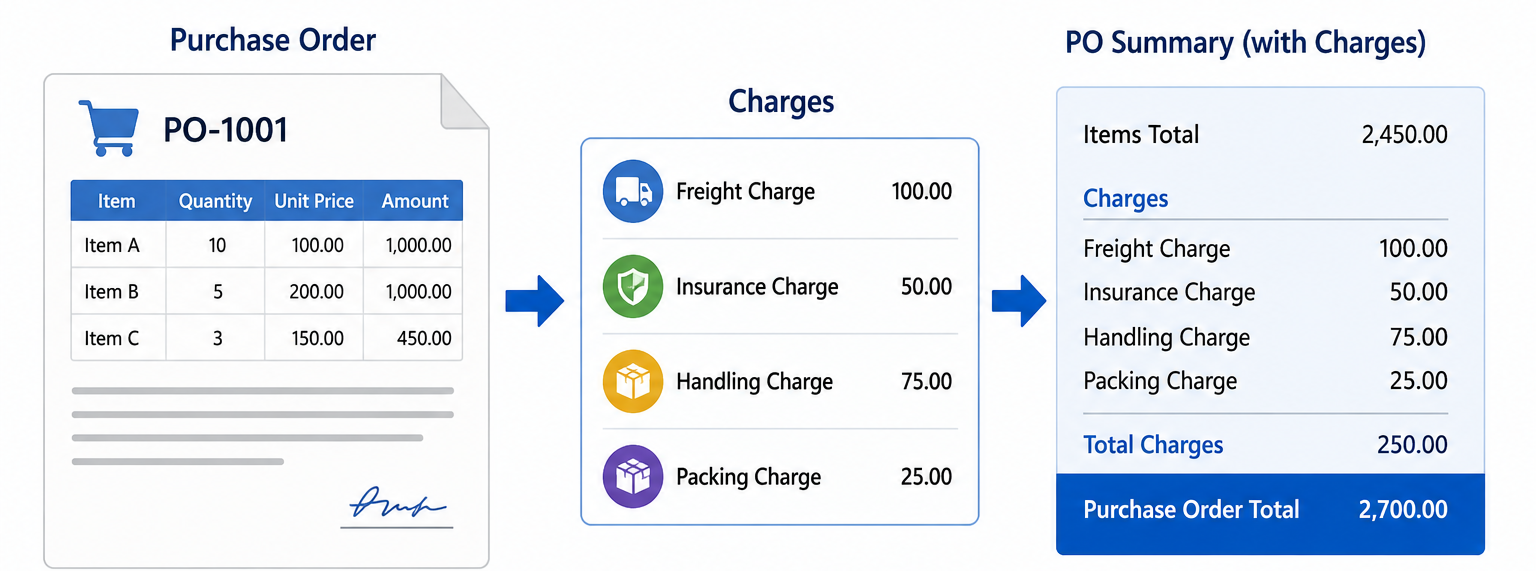
You can define a charge on an order by using various categories:
- Fixed: A fixed charge can be applied in both the order header and details. This charge doesn't depend on item quantity or price.
- Pcs: Use the Pcs category on the order line when the charge is multiplied by the quantity in the order line. An installation charge is a good example.
- Percent: Use the Percent category when the charge is a percentage of the amount in the order line.
In the Purchase order action pane, under the Purchase menu, define charges on the Maintain charges page.

You can also define sales taxes applicable to the charges.
By selecting the Allocate charges button on the Purchase menu in the action pane, you can distribute header charges to order lines based on item quantity or amount.
In the order line, you can define the charges under Financials > Charges > Maintain charges.
Charge code
To define the charge code, navigate to Accounts payable > Charges setup > Charge code.
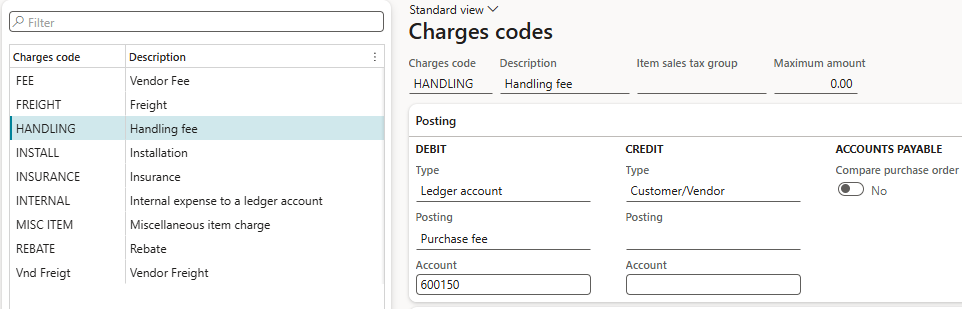
While creating a charge code, define the financial posting setup, which has three values that determine the financial behavior of the charge code.
- Ledger account: The charge is posted directly to the ledger account without impacting customer/vendor balance.
- Customer/Vendor: The charge is posted to the vendor balance and adjusted during invoice settlement.
- Item: The charge is capitalized into the item cost and becomes a part of inventory valuation.
Automatic charges
Configure your system to apply charges automatically to orders. Navigate to Accounts payable > Charges setup > Auto charges. Here, define charges for the order header or lines separately.
You can define a specific charge for a specific vendor, a group of vendors, or all vendors.
In the order line, apply charges on an individual item, a group of items, or all items. You can also specify charges based on mode of delivery.