Explain the capabilities of the Supplier Communications Agent
The Supplier Communications Agent is an AI agent built on the Microsoft Power Platform. Power Automate and Copilot Studio support the agent to automate communication between your organization and vendors. The agent can:
- Communicate with vendors automatically.
- Track vendor responses.
- Send alerts, reminders, and updates.
- Help reduce manual follow-ups.
Use cases
The following sections highlight practical scenarios where the agent improves supplier communications and operational efficiency.
Follow up on a purchase order
The agent is a proactive follow-up assistant that:
- Detects purchase orders needing attention.
- Creates actionable tasks.
- Generates AI-based draft emails to vendors.
- Enables you to review the email messages before sending.
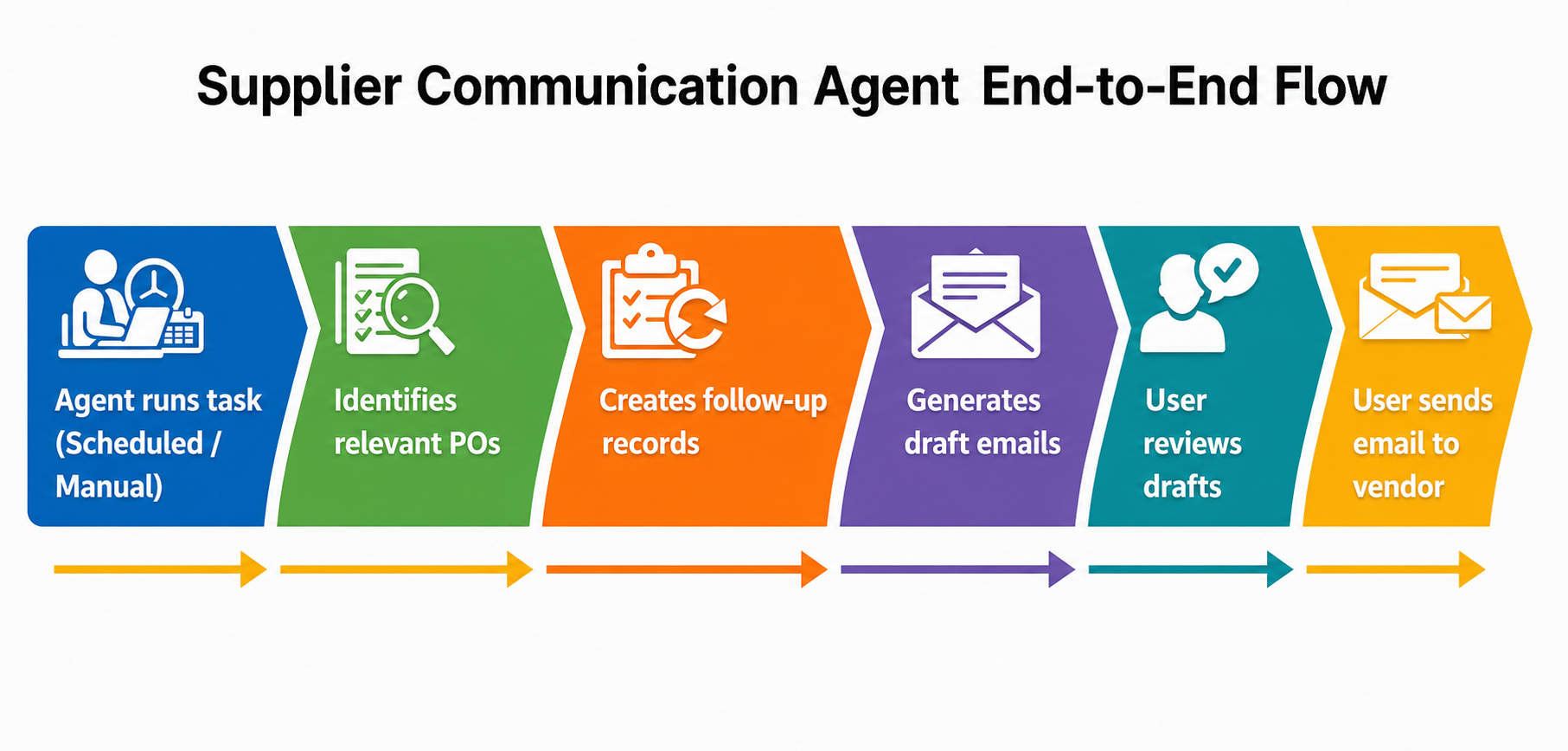
By default, the agent monitors two tasks:
- Unconfirmed purchase order
- Delayed purchase order
Based on the agent response, the system drafts an email from the available template and configured data fields. You can also set the email tone based on your relationship with the vendor. Review the draft message and send it to the vendor.
Use this agent to eliminate manual tracking of unconfirmed purchase orders and late deliveries. This approach saves time, improves supplier responsiveness, and reduces supply chain risk through better communication.
Review and apply purchase order changes received in vendor emails
This capability allows the agent to:
- Read vendor emails.
- Understand the intent.
- Match them to purchase orders.
- Suggest updates automatically.
The agent classifies each email received from the vendor into four categories.
- Purchase order confirmation: The vendor confirms the purchase order by email, and the agent identifies the purchase order and marks it as confirmed.
- Purchase order change request: The vendor might request changes like quantity modification, delivery delay, or partial fulfillment. The agent extracts the requests and highlights the changes.
- Rejected: The vendor can't fulfill the order. The agent cancels the order.
- Others: If the intent of the email is unclear, the agent leaves it for manual review.
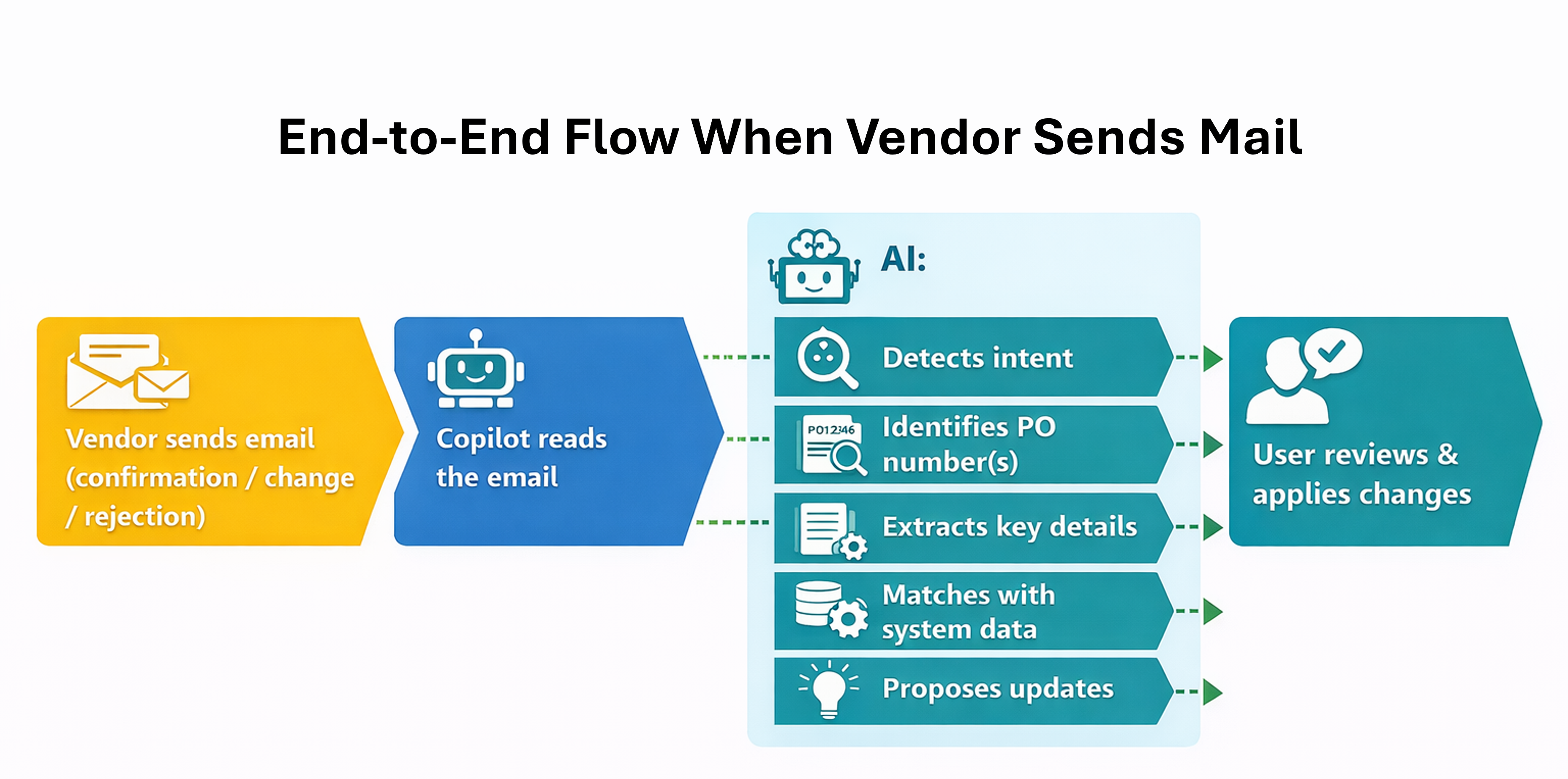
This agent minimizes manual email reading and purchase order navigation, which improves processing time and reduces data entry mistakes.
Setup
This capability is primarily based on two features available in Feature management:
- The Supplier Communications Agent
- Send follow-up emails to vendors with Supplier Communications Agent - automatically sending emails
To activate these features, ensure that your Dynamics 365 Supply Chain Management instance is integrated with Microsoft Dataverse. Enable the following two features as prerequisites in Dynamics 365 Supply Chain Management:
- Immersive Home
- Agent management
In the Microsoft Power Platform admin center, install the following apps:
- Copilot for finance and operations apps
- Copilot in Microsoft Dynamics 365 Supply Chain Management
Copilot Studio has two published agents:
- Supplier Communications Agent - inbound
- Supplier Communications Agent - outbound
Create an agent identity user under User management with the required licenses and security roles in Supply Chain Management and the Microsoft Power Platform admin center.
Synchronize the agent email using the Microsoft Power Platform admin center. Navigate to Settings and select Mailboxes under Email. Select Test & enable mailbox to enable synchronization for the selected mailboxes. You can also configure a shared mailbox.