Describe unit sequence group
A unit sequence group defines the order and rules for how different units of measure are used during picking and reservation. This feature applies to warehouse-enabled items. To enable an item for warehouse management processes, select the Use warehouse management processes slider in the Storage dimension group of the item. Enabling this slider makes the Unit sequence group field available on the Released product page.
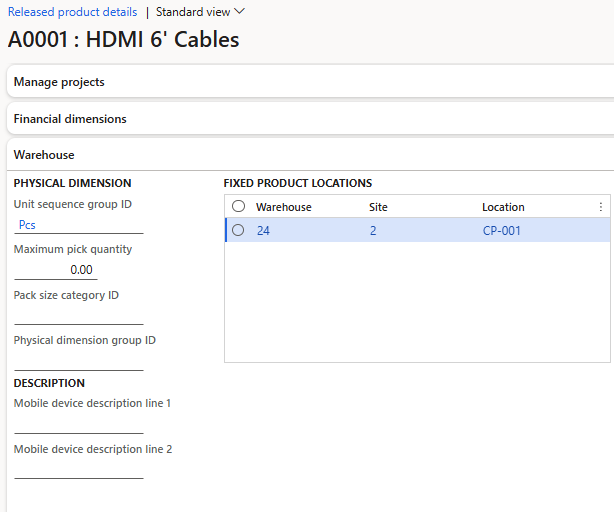
The unit sequence group defines the sequence of units available during warehouse picking operations. For example, you can define a unit sequence group for units such as Each, Box, and Pallet. You must have conversion factors defined in the unit conversion for these units. The sequence determines the order in which the system generates warehouse work. It also determines the order in which units are applied when work is created for quantities on a purchase order line or transfer order line. The unit sequence group should include units of measure ranging from smallest to largest that the product uses in warehouse operations.
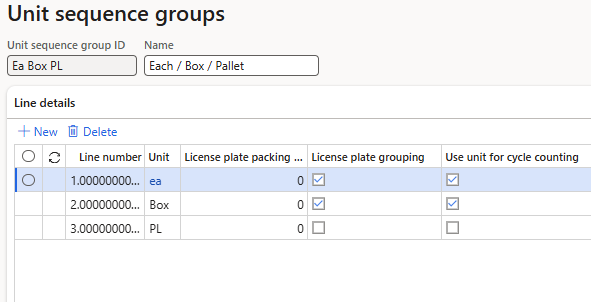
The unit sequence group lets you control how units of measure are used across warehouse processes. You can use a unit sequence group to enable specific units for cycle counting and to define default units for purchase orders, production, and material consumption.
The unit sequence group also includes the License plate grouping option, which determines how items are grouped during receiving when quantities larger than one pallet are grouped under a single license plate. If the license plate grouping option is disabled, each item above the pallet level gets its own license plate, which creates unnecessary license plate records in the system.