View insights for teachers
Microsoft Learning Zone provides built-in insights that help you understand how learners are engaging with a lesson, how they progress through activities, and where additional support may be helpful. These insights are available directly within Learning Zone and are intended to support formative teaching and reflection, rather than replace summative assessments.
Access lesson insights
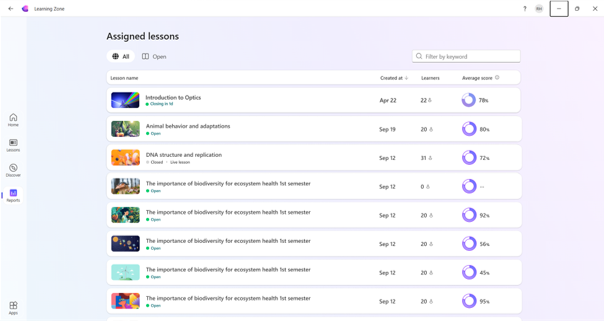
Once you assign a lesson and learners begin interacting with it, you can view insights from within Learning Zone. Access insights through the Reports tab. From there select the lesson and explore different data points:
- A whole class overview
- Individual learner scores
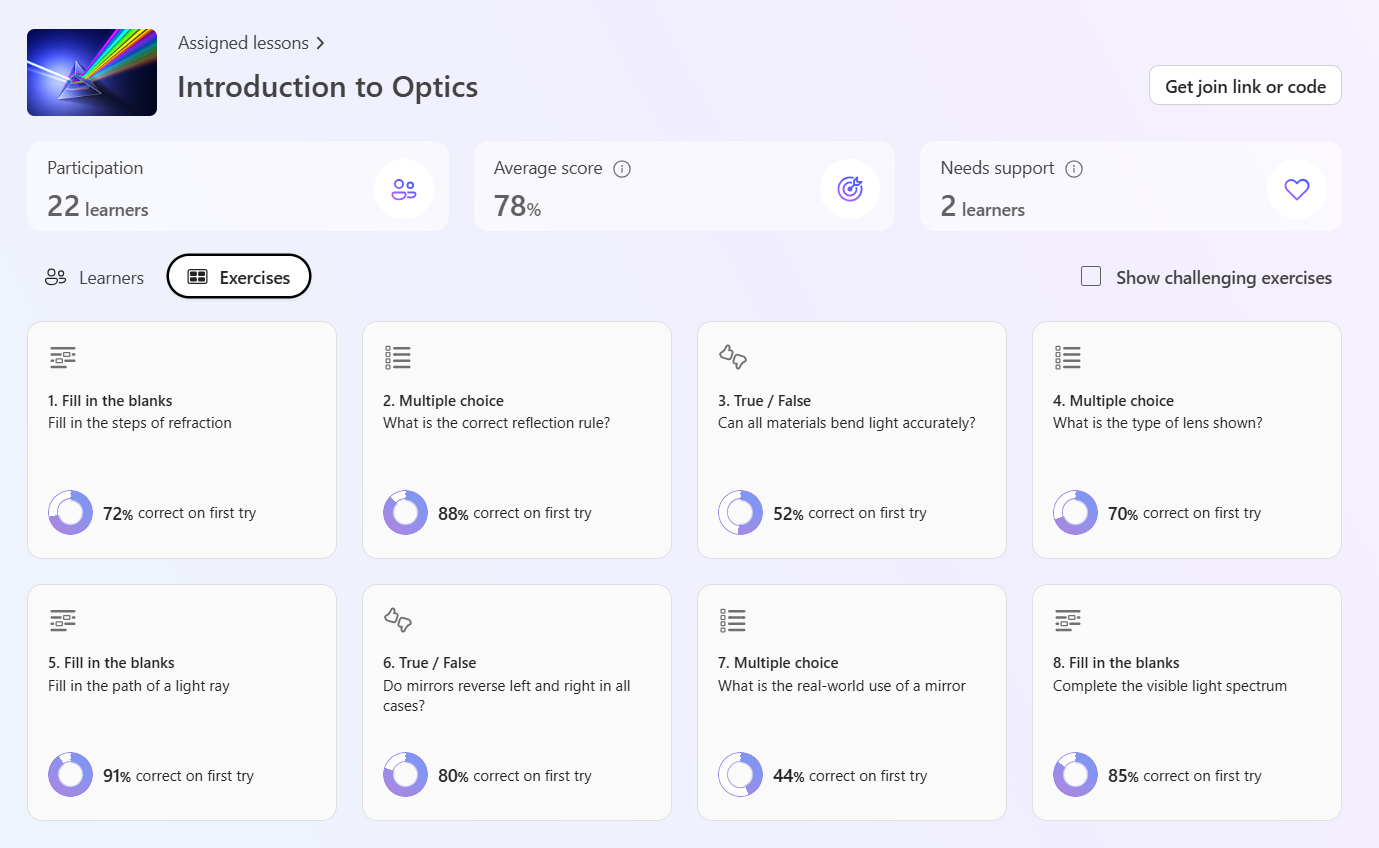
- Individual exercise success rates
Insights relate only to the lesson instance you assigned, ensuring the information reflects real learner activity rather than a generic lesson template. As learners continue to work, insights update automatically, allowing you to revisit the same lesson assignment multiple times to review progress during delivery and after completion.
Understand learner progress
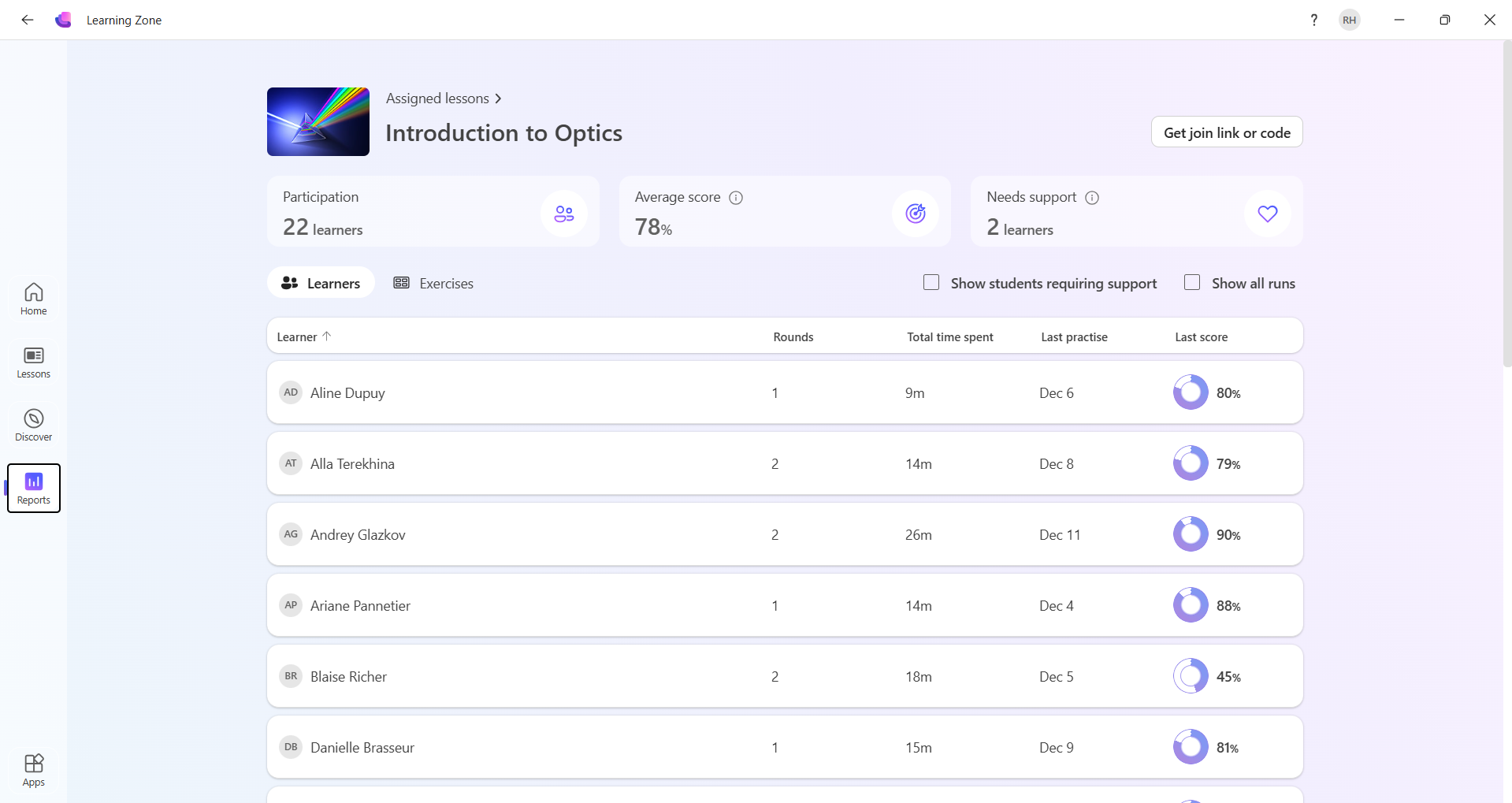
The insights view provides a clear overview of how learners are progressing through the lesson. You can see which learners attempted the lesson, and you can also observe how long learners spent engaging with the lesson and whether progress is in a single session or across multiple sessions.
These indicators help you understand pacing and engagement. For example, learners who haven't started may need a reminder or clarification, while learners who take significantly longer than expected may need additional explanation or reassurance. Reviewing this progress information allows you to respond while learning is still taking place.
Interpret multiple attempts and reattempts
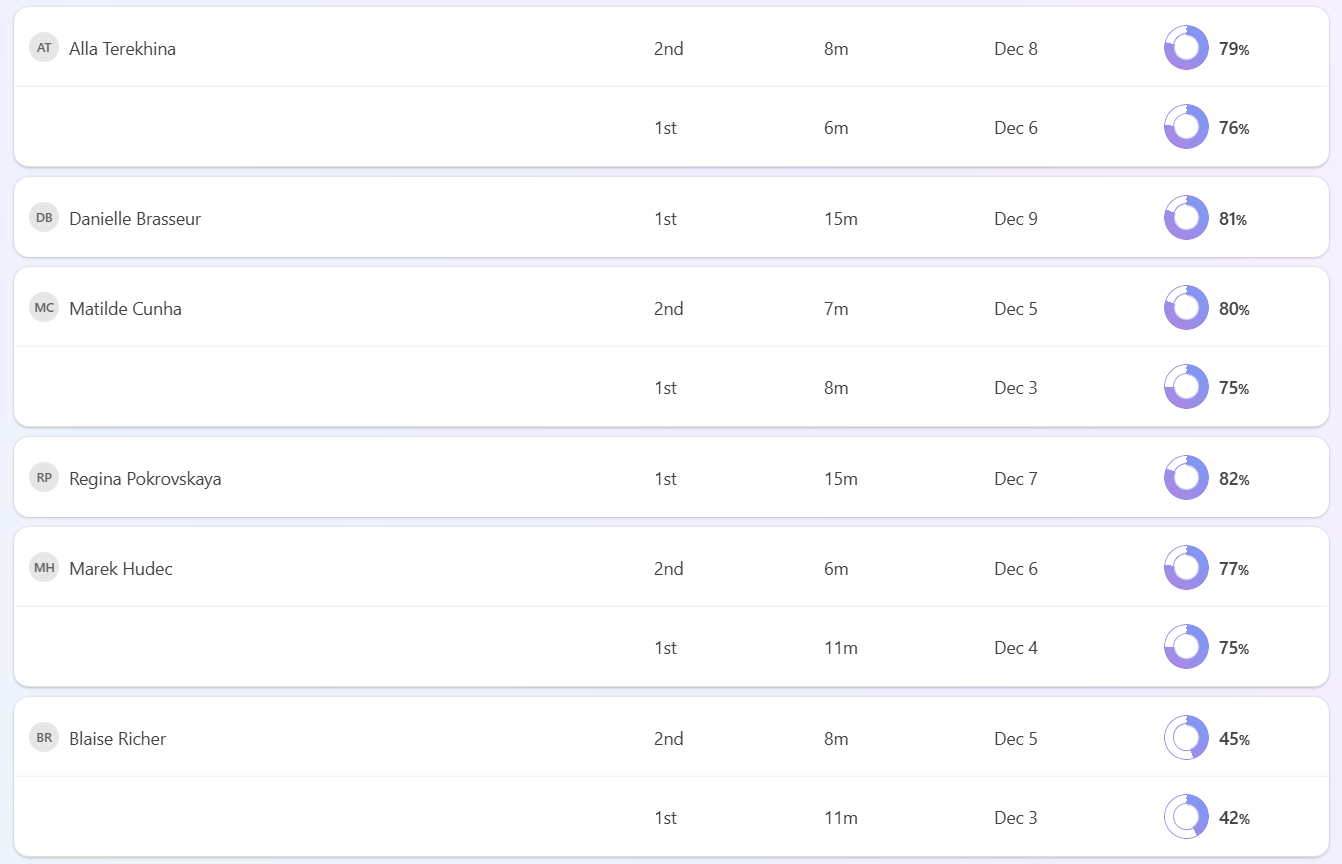
Learning Zone insights informs you when learners revisit a lesson or repeat parts of it. Repeated attempts are visible in the insights view and often signal productive learning behavior rather than difficulty.
Learners may return to activities to reinforce understanding, review feedback, or improve their responses and seeing patterns can help you decide whether to revisit a topic, provide an alternative explanation, or adjust future lessons to improve clarity.
Identify learners who may need support
Insights also helps identify learners who may be at risk of falling behind or disengaging. Patterns such as extended time spent on a lesson, repeated attempts without improvement, or limited progress beyond certain activities can signal that a learner is struggling.
These indicators give educators an opportunity to intervene early. You might choose to check in with a learner individually, provide additional guidance, revisit a concept with the class, or adapt future lessons to better support understanding. The emphasis is on support and responsiveness, rather than judgement.
Use Insights to inform teaching decisions
Beyond individual learners, aggregated insights help you reflect on the lesson as a whole. If many learners struggle with the same activities or concepts, you can use this information to adjust upcoming lessons, reinforce learning objectives, or refine the lesson for future use.
Responsible and transparent use of insights
Learning Zone insights are designed to be used responsibly and transparently. You remain in control of how insights are interpreted and applied, and learners receive feedback focused on their own progress rather than comparisons with others.
This approach supports inclusive learning environments in which data is used to guide improvement, inform teaching practice, and strengthen learning outcomes, rather than to rank or label learners.
Tip
From the assigned lesson report page, you can access the join link or code should you need to use this again.