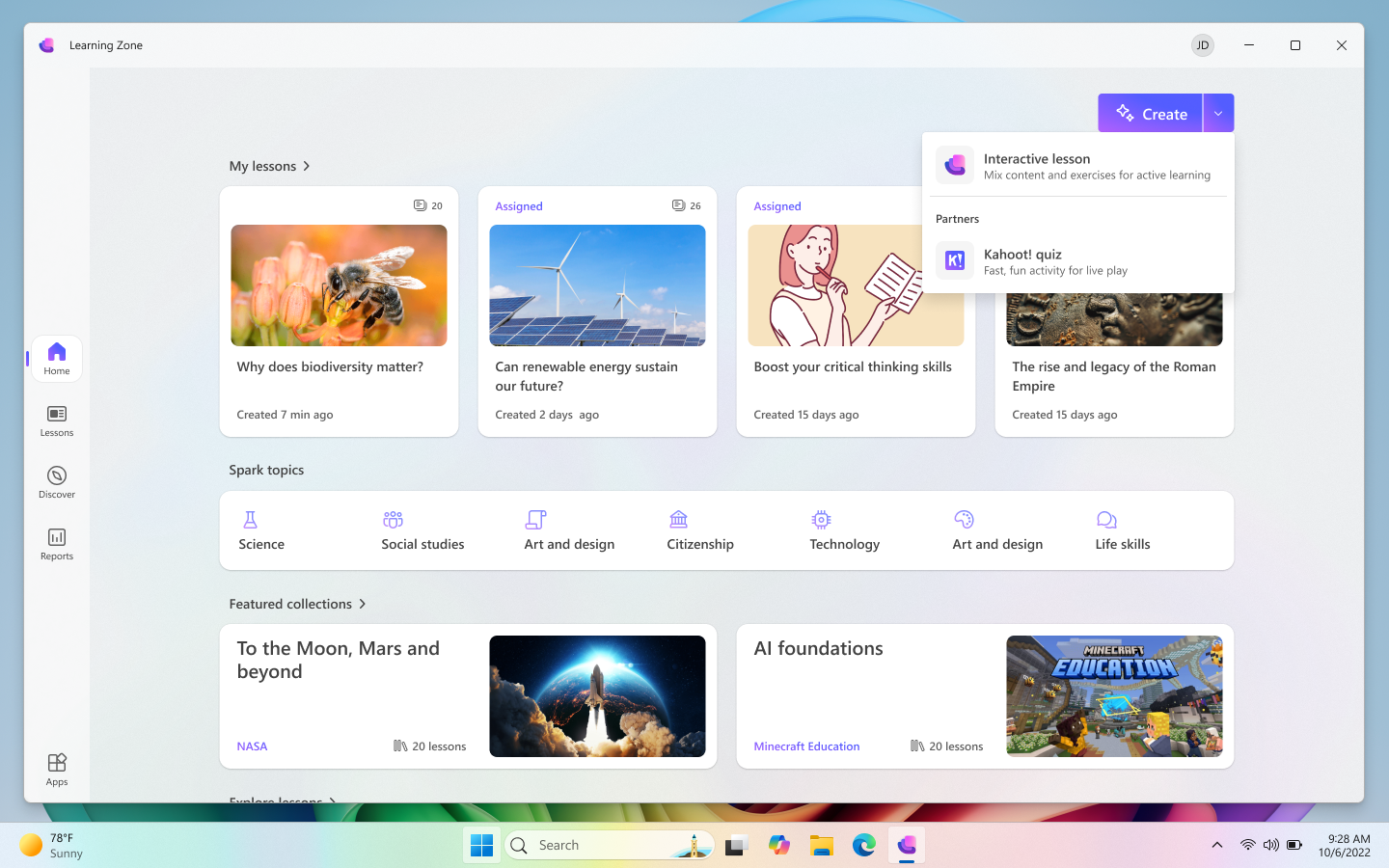
What is Microsoft Learning Zone?
Microsoft Learning Zone helps educators and learning designers create high-quality, interactive lessons more efficiently while maintaining full pedagogical control. It simplifies the process of turning learning goals, standards, or source materials into structured learning experiences without replacing educator expertise.
Using on-device AI on Copilot+ PCs, Learning Zone supports lesson structure, sequencing, and activity design. It's built for real teaching environments and works with existing curricula, educator-provided resources, and trusted partner content, ensuring lessons are relevant, adaptable, and suitable across diverse educational settings.
Learning Zone supports the full lesson flow, from creation to delivery. Educators can manage, assign, and share lessons within the app or through integrations with learning management systems, and receive actionable insights to better support their students.
This video is a screencast showing the steps discussed in this module for using Learning Zone.
Value for educators and students
For educators, Learning Zone increases productivity by reducing the time spent creating lessons, allowing greater focus on learner support and instructional quality.
For students, Learning Zone delivers engaging and personalized, interactive learning experiences with meaningful feedback that supports understanding, not just whether answers are right or wrong. Educator insights highlight learner progress and areas of difficulty, enabling timely and inclusive support without additional assessment tools.
Value for organizations
Learning Zone supports consistent, scalable lesson delivery across teams and cohorts. Content can be shared, reused, and adapted while remaining aligned with institutional standards. Builtin safeguards for responsible AI use and educator oversight make it a safe and intuitive way to introduce AI into your organization.
Features
- Create interactive lesson slides with a mix of content and exercise slides, generated with AI and shaped by your own ideas, materials, or standards. Interactive lessons include a range of different exercises to support consolidation of learning around different concepts and content, including fill the blanks, multiple choice questions, group, sort, true/false, and match exercises. Immediate feedback is built in to exercises and branched questions allow for personalization
- Create Kahoot quizzes in Learning Zone with AI to support assessment and engagement, facilitated through the Kahoot platform
- All content can be edited, adapted and revised to meet the needs of different learners and learning contexts
- Manage, assign, and share lessons within Learning Zone or through integrations with learning management systems
- Use built-in tools to track learning outcomes and target support
- Access a ready-to-learn library of diverse lessons by trusted partners