Design a multi-agent solution
Learning objectives
By the end of this unit, learners will be able to:
- Apply a decision framework to choose single-agent vs. multi-agent architectures and justify the tradeoffs in security, scale, latency, cost, and operability.
- Select the right platform for each agent role—Microsoft 365 Copilot (SaaS), Copilot Studio (low-code SaaS), or Microsoft Foundry (pro-code PaaS/IaaS)—and define clear boundaries and contracts between agents.
- Orchestrate collaborating agents using proven orchestration patterns (sequential, concurrent, group chat, handoff, and Magentic) and implement them with the Microsoft Agent Framework SDK.
- Design a connected agents solution that assigns specialized roles and tools to each agent and validates the design through iterative prototyping.
When to use multi-agent and when not to
Start simple, scale when the evidence requires it. A single-agent design consolidates logic, reduces coordination overhead, and simplifies governance—ideal when the domain is bounded, time-to-value is critical, and operating costs must be minimized. In contrast, multi-agent systems decompose responsibilities across specialized agents to enforce separation of concerns, align with team boundaries, and scale across domains—at the cost of added orchestration, latency at handoffs, and a larger security surface.
Choose multi-agent first when at least one of these is true:
You must cross security or compliance boundaries (for example, strict data classifications or separation of duties).
Multiple teams own distinct knowledge, data, or release cycles that benefit from decoupled agents.
The roadmap clearly demands future expansion across 3-5+ functions—modularity avoids later refactors.
The business requirements dictate a series of actions occur with multiple dependencies across two or more workstreams.
Otherwise, validate with a single agent before adding orchestration. Many "multi-agent" needs can be met with persona switching, improved retrieval, policy controls, or a larger context window.
Platform roles in a multi-agent solution
Design multi-agent systems by assigning the right platform to each role:
Microsoft 365 Copilot (SaaS)—Domain agents embedded in Microsoft 365 experiences (for example, summarization, drafting, scheduling) or . Use to activate immediate value where capabilities fit the task, accepting limited customization.
Copilot Studio (low-code SaaS)—Rapidly build task and retrieval agents with prebuilt connectors and guardrails; ideal for business-led processes, moderate customization, and quick iteration.
Microsoft Foundry (pro-code)—Build connected agents and sophisticated multi-agent workflows with deeper control over orchestration, tools, and runtime; best for strategic, high-integration scenarios
Design guidance:—Start with SaaS agents where they meet functional requirements; introduce Copilot Studio for tailored workflows; escalate to Foundry for complex orchestration, custom tools, and code-first agents
Orchestration patterns with the Microsoft Agent Framework
When agents collaborate, adopt explicit orchestration rather than ad hoc chaining. The Microsoft Agent Framework SDK provides patterns you can mix and match:
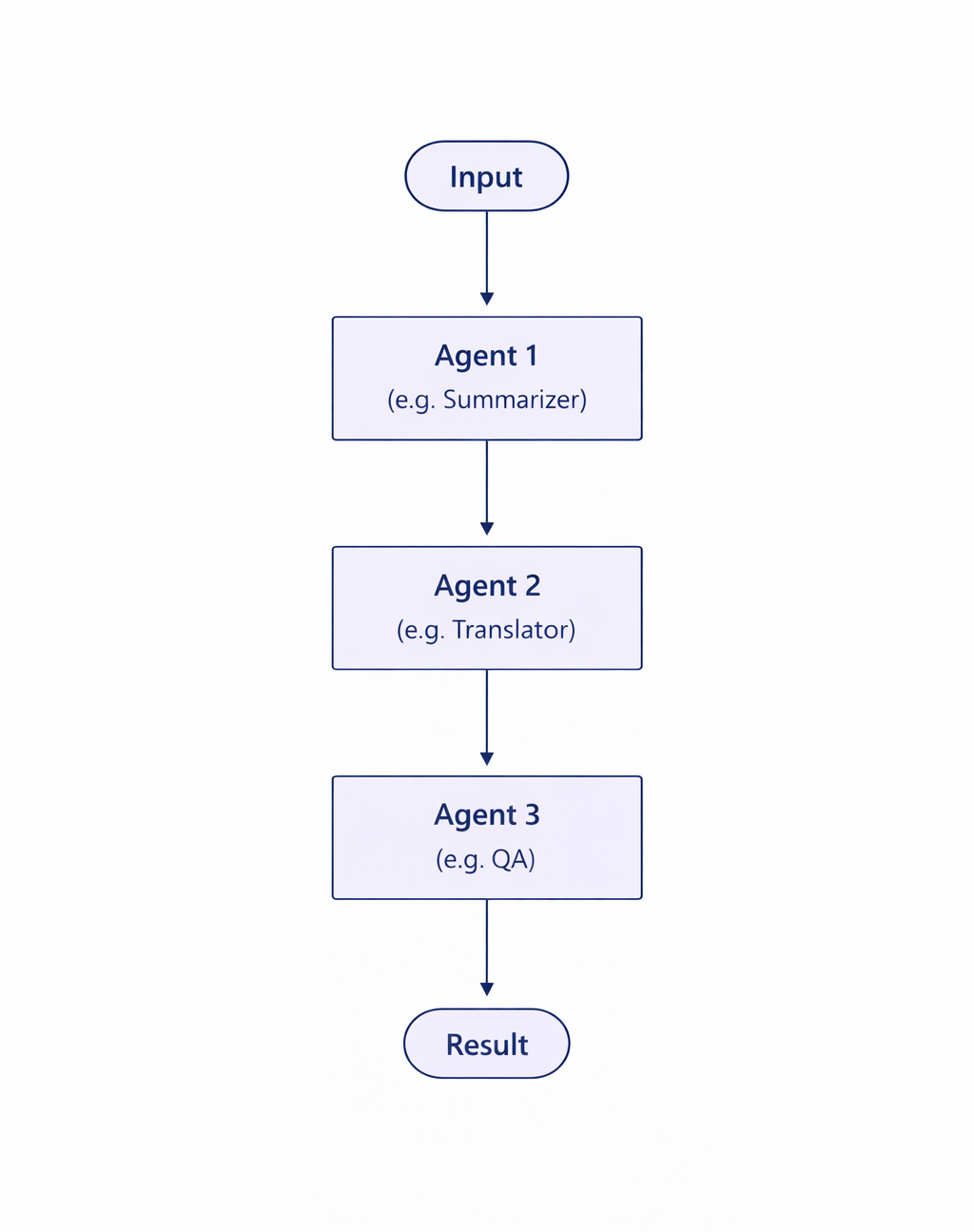
Sequential orchestration—Deterministic pipeline for staged tasks (plan → enrich → verify → act). For more information, see Sequential orchestration.
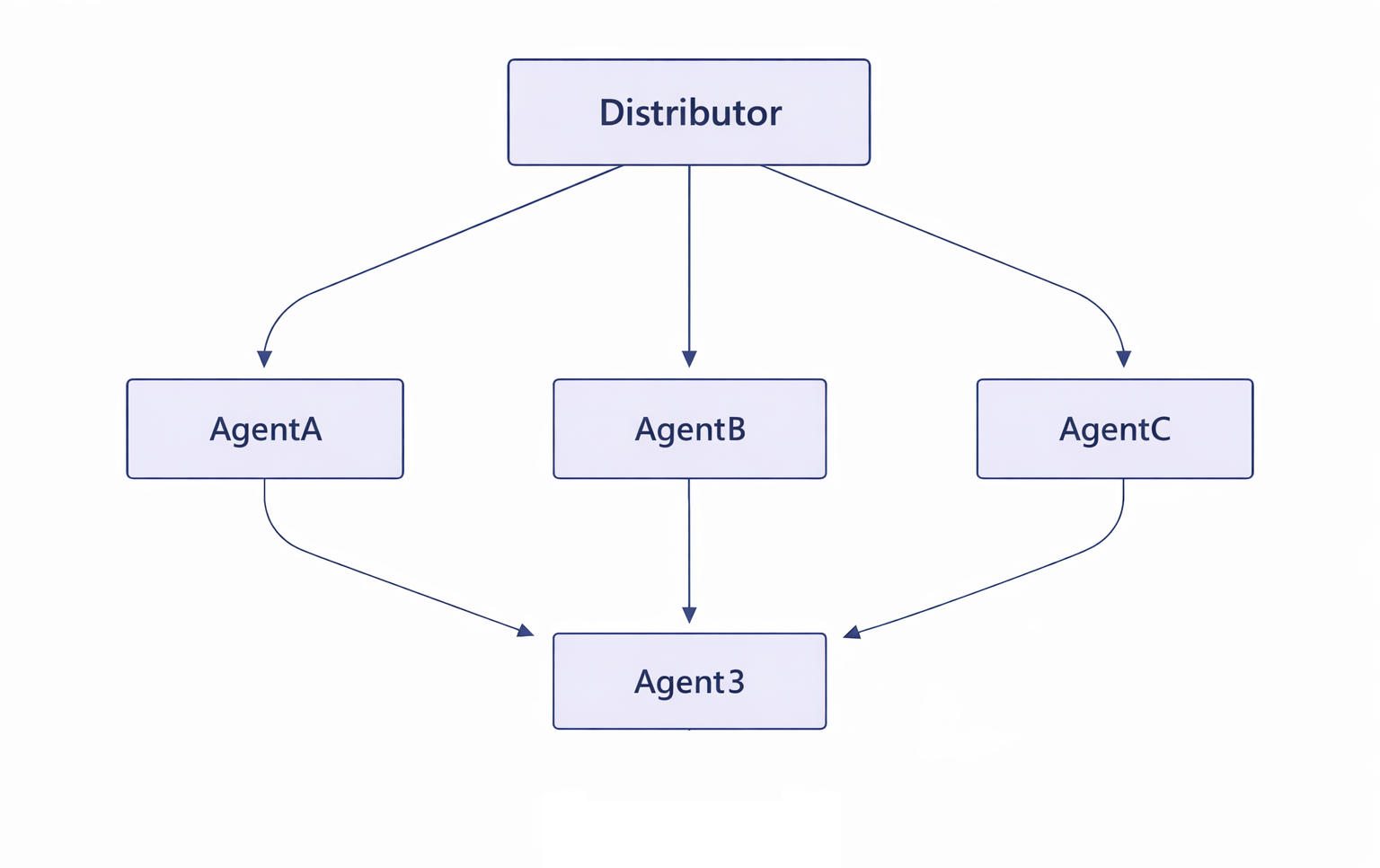
Concurrent orchestration—Parallel agents tackle independent subtasks; aggregate and reconcile results. For more information, see Concurrent orchestration.
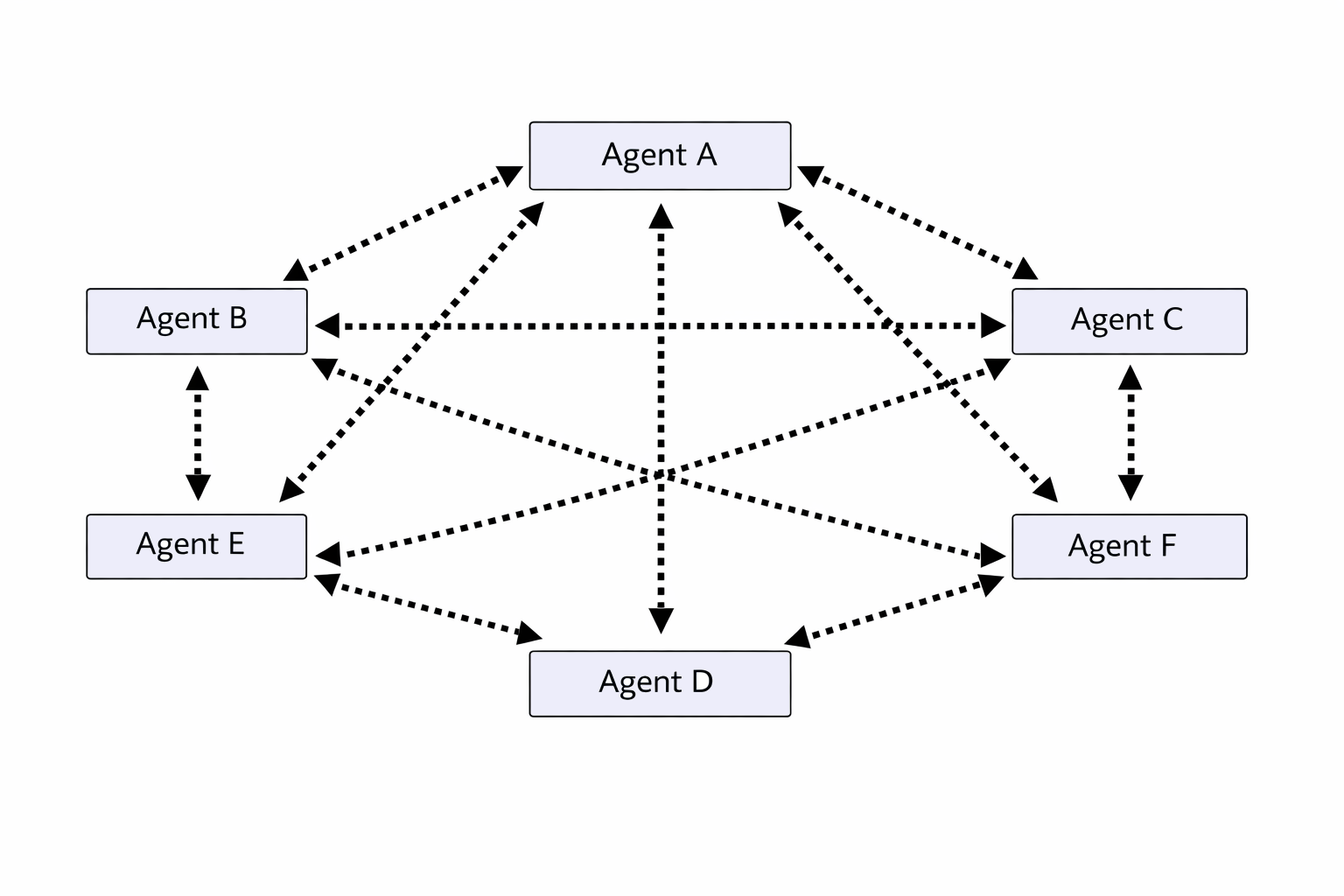
Group chat orchestration—A mediated conversation where agents contribute proposals and a moderator agent arbitrates. For more information, see Group chat orchestration.
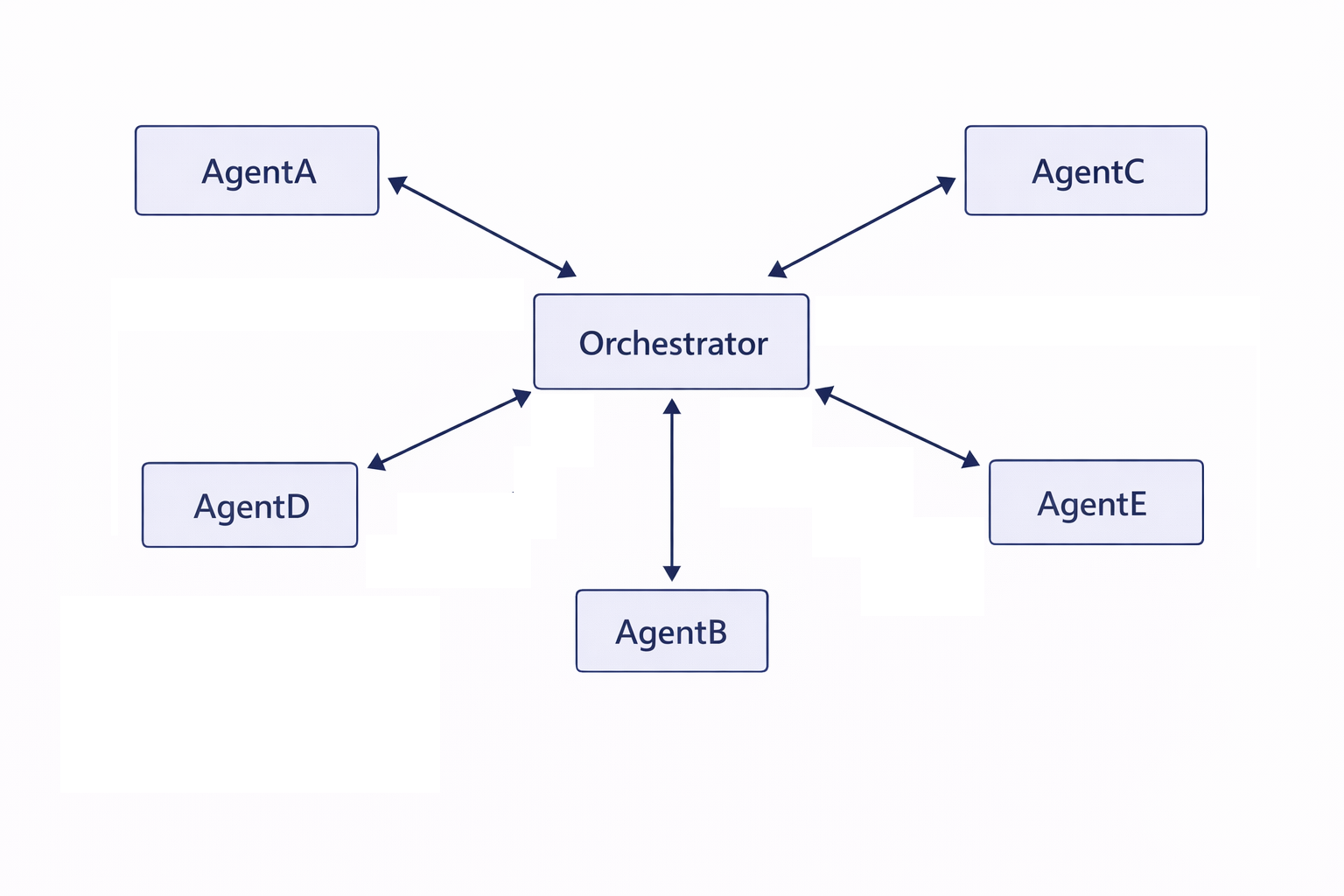
Handoff orchestration—Transfer context and control to a specialist agent (or a human) when a threshold or rule triggers escalation. For more information, see Handoff orchestration.
Magentic orchestration—Pattern for dynamic specialization where a "magnet" pulls in the right expert agents at runtime. For more information, see Magentic orchestration.
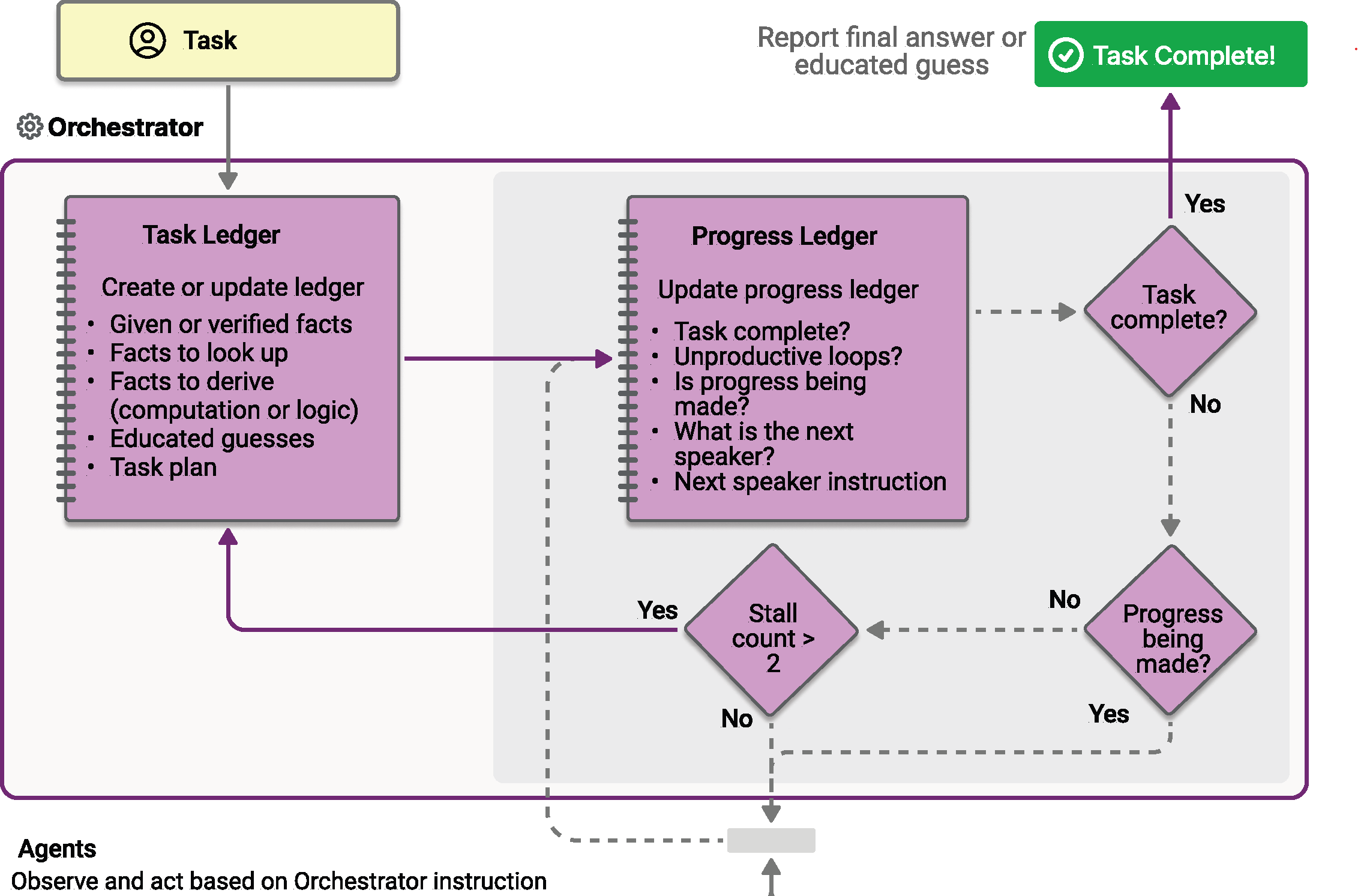
Reliability tip: Treat orchestration as workflow with state, branching, and error handling. Avoid "prompt-to-prompt" daisy chains that are brittle and unobservable.
Designing connected agents in Microsoft Foundry
A robust multi-agent solution in Foundry follows these steps:
Define the main agent (mission, guardrails, success metrics) and its tooling (retrieval sources, actions, evaluators).
Identify connected agents by role (for example, Planner, Researcher, Reviewer, Actuator), each with a minimal instruction set, scoped permissions, and well-defined inputs/outputs.
Model collaboration: choose orchestration patterns (above), define interface contracts, and design state handoffs (IDs, evidence, citations).
Prototype quickly: build a connected agents sample, run scenario tests, and measure latency, cost, accuracy, and alignment.
Iterate: prune redundant agents, consolidate roles when evidence shows a single agent suffices, and strengthen evaluation gates.
Evaluation checkpoints
(Bake these into your design reviews):
Does each agent have a single clear responsibility and the minimum set of tools?
Are security scopes and data boundaries enforced per agent?
Can the system degrade gracefully if one agent fails?
Are observability hooks (spans, events, metrics) in place at every handoff?
Does the main agent use natural language to route tasks, eliminating the need for hardcoded logic?
Are the agents configured using a no-code interface in the Foundry portal or programmatically via the Python SDK?
Reference architecture
Platform-role mapping
| Role | Best-fit platform | Why | Typical orchestration |
|---|---|---|---|
| Domain assistant (productivity) | Microsoft 365 Copilot | Immediate value inflow of work | Handoff / group chat |
| Business workflow agent | Copilot Studio | Rapid iteration, connectors, guardrails | Sequential / handoff |
| Integration/orchestration agent | Foundry | Pro-code tools, complex flows, custom evaluations | Concurrent / sequential / Magentic |
Security, governance, and operability considerations
Least-privilege per agent
- Scope credentials, connectors, and actions narrowly to the agent's remit. Multi-agent separation can reduce blast radius by design.
Context hygiene
- Keep handoff payloads minimal (IDs over raw content) to manage cost and exposure.
Observability
- Instrument handoff latency, tool failure rate, and decision quality; log messages and artifacts for audits.
Roll back & human-in-the-loop
- Gate high-risk actions with approvals; design "break-glass" paths.
Summary
Prefer single-agent for bounded domains and speed; adopt multi-agent when security boundaries, team structures, or roadmap growth require modularity.
Use Microsoft 365 Copilot for inflow value, Copilot Studio for rapid business workflows, and Foundry for connected, pro-code orchestration.
Implement explicit orchestration patterns with the Microsoft Agent Framework SDK for reliability and transparency.