Get started with the Microsoft Foundry extension
The Microsoft Foundry for Visual Studio Code extension transforms your development environment into a comprehensive platform for building, testing, and deploying AI agents. This extension provides direct access to the capabilities of Microsoft Foundry's Agent Service without leaving your code editor, streamlining the entire agent development workflow.
What is the Microsoft Foundry for Visual Studio Code extension?
The Microsoft Foundry for Visual Studio Code extension is a powerful tool that brings enterprise-grade AI agent development capabilities directly into Visual Studio Code. It provides an integrated experience for:
- Agent Discovery and Management - Browse, create, and manage AI agents within your Microsoft Foundry projects
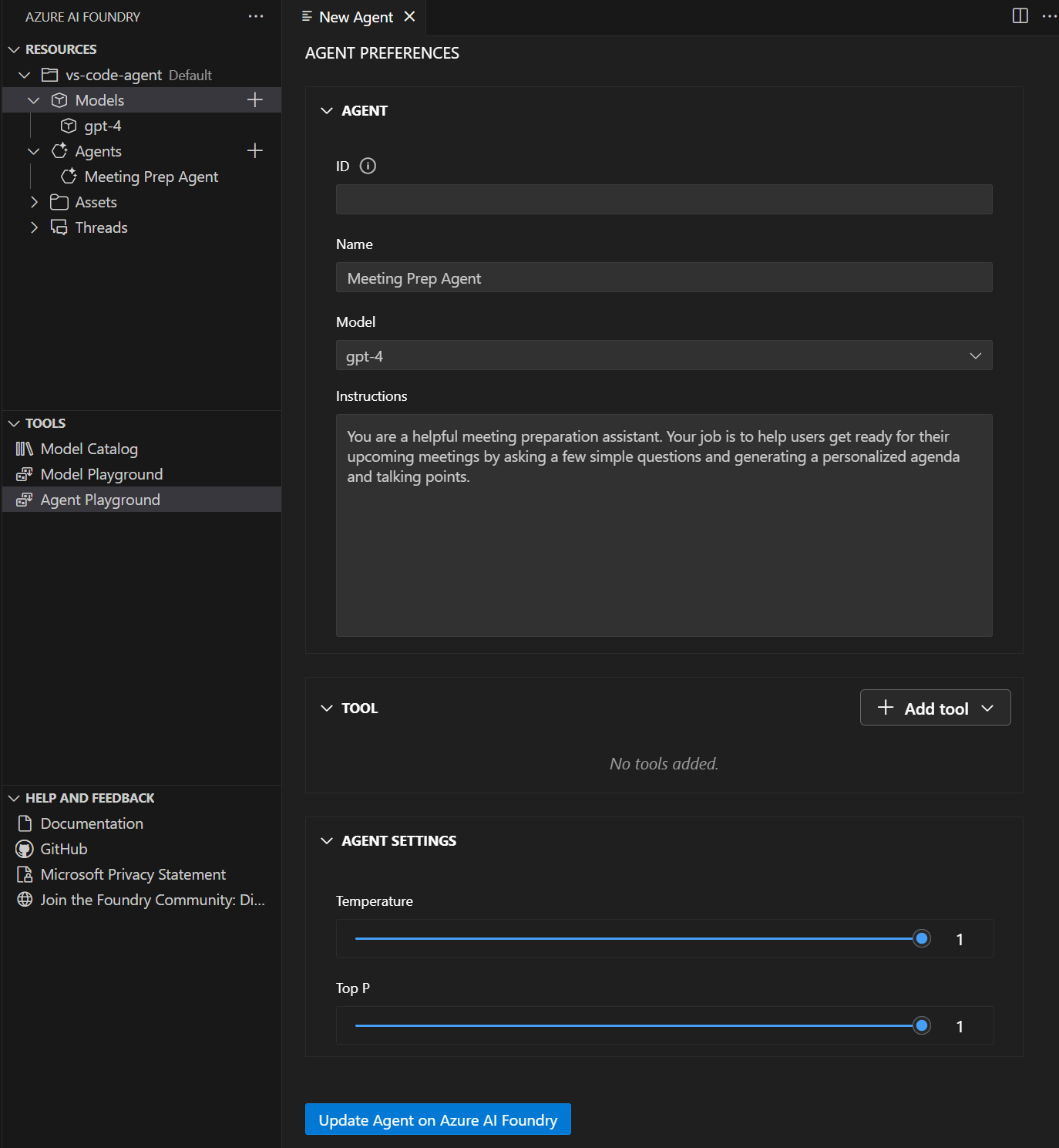
- Visual Agent Designer - Use an intuitive interface to configure agent instructions, tools, and capabilities
- Integrated Testing - Test agents in real-time using the built-in playground without switching contexts
- Code Generation - Generate sample integration code to connect agents with your applications
- Deployment Pipeline - Deploy agents directly to Microsoft Foundry for production use
Key features and capabilities
The extension offers several key features that accelerate AI agent development:
Agent Designer Interface
A visual designer that simplifies agent creation and configuration. You can define agent instructions, select appropriate models, and configure tools through an intuitive graphical interface.
Built-in Playground
An integrated testing environment where you can interact with your agents in real-time, test different scenarios, and refine agent behavior before deployment.
Tool Integration
Seamless integration with various tools including:
- RAG (Retrieval-Augmented Generation) for knowledge-based responses
- Search capabilities for information retrieval
- Custom actions for specific business logic
- Model Context Protocol (MCP) servers for extended functionality
Project Integration
Direct connection to your Microsoft Foundry projects, allowing you to work with existing resources and deploy new agents to your established infrastructure.
Installing the extension
To get started with the Microsoft Foundry for Visual Studio Code extension, first you need to have Visual Studio Code installed on your machine. You can download it from the Visual Studio Code website.
You can install the Microsoft Foundry extension directly from the Visual Studio Code Marketplace:
- Open Visual Studio Code.
- Select Extensions from the left pane, or press Ctrl+Shift+X.
- Search for and select Microsoft Foundry.
- Select Install.
- Verify the extension is installed successfully from the status messages.
Getting started workflow
The typical workflow for using the Microsoft Foundry extension follows these steps:
- Install and configure the extension in Visual Studio Code
- Connect to your Microsoft Foundry project
- Create or import an AI agent using the designer
- Configure agent instructions and add necessary tools
- Test the agent using the integrated playground
- Iterate on the design based on test results
- Generate code for application integration
This streamlined workflow enables rapid prototyping and deployment of AI agents, making it easier for developers to build intelligent automation solutions that can handle complex real-world tasks.
The Microsoft Foundry for Visual Studio Code extension represents a significant step forward in making AI agent development more accessible and efficient, providing developers with enterprise-grade tools in a familiar development environment.