Introduction to Microsoft Foundry
Tip
See the Text and images tab for more details!
Microsoft Foundry is a unified, enterprise-grade platform-as-a-service (PaaS) for building, deploying, and managing AI applications and agents. It consolidates models, agent orchestration, monitoring, and governance tools in one platform, offering production-grade infrastructure and security.
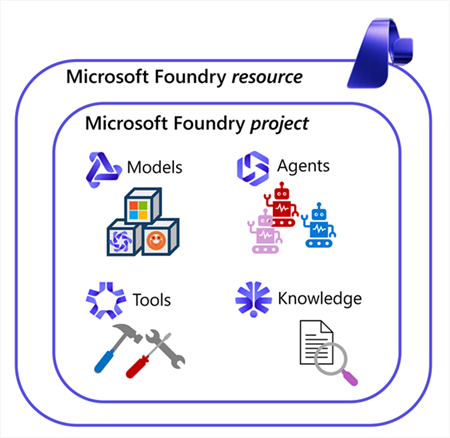
Foundry offers powerful capabilities for developers, including the ability to choose from a wide range of models, use those models to build agents, connect those agents to tools, and integrate knowledge by using Foundry IQ, the centralized connection point for data sources.
Models
Foundry supports thousands of models—including rich first-party, third-party, and open-source options—directly from its unified model catalog. Developers can access Azure-hosted OpenAI models such as the latest GPT‑5 family (GPT‑5, GPT‑5-mini, GPT‑5-nano, GPT‑5-chat/5.2-chat) with extensive multimodal and reasoning capabilities, alongside specialist models from Anthropic (e.g., Claude Opus 4.6/4.5, Sonnet), Mistral, Cohere, Meta LLaMA, DeepSeek, xAI’s Grok, Black Forest Labs, and gated (enterprise-governed) Hugging Face models.
Users can browse thousands of models—ranging from massive foundation models to lightweight, domain-specific variants—evaluate them via built-in leaderboards and playgrounds, and manage deployments directly in Foundry. Full lifecycle support enables deployment per region, customizable deployment types (standard, provisioned, batch), version control, and governance support with Responsible AI and content safety.
Agents
At the core of Microsoft Foundry is an agent‑first approach that lets developers build intelligent, task‑oriented agents directly within their Foundry projects. These agents can reason over inputs, call tools, interact with data, and automate workflows using the platform’s built‑in orchestration. Foundry handles the underlying coordination—including message threading, tool execution, safety controls, and observability—so developers can focus on designing the agent’s goals and capabilities. Using either low‑code or code‑first workflows, teams can create multi‑agent systems that work with project resources such as documents, datasets, search indexes, and connections to external systems, including integrations like Azure Functions or Microsoft Fabric.
Tools
Foundry offers a comprehensive suite of Azure services—such as speech, vision, language, document intelligence, and more. These Foundry Tools provide AI capabilities that can be built into web or mobile applications in a way that's straightforward to implement. There're over a dozen different services that can be used separately or together to add AI power to applications. For example, you could use Azure Vision to analyze images, Azure Language to summarize text, classify information, or extract key phrases, and Azure Speech to convert speech to text and text to speech.
Knowledge
Foundry IQ provides a permission‑aware, multi‑source knowledge layer that gives agents accurate, grounded answers using an organization’s own data. It lets you create a configurable knowledge base made up of internal and external knowledge sources—such as Azure Blob Storage, SharePoint, OneLake, or public web data—and automatically handles indexing, document chunking, vector embeddings, and metadata extraction. When an agent queries the knowledge base, Foundry IQ uses agentic retrieval to break the question into subqueries, search multiple sources in parallel, and return relevant, citation‑backed information while enforcing user permissions and Microsoft Purview sensitivity labels. This ensures that agents can draw from trusted, up‑to‑date content and only return information the user is authorized to see, providing a reliable knowledge foundation for enterprise AI workflows.
The assets for your AI solution are organized within a project. Each project is contained within a Foundry resource, which provides model hosting and the services your apps and agents need in Azure.
Foundry resources and projects
To get started with Foundry, you need to create a Foundry resource, which provides model hosting and the services your apps and agents need. You can create a Foundry resource in the Azure portal, Foundry portal, or programmatically with scripting.
A Foundry resource is the Azure resource that provides the platform capabilities. A Foundry resource provides access to:
- Models (Microsoft, partner, and OpenAI‑compatible)
- Foundry’s agent service
- Deployment governance
- Monitoring & observability
- Security boundaries
- Quotas and operational controls
A Foundry project is a workspace inside that resource where you build AI apps, agents, and evaluations. A Foundry Project lets you build and manage:
- Agents
- Evaluations
- Files and datasets
- Vector indexes
- Flows (AI logic)
- Connections
- Project‑specific settings
You might have one Foundry resource for a team or department, and many Foundry projects inside it, each focused on a separate AI use case.
Foundry portal
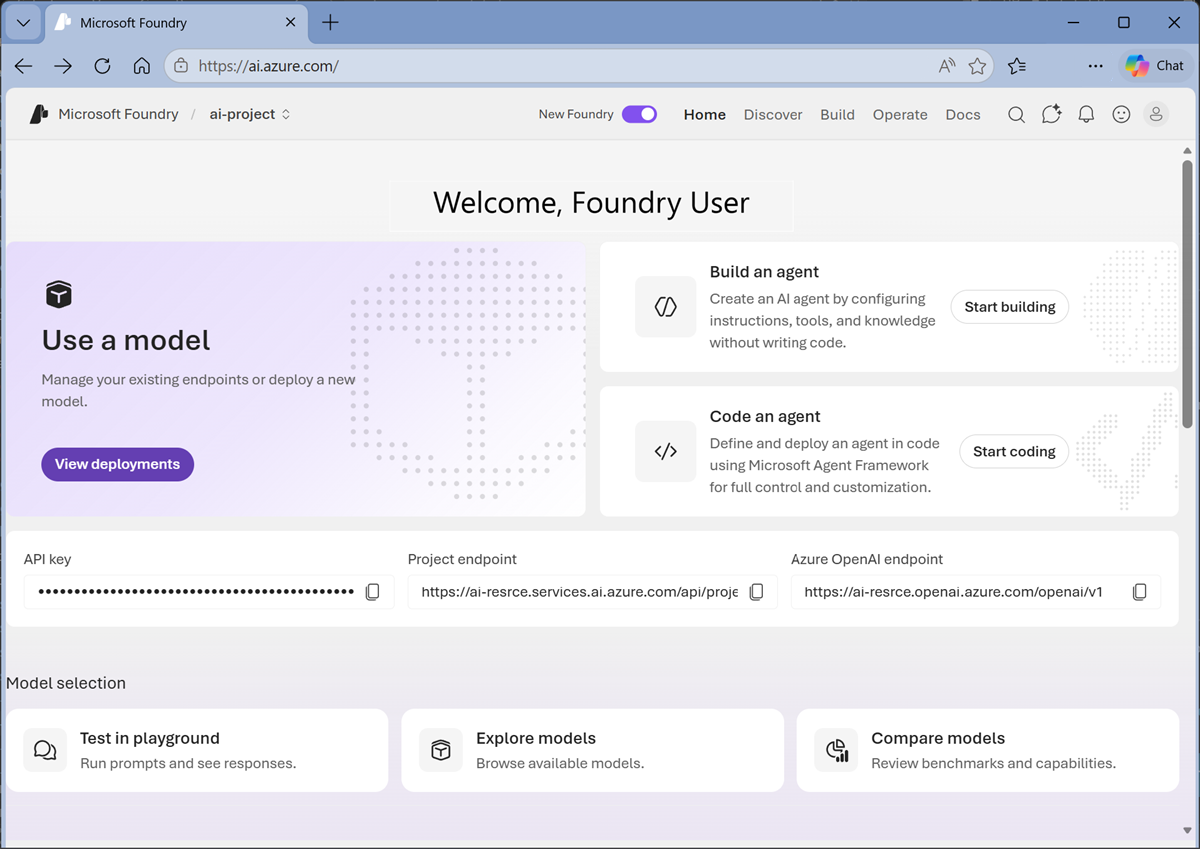
The Foundry portal provides a modern web-based interface for developing, testing, and operating AI solutions. This is where you'll spend a lot of your time when working with models, agents, and other assets.