Develop a vision-based chat app
Tip
See the Text and images tab for more details!
To develop a client app that engages in vision-based chats with a multimodal model, you can use the same basic techniques used for text-based chats. You require a connection to the endpoint where the model is deployed, and you use that endpoint to submit prompts that consists of messages to the model and process the responses.
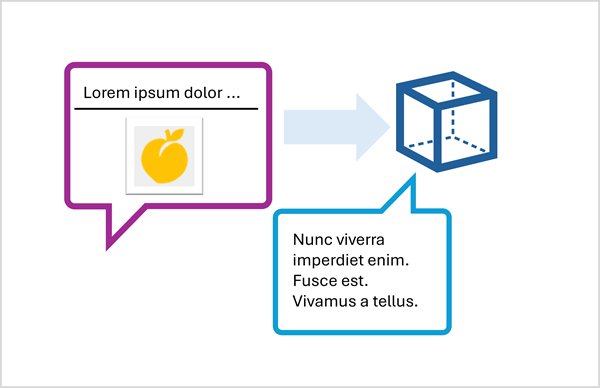
The key difference is that prompts for a vision-based chat include multi-part user messages that contain both a text content item and an image content item.
Submit an image-based prompt using the Responses API
To include an image in a prompt using the Responses API, specify a URL for a web-based image file, or load a local image and encode its data in Base64 format and submit a URL in the format data:image/jpeg;base64,{image_data} (replacing "jpeg" with "png" or other formats as appropriate).
The following Python example shows how to submit an image in a prompt using the Responses API:
# Read the image data from a local file
image_path = Path("dragon-fruit.jpeg")
image_format = "jpeg"
with open(image_path, "rb") as image_file:
    image_data = base64.b64encode(image_file.read()).decode("utf-8")

data_url = f"data:image/{image_format};base64,{image_data}" # You can also use a web URL

# Send the image data in a prompt to the model
response = client.responses.create(
    model="gpt-4.1",
    input=[
        {"role": "developer", "content": "You are an AI assistant for chefs planning recipes."},
        {"role": "user", "content": [
            { "type": "input_text", "text": "What desserts could I make with this?"},
            { "type": "input_image", "image_url": data_url}
        ] }
    ]
)
print(response.output_text)
Submit an image-based prompt using the ChatCompletions API
When using the Azure OpenAI endpoint to submit prompts to models that don't support the Responses API, you can use the ChatCompletions API; like this:
# Read the image data from a local file
image_path = Path("orange.jpeg")
image_format = "jpeg"
with open(image_path, "rb") as image_file:
    image_data = base64.b64encode(image_file.read()).decode("utf-8")

data_url = f"data:image/{image_format};base64,{image_data}" # You can also use a web URL

# Send the image data in a prompt to the model
response = client.chat.completions.create(
    model="Phi-4-multimodal-instruct",
    messages=[
        {"role": "system", "content": "You are an AI assistant for chefs planning recipes."},
        { "role": "user", "content": [
            { "type": "text", "text": "What can I make with this fruit?"},
            { "type": "image_url", "image_url": {"url": data_url}}
        ] }
    ]
)
print(response.choices[0].message.content)