Use the Study and Learn Agent
The Study and Learn Agent is available to all users (learners 13+ and adults) with Microsoft 365 education licenses with Copilot Chat enabled. The agent is available in the navigation bar in Microsoft 365 Copilot for eligible education accounts, requires no additional licenses, and is also available inside Copilot Chat's dropdown menu.
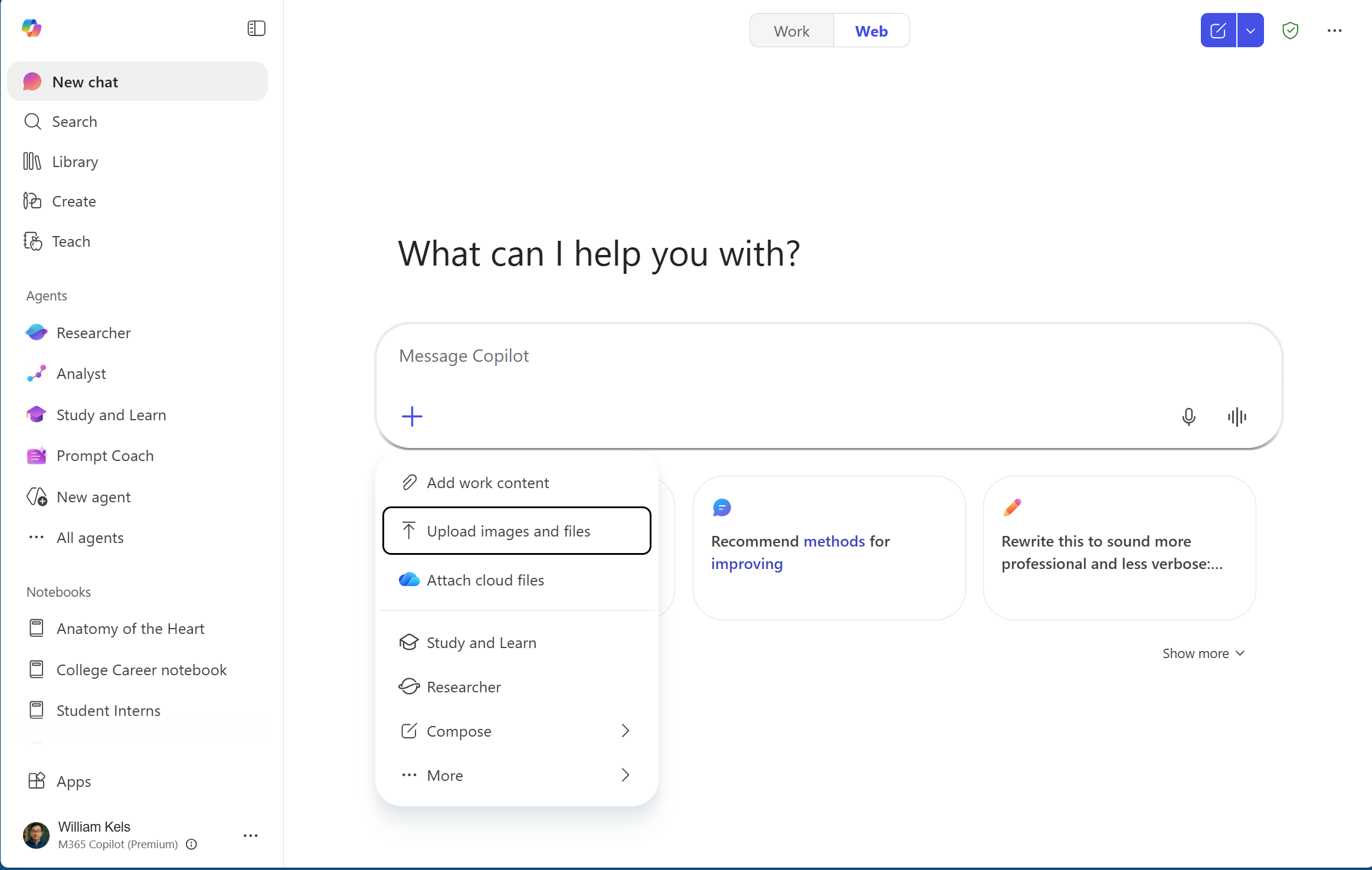
Study and Learn as an adaptive assistant
Study and Learn creates a supportive study environment to guide learners through inquiry‑driven conversations and interactive activities. Unlike tools that handle tasks automatically, the agent deliberately paces the conversation to allow time for reflection, exploration, and self-correction. This approach helps learners transition from uncertainty to comprehension by encouraging authentic mental engagement.
Guided, inquiry-led experience
When a learner begins a session, Study and Learn leads the learner through an inquiry‑based dialogue that mirrors how a human scaffolds thinking.
- It activates prior knowledge, prompting learners to explain what they already understand.
- It asks purposeful comparison or reasoning questions instead of giving answers directly.
- It slows down thinking with "pause and think" prompts that reveal misconceptions.
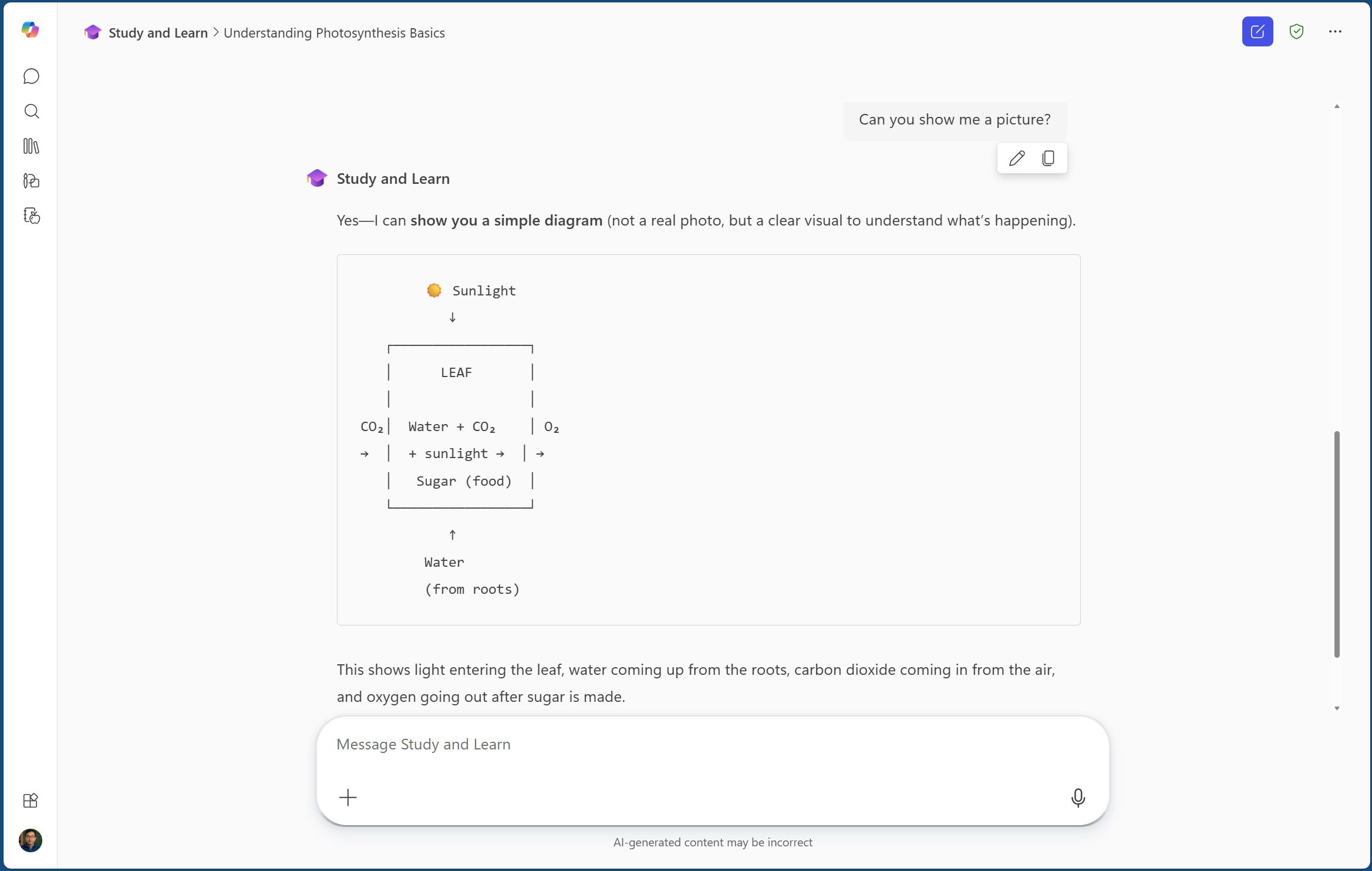
- When appropriate, it provides images, charts, and diagrams to support visual learning.
- It uses interactive activities that help learners check their own understanding along the way.
The agent is intentionally designed to avoid simply solving equations, writing papers, or completing assignments for learners. Instead, it guides them to work through steps, reflect, and revise.
Learning activities that strengthen understanding
Throughout a learning session, Study and Learn provides targeted activities that help learners uncover what they know and what they still need to learn:
- Flashcards for quick retrieval and spaced repetition
- Fill in the blank tasks that strengthen precise recall
- Quizzes that help learners prepare for tests and identify gaps
- Matching to guide learners in linking terms to their meanings and concepts to their applications
After each activity, learners can ask the agent to analyze their mistakes, explain misconceptions, or try similar problems to reinforce understanding.
Use study aids: Quizzes, flashcards, and fill‑in‑the‑blanks
The Study phase focuses on long‑term retention through repeated, low‑stakes retrieval practice. These tools reinforce memory, surface misunderstandings, and help learners build fluency at their own pace.
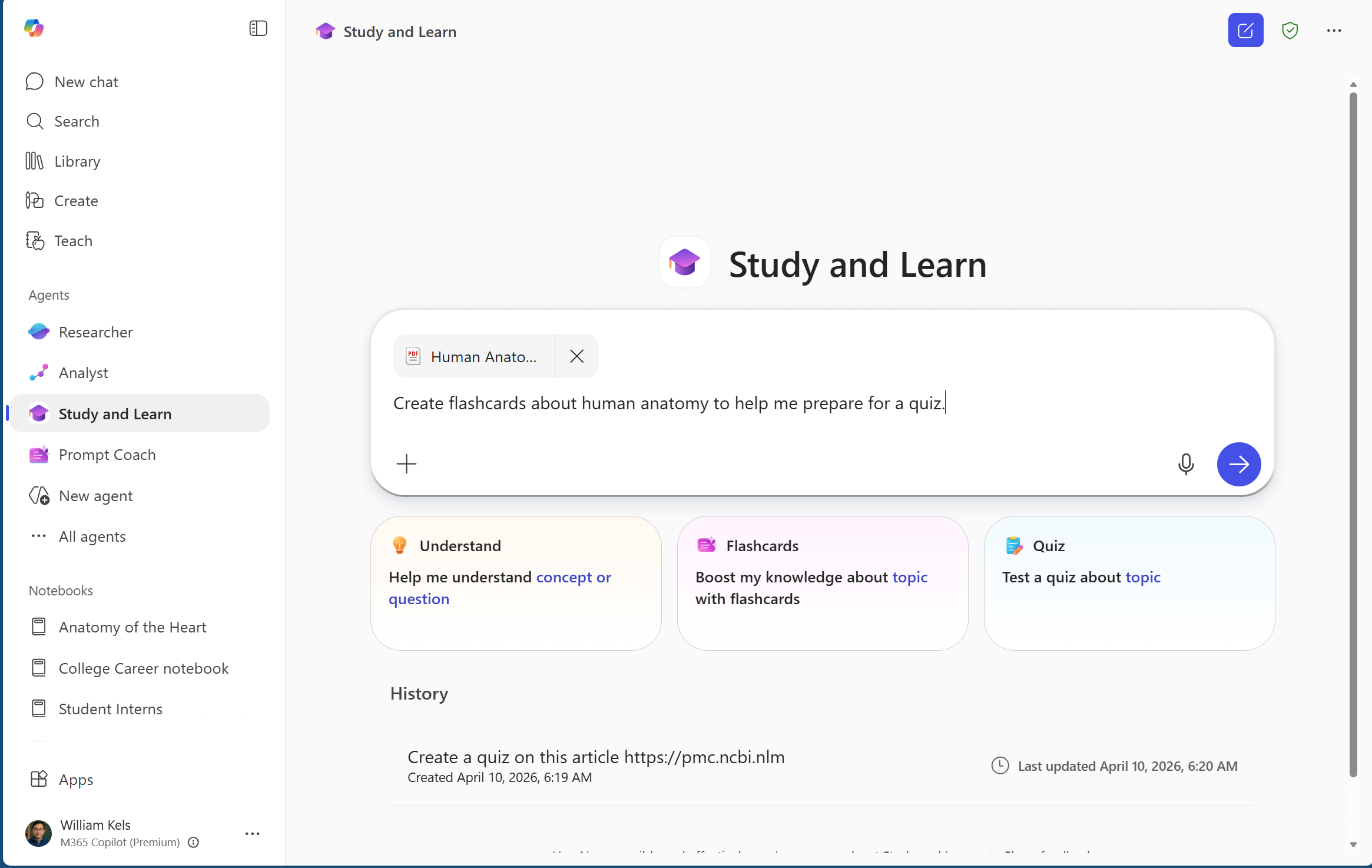
The study aids generated through the Study and Learn Agent can also be revisited through the Microsoft Learning Activities at any time.
Flashcards: Spaced repetition and recall
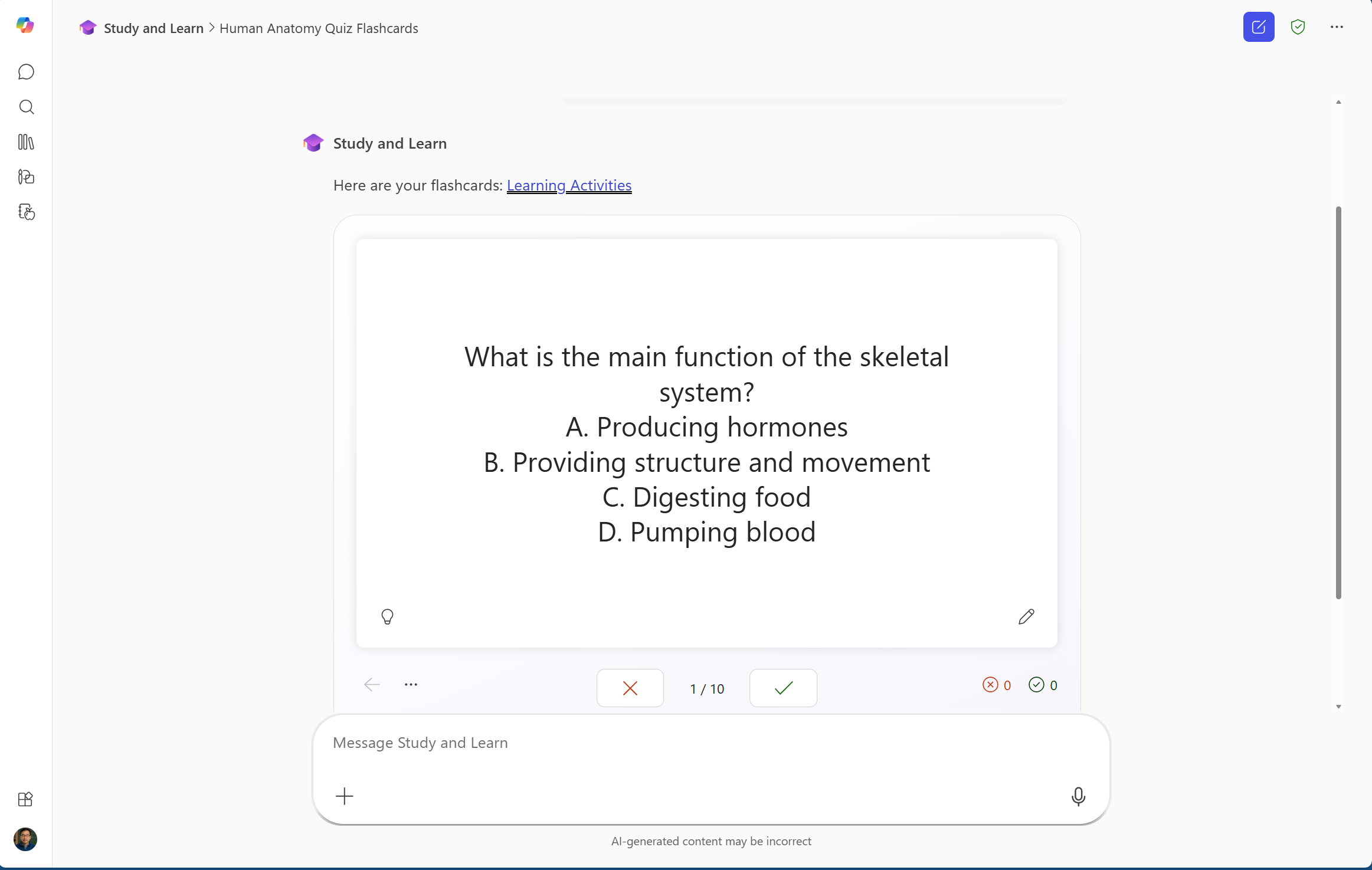
Flashcards play a key role in supporting spaced repetition and quick recall. By repeatedly engaging with flashcards, learners reinforce their memory and strengthen their ability to retrieve information efficiently. This process aids long-term retention and helps surface areas of misunderstanding.
After completing a set of flashcards, learners can ask follow-up questions or revisit concepts that prove challenging. This targeted review encourages deeper reflection and allows learners to address gaps in their understanding, further solidifying their knowledge.
While using Flashcards, learners can:
- Mark their understanding of each card
- Access hints for each card before responding
- Repeat practice sessions without including mastered concepts
- Shuffle card order
Quizzes: Low-stakes practice and gap identification
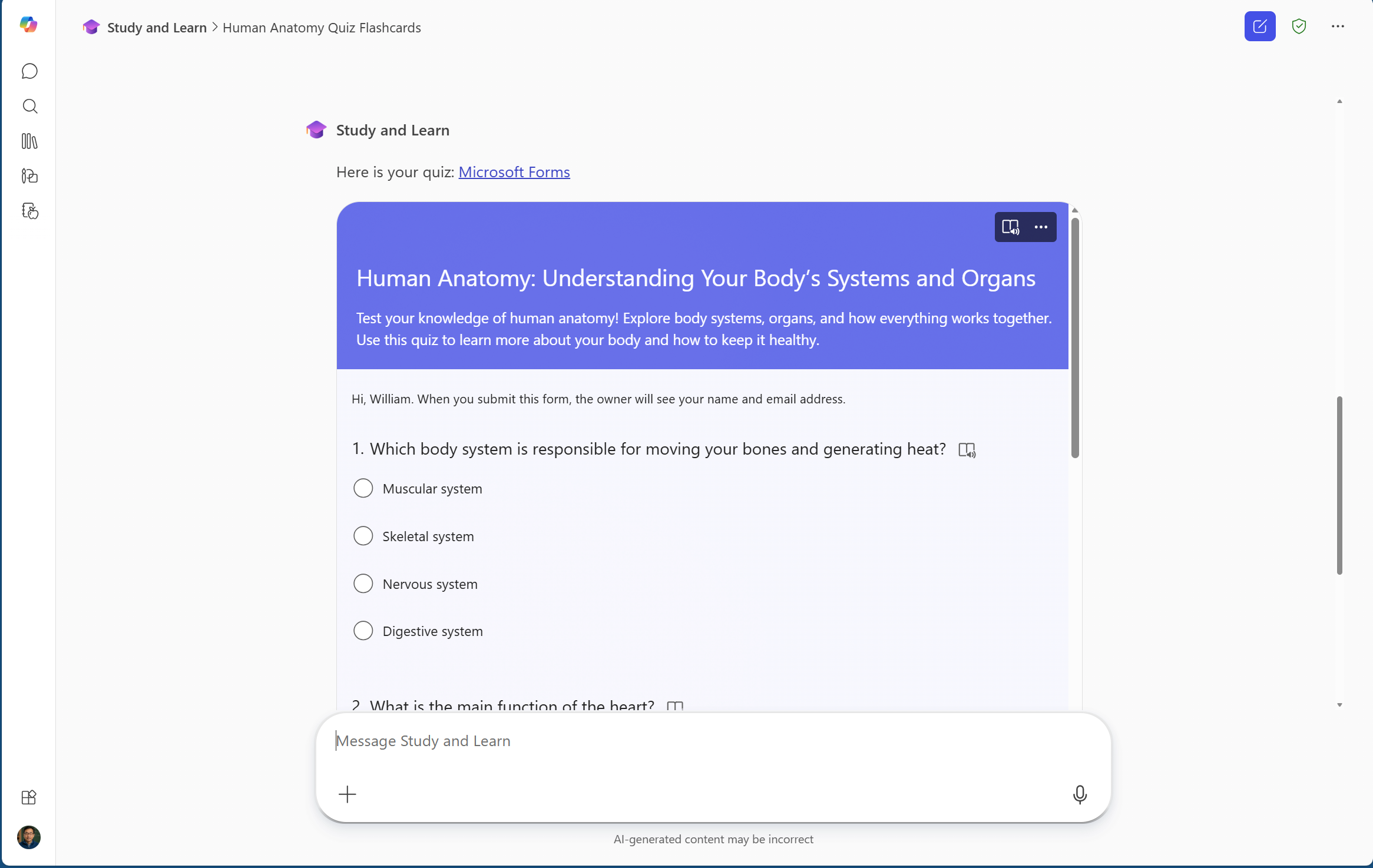
When learners prepare for a test, they can use Study and Learn to generate a quiz designed to evaluate both their recall and their understanding. Quizzes are powered by Microsoft Forms and provide instant feedback and redirection. These quizzes aren't graded, which creates a low-stakes way to practice and explore knowledge without pressure.
By completing these assessments, learners can identify specific areas where their understanding might be incomplete or uncertain. The results help highlight learning gaps and guide learners to focus their review on concepts that need further reinforcement.
Quizzes can be used within Study and Learn or opened in Microsoft Forms for a full screen view. From Form, learners can even share their quiz with classmates.
Fill-in-the-blank: Active retrieval practice
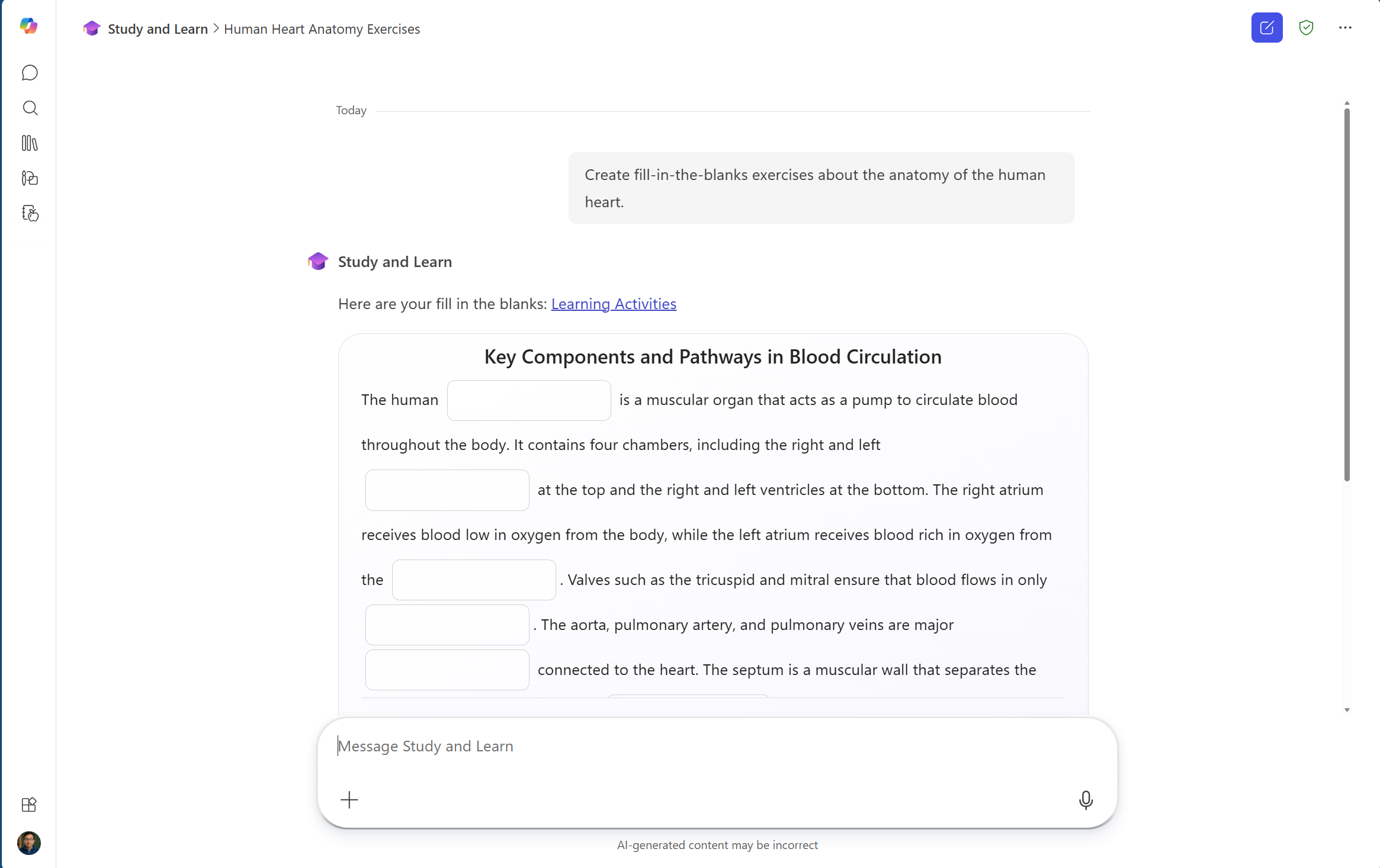
Fill-in-the-blank tasks support retrieval without offering recognition-based choices. This approach requires learners to actively recall information, rather than simply recognizing the correct answer from a list. Fill-in-the-blank activities are especially effective for understanding how something works, making them a fit for processes, sequences of events, and other content where order and relationships matter. This form of practice encourages deeper processing and reinforces memory retention by prompting learners to generate responses on their own, while also surfacing areas where understanding might be incomplete, guiding learners to focus their review and build greater fluency.
Tips for learners
The Study and Learn Agent is designed to help learners build real understanding by encouraging thinking, effort, and productive struggle rather than doing the work.
Guidance for learners
Use these strategies to get the most from every session:
- Do the thinking first. The agent won't simply give answers-it asks guiding questions that help you work through ideas yourself. This slows the process just enough for deeper learning.
- Expect productive friction. Real learning happens when you move from not knowing to figuring it out. Momentary struggle is normal and intentional.
- Use activities to check your understanding. Flashcards, quizzes, and fill‑in‑the‑blank tasks reinforce memory and highlight areas you haven't fully mastered yet.
- Talk through misconceptions. After each activity, ask the agent to analyze your mistakes or explain unclear concepts so you can revise your thinking and strengthen understanding.
- Return to difficult items. When the agent prompts reflection, revisit items that were challenging, spacing and repetition build long‑term mastery.
- Stay curious and exploratory. Ask follow‑up questions, request related examples, or compare concepts to deepen your understanding beyond the initial prompt.
- Uphold academic integrity. Use this tool to guide learning, not replace it.
Tips for educators
Educators can use the Study and Learn Agent as a collaborative class partner that strengthens the principles of learning science, encourages inquiry-based thinking, and helps reduce learners' dependence on answers generated by artificial intelligence.
Throughout class interactions, Study and Learn applies the principle of productive friction. Rather than immediately providing answers, the agent might intentionally pause, prompting learners to attempt solving the problem themselves or to reflect on a guiding hint first. This approach, which is grounded in the concept of "desirable difficulty," is designed to prevent learners from becoming overly reliant on AI. Instead, it nurtures their independent reasoning and problem-solving abilities.
Guidance for educators
- Highlight the learning science foundations. Study and Learn uses scaffolding, questioning, and targeted activities that promote deeper reasoning rather than shortcuts.
- Position the agent as a thinking assistant, not an answer generator. Reinforce that learners must engage cognitively; the agent won't write papers or solve equations for them.
- Model how the agent prompts thinking. Show transcript examples demonstrating how it asks "pause and think" questions, surfaces misconceptions, and encourages reflection. This builds trust and sets expectations.
- Integrate activities into lessons. Ask learners to use flashcards, quizzes, or fill‑in‑the‑blank tasks to reinforce class content or prepare to take assessments.
- Encourage metacognitive routines. Have learners ask the agent to analyze their mistakes or to generate similar practice items when they struggle.
How educators can introduce the agent to learners
- Start with a walkthrough. Show learners where the agent appears in the navigation panel and in Copilot Chat.
- Demonstrate an inquiry led session. Use an example prompt so learners to show back-and-forth conversation between the agent and the learner, the "pause and think" moments, and how the agent avoids doing the work for them. Consider using a few different types of prompts to demonstrate the range of capabilities.
- Step-by-step example: Walk me through how to calculate compound interest on a $1000 investment at 5% over three years.
- Writing example: Help me write a thesis statement for an essay arguing that social media has changed how teenagers form friendships.
- Understanding a broad concept example: Explain why the left ventricle of the heart has a thicker wall than the right side.
- Show a full learning cycle. Walk through:
- Understand: Scaffolded questions
- Practice: Flashcards, matching, or fill-in-the-blank tasks
- Study: Quizzes for test prep
- Set norms and expectations. Explain that the goal isn't to get quick answers but to strengthen thinking and identify learning gaps.
- Invite learners to personalize. Encourage them to bring their own questions, reflect on their misconceptions, and request additional practice tasks tailored to their needs.
IT considerations
Study and Learn Agent in the Copilot app is free for education. IT must enable Copilot Chat for learners 13+ to have access to Study and Learn.