Identify and resolve data-readiness issues
The checklist calls for a data-readiness review before rollout, and Relecloud's pilot never runs one. That gap is exactly what explains the Marketing incident. Data readiness is its own full topic, distinct from tenant readiness. Tenant readiness confirms that Copilot can reach a user—a license assigned, a device on an eligible update channel. Data readiness confirms something different: what Copilot can already reach through that user, based on permissions that existed long before Copilot ever arrived.
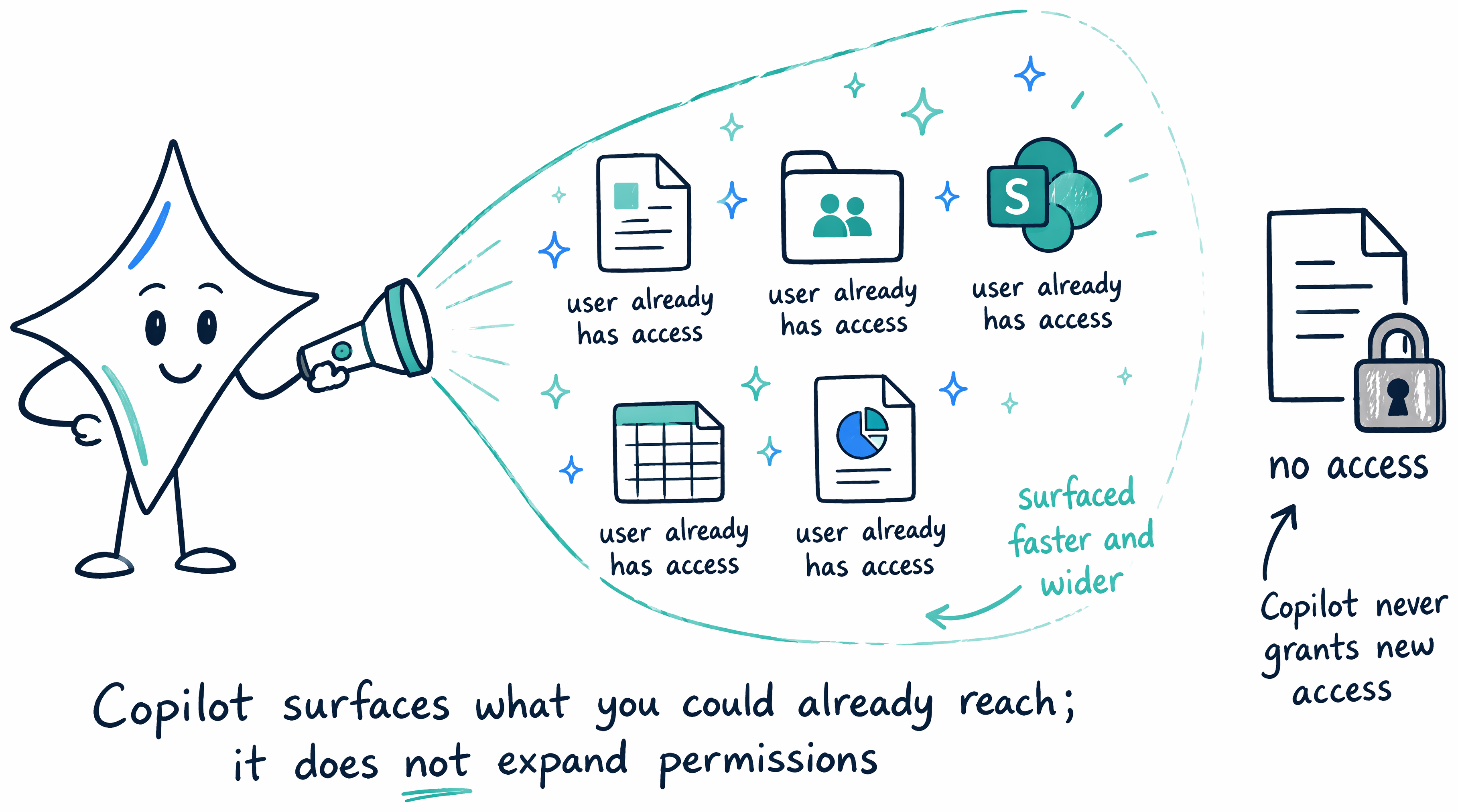
Copilot honors the tenant's existing permission model exactly as it stands. It never grants a user access to a file, site, or ticket that user couldn't already open on their own—it only surfaces what a signed-in user could already find, faster and across more places at once. That single fact reframes the Marketing incident: nobody misconfigures anything at rollout. The exposure already exists. Copilot just makes it visible.
Recognize the three data-readiness risks
Data readiness covers three related risks, and each one shows up differently in a tenant.
Data leaks happen when sensitive content sits reachable by an audience wider than intended—a single site or file with permissions nobody tightened. Oversharing happens when a broad sharing setting exposes content to more people automatically as headcount grows, with no configuration change required at all. Compliance gaps happen when standing access violates a policy that nobody actively enforces day to day, so the violation persists silently until something surfaces it.
The Marketing incident matches the second risk almost exactly. Understanding why takes a closer look at the support-ticket site itself.
Resolve what happened to the Marketing employee
The support-ticket site the Copilot response pulled from was never part of the pilot's tested surface—the twenty pilot users never opened it, so nothing about it showed up during two months of pilot feedback. The sharing setting that exposed it, "Everyone except external users" (EEEU), never changes for the rollout, either. It doesn't need to. EEEU was already broad enough to reach all 2,000 employees the moment their licenses activate, because EEEU means exactly what its name says: everyone in the tenant except guests.
The problem is scale, not a broken control. Broad sharing exposes more people automatically as headcount grows, and nobody has to touch a single setting for that exposure to widen. Twenty pilot users and 2,000 rolled-out employees see the exact same EEEU-shared site under the exact same permissions—the only variable that changes between them is how many people are standing on the other side of that door.
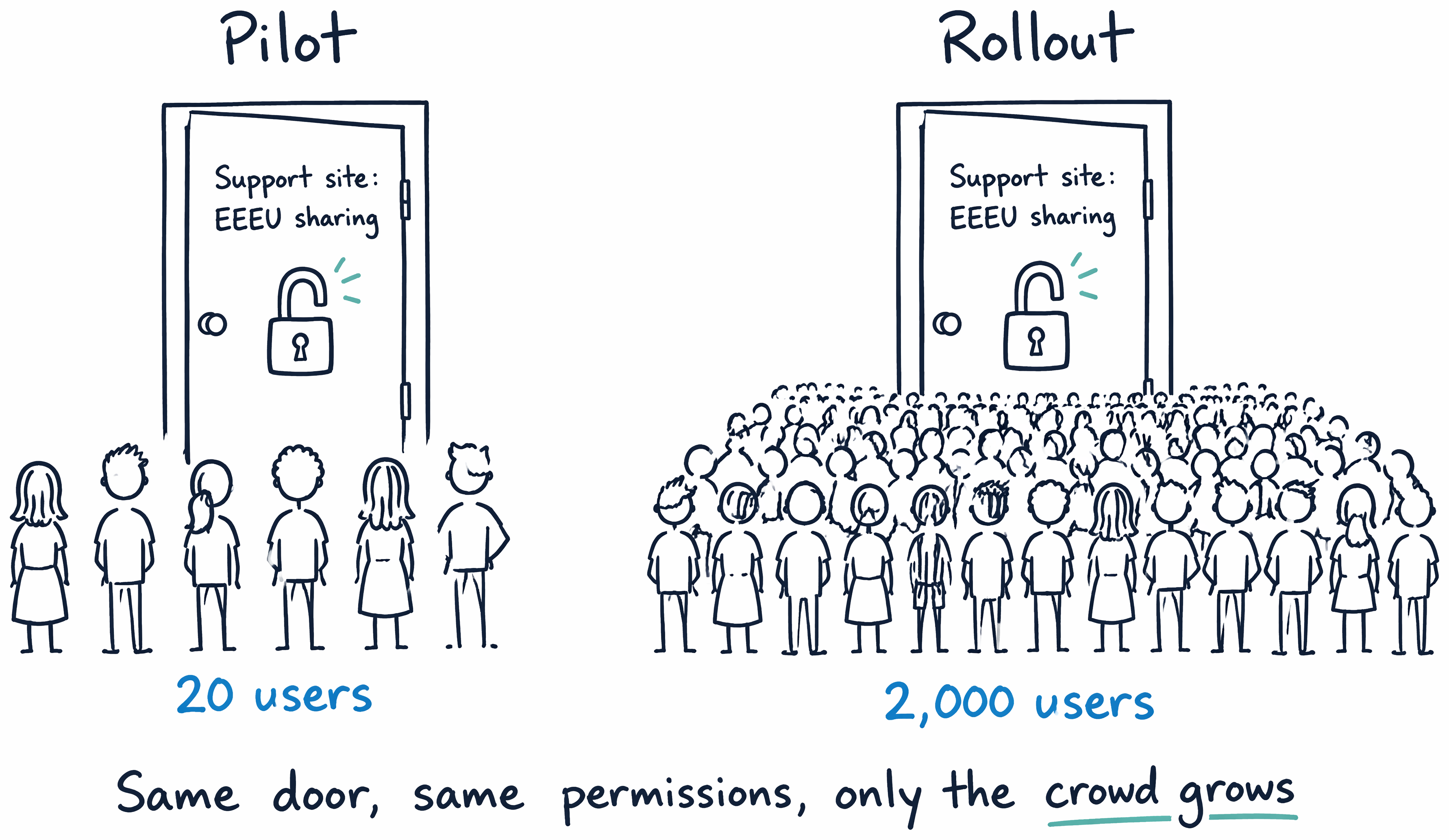
Guiding question: If the underlying site permission never changes, what's actually different between a site twenty pilot users could reach and a site 2,000 employees can reach? Why can a small pilot group never surface that difference on its own?
The answer is headcount, and that's precisely what a hand-picked pilot of twenty people can never test. Finding and closing that kind of exposure before it reaches the full population takes a repeatable sequence, not another round of pilot testing.
Run the oversharing remediation sequence
Finding and closing that exposure before it reaches the full population takes a repeatable toolkit, not another round of pilot testing. Microsoft's current guidance groups that toolkit into three phases: identify which sites are overshared, apply interim protections so Copilot stops surfacing risky content while you work, then remediate the underlying permissions. The order matters because each phase depends on the one before it.
Most of these tools live in two places—the SharePoint admin center (as SharePoint Advanced Management, or SAM) and the Microsoft Purview portal—and you rarely need all of them at once. Which ones you reach for depends on what your tenant is licensed for and where its risk actually concentrates.
| Phase | Tool | Where it lives | What it does |
|---|---|---|---|
| Identify | Top-100 sites export | SharePoint admin center | Ranks sites by usage so you remediate the highest-traffic risk first |
| Identify | Permission state report | SharePoint admin center, or PowerShell (Start-SPODataAccessGovernanceInsight) |
Shows how many unique users can reach each site |
| Identify | Content Management Assessment | SharePoint admin center (SAM) | Flags oversized audiences, EEEU usage, broken inheritance, ownerless or inactive sites |
| Identify | DSPM data risk assessments | Microsoft Purview portal | Weekly automatic scan of the top 100 sites by usage, plus custom assessments, for overshared sites holding sensitive data |
| Interim protect | Restricted Content Discovery (RCD) | SharePoint admin center (SAM) | Excludes a site from Copilot discovery and org-wide search without changing its permissions |
| Interim protect | DLP for Copilot | Microsoft Purview portal | Blocks sensitive content from appearing in Copilot prompts and responses |
| Remediate | Disable EEEU (tenant level) | SharePoint admin center | Removes the tenant-wide "everyone except external users" sharing default |
| Remediate | Purview Audit | Microsoft Purview portal | Logs Copilot interaction activity so remaining exposure surfaces through monitoring |
| Remediate | Site access review | SharePoint admin center (SAM) | Delegates permission cleanup to the site owners who know the content |
| Remediate | Restricted Access Control (RAC) | SharePoint admin center (SAM) | Locks a business-critical site to a specific security group |
A licensing reality decides how much of this table you can actually use. The SAM tools—permission state report, Content Management Assessment, RCD, access review, RAC—require SharePoint Advanced Management, which is included with Microsoft 365 Copilot licenses but otherwise needs an eligible base subscription (Office 365 E3/E5/A5, or Microsoft 365 E1/E3/E5/A5). The Purview tools—DSPM data risk assessments, DLP for Copilot, Audit—come through your Microsoft Purview entitlement instead. If your tenant lacks SAM, the Purview side of the table still gives you an identify-and-protect path; if it lacks the Purview capabilities, the SAM side does. Knowing which half you're entitled to is the first planning decision, before you sequence a single step.
Walk Relecloud through the toolkit in order:
- Identify. Export the top 100 most-used sites from the SharePoint admin center, run the permission state report against that list, and cross-reference the SAM Content Management Assessment and the DSPM data risk assessments to sort which high-traffic sites are safe to leave reachable and which aren't.
- Protect on an interim basis. For the sites that aren't safe yet, enable Restricted Content Discovery so Copilot stops surfacing them, and configure DLP for Copilot to keep sensitive content out of prompts—both buy time without waiting for full permission cleanup.
- Remediate. Disable EEEU at the tenant level, turn on Purview Audit to monitor Copilot activity going forward, start a SharePoint Advanced Management access review for every overshared site, and apply Restricted Access Control to the business-critical ones.
This sequence builds directly on Restricted Content Discovery, Restricted Access Control, and Restricted SharePoint Search—the controls a well-run tenant already understands. Applying that existing knowledge to a rollout decision is the work here, not learning those controls from scratch.
Close the standing compliance gaps
Turning off EEEU and running an access review close the immediate exposure, but compliance gaps need more than an interim fix. During each access review, site owners remove excess users, unused groups, and company-wide sharing links—including any EEEU links the tenant-level change didn't already catch—and rescope the remaining links to the audiences those sites actually intend. Site sensitivity labels applied during this same pass keep each site's classification visible for the next audit, instead of relying on institutional memory. Confirming site ownership at the same time keeps every remediated site under an owner who's accountable for keeping it that way, so today's fix doesn't quietly drift back into tomorrow's oversharing.
Learn more about security measures for a Copilot rollout and configuring a secure, governed data foundation for Copilot.
The data is ready, and the tenant meets the prerequisites. Relecloud already ran a clean pilot—so is it safe to turn Copilot on for all 2,000 people at once, or does that decision need its own sequence?