Explore Copilot Studio AI agent protection
Organizations deploy Copilot Studio agents to automate interactions and provide self-service capabilities. As these agents access sensitive data sources and perform actions on behalf of users, they become attractive targets for attackers. The attackers attempt prompt injection, data exfiltration, and privilege escalation. Microsoft Defender for Cloud Apps provides comprehensive AI agent protection to detect, monitor, and block threats against Copilot Studio agents. Here, you explore the three capability pillars that protect your organization's AI agents from emerging threats.
Note
AI agent protection for Microsoft Copilot Studio is currently in Preview. Preview availability and feature scope can vary by tenant. Verify that preview features are enabled for Microsoft Defender for Cloud and Microsoft Defender XDR before following the configuration steps in this module.
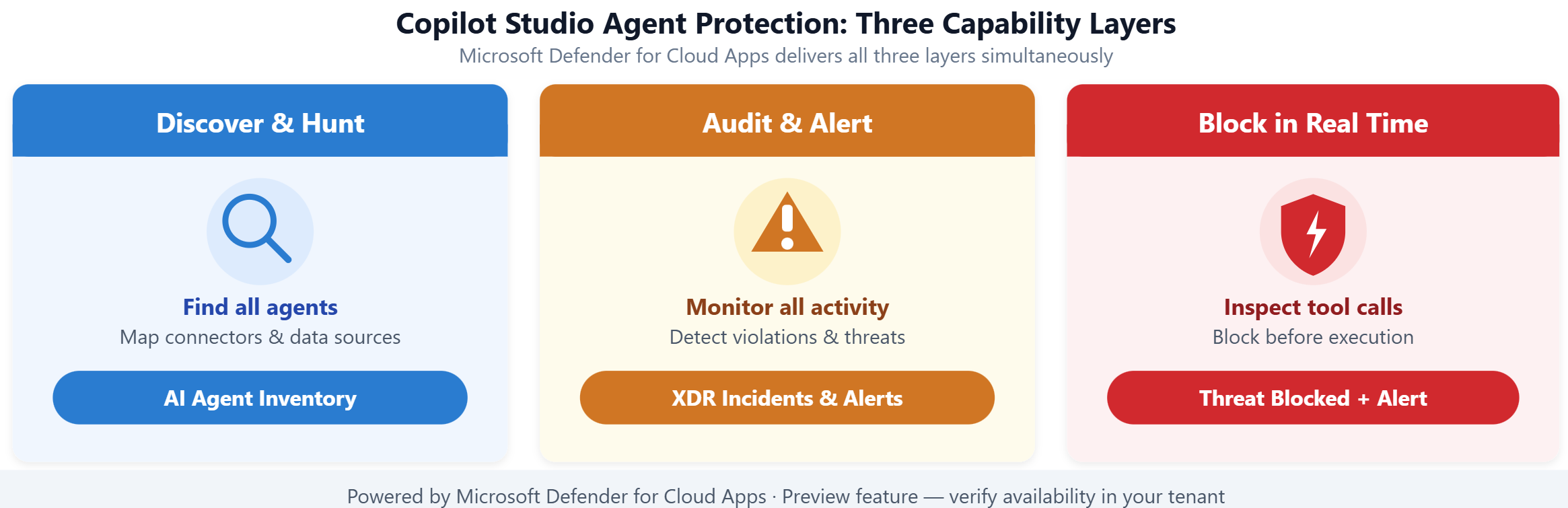
| Capability | Purpose | Output |
|---|---|---|
| Discovery and hunting | Automatically identifies all Copilot Studio agents and their risk exposure | AI agent inventory with connectors, data sources, and risk signals |
| Audit and alerts | Monitors agent activity and detects policy violations | Alerts integrated into Microsoft Defender XDR incidents |
| Real-time runtime protection | Inspects and blocks suspicious interactions before they complete | Immediate threat blocking with detailed incident data |
Discover agents and assess exposure
Microsoft Defender automatically discovers all Copilot Studio custom agents deployed across your Power Platform environment. The discovery process requires no manual registration—once you enable Security for AI in the Defender portal, the system identifies agents, catalogs their connectors, and maps the data sources they access.
The AI agent inventory provides security teams with visibility into agent deployment patterns and risk exposure. For each discovered agent, you see which SharePoint libraries, Dataverse tables, or external APIs the agent connects to. This visibility is essential for identifying agents that access sensitive data without appropriate controls.
Advanced Hunting extends this visibility with queryable agent activity data. Security analysts use KQL queries to search for suspicious patterns across all agent interactions, such as repeated access to sensitive files or unusual tool invocations outside normal business hours.
Monitor activity with audit logs and alerts
After discovery, Defender for Cloud Apps continuously monitors agent activity through audit logs collected from Copilot Studio. The system analyzes these logs for suspicious patterns and policy violations, generating alerts when threats are detected.
Detected threats include prompt injection attempts, where attackers craft inputs designed to manipulate the agent into performing unintended actions. The system also identifies data exfiltration patterns, such as an agent retrieving large volumes of sensitive content in response to external user requests.
These alerts don't exist in isolation. Defender for Cloud Apps correlates AI agent alerts into Microsoft Defender XDR incidents, combining them with related security signals from identity, endpoint, and cloud workload protection. This correlation gives security teams complete context when investigating potential compromises.
Block threats with real-time runtime protection
Real-time runtime protection represents the most advanced layer of defense. When enabled, Defender for Cloud Apps acts as a proxy for agent interactions, inspecting tool invocations before the agent executes them.
With real-time protection, Defender evaluates each tool invocation against threat intelligence and behavioral analytics. If the system determines that a tool invocation is suspicious—for example, accessing a data source that violates organizational policy—the invocation is blocked before it executes. The user receives notification that their message was blocked, and an alert flows to the Microsoft Defender portal for investigation.
Real-time protection focuses on high-confidence threats most likely to result in data exfiltration or agent compromise:
- Attempts to extract or exfiltrate system instructions or internal tool details
- Direct attempts to leak sensitive data through agent responses
- Misuse of internal-only tools by external users
- Routing agent output to untrusted or malicious external destinations
- Use of obfuscated or hidden content designed to manipulate agent behavior
- Credential leakage through legitimate channels such as email or external APIs
This capability requires explicit configuration and coordination between security engineers and Power Platform administrators. The setup process registers the agent in the Defender portal and establishes the proxy connection that enables real-time inspection.
Explore agent identity and Microsoft Entra Agent IDs
Every Copilot Studio agent has its own identity in Microsoft Entra ID. Copilot Studio creates and manages this identity automatically—you don't configure it manually. For agents created after March 18, 2026 (when your tenant opts in to Microsoft Entra Agent Identity), this identity is an Entra Agent ID: a Microsoft Entra service principal with an "Agent" subtype. Agents created before that date use a legacy app registration instead.
Microsoft Entra Agent IDs unlock governance capabilities that legacy app registrations don't provide: Conditional Access policies scoped to individual agent identities, centralized audit logging in the Microsoft Entra admin center, and lifecycle management aligned with organizational policies. For security engineers working toward a Zero Trust posture, this means AI agents can be managed with the same rigor applied to users and workload identities. You can find an agent's Microsoft Entra Agent ID in Copilot Studio under Settings > Advanced > Metadata.
This agent identity is distinct from the App ID you configure during real-time protection setup. The proxy App ID—exchanged between the Microsoft Defender portal and the Power Platform admin center—identifies the trusted connection that allows Defender to inspect agent traffic. It doesn't represent the agent's own Microsoft Entra identity.
Distinguish Defender for Cloud Apps from Defender for Cloud AI threat protection
Microsoft Defender for Cloud Apps protects Copilot Studio agents at the session and interaction layer—inspecting tool invocations, blocking suspicious prompts, and surfacing alerts in the Defender XDR incident queue.
A separate Cloud Workload Protection plan - Defender for AI Services in Microsoft Defender for Cloud—protects Azure AI services workloads (Azure OpenAI and Azure AI Model Inference service) at the Azure subscription layer. You enable it by toggling the AI services plan to On in Defender for Cloud > Environment settings for the relevant subscription. Once enabled, it scans text tokens flowing through your AI services and generates security alerts for jailbreak attempts, data leakage, credential theft, and data poisoning. These alerts also integrate into Defender XDR, so your SOC team sees both Copilot Studio and Azure AI threats in a single incident queue.
The two capabilities protect different surfaces:
| Capability | What it protects | Where you enable it |
|---|---|---|
| Defender for Cloud Apps—AI agent protection | Copilot Studio agent sessions and tool invocations | Microsoft Defender portal > System > Settings > Security for AI |
| Defender for Cloud—AI services plan | Azure AI services workloads (Azure OpenAI, AI Model Inference) | Azure portal > Defender for Cloud > Environment settings > AI services toggle |
If your organization uses both Copilot Studio agents and Azure AI services, you need both capabilities enabled to get full coverage. Enabling one doesn't activate the other.
Note
Enabling the Defender for Cloud AI services plan is covered in a separate module. This module focuses exclusively on Copilot Studio agent protection through Defender for Cloud Apps.
Apply protection to Contoso's scenario
Contoso Financial Services deployed a Copilot Studio agent to handle common customer inquiries about account balances and transaction history. During initial discovery, Contoso's security team found that the agent is granted access to a SharePoint library containing unclassified but sensitive deal information—access that wasn't required for the agent's customer service function.
The discovery capability surfaced this misconfiguration. With audit logs and alerts enabled, the team received notifications whenever the agent accessed the sensitive library. After admins enable real-time runtime protection and implementing appropriate policies, Defender now blocks any attempt by the agent to retrieve content from that library, preventing potential data exposure to external users.
Real-time protection gives Contoso proactive defense against emerging threats while maintaining the agent's legitimate functionality for customer service interactions.