Describe Relationship Intelligence and analytics
Closing a deal requires more than tracking a pipeline stage. It requires understanding the quality of the relationship behind the deal—who is engaged, how recently, how frequently, and whether engagement is growing or fading. Relationship Intelligence in Dynamics 365 Sales surfaces this layer of insight automatically, helping sellers and managers go beyond data entry and understand the relational health of every opportunity and account.
Relationship Intelligence is a collection of AI-powered analytics features within Dynamics 365 Sales Premium. Relationship Intelligence evaluates communication patterns, engagement signals, and activity history for contacts, accounts, and opportunities. It processes data from emails, meetings, and phone calls captured through Exchange and Microsoft 365 integration and generates health scores, insights, and guided recommendations.
Relationship health scores
One of the most visible outputs of Relationship Intelligence is the relationship health score. Every contact, account, and opportunity with sufficient interaction history receives a score. The score appears as a percentage or a qualitative rating like Excellent, Good, Fair, or Poor. It reflects the current strength of the seller's engagement with that record.
Several factors determine the score:
Recency: How recent is the last interaction? A deal where the last meeting was three weeks ago scores lower than one where a call happened yesterday.
Frequency: How often are interactions occurring? A contact who receives an email once a month is less engaged than one who attended three meetings in the past two weeks.
Engagement quality: Are interactions two-way? If a seller is sending emails but the contact isn't responding, the score reflects the lack of reciprocal engagement.
Activity mix: A diversity of interaction types—calls, emails, meetings—is weighted more favorably than engagement through a single channel.
Health scores appear on contact and opportunity records and in list views and dashboards, giving managers a quick way to identify at-risk relationships across the entire portfolio.
How to access Relationship Analytics
Relationship Intelligence data surfaces in several places within Dynamics 365 Sales:
On opportunity records: Open an opportunity and navigate to the Relationship Analytics tab to see the health score, interaction history, and contact engagement breakdown.
On contact records: Open a contact and review the Activity History section, which shows logged interactions and the relationship health indicator.
On account records: The Account record includes a Relationship Analytics section that aggregates relationship health across all associated contacts and opportunities.
In dashboards and views: Administrators and managers can configure system views to include the Relationship Health column, making it easy to sort and filter by score across an entire list of opportunities.
Activity Intelligence and email engagement
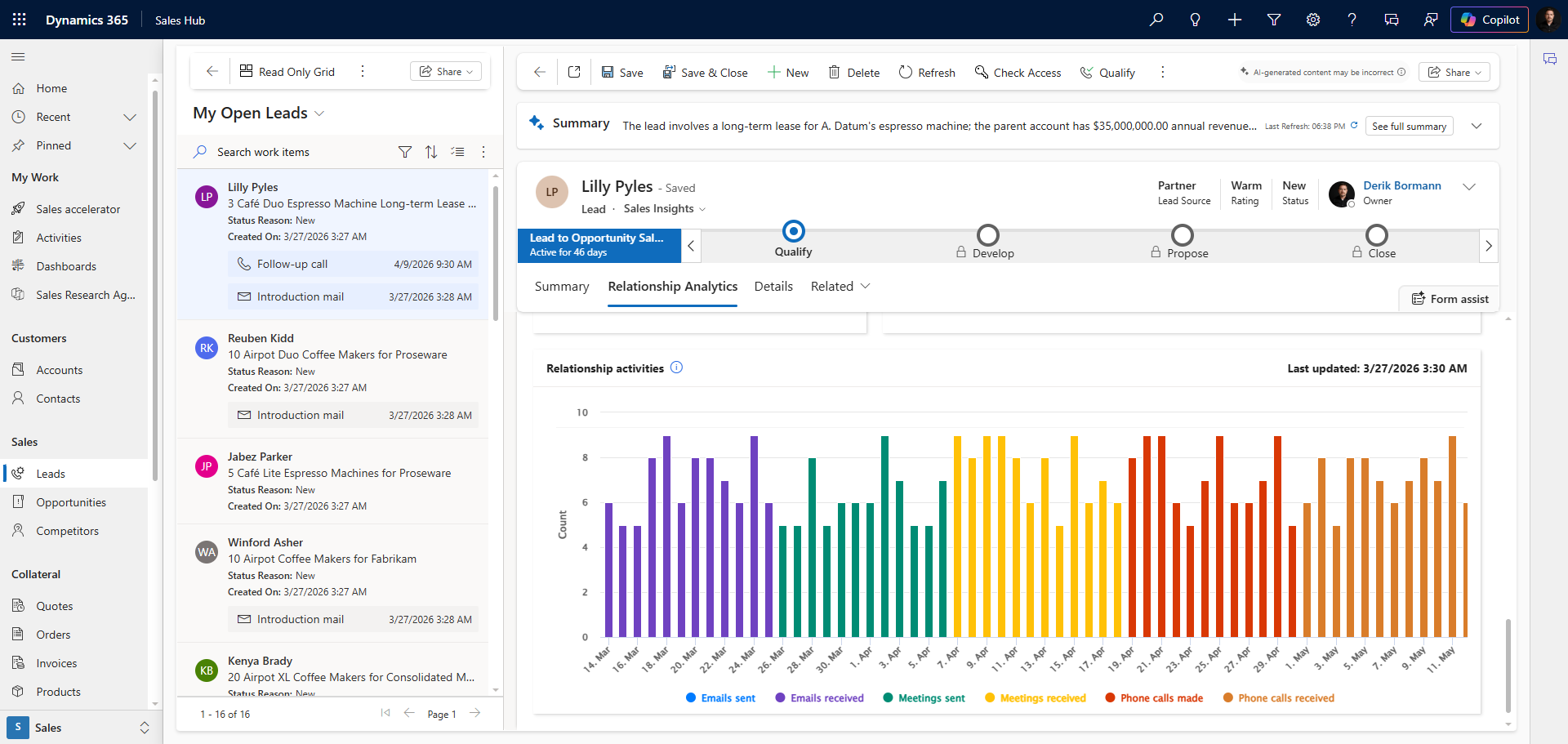
Beyond scoring relationships, Relationship Intelligence provides detailed visibility into how individual communication activities are performing. When email tracking is enabled through the Dynamics 365 App for Outlook or server-side synchronization, the system tracks several signals. These signals include whether a tracked email was opened, whether a link was clicked, when the contact last replied, and the total volume of communications across a defined period.
These signals populate the activity timeline on contact and opportunity records and contribute to the relationship health calculation. For sellers managing a large portfolio of accounts, this automation removes the need to manually track which accounts go quiet—the system flags it automatically.
What's New
Relationship Intelligence includes a feature that helps sellers prepare for conversations in a more personal and informed way.
The What's New feature monitors external news sources for recent mentions of a contact's organization and surfaces relevant articles directly on the account or contact record. For a seller preparing for a meeting, this feature means they can quickly see whether the customer's company announced a merger, a new product, or a leadership change—contextual information that can meaningfully shape the approach to the conversation.
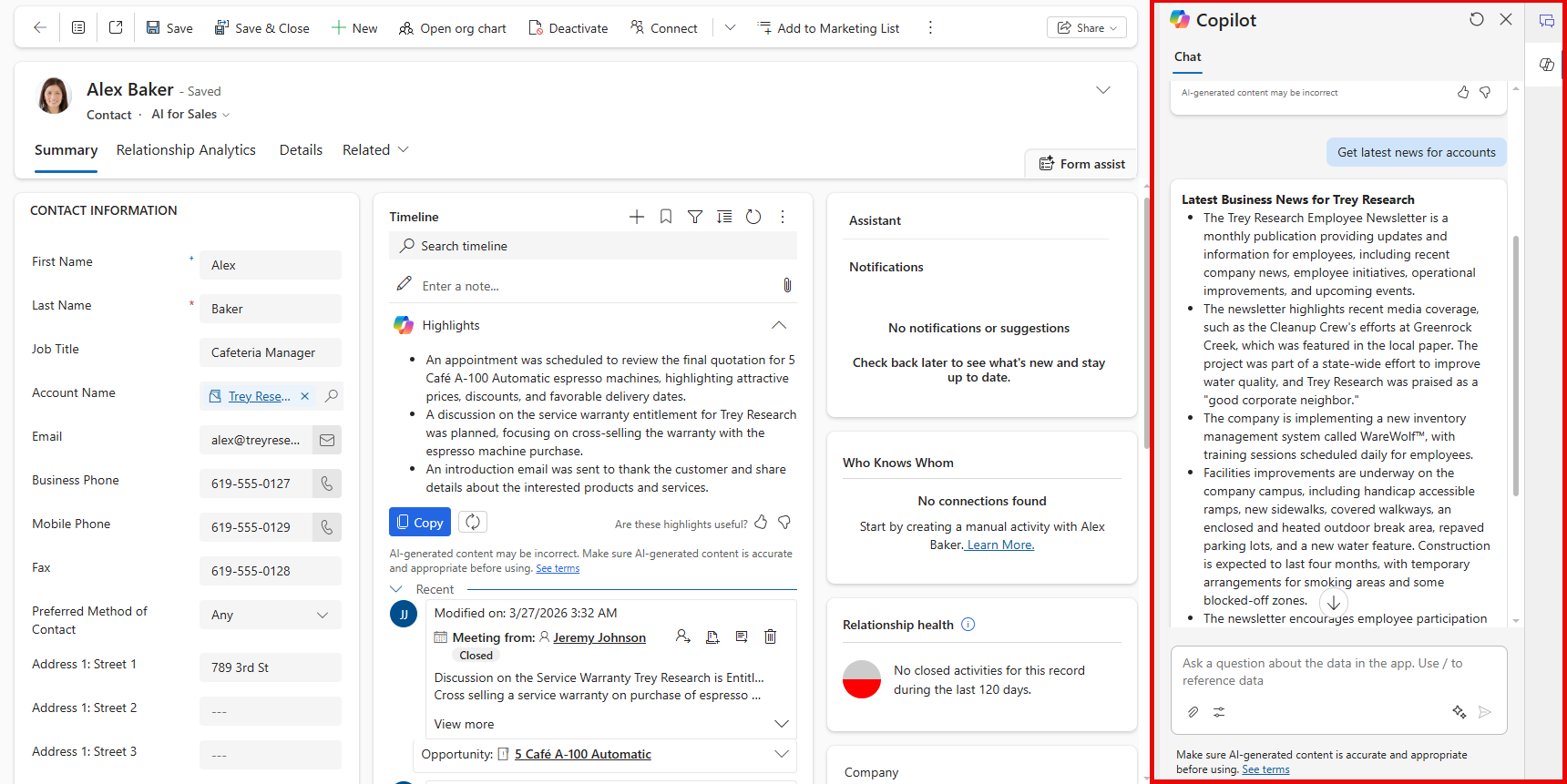
To access What's New, open an account or contact record. The section appears automatically if relevant news items are available. The feature requires no manual configuration after you enable it.
Scenario: Relationship Intelligence at Contoso Coffee
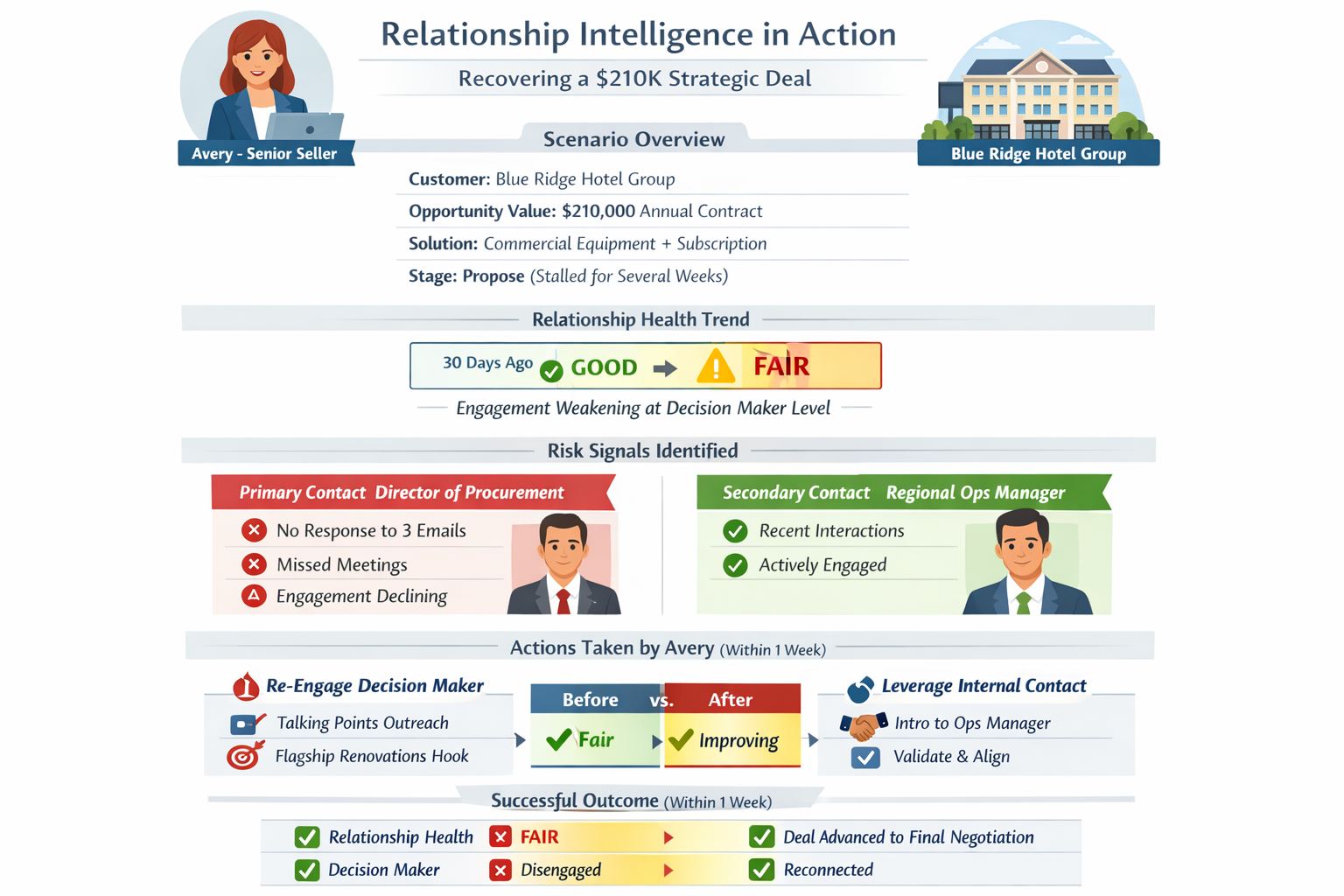
Avery, a senior seller at Contoso Coffee, manages a strategic account: Blue Ridge Hotel Group. The account represents a potential $210,000 annual contract for Contoso's commercial coffee equipment and subscription service. The opportunity sits in the Propose stage after several weeks.
Using the Relationship Analytics tab on the opportunity, Avery can see that the relationship health score dropped from Good to Fair over the past 30 days. The breakdown shows that the primary contact, the Director of Procurement, didn't respond to the last three emails and didn't attend any meetings. A secondary contact—the Regional Operations Manager—engaged in multiple recent interactions with the Contoso Coffee team.
Armed with this information, Avery asks the colleague who has the strongest relationship with the Regional Operations Manager to make an introduction and gauge whether the deal is still active.
Within a week, the procurement director reconnects, and the deal advances to final negotiation. Without Relationship Intelligence, Avery might not notice the engagement drop in time to recover.