Describe Copilot in Sales in forecasting and reporting
Even with a well-configured forecast and a healthy pipeline, understanding what the numbers mean requires interpretation. Is a revenue gap a temporary fluctuation or a structural problem? Is a particular deal at risk, or just slow? Are there patterns across the pipeline that predict trouble before it shows up in the numbers?
Copilot in Dynamics 365 Sales extends forecasting and pipeline management with AI-driven insights that help sellers and managers answer these questions faster and with greater confidence. Three capabilities stand out: predictive forecasting, pipeline health insights, and anomaly detection.
Predictive forecasting
Predictive forecasting uses machine learning to generate a data-driven revenue prediction that is independent of the forecast categories sellers manually assign to their deals. A standard forecast is only as accurate as the judgment of the sellers who categorize their opportunities. A predictive forecast, by contrast, applies pattern recognition to historical close data, deal attributes, and engagement signals to generate its own estimate.
This distinction matters because sellers aren't always objective about their own pipeline. Optimism bias, pressure to show a strong forecast, or simply not knowing the current state of a deal can cause manual forecast categories to diverge from reality. The predictive forecast provides an independent reference point that managers can use to challenge or validate the team's self-reported numbers.
To access predictive forecasting, navigate to Forecasts in the Sales Hub and look for the Prediction column or Predictive Score section. If the feature is enabled, a Predicted Revenue column appears alongside the standard forecast columns, showing the model's estimate for each seller and for the total team.
| Forecast Element | Standard Forecast | Predictive Forecast |
|---|---|---|
| Data source | Seller-assigned forecast categories | ML model using historical data and deal signals |
| Accuracy | Dependent on seller judgment | Objective, pattern-based |
| Visibility | Current period only | Current and projected forward |
| Best use | Official revenue commitment tracking | Risk identification and gap analysis |
Pipeline health insights
Copilot continuously analyzes the pipeline and generates natural-language summaries that describe the pipeline's current health. These summaries surface in the forecast view, in the Deal Manager workspace, and in the Copilot chat panel. A pipeline health insight might tell a manager that the team's close rate dropped over the past three periods, that a specific stage is seeing an unusually high dropout rate, or that average deal size declined compared to the same time last year.
Unlike traditional dashboards that require a manager to interpret numbers on their own, pipeline health insights from Copilot provide the interpretation directly. You don't need to calculate a win rate or notice a trend manually—Copilot highlights the pattern and explains why it matters.
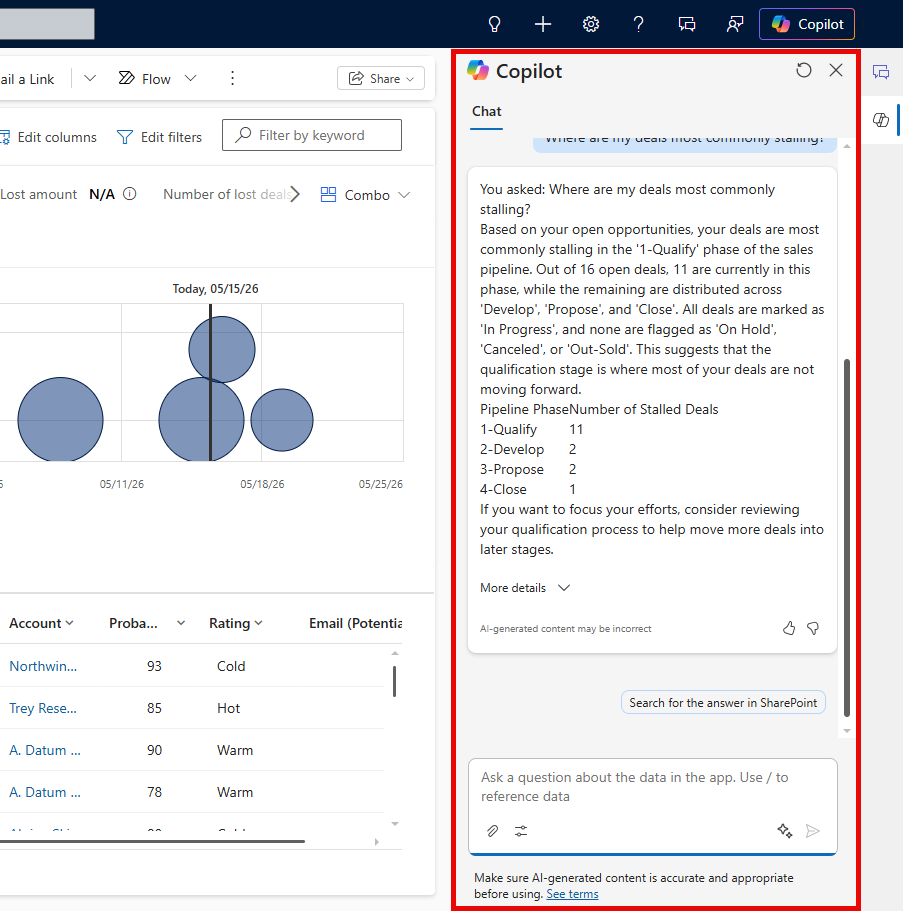
To access pipeline health insights, open Forecasts or Deal Manager from the Sales Hub. Select the Copilot chat panel icon in the upper-right corner of the screen and type a question such as "What is the health of my pipeline this month?" or "Where are deals most commonly stalling?" Copilot generates a summary based on live pipeline data.
Scenario: Copilot forecasting insights at Contoso Coffee
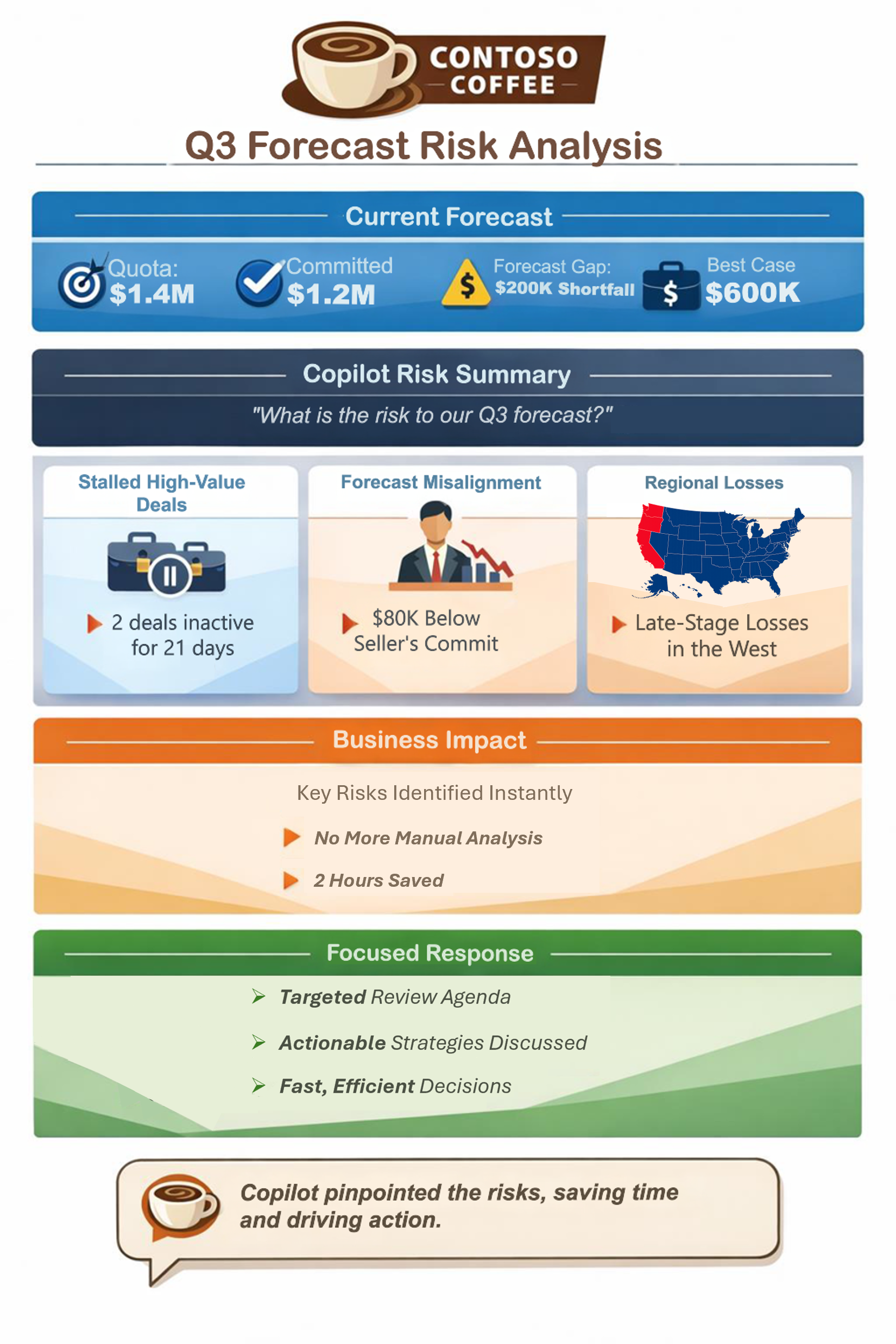
At the start of a fiscal quarter, Contoso Coffee's VP of Sales runs a forecast review for the North America team. The standard forecast shows $1.2 million in committed revenue against a $1.4 million quota—a gap of $200,000. The team has $600,000 in best case opportunities to draw from.
The VP opens the Copilot chat panel and asks: "What is the risk to our Q3 forecast?" Copilot responds with a summary that identifies three specific concerns. Two high-value deals show no activity in 21 days. One seller's predictive forecast is $80,000 below their committed total. And the West region shows a pattern of late-stage losses over the past two quarters.
Rather than spending hours cross-referencing pipeline reports, the VP uses Copilot's analysis to structure a targeted agenda for the forecast review meeting. Each concern is addressed directly, saving approximately two hours of manual analysis.