Describe marketing email
Email is a key marketing channel for most modern organizations. It lets you reach large numbers of customers quickly, and you can tailor message content to provide a personal experience for each recipient.
Marketing email is a core feature of Dynamics 365 Customer Insights - Journeys. It lets you send large volumes of personalized marketing emails, monitor how recipients interact with them, drive customer journey automation, and present aggregated statistical results for individual contacts. For example, Contoso Coffee uses the email marketing capabilities to create targeted messages for launching specific products, highlighting special promotions, or promoting their brand. These messages are delivered through targeted customer journeys.
Organizations can let customers subscribe to relevant topics while obtaining the consent needed to comply with legal and regulatory requirements. Customers then opt in to receive marketing subscriptions such as "Newsletters," "Community Events," or "Product Discounts." After you create topics, you collect consent from new customers through flexible options on marketing forms. These options allow you to gather consent either explicitly (through visible fields) or implicitly (through hidden fields). Customer Insights - Journeys automatically enforces topic checks without requiring you to create and manage subscription lists of contacts.
Email designer capabilities
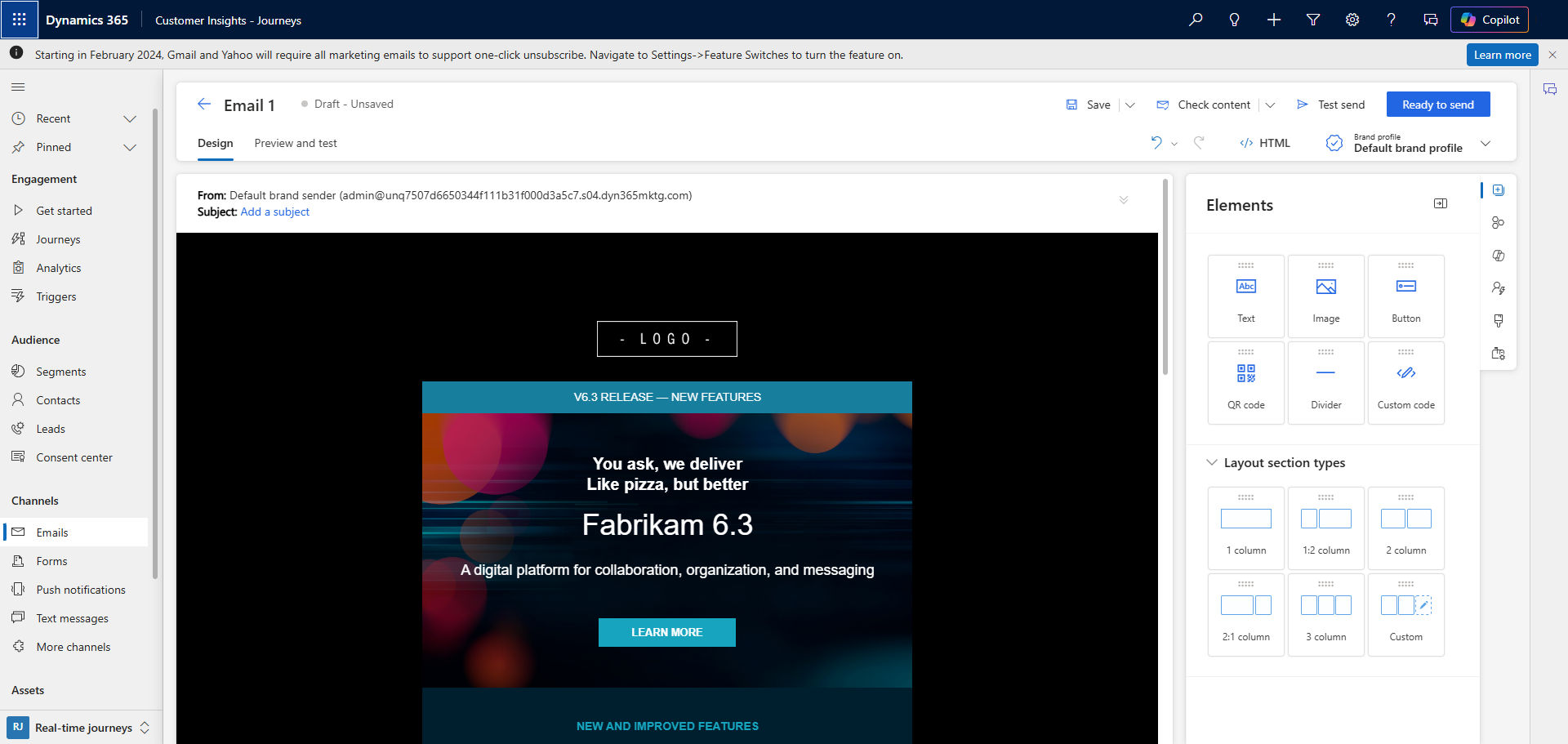
The email designer in Dynamics 365 Customer Insights - Journeys provides a visual design interface to support real-world marketing:
- Personalization: The email editor supports dynamic and personalized data binding so emails can reference audience data, trigger data, and compliance context. Personalization exists because generic messaging reduces conversion.
- Conditional content: Many organizations want one email asset that adapts to different recipients based on industries, locations, or interests. Conditional content uses variations (a condition plus content) that the system evaluates when it sends the email.
- Brand profiles: Brand profiles keep branding consistent and efficient, especially if an organization has multiple brands or business units. Selecting a brand profile populates sender settings and provides dynamic values like social links.
- Email insights: Email insights let teams measure performance (delivery, opens, link selections, and unsubscribes) and optimize messaging based on evidence.
Plan your email strategy
Before you start building emails, you need a plan that considers the purpose, tone, and goal. When designing emails for journeys, you typically decide:
- What is the goal of this email? Is it to deliver an asset, educate, build confidence, invite to an event, or drive a conversion like "book a demo"?
- What is the primary call-to-action (CTA)? Do you want individuals to download, register, schedule, reply, or start a trial? Is the CTA realistic for where the prospect is in the journey?
- How should content vary by audience? Decide whether to use conditional content and variations. Determine whether you need one email with different blocks for different industries, regions, or products. Use separate emails when the message, offer, or compliance rules differ significantly.
- How do you evaluate success? Look beyond opens and link selections to the outcome you actually want: registrations, form submissions, meeting requests, and conversions. Also review deliverability signals like bounces, spam complaints, and unsubscribes.
- When should the email be sent, and how often? Consider immediate versus delayed follow-up, time zones, and whether frequency caps or quiet hours should limit messaging to avoid fatigue.
- Are you respecting consent and preferences? Confirm the right purpose or consent is used (where applicable), the correct subscription center is referenced, and the message aligns with what the recipient opted into.
Copilot in the email editor
Copilot exists in the Customer Insights - Journeys email editor to reduce the time it takes to go from a blank email to usable content. Instead of starting with polished copy, business users start with intent (topic, key points, and tone) and let Copilot propose drafts, refinements, and supporting visuals. Then they review and adjust the final message for brand, accuracy, and compliance.
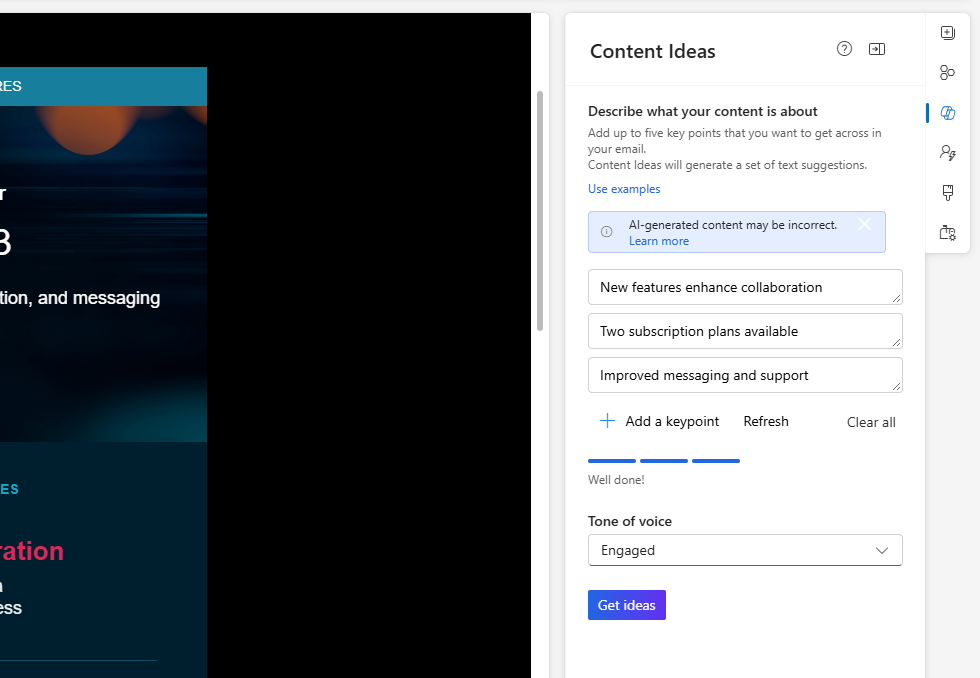
- Content ideas (AI kickstart for email copy): In the email editor, you open the Copilot pane from the toolbox. You select a suggested topic or enter a custom one, add a short set of key points, and select a tone of voice. Copilot then generates several copy suggestions that you can insert into the draft. If the email already contains some text, Copilot can also propose key points based on that existing content to help generate new variations.
- Rewrite and improve content: After a draft exists, you select a block of text on the email canvas and ask Copilot to rewrite it. For example, you can make it more concise, more formal, more engaging, or clearer. This feature is typically used to align the message to brand voice, tighten subject lines and CTAs, and standardize tone across a multi-email nurture series.
- Recommend images: Copilot recommends images that fit your email's message by interpreting the written context. This feature helps you select from existing images in the marketing asset library rather than searching manually. You still review licensing and brand fit and insert the image into the layout with the email editor.