Explore the Sales mobile app
Sellers aren't always at their desk. Client visits, industry events, travel, and field meetings are all part of the job for many sales professionals. Staying connected to the pipeline while on the move is traditionally a challenge. The Dynamics 365 Sales mobile app gives you full access to your most important selling tools from your phone or tablet, regardless of where you are.
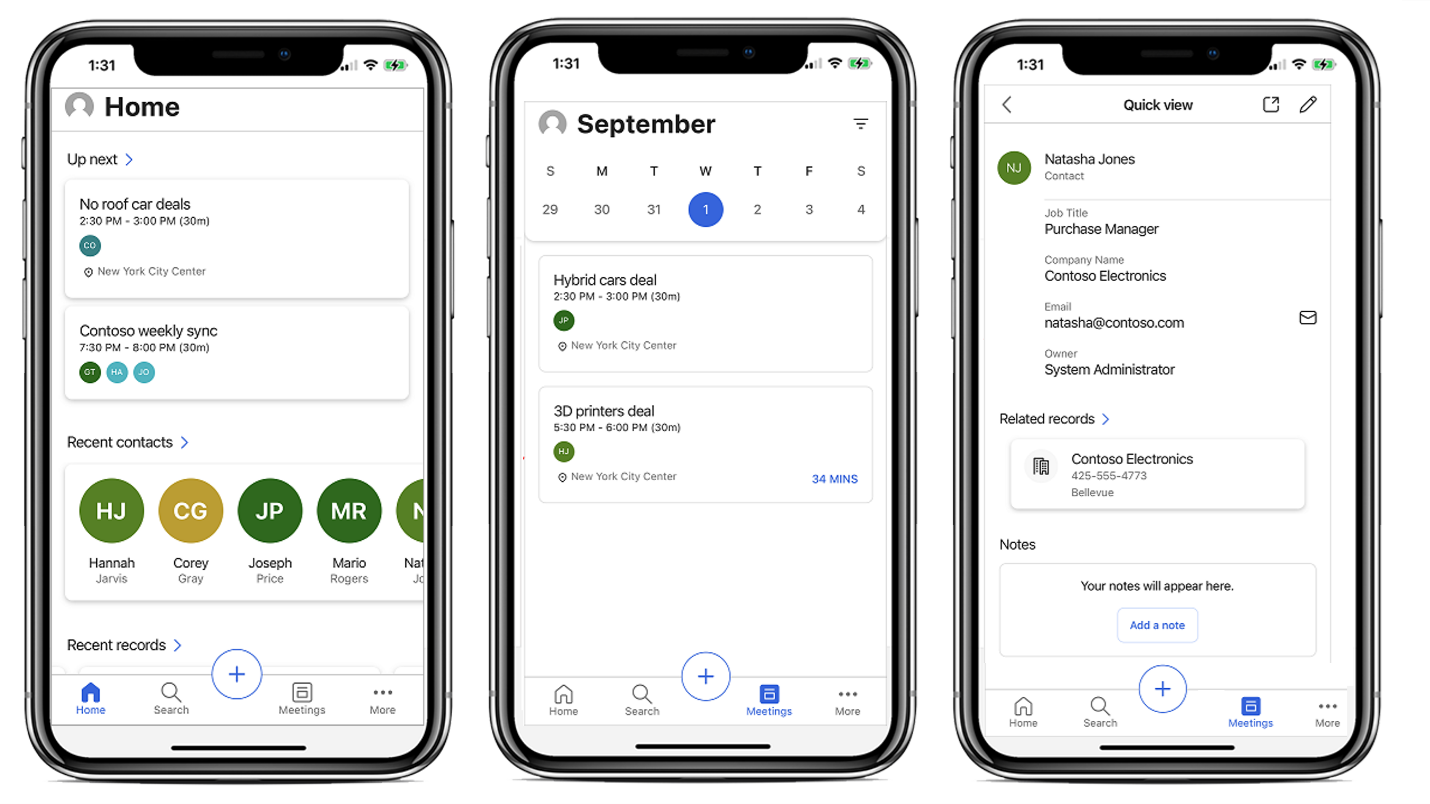
The Sales mobile app provides a purpose-built mobile experience that prioritizes the tasks sellers complete most often when away from the office. Rather than shrinking the desktop interface onto a smaller screen, the mobile app focuses on the realities of mobile work: quick data entry, easy access to recent records, and the ability to log interactions immediately after they happen.
The Sales app provides easy access to key selling features such as leads, opportunities, quotes, and orders. You can also access features such as the assistant, sales accelerator, and deal manager from the mobile app.
With the Dynamics 365 Sales mobile app, you can:
- Plan your day. Before you start your day, see what's on your schedule. You can see reminders about daily activities and customer meetings, or view important insights for the day.
- Do post-meeting work. After a meeting, you can quickly add notes using voice dictation, create contacts, and update data in relevant records.
- Find required information and act accordingly. The layout of the mobile application puts the information you need right in front of you. Easily find a contact you want to reach out to or quickly access recent records you worked on.
- Attend online meetings. Quickly join online meetings, including Microsoft Teams meetings.
Copilot on mobile
The Copilot features available in the desktop version of Dynamics 365 Sales are also available in the mobile app. In the field, you can use Copilot to quickly summarize a lead or account before a meeting. You can also get suggested next steps after completing an activity, or dictate notes that Copilot helps organize and log.
Consider a Contoso seller on the road visiting three clients in a day. With mobile Copilot, they can review each account between stops, log meeting notes using voice input after each visit, and check their prioritized work list during downtime. All of these tasks happen from a single application on their phone.
One of the most persistent challenges in sales operations is keeping CRM data accurate and current. When you're in the field, it's easy to defer data entry until you return to the office. By that point, details fade and the backlog grows. The Sales mobile app directly addresses this by making it fast and easy to log interactions on the spot.
The ability to update records in real time while the details are fresh improves data quality across the entire pipeline. Real-time updates also mean that managers and teammates monitoring account activity see current information, not data that's days old.
Integration with the broader Dynamics 365 experience
The Sales mobile app isn't a standalone tool. The app connects to the same Dynamics 365 Sales environment as the desktop application. The system immediately reflects everything you do on mobile. Sequences continue to progress, work list items get completed, and timeline entries appear on records in real time. There's no separate data sync process. This seamless integration means that you don't need to maintain separate workflows for mobile and desktop. The system is always consistent, and you can move between devices without losing context or creating duplicate work.