What is AI?
Artificial intelligence (AI) broadly refers to technology that can perform tasks that typically require human intelligence, such as understanding language, recognizing patterns, generating content, or analyzing information.
Generative AI can help you create useful business content, such as quick summaries, draft presentations, images, and first-pass text you can review and refine.
Why AI feels different
Many digital tools follow a set of predefined instructions. For example, a calculator performs calculations, a spreadsheet formula returns the same result when given the same inputs, and an automated workflow follows the steps it was designed to perform.
Generative AI works differently. Instead of following a fixed set of rules, it generates responses based on patterns learned from large amounts of information. This allows AI to adapt to different requests, create new content, and help with a wide variety of tasks.
AI in everyday work

AI can support many everyday workplace activities. Whether you're working with information, creating content, analyzing data, or exploring ideas, AI can help you complete tasks more efficiently.
You can work alongside AI to:
- Summarize information
- Draft content
- Analyze data
- Organize information
- Generate ideas
- Answer questions
- Create images
Tip
AI can help people create, analyze, and organize information, making many workplace tasks easier and faster to complete.
AI in action
One example of generative AI is Microsoft Copilot.
Copilot applies these AI capabilities to help people complete everyday personal and work-related tasks. Depending on the version of Copilot you use and the information available to it, Copilot can help you find information, create content, summarize information, and support decision-making.
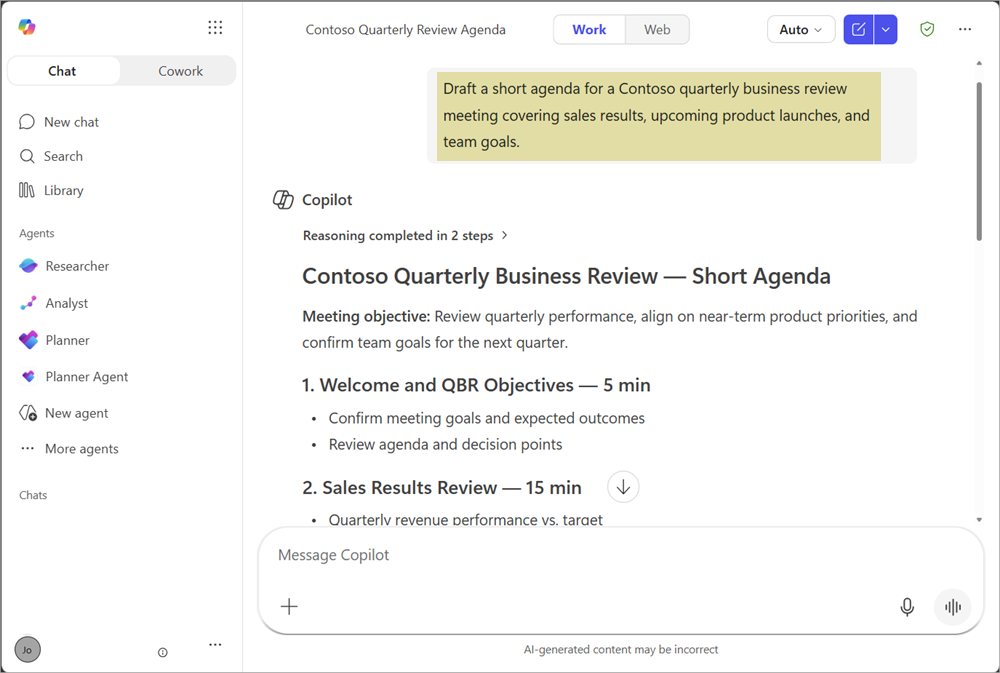
You might prompt Copilot to generate a draft meeting agenda:
Draft a short agenda for a Contoso quarterly business review meeting covering sales results, upcoming product launches, and team goals.
Scenario: Summarize a meeting
Catching up after time away can be challenging, especially when project details are spread across meeting notes, decisions, and follow-up tasks. AI can help turn that information into a clearer starting point.
Meet Jo, a consulting project manager leading the Contoso website redesign project. After being pulled away on other projects for several days, she needs to quickly understand what happened during a recent project meeting and identify anything that needs her attention.
Using AI capabilities in tools such as Copilot, Jo can use meeting notes or a transcript as a source of information to generate:
- A summary of the discussion
- Key decisions
- Action items
- Outstanding questions
Review meeting notes 📝
First, Jo locates the notes from the most recent project status meeting. The notes include updates on completed work, project risks, customer requests, and upcoming deadlines.
Summarize the discussion ✨
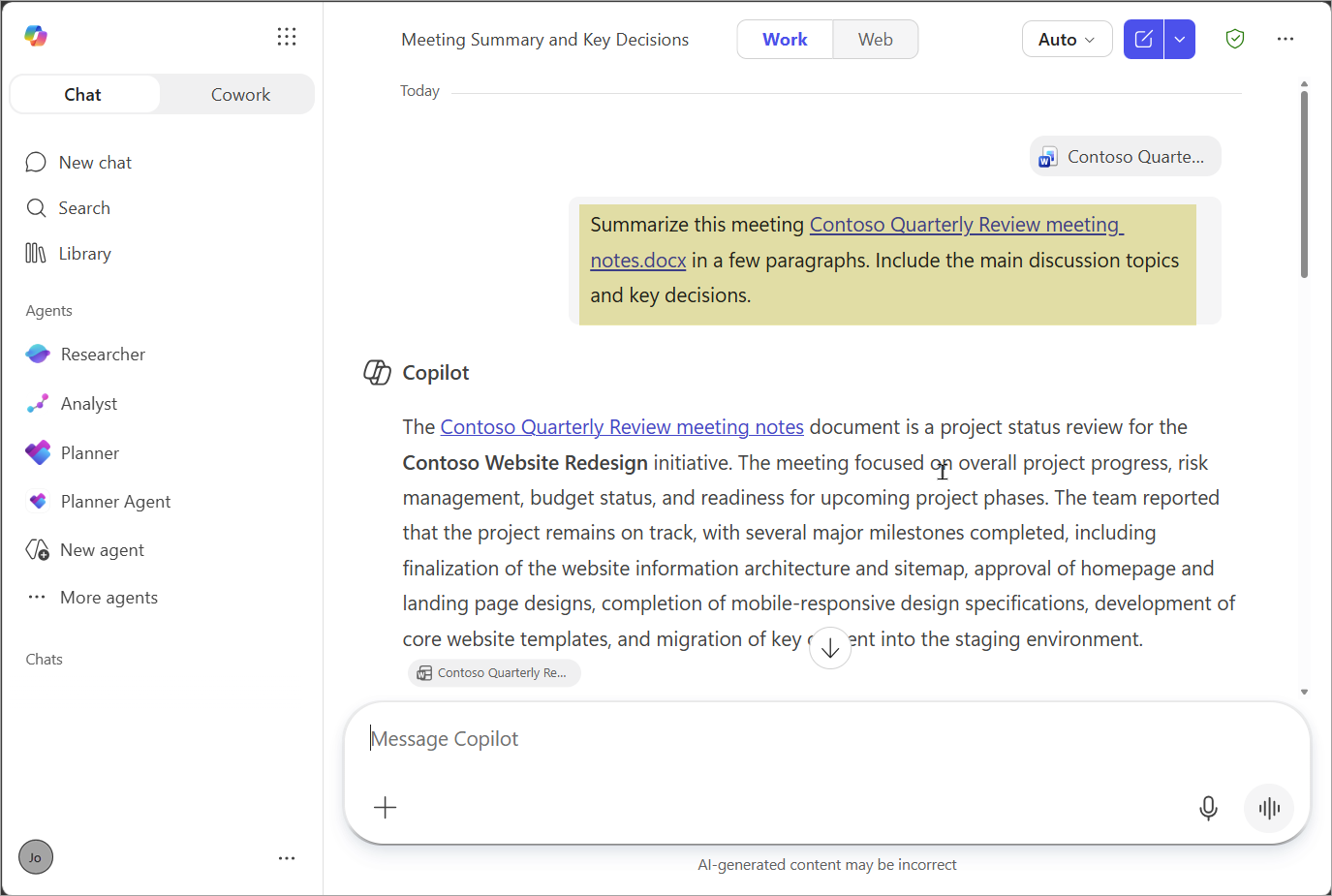
Instead of reading through the full set of notes line by line, Jo asks Copilot to summarize the discussion.
Summarize the meeting Contoso Quarterly Review meeting notes.docx in a few paragraphs. Include the main discussion topics and key decisions.
Copilot identifies the key points and creates a concise summary that helps Jo quickly understand the current project status.
Identify decisions and action items ✅
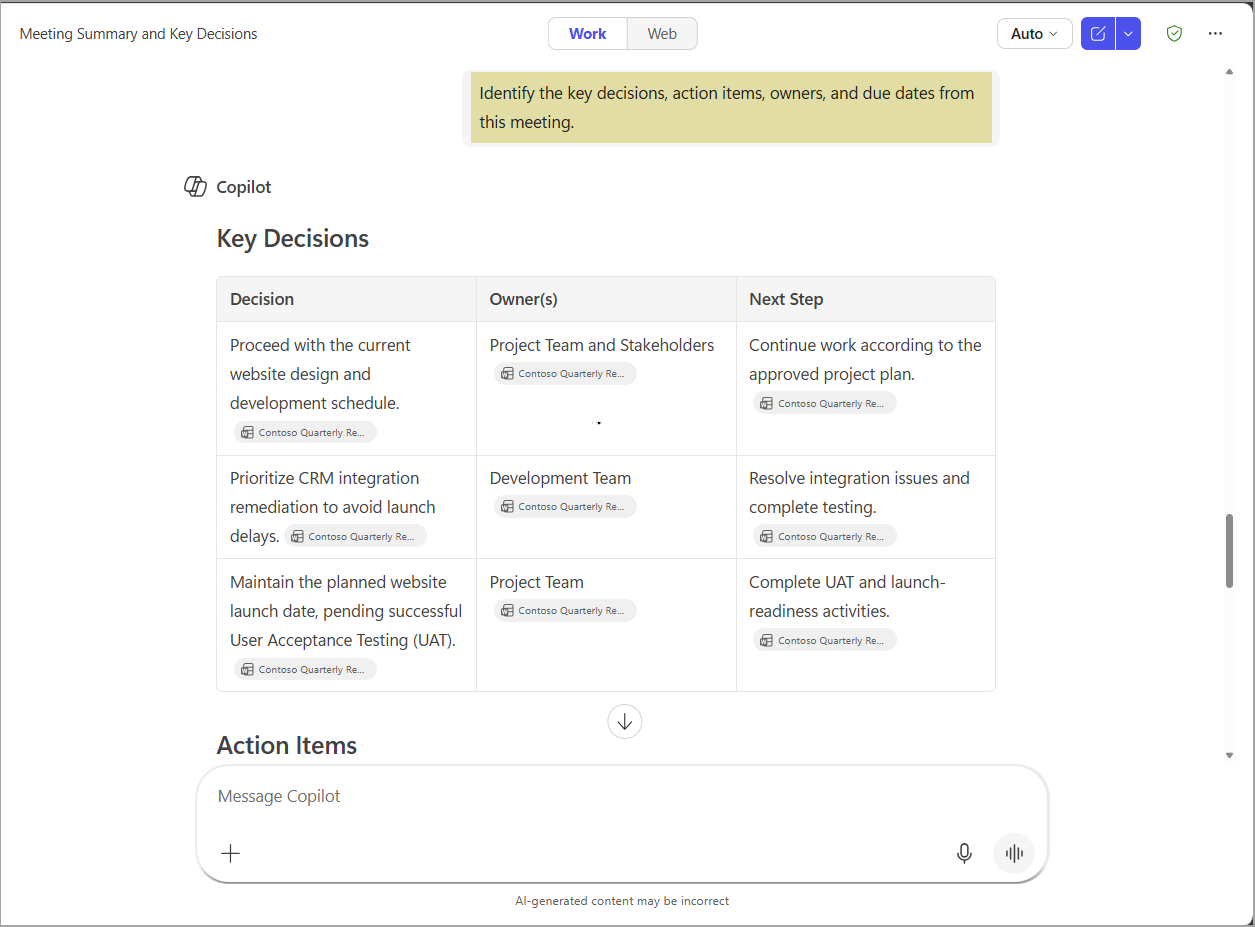
Next, Jo asks Copilot to identify the decisions made during the meeting and flag any follow-up actions that require attention.
Identify the key decisions, action items, owners, and due dates from this meeting.
Copilot extracts the relevant information and organizes it into a format that Jo can review and act on.
Takeaway 🎯
Instead of manually reviewing pages of notes, Jo used AI to organize the information into a format that's easier to understand and act on.
Tip
AI helps transform existing information into useful outputs, allowing people to spend less time searching for information and more time acting on it.
Why it matters
Generative AI is changing how people work with information. Rather than starting from a blank page or spending time searching through content, tools such as Microsoft Copilot can help summarize information, generate ideas, and create drafts that help move work forward.
Understanding what AI is and how it works provides a foundation for using these tools effectively and evaluating the results they produce.
Next, let's explore how AI can help you create content and support your work.
Note
We recognize that different people like to learn in different ways. You can choose to complete this module in video-based format or you can read the content as text and images. The text contains greater detail than the videos, so in some cases you might want to refer to it as supplemental material to the video presentation.