Why grounding matters
Why was AI able to generate useful responses throughout that process?
Imagine asking two people for a project update. One person hasn't even heard of the project. The other has access to the project documents, meeting notes, emails, and recent decisions. Which person is more likely to provide a useful update?
AI works in a similar way.
When AI has access to relevant work information, it can better understand a situation, identify what matters, and generate responses that are more useful and relevant.
AI systems such as Microsoft Copilot can generate content, summarize information, analyze data, and answer questions. The quality of those responses often depends on how much relevant information is available to the AI.
What is grounding?

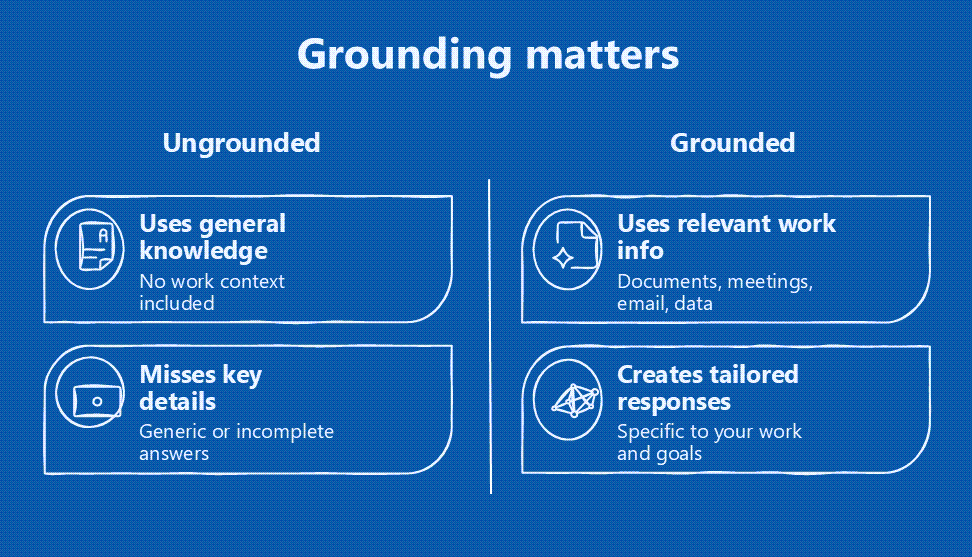
Grounding refers to the information an AI system can use to understand your work and generate a relevant response.
Grounding can come from many sources, including:
- Documents
- Email conversations
- Meeting notes and transcripts
- Presentations
- Spreadsheets
- Business data
- Organizational knowledge
When AI can use relevant work information, it can generate responses that are based on ("grounded in") the work being done, rather than relying only on general information.
Why grounding matters
Consider asking an AI system for a project status update.
If the AI only has the request itself, it can generate a general response, but it has no information about the actual project.
Now imagine the AI can also use project meeting notes, emails, reports, and other relevant information.
Instead of generating a generic response, it can create a summary that reflects the current status of the project, recent decisions, identified risks, and upcoming work.
The difference is grounding. AI that can access relevant work information can provide responses that are more connected to the work you're doing.
How Microsoft Copilot uses grounding
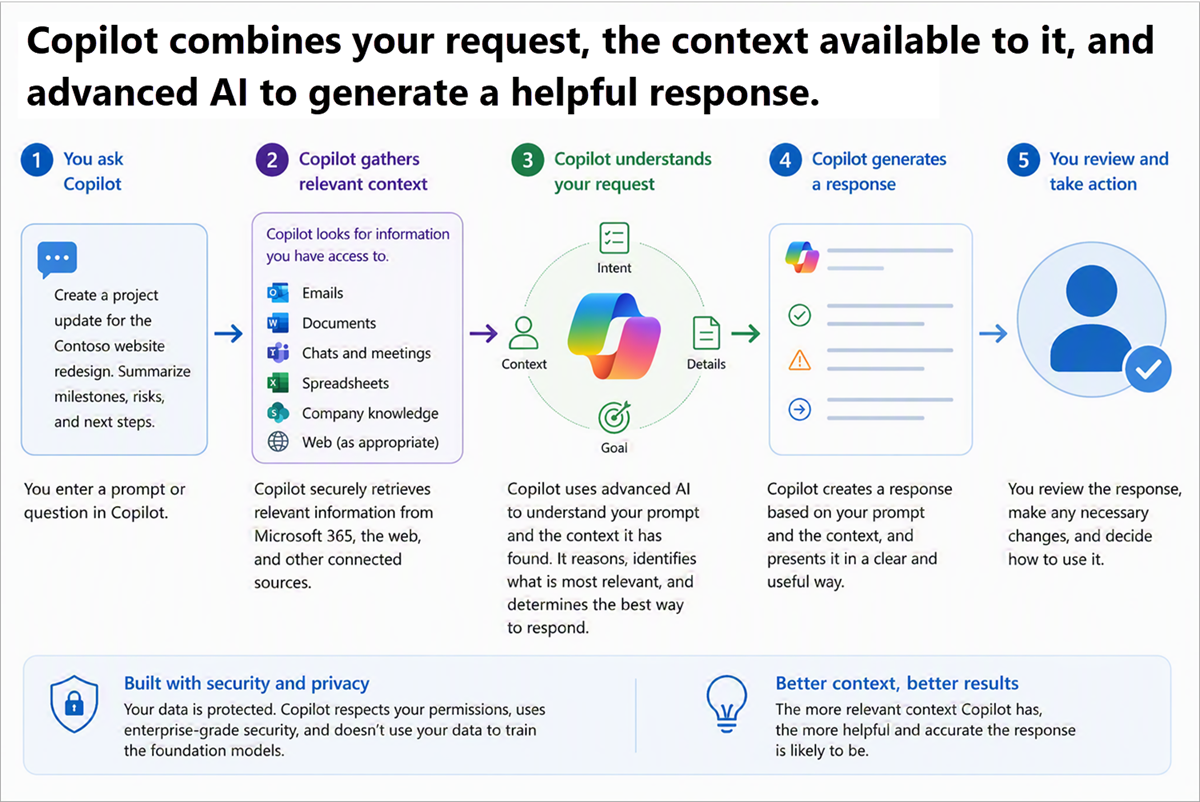
Microsoft Copilot can use information from across your Microsoft 365 environment to help generate responses and complete tasks.
Depending on your permissions, Copilot can work with information such as:
- Emails
- Documents
- Presentations
- Spreadsheets
- Meeting transcripts
- Teams conversations
- Calendar events
This allows Copilot to generate responses that are grounded in the information your organization already uses to communicate, collaborate, and get work done.
Scenario: Grounded in your work
Jo needs a project status update before an upcoming customer discussion.
Without grounding 🌐
Jo asks Copilot:
Create a project status update.
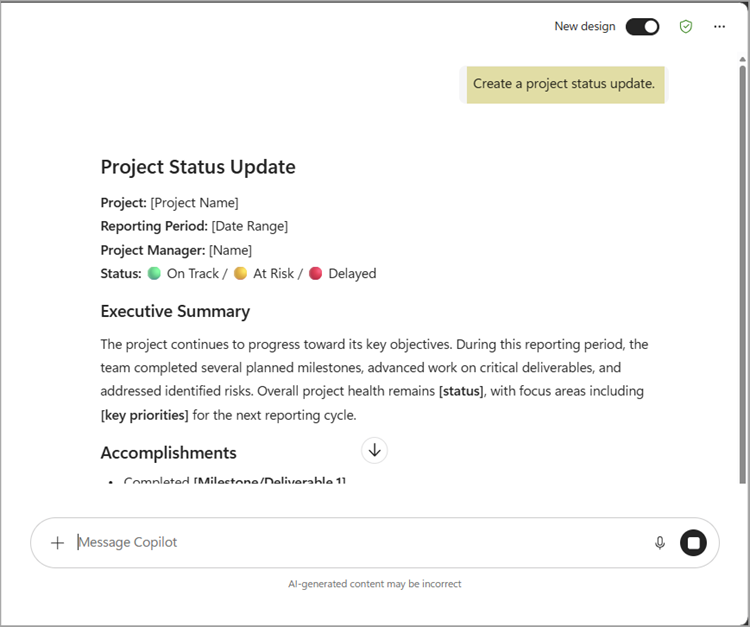
Copilot can generate a response, but it doesn't have access to any project information. The output is generic and doesn't reflect the current state of the project.
With grounding 🏢
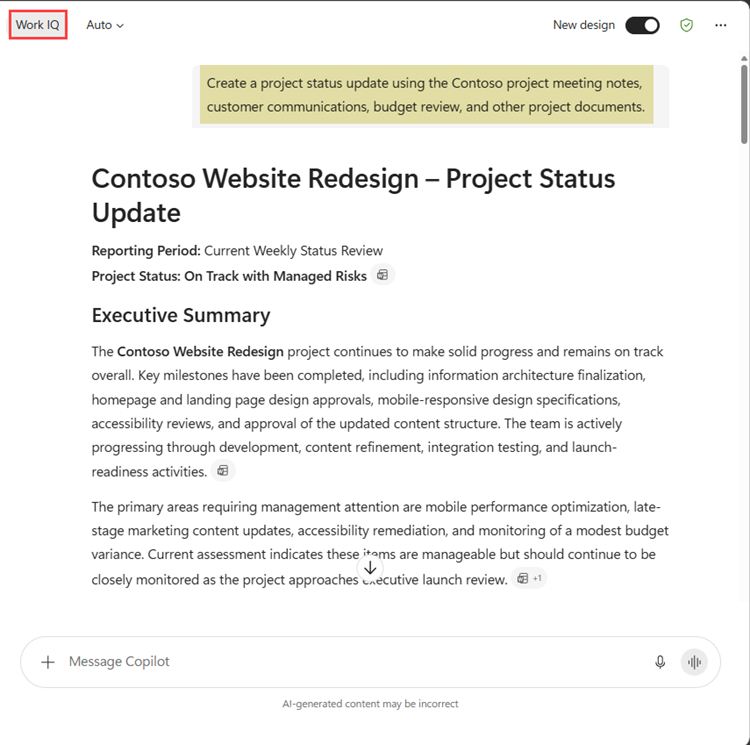
Jo asks Copilot to create a project status update, and she also provides access to relevant project information, including meeting notes, emails, and budget documents.
Create a project status update using the Contoso project meeting notes, customer communications, budget review, and other project documents.
Because Copilot can use information from across the project, it creates a summary that includes:
- Completed milestones
- Current risks
- Budget status
- Customer priorities
- Recommended next steps
So, what changed?
The request itself wasn't the most important difference.
What changed was the information available to Copilot.
When Copilot could use project documents, customer communications, meeting notes, and budget information, it generated a response that reflected the actual work being done.
Tip
AI works best when it can use relevant work information. Documents, emails, meetings, business data, and organizational knowledge can all help ground AI responses in the work being done.
Why it matters
AI is more useful when it can use information related to the work you're doing.
When AI is grounded in relevant documents, emails, meetings, business data, and organizational knowledge, it can generate responses that are more accurate, specific, and useful.
Microsoft Copilot combines your request with available work information from your Microsoft 365 environment to help generate relevant responses. Understanding the role of grounding can help you better understand how AI supports everyday work.
Note
Behind the scenes, Microsoft Copilot uses Microsoft Graph and Work IQ to help connect relevant information you have permission to access. You don't need to understand the underlying technology to use Copilot effectively.
Now, let's look at how AI agents can help you complete tasks that involve multiple steps and require coordination across different activities.
Note
We recognize that different people like to learn in different ways. You can choose to complete this module in video-based format or you can read the content as text and images. The text contains greater detail than the videos, so in some cases you might want to refer to it as supplemental material to the video presentation.