Use Facilitator during a Microsoft Teams meeting
Facilitator is designed to work alongside participants during Microsoft Teams meetings. Facilitator can also support meeting flow by aligning discussions to the meeting agenda, helping participants stay aware of time and remain focused on current topics. Once enabled, it can help generate collaborative notes, help capture decisions, and help document action items
Understanding how Facilitator works during a meeting can help participants take full advantage of its collaboration capabilities.
Scenario: Facilitator in action
As the product launch meeting gets underway, team members begin discussing campaign priorities, timelines, and upcoming deliverables. Rather than relying on a single participant to capture notes, Facilitator helps document important information as the conversation progresses.
As decisions are made and follow-up tasks are identified, participants can review shared meeting content in real time. This helps everyone stay informed and focused on the discussion while maintaining visibility into meeting outcomes.
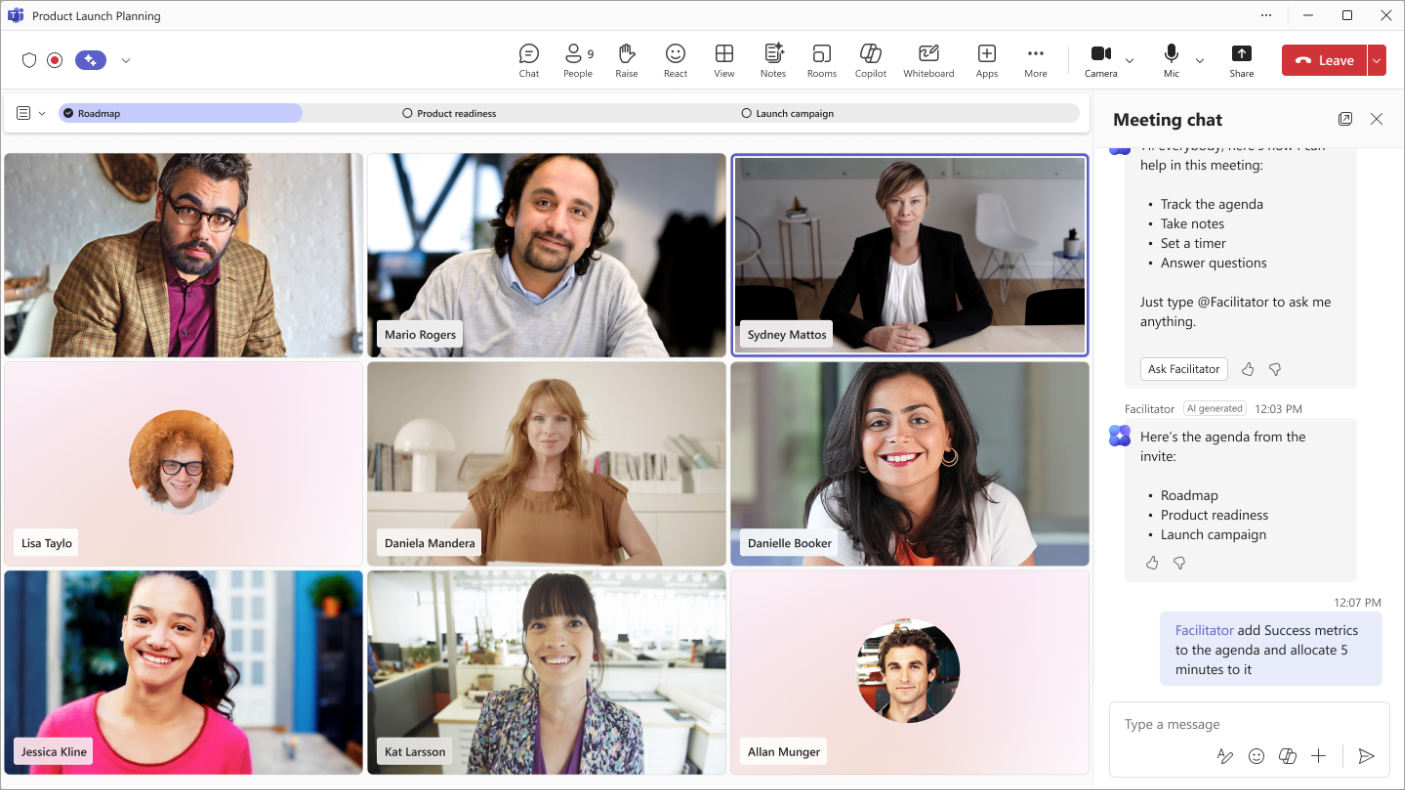
Enable Facilitator for a meeting
Facilitator can be enabled before or during a Teams meeting to begin supporting collaborative note taking and meeting organization.
When Facilitator is activated, participants gain access to a shared workspace where meeting content can be captured and reviewed throughout the discussion.
This workspace serves as a central location for information generated during the meeting.
Review collaborative notes
As the meeting progresses, Facilitator generates collaborative notes based on the conversation.
These notes provide participants with a shared view of the discussion and can help ensure important topics are documented as they're covered.
Because the notes are collaborative, participants can review and contribute to the content while the meeting is taking place.
Monitor decisions and action items
Facilitator can help identify decisions and action items that emerge during the conversation.
Participants can review these items throughout the meeting to confirm that important outcomes are being captured accurately.
This visibility helps teams maintain awareness of key decisions and responsibilities before the meeting concludes.
Collaborate with meeting participants
Facilitator is intended to support collaboration rather than replace participant involvement.
Meeting participants can review generated content, contribute additional information, and help ensure meeting outcomes are represented accurately.
Working together around a shared set of notes can help improve alignment and reduce the need for separate meeting summaries.
Continue working after the meeting
The value of Facilitator extends beyond the live meeting experience.
After the meeting ends, participants can revisit notes, decisions, and action items to review outcomes and support follow-through. Having meeting information organized in a shared location makes it easier to reference discussions and continue collaborating on next steps.
Best practices for using Facilitator
Consider the following practices when using Facilitator:
- Review generated content during the meeting when possible.
- Verify that decisions and action items accurately reflect the discussion.
- Encourage participants to contribute to collaborative notes.
- Use shared meeting content as a reference for follow-up work.
- Review meeting outcomes after the meeting concludes to support accountability and alignment.
Tip
Facilitator helps organize meeting information as discussions occur. Participants should review generated notes, decisions, and action items to ensure they accurately reflect the conversation.
Capturing information during a meeting is only the first step. Reviewing and validating meeting outcomes helps ensure notes, decisions, and action items remain useful after the conversation ends.