Models and packages
Models
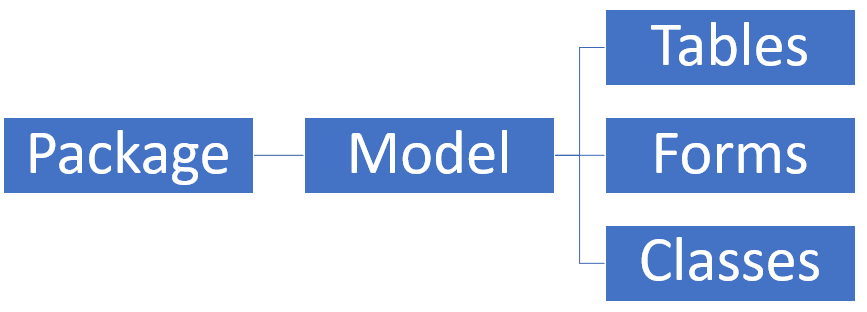
A model is a design-time concept that groups elements, such as metadata and source files. Typically, these elements constitute a distributable software solution, including customizations of an existing solution. For example, you might have a warehouse management model or a project accounting model. Models help in organizing and managing the development of various parts of an application.
Packages
A package is a deployment and compilation unit that contains one or more models. It includes model metadata, binaries, and other associated resources. You can use packages to deploy models to runtime environments. Consider a package as a container that holds everything that you need to run a particular part of your application.
In finance and operations apps, models and packages are important for organizing and managing customizations and extensions. A model is a design-time concept that groups elements, such as metadata and source files, forming a distributable software solution. You can use models to create and manage customizations or new features, such as warehouse management or project accounting. To create the models, you can use the Create Model Wizard in Visual Studio. Alternatively, a package is a deployment and compilation unit containing one or more models, including model metadata, binaries, and other resources.
You can use packages for deploying models to different environments, ensuring that all necessary components are included and properly configured. Developers use Visual Studio to create new models, update parameters, and manage dependencies while they compile and deploy packages to ensure consistent application of customizations across different environments. These concepts streamline the development, deployment, and management of custom solutions in finance and operations, helping make it easier to maintain and upgrade the system.
Scenario
Contoso Entertainment is in the process of implementing finance and operations apps. They create a new model called ContosoDevelopmentModel, where they plan to organize and store all development projects. This model acts as the central repository for all development work, ensuring consistency and clear organization. Whenever a developer works on a project, they conduct their work within this dedicated model.
The model is contained within its own assembly, making it distinct and isolated from other models in the environment. This separation allows for better management and easier tracking of changes that relate specifically to this model. When development is complete, the developers can build and package the model so that it’s ready for deployment across different environments, whether it’s for testing, staging, or production. This process ensures that all components within the model, including customizations, logic, and resources, are more securely bundled and transferable to other environments without risk of conflict.
Furthermore, packaging the model provides a streamlined approach to deployment, which allows for consistent and controlled updates. This method supports continuous development and maintenance so that developers can focus on innovation while ensuring that the system remains stable across environments.