Knowledge bases
Tip
See the Text and images tab for more details!
After you've configured a Foundry IQ resource to use Azure AI Search, you can create one or more knowledge bases for the information agents need for context, and add knowledge stores to each knowledge base to define specific data source connections.
Create a knowledge base
A knowledge base gives an agent a single retrieval interface across one or more knowledge sources. Instead of teaching an agent about the storage location of every document, you connect the agent to a knowledge base that represents a useful business domain.
For example, a Finance knowledge base could combine expense policy documentation in SharePoint with general financial data in a database. The agent queries the knowledge base, and Foundry IQ coordinates retrieval from the configured sources.
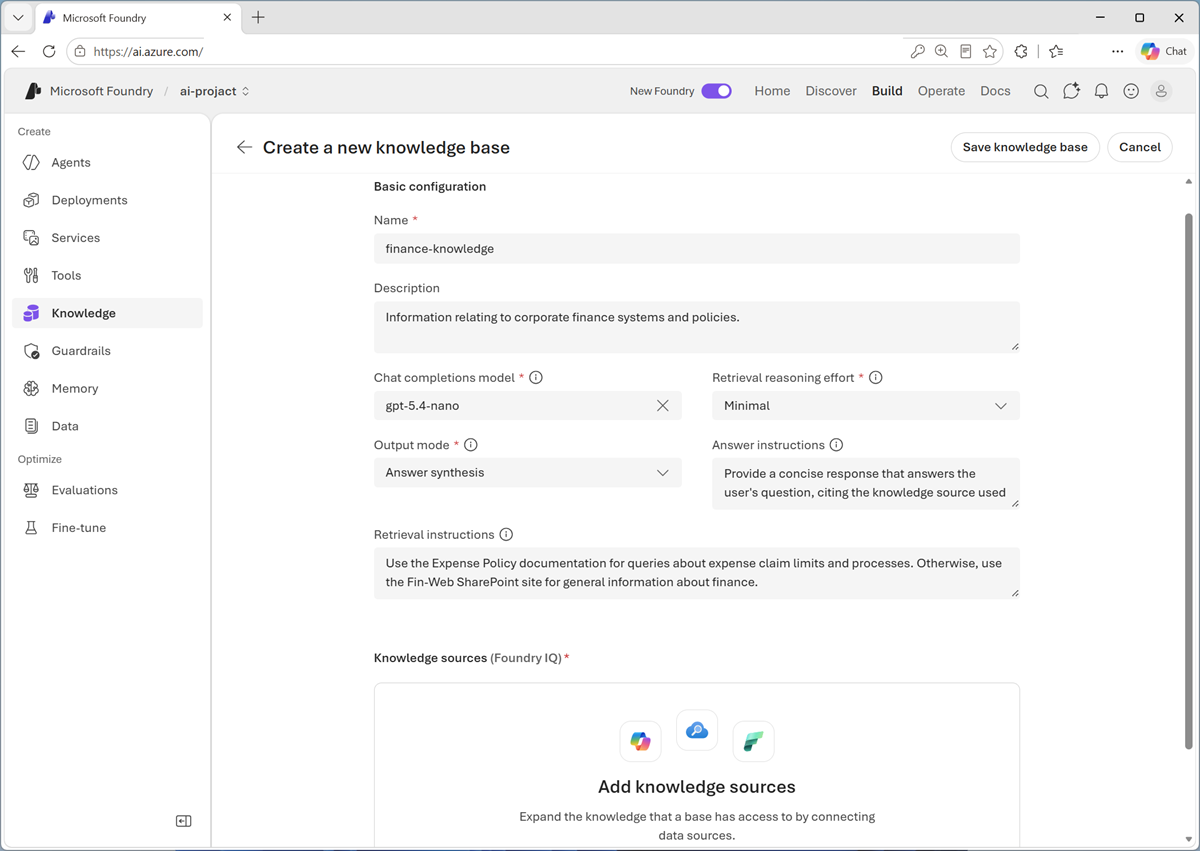
The knowledge base configuration includes a generative AI model to support agentic retrieval. You can define prompts to help the Foundry IQ layer determine which knowledge sources to prioritize for specific type of information, and to provide guidance for AI-generated responses based on the retrieved knowledge.
Connect knowledge sources
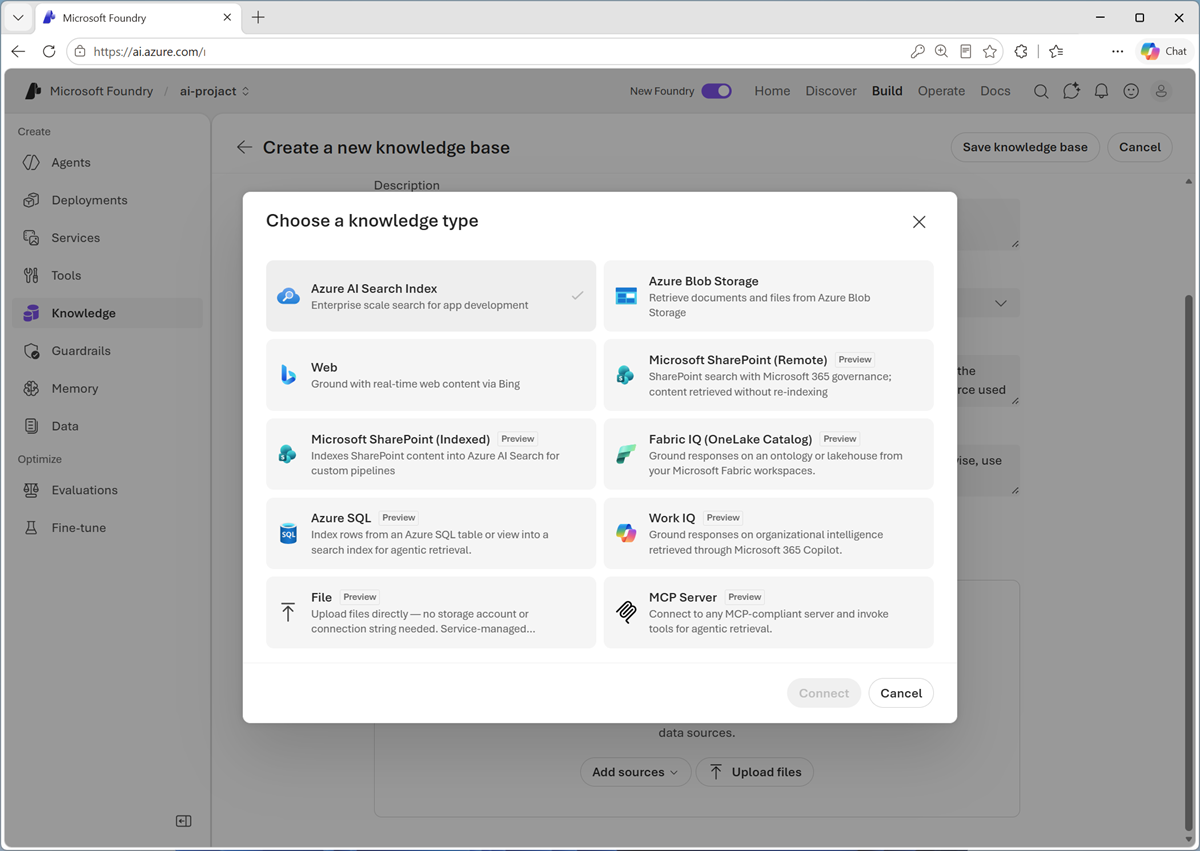
A knowledge source describes content that Foundry IQ can retrieve. Supported source types include:
- Existing Azure AI Search indexes.
- Documents in Azure Blob Storage.
- Microsoft SharePoint content.
- Data in Microsoft OneLake.
- Public web content.
Note
The exact source options and supported features can change as Foundry IQ evolves.
For example, a corporate finance knowledge store might include a knowledge source for expense policy documentation based on documents in a SharePoint site.
Choose sources according to where the authoritative data lives, how current it must be, and which permissions must apply.
Considerations for knowledge bases and sources
A knowledge base should contain sources that belong together and support a clear set of user questions. Adding every available source to one knowledge base isn't necessarily helpful. Unrelated or contradictory content can make retrieval less precise.
When planning a knowledge base, consider:
- Scope: What questions should this knowledge base answer?
- Authority: Which systems contain the approved source of truth?
- Freshness: How quickly must source changes become available?
- Metadata: Which titles, dates, categories, locations, or identifiers help retrieval and citation?
- Content quality: Are documents complete, current, readable, and free from unnecessary duplication?
- Access: Which users and agents are authorized to retrieve each item?