Explore and create a voice agent
Microsoft Foundry Agent Service supports voice agents that receive spoken requests and reply with speech. In this unit, you explore how a voice conversation works and how Foundry provides a starting configuration for an agent.
Explore voice agents
Consider a customer who wants to return a product. With a text agent, the customer types a question and reads the response. With a voice agent, they ask the question aloud and listen to the answer.
The agent still needs instructions that define its role and the information it uses. Voice adds two requirements: understanding when the customer finishes speaking and producing an answer that's easy to follow by ear.
A voice agent brings together three capabilities:
| Capability | Purpose |
|---|---|
| Listening | Receives audio and detects when the caller finishes a turn. |
| Reasoning | Uses a model, instructions, and any connected tools to decide how to respond. |
| Speaking | Delivers the response in the selected voice. |
Foundry manages the voice orchestration, so you don't need to build a separate speech pipeline to try a conversation. A native speech-to-speech model processes audio directly. A text-based model uses a sequence of speech recognition, text response generation, and speech synthesis. For a first agent, start with the managed model and compatible voice offered by the portal.
Choose a focused scenario
A useful starting agent answers a small set of questions without changing customer records. For example, a fictional Contoso returns assistant explains a sample returns policy and asks a clarifying question when a request is unclear.
This scenario gives you something specific to test: does the agent answer a returns question clearly in a spoken conversation? It doesn't need an order system, identity verification, or a telephone connection for the browser demonstration.
Keep the distinction between answering and acting clear. Explaining a policy doesn't require a transaction. Checking a real order or issuing a refund requires connected tools, appropriate permissions, and confirmation before an action. Add those capabilities only when the basic conversation works.
Create a voice agent in Foundry
The Foundry portal provides a starting point for creating voice agents within a project. The agent's initial configuration includes a name, an Interaction mode of Voice, and a goal that describes its intended task. For example, the Contoso returns assistant's goal is to help callers understand the returns policy.
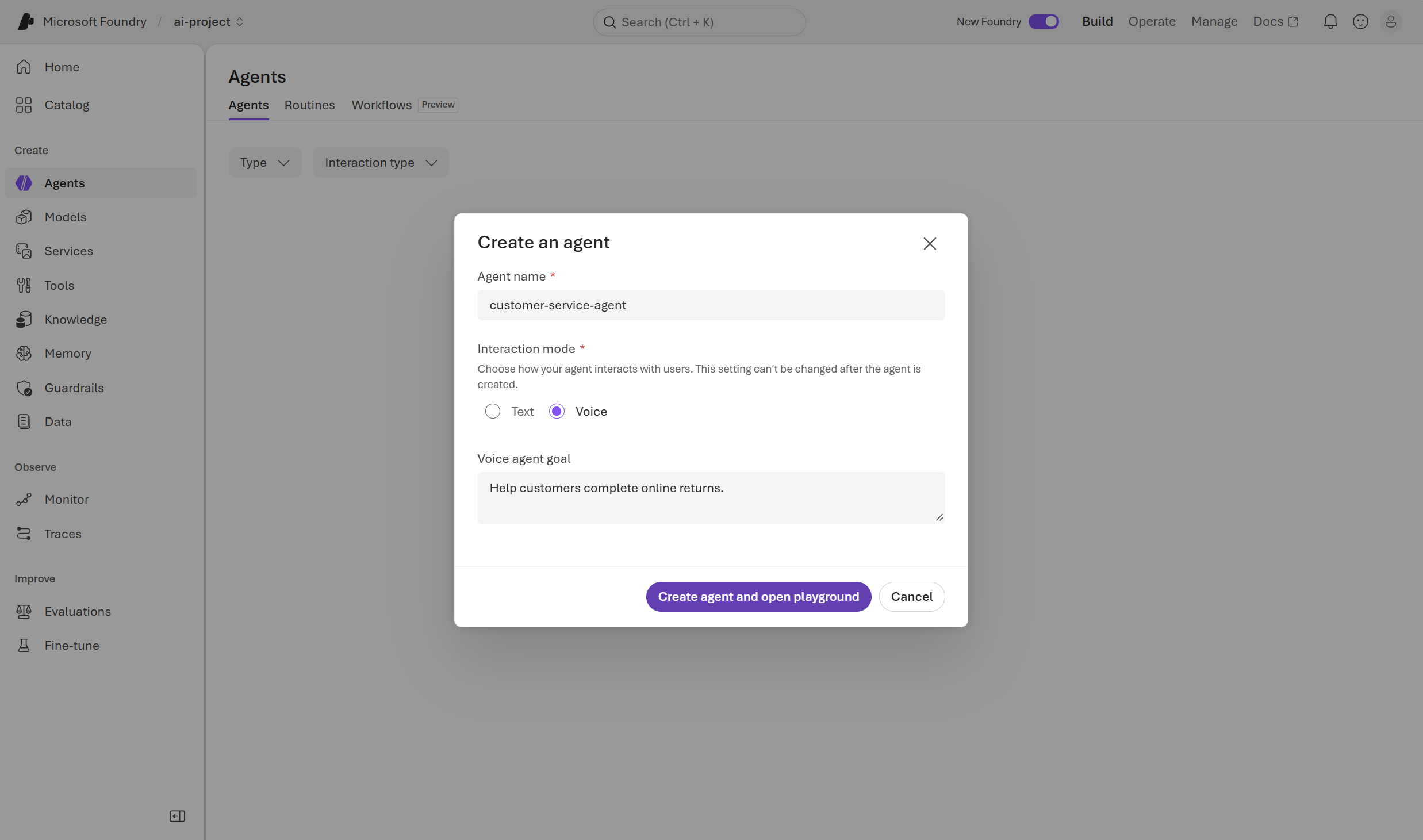
After the agent is created, the playground brings together its instructions, AI model, and voice settings. This starting configuration supports a browser-based spoken conversation, but the agent still needs scenario-specific instructions and approved information to answer policy questions reliably. The next unit explores those settings for the returns assistant.
Note
Voice-agent availability depends on your project, subscription, and region. You can't change an existing agent's interaction mode from text to voice. For prerequisites and current availability, see Create a voice-based prompt agent.