Compare client and application extension options
Unit 2 places the client runtime on the map as the piece that reacts the moment a person opens a form, types a value, or clicks a button. This unit moves from knowing that runtime exists to comparing the specific options inside it. That way, you can choose with confidence among client scripts, PCF controls, code apps, and generative pages for a given need in the equipment-provisioning scenario.
Decide when client-side scripting is enough
A client script is JavaScript or TypeScript that runs inside a form's event pipeline: it fires when a form loads, when a field changes, when a record saves, or when someone selects a command bar button. Because a person is always behind the trigger, client scripts fit logic that reacts to what someone is doing right now.
Examples include validating input, formatting a value, or showing and hiding a section based on another field. When a script needs data from Dataverse, it calls the Web API through the documented client methods rather than touching the page directly.
In the equipment-provisioning scenario, this is the right tool for validating that an employee enters a device identifier in the expected format while completing a request. The script catches the problem the moment it happens, on the same field, without a round trip to the server.
That immediacy is also the limit: a client script belongs to the specific form and event you attach it to. If three different forms need the same rich input experience, you end up copying logic instead of reusing a component. That duplication is exactly the signal that it's time to look at the next option.
Decide when a PCF control earns its reuse
The Power Apps component framework (PCF) lets you build a custom, reusable control that replaces a standard field or view with something richer. Examples include a specialized input control or an entirely different visual layout for a list.
A PCF control gets access to framework APIs for lifecycle management, contextual data, and metadata, plus the same Web API access a client script uses. As a result, it can do everything a script does and still render its own UI. Once built, the control packages into a solution file, so it travels to any environment and attaches to any form, view, or canvas app screen that needs it.
That packaging is what makes PCF worth the extra investment over a script. Suppose the equipment-provisioning system needs a searchable device picker that shows live availability. The same picker needs to appear on the request form, the allowance review form, and a canvas app the fulfillment team uses. Building that once as a PCF control and reusing it everywhere beats maintaining near-identical script logic in three places.
The trade-off is effort. A PCF control takes more development time to build, test, and package than a script. Components that call an external service directly from the browser also carry licensing implications worth confirming before you commit to the approach.
Recognize when a code app fits the job
A code app is a custom business web app that you build and run from a code-first IDE such as Visual Studio Code, using popular web frameworks. Even so, the app still runs on the Power Platform managed platform. That means you keep full control over the UI and the logic.
Yet the finished app still authenticates through Microsoft Entra, reaches Dataverse, and uses the same connectors other Power Platform apps use. It also follows the same governance policies an admin applies to any managed app.
In the equipment-provisioning project, the fulfillment team might need a standalone web experience that a code-first workflow supports better than a low-code designer. In that case, you reach for a code app instead of a canvas or model-driven app, without giving up the platform's data access and compliance guardrails. This option sits outside this module's assessed objectives, so one paragraph of context is all you need here.
Decide when a generative page gets you there faster
A generative page starts from a description instead of a blank canvas. You describe the page you want in natural language and link the Dataverse tables it should use. The system then generates a working page inside a model-driven app, including both the layout and the supporting logic. From there, you refine the result through the same conversational interaction, adjusting elements until the page matches what you asked for.
Picture the coordinator in the equipment-provisioning scenario asking for a page that lists pending requests alongside the requesting employee and their remaining allowance, with an approve action attached. Describing that page and linking the request, employee, and allowance tables produces a working starting point in far less time than building the view and form by hand.
The option is strongest for scaffolding. You still review and refine what gets generated, and some of its connector and custom API support remains a preview capability. As a result, a generative page earns its place as a fast first draft rather than a finished, unreviewed product.
Match the option to the need
With all four options on the table, the comparison below gives you a repeatable way to choose among them.
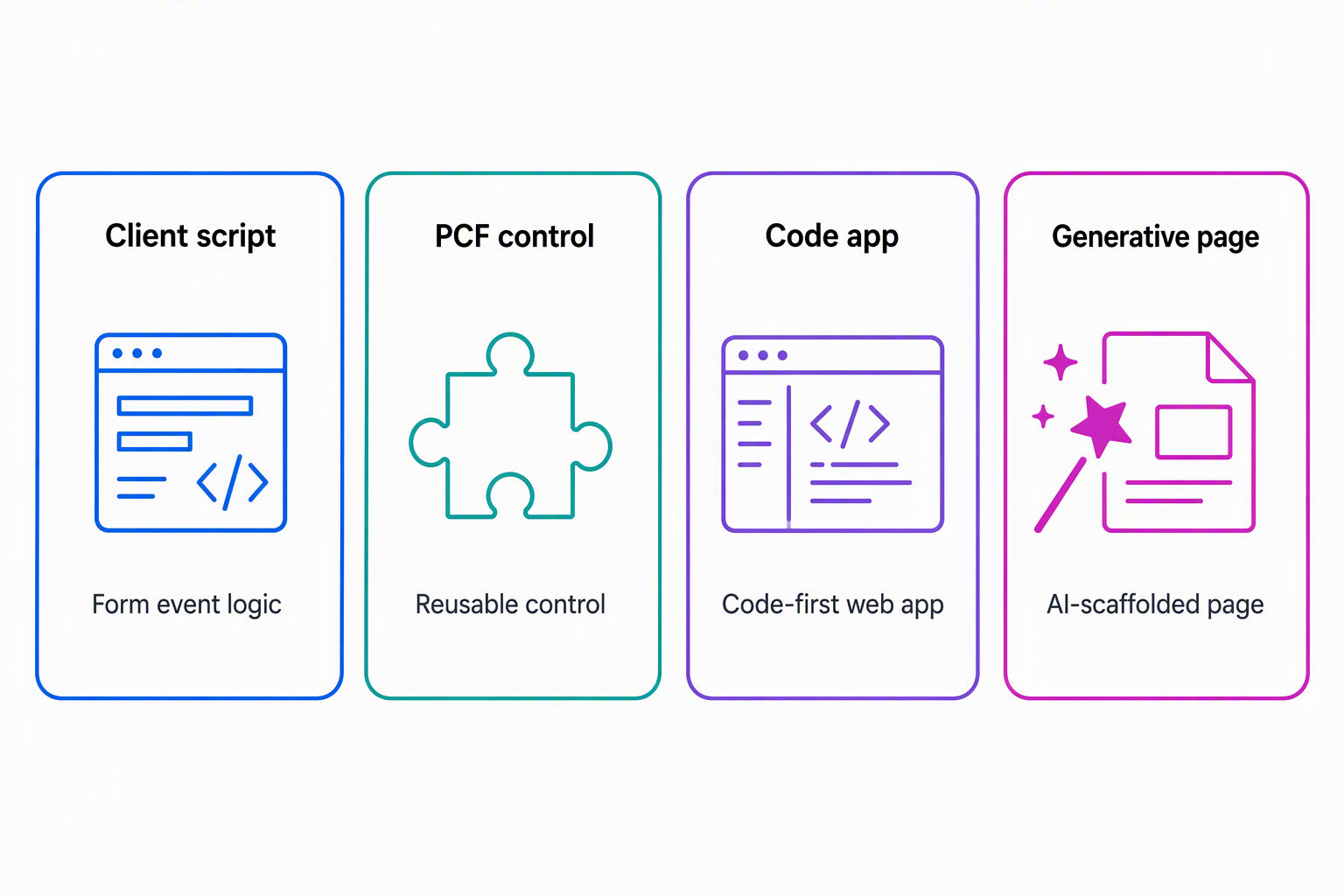
| Option | Primary use case | When to reach for it | Key limitation |
|---|---|---|---|
| Client script | Lightweight UI logic that reacts to a user's action in real time | Validating or formatting a field, or showing and hiding controls, as someone fills out a form | Tied to one form and event. Not reusable as a visual component |
| PCF control | A reusable, richer input or visualization control | The same specialized control is needed across multiple forms or apps | More development and packaging effort than a script |
| Code app | A custom business web app built code-first | A developer needs full control over UI and logic while staying on the managed platform | Requires IDE-based development skills and tooling, not a low-code designer |
| Generative page | Fast, natural-language scaffolding of a model-driven app page | You want a working page quickly from a description, then refine it | Generated output still needs review. Some capabilities remain preview |
Reflect: The coordinator now asks for a dashboard-style page that highlights every pending request next to the employee's remaining allowance, flagged by how long the request has waited. Using the table above, which option would you reach for first to scaffold that page? Which option would you add afterward to handle one piece of interactive behavior the first option can't cover on its own?
With client and application options mapped, the next unit turns to the server runtime. There, plug-ins and custom APIs make similar decisions for logic that must run every time a request record changes, no matter which app or process caused the change.