Key concepts in subcontracting
This unit describes some important key concepts in subcontracting.
Contracting unit
Contracting units represent the division or practice that owns the delivery of the project. It's also the division that enters the contract relationship with the vendor.
Purchase currency
The purchase currency is the currency that the subcontract is created in, but it's also the currency that the subcontractor costs on a project are recorded in. This currency can differ from the project currency, and the project currency can differ from the sales currency.
Billing methods on subcontract lines
Typically, two contracting models are available: fixed-fee and consumption-based. Dynamics 365 Project Operations supports these billing methods in the sales and purchase contexts. For a purchase, the billing methods work in particular ways.
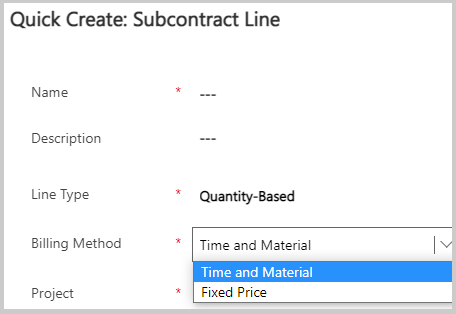
Time and Material - A billing method that's set on a subcontract line. The cost of time is recorded on the project as subcontractors work on the project and record their time. The system matches these cost transactions from subcontractors with the line items on vendor invoices. Project managers who use Project Operations can match and verify vendor invoice lines with subcontractor time that has been recorded and approved. After the invoice lines and time have been verified, the previous cost actuals that were originally recorded on the lines will reverse and create the new cost actuals based on the vendor invoice on the project instead.
Fixed Price - Occurs when the vendor invoices are based on fixed milestones. However, the subcontractor resources can also report time. Next, the project manager will review and approve time. Then, Project Operations will create a temporary cost actual on the project, and when the vendor sends an invoice for a milestone, the project manager can match the previously recorded cost actuals against the milestone. When that verification is complete, the cost actuals will be reversed as well, and the milestone-based cost will be recorded.
Project price lists, transaction classes, and purchase pricing dimensions on subcontracts
To set up purchase prices for time, expense, and other project-related components, you can use the Project price list. Multiple price lists might be available, each with its own date-effective subcontract in Project Operations but that avoids overlapping the effective dates of each list.
Project Operations supports four types of transaction classes: Time, Expense, Material, and Fee. You can estimate and incur purchase costs for Time, Expense, and Material transaction classes, but Fee is a revenue-only transaction class that isn't available in the context of purchasing.
You can add these price lists and transaction classes to pricing dimensions. Pricing dimensions let you decide what attributes are used for purchase price setup and defaulting on time transactions. Project Operations supports only fixed dimension sets for purchase price setup and defaults. The purchase price setup and defaulting on subcontract lines or time transactions are determined by the attributes of Role and Bookable resource.