Access the Microsoft Intune Admin Center
Imagine you're an IT administrator with a managed fleet of devices. You have a Microsoft Intune E5 subscription and your organization has deployed Surface devices to a field team. You need to access Surface Management Portal to confirm that the devices are ready and operational for field use. The first step to complete this task is to access the Microsoft Intune Admin Center.
To access Surface Management Portal through Intune:
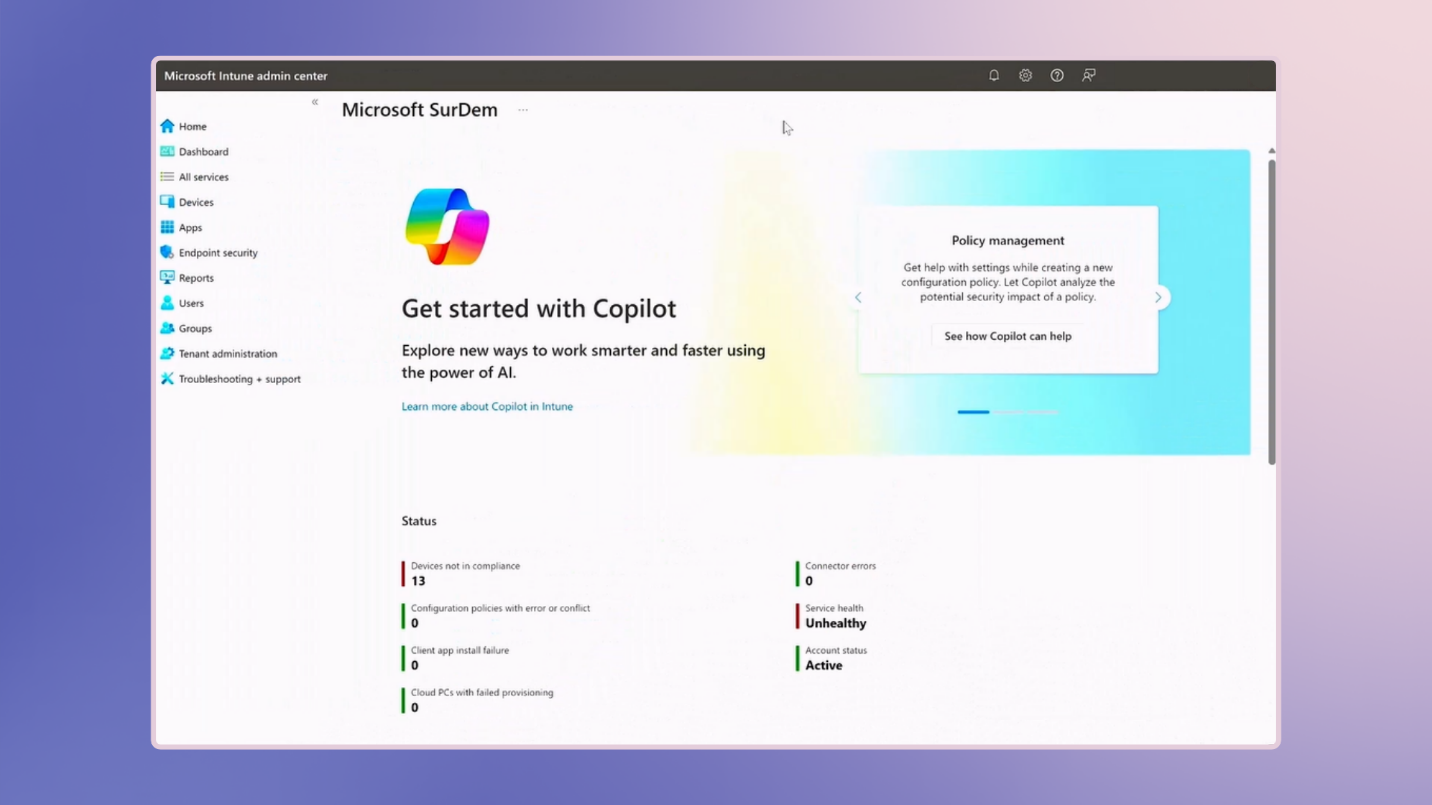
- Sign in to the Microsoft Intune Admin Center on a web browser.
- Confirm that the correct tenant is selected.
Tip
To check if a tenant already exists in Azure Active Directory, go to aka.ms/wheres-my-tenant.
- Once inside the Intune Admin Center, navigate to All services.
- Locate Surface Management Portal.
Note
Alternatively, you can access Surface Management Portal by selecting Devices > Partner Portals > Surface Management Portal.
Now that you have successfully logged into the Intune Admin Center and located the Surface Management Portal, you're ready to manage your organization's fleet of Surface devices.
Important
When accessing Surface Management Portal through the Intune Admin Center, you can either navigate to the portal through the All Services or Devices menu.