Configure data policies for Copilot Studio agents
Copilot Studio agents interact with data differently than traditional apps and flows. An agent might pull knowledge from SharePoint sites, search public websites, call external APIs through skills, or respond to event triggers. Each of these represents a potential data pathway that DLP policies need to govern. Power Platform provides virtual connectors specifically designed to control these AI-specific capabilities.
Understand virtual connectors for Copilot Studio
Virtual connectors are governance-only constructs that appear in your DLP policies alongside real connectors. They don't represent actual API connections. Instead, they map to specific Copilot Studio capabilities that you want to allow or restrict. Classifying a virtual connector into the Blocked group disables the corresponding capability for agents in the affected environments.
The key virtual connectors for Copilot Studio include:
| Virtual connector | What it controls |
|---|---|
| Chat without Microsoft Entra ID authentication in Copilot Studio | Whether agents can operate without requiring user authentication |
| Knowledge source with SharePoint and OneDrive in Copilot Studio | Agent access to SharePoint and OneDrive as knowledge sources |
| Knowledge source with public websites and data in Copilot Studio | Agent ability to search and use public web content |
| Knowledge source with documents in Copilot Studio | Agent use of uploaded documents as knowledge |
| Skills with Copilot Studio | Agent ability to call custom skills |
| Microsoft Copilot Studio connector | Event triggers that invoke agent actions |
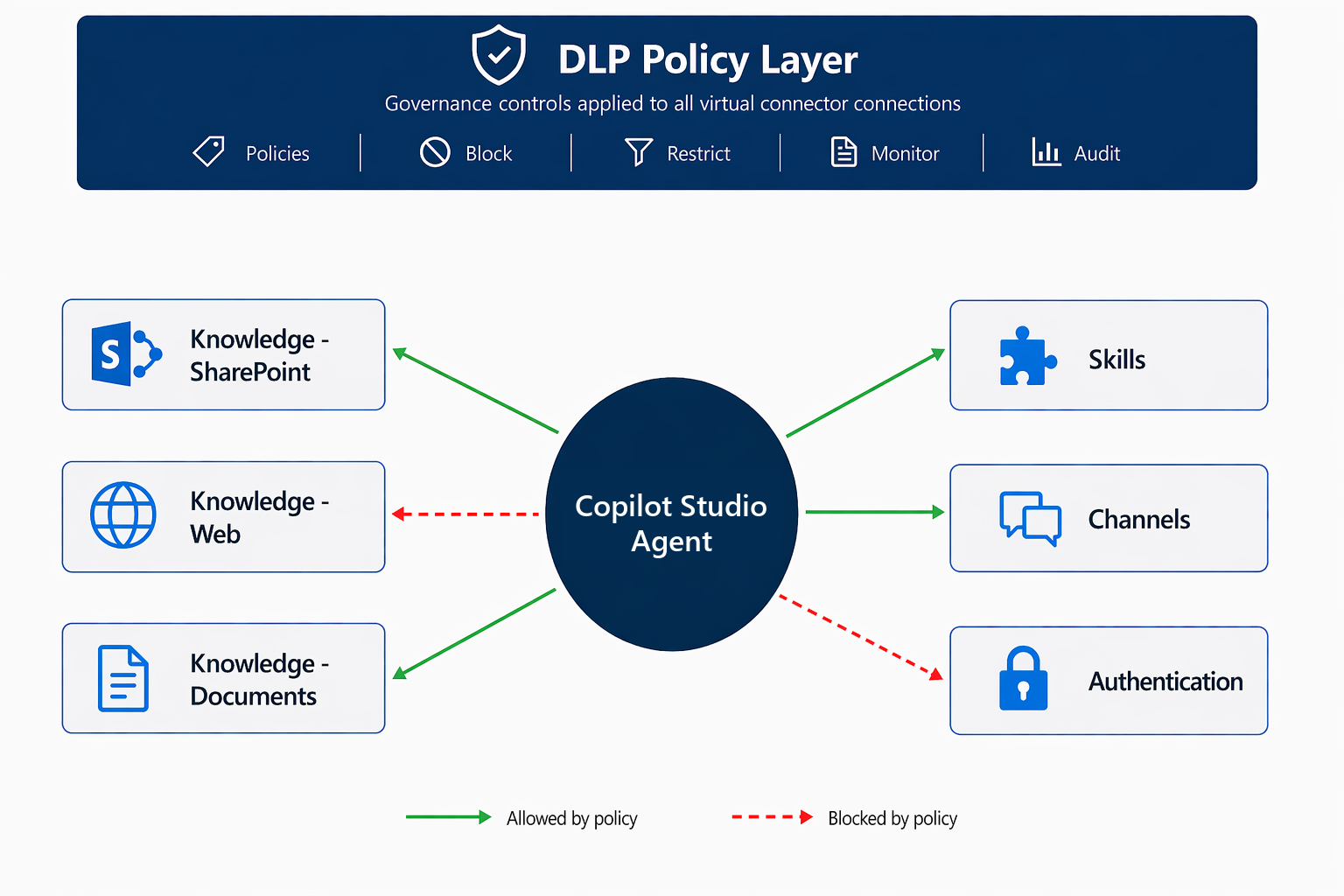
Block knowledge sources
Knowledge sources are how agents ground their responses in organizational or external data. In a regulated environment like Zava Pay, you might need to restrict which knowledge sources agents can use:
Block public website knowledge Prevent agents from searching the public web for answers. This restriction ensures agents only respond based on approved organizational content, so they avoid the risk of surfacing unverified information to customers.
Block document uploads Prevent makers from uploading documents directly as knowledge sources. This restriction forces knowledge to come from governed repositories (SharePoint) where information-governance policies apply.
Allow SharePoint with endpoint filtering Rather than blocking SharePoint knowledge entirely, use endpoint filtering to restrict which SharePoint sites agents can access:
- In your data policy, find the Knowledge source with SharePoint and OneDrive in Copilot Studio connector.
- Select Configure connector > Connector Endpoints.
- Add allowed SharePoint site URL patterns (for example,
https://zava.sharepoint.com/sites/approved-kb/*). - Block all other patterns with a deny-all default.
This approach lets Zava's customer-service agents pull from the approved knowledge base while preventing them from accessing the HR site, executive communications, or even competitors.
Control agent channels and publishing
Each publishing channel for a Copilot Studio agent has its own virtual connector:
- Direct Line
- Microsoft Teams / Microsoft 365
- Omnichannel for Customer Service
- SharePoint
By blocking channel connectors in your data policy, you control where agents can be published. For Zava Pay, you might allow only Microsoft Teams and Omnichannel (approved internal and customer-facing channels) while blocking Facebook and WhatsApp (unapproved for financial data conversations).
Note
If you block all channel connectors, agents can't be published anywhere in that environment. Ensure at least one channel remains available in environments where agents are expected to operate.
Handle overlapping policies for agents
When multiple data policies apply to an environment, the most restrictive combination governs agent behavior. This policy enforcement has specific implications for Copilot Studio:
- If a tenant policy allows SharePoint knowledge and an environment policy blocks it, SharePoint knowledge is blocked in that environment.
- If any applicable policy blocks the Microsoft Copilot Studio connector, event triggers are disabled - agents can't respond to external events.
- Endpoint filtering patterns from multiple policies combine: only URLs allowed by all applicable policies are accessible.
Important
Data policy enforcement for Copilot Studio agents is now real-time for all tenants. Agents previously exempt from policy enforcement are now subject to the same rules as apps and flows. When you apply a new policy, existing agents that violate it stop working immediately.
Apply data policies alongside agent-level settings
Data policies work at the environment level, affecting all agents in that environment. For agent-specific controls beyond data policies, Copilot Studio provides additional settings:
- Authentication requirements - Require Microsoft Entra ID authentication at the agent level, independent of DLP.
- Knowledge source configuration - Authors configure which specific sources an agent uses; DLP determines which source types are available to configure.
- Generative AI settings - Tenant-level settings in the admin center control whether generative answers, generative actions, and AI-generated content are available.
The layered model works like this: Data policies set the outer boundary of what's possible, agent-level settings narrow the scope further, and individual authors configure specifics within those boundaries.