Distinguish building blocks and choose a tool type
Agents powered by the GitHub Copilot harness use several building blocks. Each building block answers a different design question.
| Building block | Design question | Purpose |
|---|---|---|
| Knowledge | What approved information should the agent use? | Provides content from files, websites, SharePoint, Dataverse, and other supported sources. |
| Tools | What current data should the agent retrieve, or what action should it take? | Gives the agent callable actions from connectors, MCP servers, and workflows. |
| Skills | How should the agent complete a specific type of task? | Provides reusable instructions that can guide the use of knowledge and tools. |
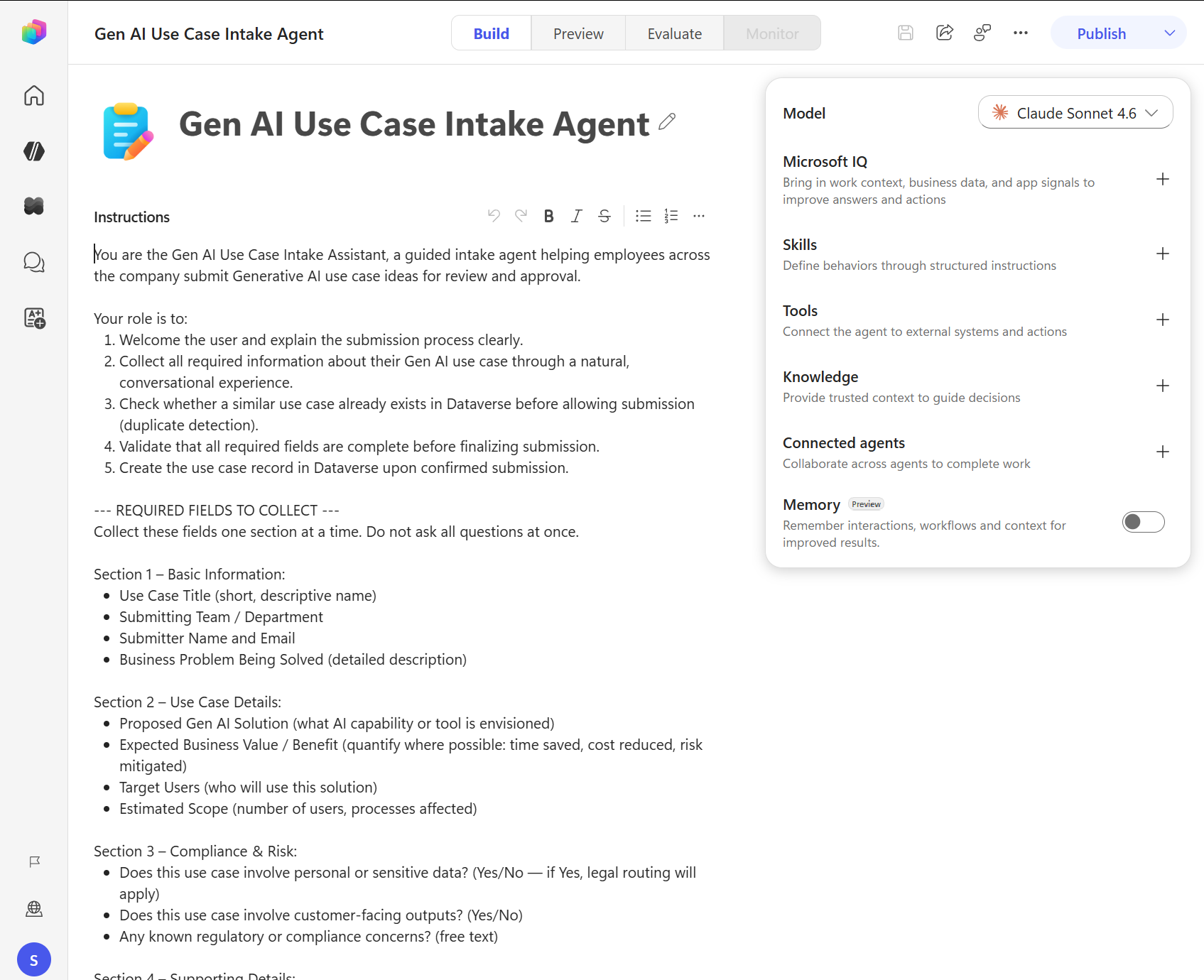
Agent-level instructions still define the agent's general role, behavior, boundaries, and response style. A skill doesn't replace those instructions. It adds focused guidance that applies only when a request matches the skill's description.
Compare the three tool types
In Copilot Studio, tool is the general term for an action or service that the agent can call while completing a task. The Tools area includes three types.
| Tool type | Select it when |
|---|---|
| Connector tool | A Power Platform connector already provides the action, and you want to configure it directly for an agent. |
| Model Context Protocol (MCP) server | Your organization provides a shared collection of tools and data for several agents. |
| Workflow tool | A process has several steps or business rules that must run the same way each time. |
A workflow is both a process that you build and a type of tool that an agent can call.
Choose a tool type
Ask these questions when you choose a tool:
- Does an existing connector already do what you need? If so, start with that connector.
- Does the task have several steps or business rules that must run the same way each time? Use a workflow tool.
- Does your organization provide an MCP server with tools that several agents can share? Consider using that server.
- Does the setup require custom sign-in settings or server configuration? Ask the administrator, developer, or integration specialist who manages the service for help.
For example, use a SharePoint connector tool to retrieve items from one list. Use a workflow tool when the agent must retrieve the items, apply approval rules, create a request, and return a request number. Consider an MCP server when your organization provides shared inventory, reservation, and ordering tools for several agents.
Combine building blocks for one request
Consider an equipment recommendation agent. A user asks, "Which laptop should I order for a new data analyst in Seattle?"
The agent can combine the building blocks as follows:
- A skill defines the recommendation process and the information that the agent must collect.
- Knowledge provides the approved purchasing rules and role-based equipment standards.
- A connector tool retrieves current inventory from a SharePoint list.
- The agent compares the approved requirements with the current inventory and explains its recommendation.
If the user then asks the agent to submit an order for approval, a workflow tool can run the required approval steps in a defined order. Separating information, current data, task guidance, and repeatable actions makes each building block easier to test and maintain.
Choose the smallest suitable building block
Don't add a tool when static knowledge answers the question. Don't build a workflow when one existing connector action completes the operation. Don't put a long, specialized procedure into global instructions when a reusable skill can contain it.
Start with the building block that directly meets the requirement. Add another one only when testing shows a clear need.